Free Ad Headline Generator
Create compelling ad headlines for Google, Facebook, LinkedIn, and more.

Create compelling ad headlines for Google, Facebook, LinkedIn, and more.
Use an AI-powered Ad Headline Generator to provide fulfilling, top-notch content fit to your description. Describe what you’re advertising and get a list of headline ideas in seconds.
An Ad Headline Generator or Ad generator is an AI-powered tool that produces sought-after, high-quality ad headlines in seconds. Speeding up write-time, all the while, maintaining brand voice or personality.
The use of an ad generator speeds up efficiency writing effective headlines in seconds. Avoid writer/creativity blocks with a generator to provide insightful, trend-forward headlines.
Not only does an ad generator shave time off creating headlines, it has the power to provide tailored content for each and every platform. Improve effectiveness of your advertising campaigns across all platforms.
With the power of ad headline generator, you can create different types of headlines such as:
The process to create an AI-generated ad sure is short and sweet. It takes almost no time at all and you’re left with a generated ad that is tailored to your audience, platform, and style.
It’s as simple as defining your headline, analyzing your options, and finally, optimizing.
Let’s get started.
Start by feeding AI details about the type of ad copy you’re looking for. Specify things like topic, audience, and tone.
It’s much easier for AI to give you effective results when you specify more than just “SEO” as your topic. Take it a step further and ask for ad copy around the topic, “SEO Optimization”. Tailored to an audience of small business marketers, in a conversational, yet informative tone.
See the difference? AI’s responses improve the more background and guidance you offer.
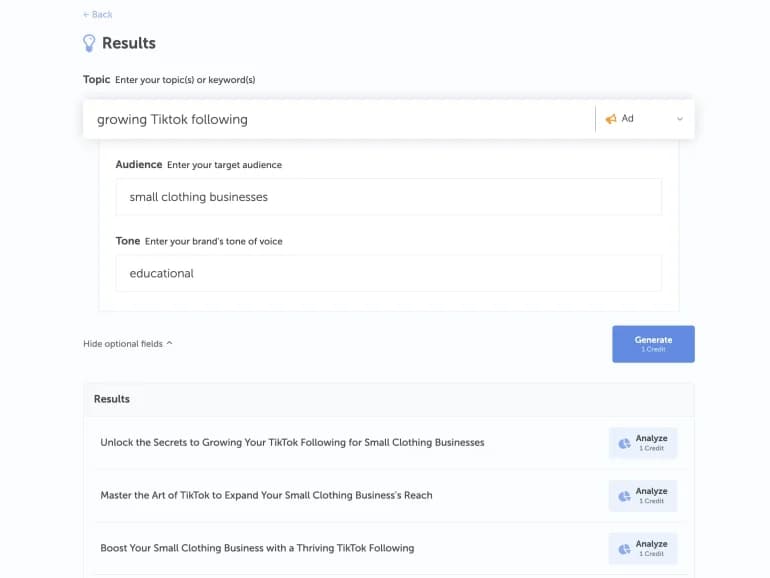
Once you’ve included your topic, audience, and tone, AI will get back to you with numerous options of potential headline topics. Look through them, determine what phrasing you like over the others, and select the one that stands out to you.
From there, you can analyze the chosen headline. See its overall score as well as its ranking in categories like word and character count, skimmability, headline type and much more.
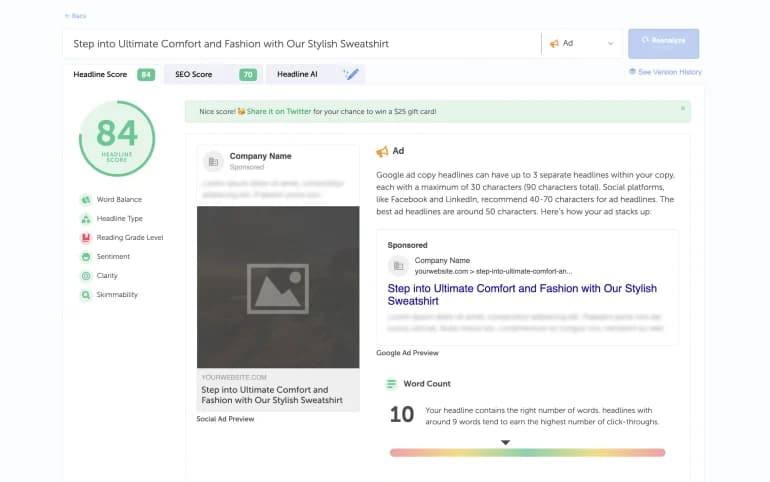
Finally, optimize your headline to perfection. Dive into each given category and learn how you can improve the score in each category. Adjustments may vary between re-phrasing your headline as a question, adding more positive wording, or making it more concise.
That’s the whole process! Just specify to AI the details of what you’re looking for, analyze your options, and then optimize that headline!
Facebook users scroll fast. Ad headlines that convert on Facebook need to be worthy enough to stop the scroll.
Consider phrasing your headline as a question. Keeping it clear and concise, a question that pertains to your audience will easily draw them in and pique their interest. Keep headlines short; Meta recommends about 27 characters (40 max), so check the preview in Ads Manager.
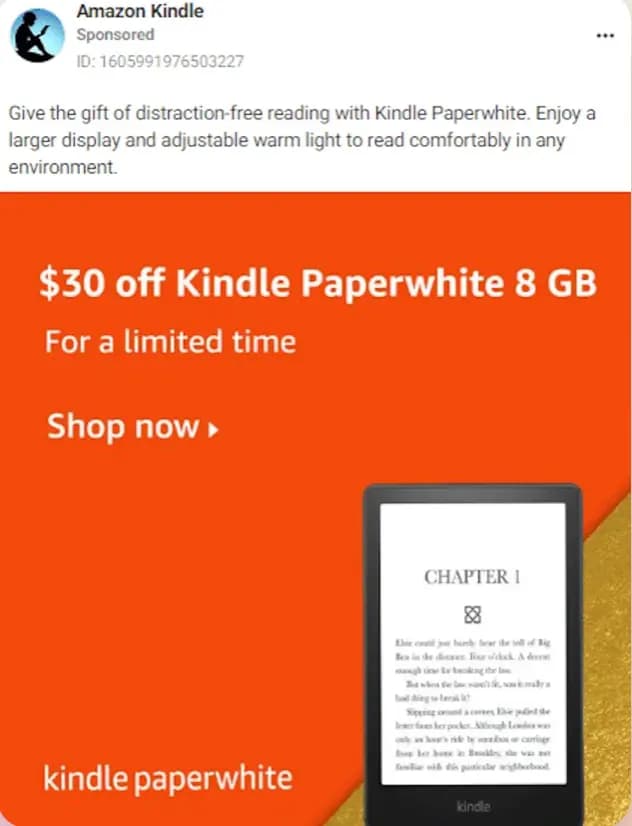
For example, Amazon Kindle has taken a more conversational and friendly approach to their Facebook ad headline. Instead of a pushy line like ‘Buy Now!’, Kindle shows readers how the product fits into their day.
To generate a winning ad headline for LinkedIn your headline needs to be concise, formal, and relevant. Keep headlines under 70 characters and introductory text under 150 so neither gets cut off.
Given the professional nature of LinkedIn, viewers are looking for serious, informative messages, opportunities, or insights. Match your headline to the seriousness of LinkedIn and keep your headline formal and informative. To drive your message home, it helps to focus on the value proposition your headline provides. Be clear as to what your headline can offer them.
Continue to ask yourself, what does your audience get from clicking your headline?
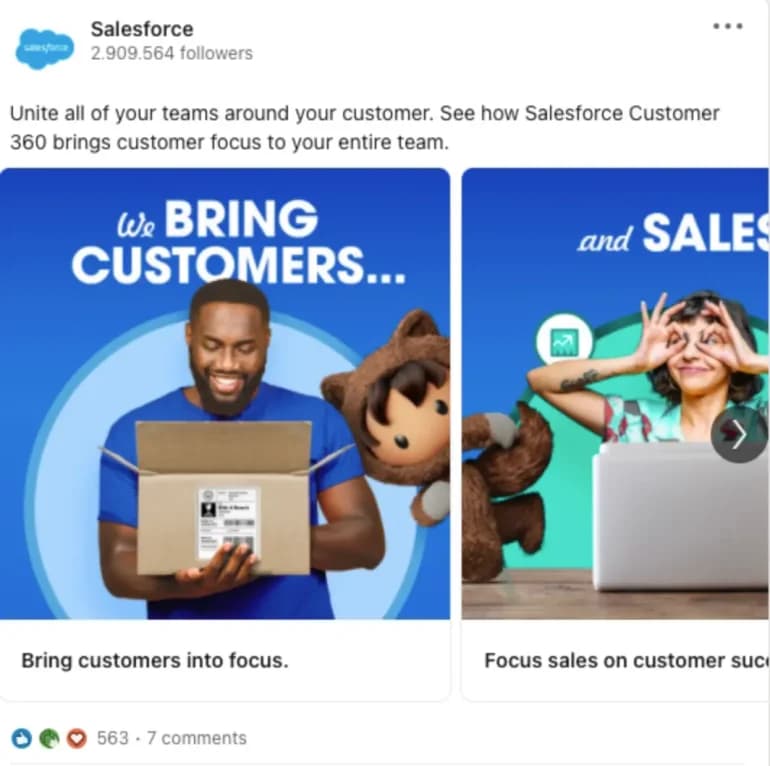
Salesforce created an incredibly effective ad on LinkedIn by providing a value proposition on each slide. Targeting all needs from their audience.
Furthermore, their use of colors and logo increases brand awareness!
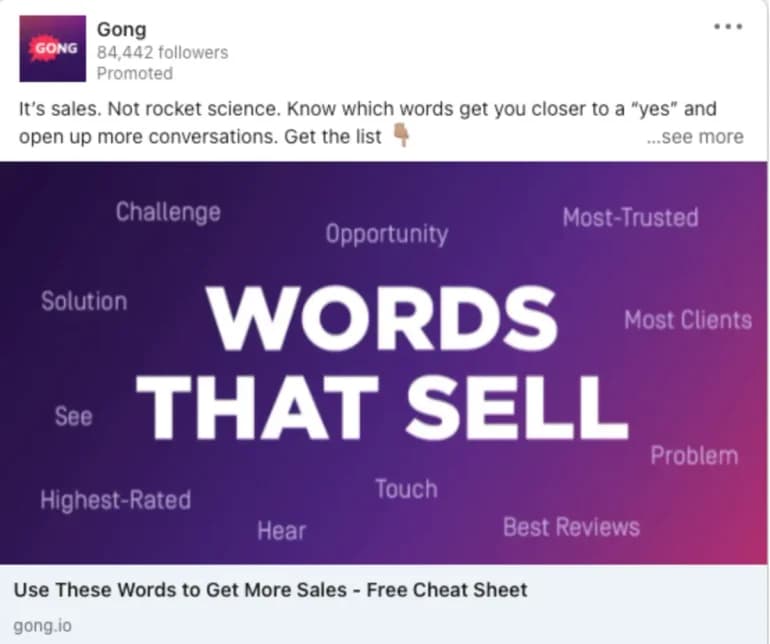
Tune in to how Gong immediately provides value to their readers. This ad catches attention and promotes an effective “cheat-sheet” for sales people. Increase engagement and give the audience what they want, win-win!
In order to write successful text ads, there are a few things to square away and keep in mind. By showcasing unique characteristics of your brand, including call-to-action features, and experimenting with different tones and styles, you can get more eyes on your Google ad.
Here are some ways to make your Google ad stand out:
Prove to your audience why your brand is competitive and cutting edge. Whether you offer free shipping or provide a large variety compared to your competitors, make sure your audience knows that!
It’s extremely important to include a CTA (call-to-action) in your ad headlines. Lay out the steps for your audience and guide them to the next step. Including phrases like purchase, call today, get a quote, and sign up are all effective call to action features.
This way, you’ll never have viewers wondering how to get a hold of you or where to learn more.
Google’s responsive search ads let you add up to 15 headlines of 30 characters each, then test combinations to find what performs best. Generate a batch here, trim them to 30 characters and add 8–15 to each ad.
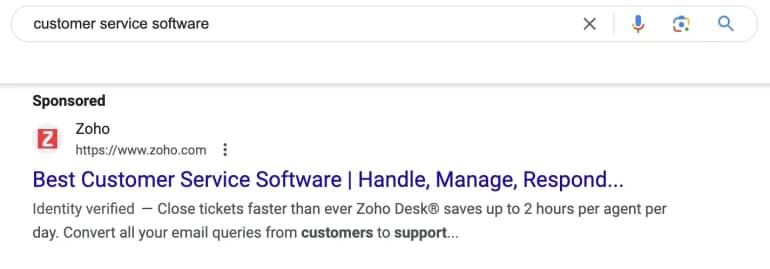
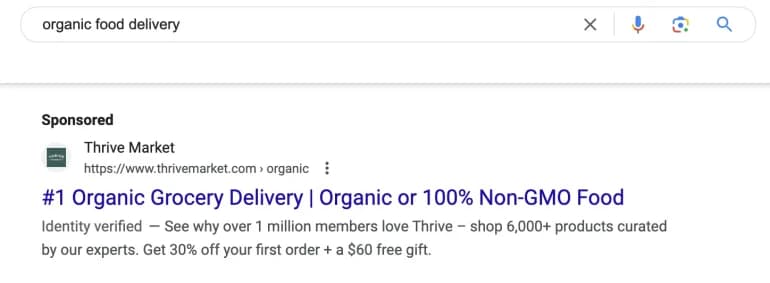
Another example of a top-performing Google ad is from Thrive Market. By including stats and numbers, it evokes a sense of trust between the audience and your brand. The numbers don’t lie and it’ll probe readers to want to learn more about your business.
There’s always room for improvement within your headlines and there’s plenty of ways to adjust your headlines until they are fully optimized. Here’s some quick tips to keep your ad headlines performing at the top of their game:
Mix these tips with CoSchedule’s Headline Studio features and you get a stronger headline. Headline Studio helps improve your headline with data-backed insights. After analyzing your headline, you’ll receive an overall score as well as scores in word count, character count, and word balance.
In turn, scoring high in those categories raise your overall score.
Curious about expanding your content creation toolkit? Explore additional content generators to perfect your blog titles, social media captions, email subject lines, and more.

Paige Nordstrom is an accomplished Content Marketer at CoSchedule, where her passion for writing merges seamlessly with her expertise in generating compelling marketing content. She utilizes her experience in writing to generate sought-after marketing content for the CoSchedule page. Connect with Paige on LinkedIn.