
AI Insights analyzes your social media metrics and tells you what to do next. Pick a prompt, and you get a chart of the numbers with written insights and recommendations that explain them. Available on Professional and Suite.
It covers Facebook, Instagram, X, LinkedIn, YouTube Shorts, TikTok, Threads, Bluesky and Mastodon.
Run a prompt
- From your calendar, click Analytics in the sidebar menu.
- Under Insights Assistant Reports on the Analytics home page, select a prompt. Category chips above the prompts, starting with All, narrow the list.
If your plan includes it, you can also type your own question in What would you like to know? and click Generate Report.
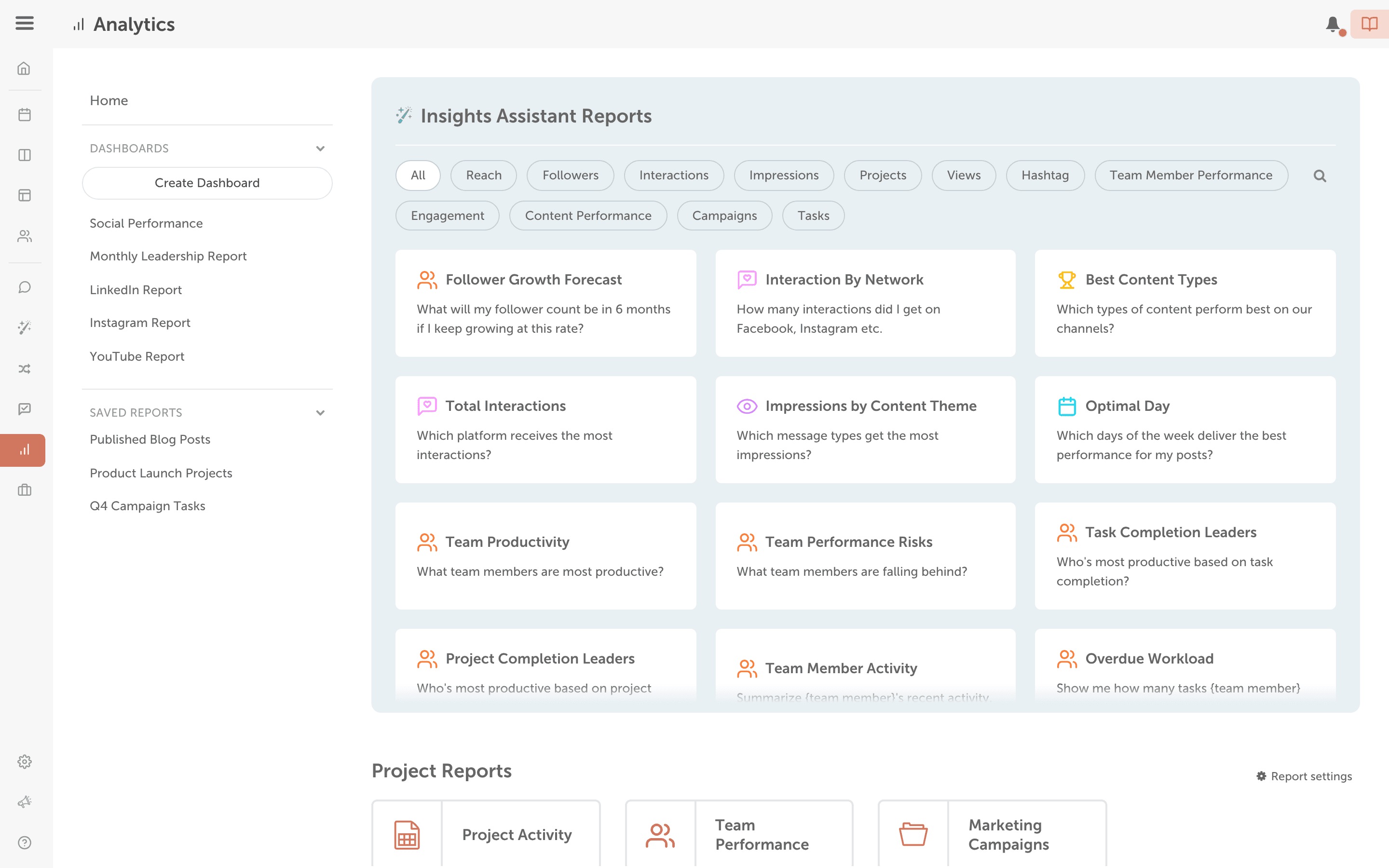
- Filter by date range, social profiles, color labels and tags to narrow in on the data that matters.
- Read the chart and the insights and recommendations under it.
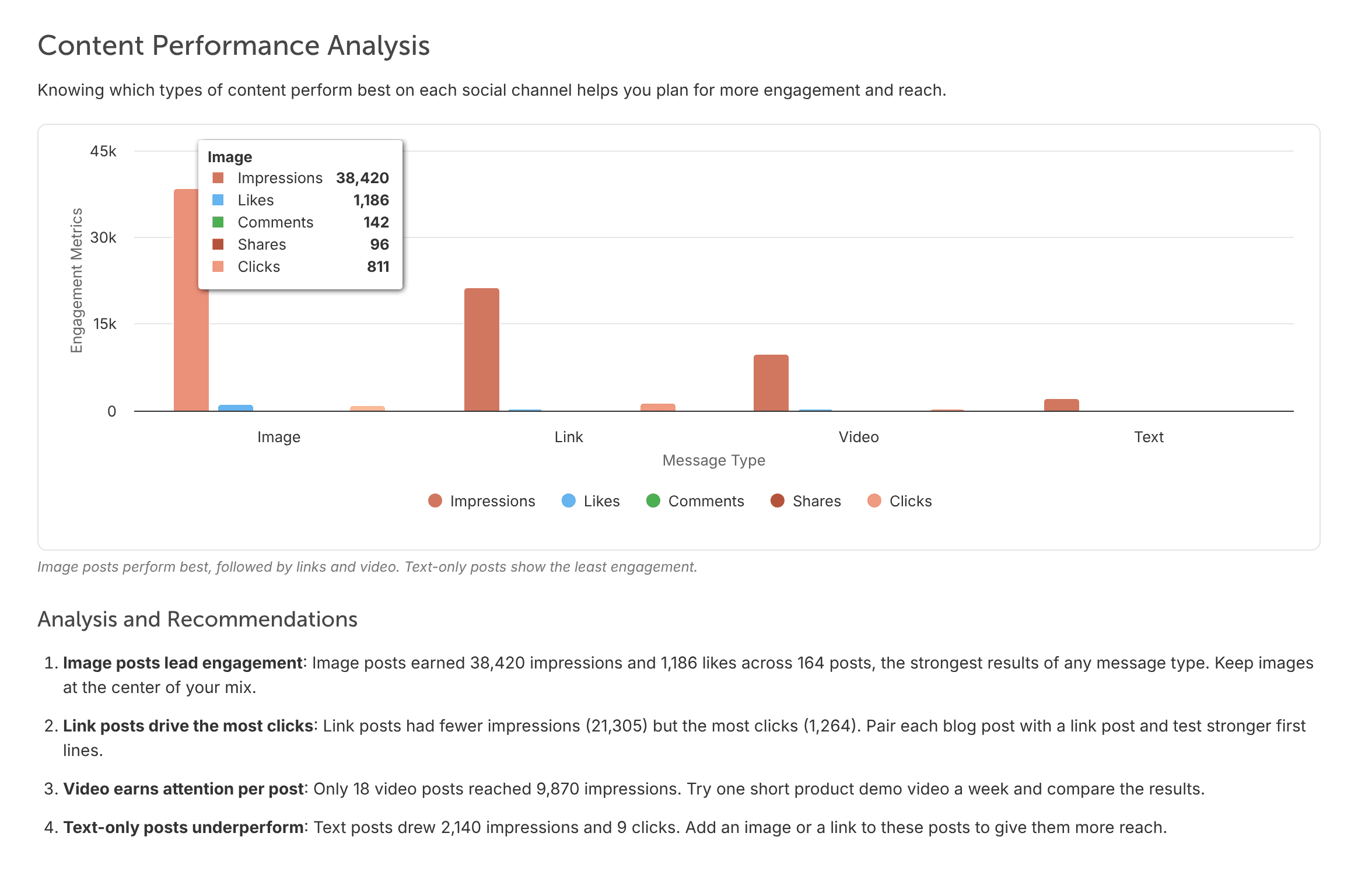
The heading at the top of the screen is the prompt you ran. To go back to the list of prompts, click Back to All Insights. You can also open Insights Assistant from the Analytics menu: choose Insights Assistant.
Results include every connected social profile unless you filter by social profile. For example, a prompt about views adds up the views of all your profiles; filter to one profile to see only its views.
What AI Insights doesn't cover
Insights Assistant answers the prompt you choose, so it has no fixed list of metrics. It doesn't report reach, and it can't break results down by country or audience demographics.
If there isn't enough data, you see Not Enough Data to Generate Insights with these suggestions: "Try expanding your date range", "Choose a report with more activity" and "Publish more content and revisit later". Click Back to all Insights to choose another prompt. A chart with no data shows "No data available for this chart".
You can also check a profile's numbers in its Social Profile Report. See View Social Profile Reports.
Built-in network dashboards
Plans with AI Insights also include a built-in Insights dashboard for each network. They show:
- Facebook: views, content interactions, followers (current, gained, lost and net change) and an impressions breakdown. Facebook is the only network with an impressions breakdown.
- Instagram: views, content interactions, shares and followers (current, gained, lost and net change).
- X, LinkedIn, Threads, YouTube Shorts and Mastodon: views, content interactions and followers (current, gained, lost and net change).
- Bluesky and TikTok: views, content interactions, current followers and net follower change.
Keep or share a chart
- Add it to a dashboard: see Build an AI Insights dashboard.
- Export it: a chart can always be exported as a CSV. Once the chart exists, you can also export it as a PDF or email it on a schedule. See Export and schedule reports.