
Social Profile Reports show how each social profile is growing and performing: followers, views, interactions and when your posts do best. Available on Starter, Professional and Suite.
Profile reports cover Facebook, Instagram, X, LinkedIn, YouTube Shorts, TikTok, Threads, Bluesky and Mastodon.
Open a Social Profile Report
- From your calendar, click Analytics in the sidebar menu.
- Choose the Social Profile Report you want to view.
- If you have more than one profile connected, select the social profiles, then select a date range.
- To export the report, click Share in the upper-right corner.
The free plan doesn't include social analytics.
What the report shows
Summary cards
- Follows: your total follower count, plus followers gained and lost during the date range.
- Views: how often your profile or page is seen.
- Interactions: how people engage with your profile, such as likes, comments, shares and clicks. What counts differs by network.
- Shares: how often your posts are shared, on networks that report it.
Posting activity
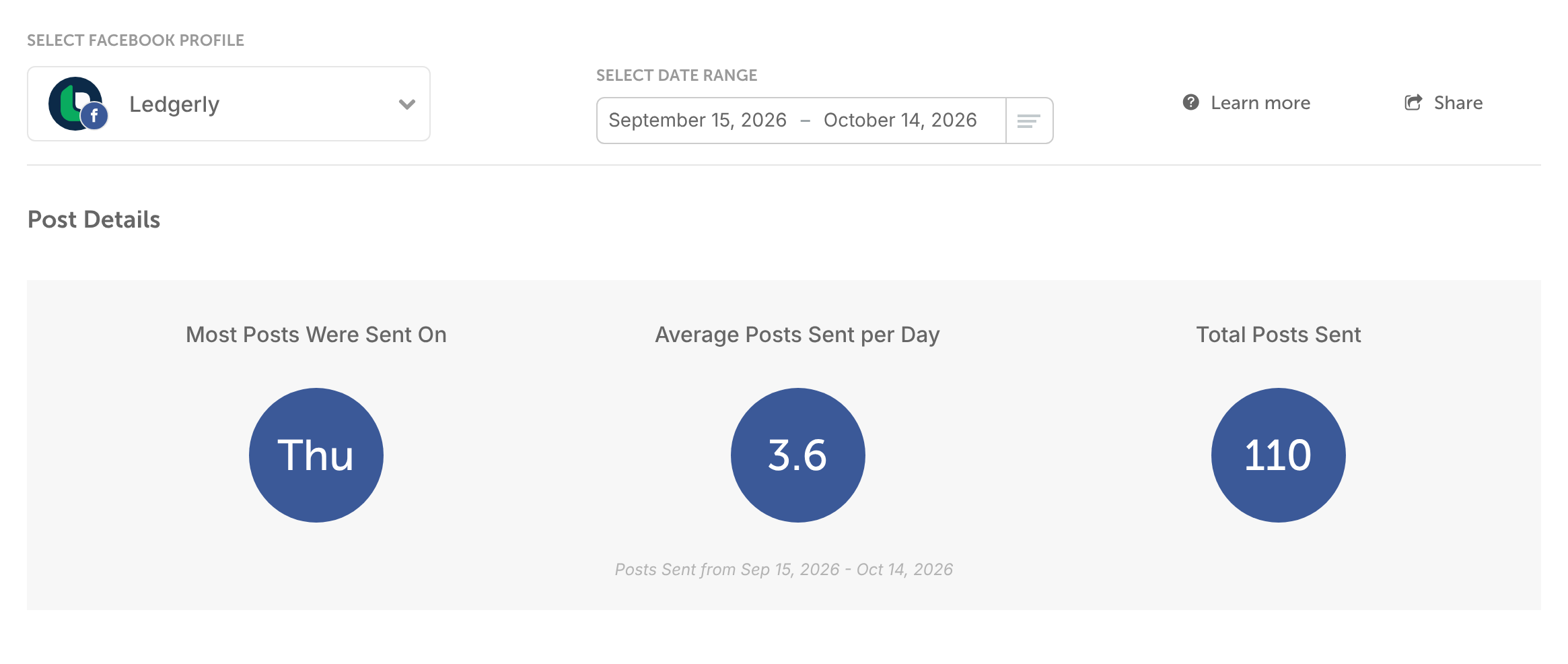
The day you sent the most posts, your average posts per day and your total posts for the date range.
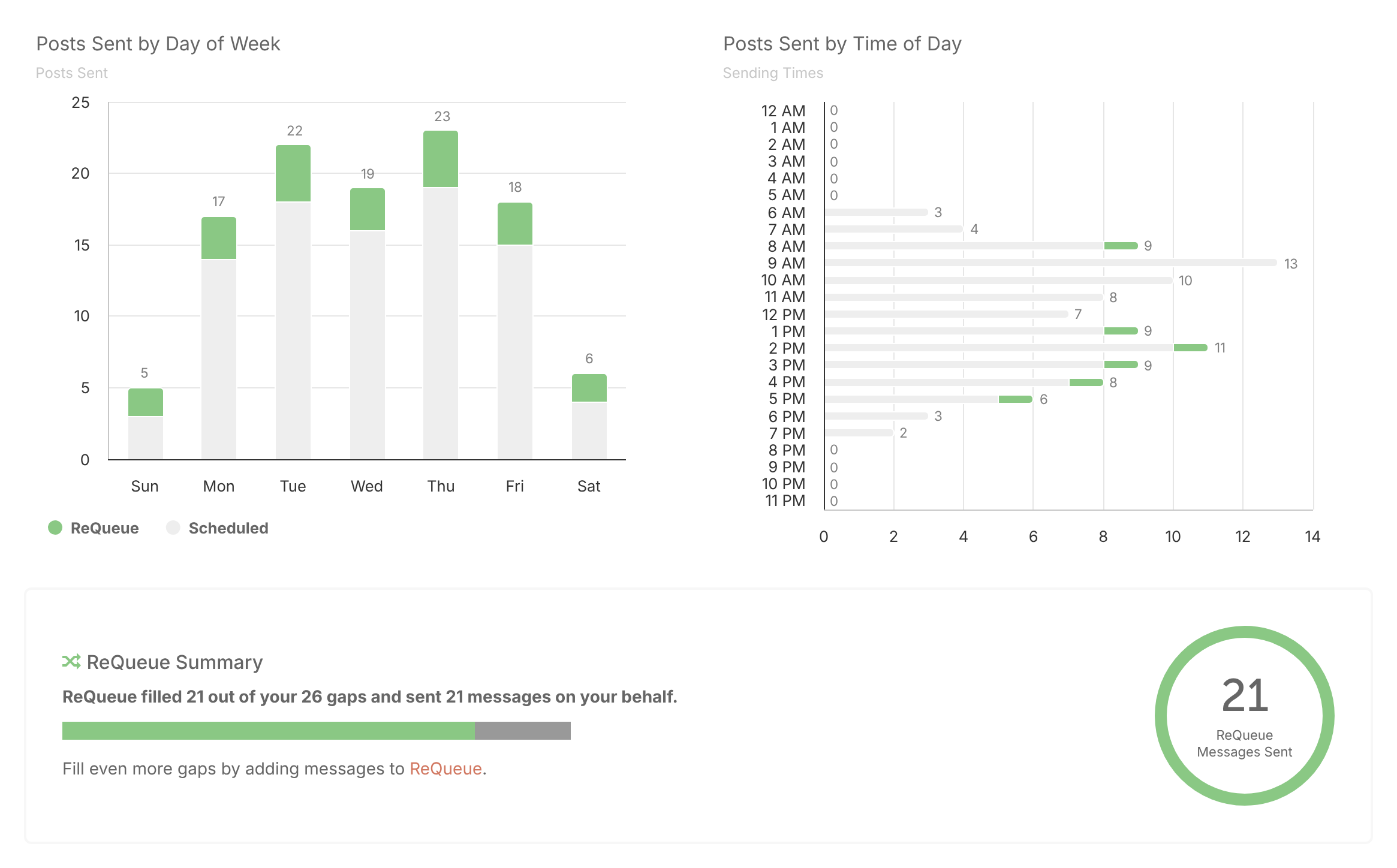
A chart shows how many messages you sent each day, including messages sent by ReQueue.
Most engaging posts
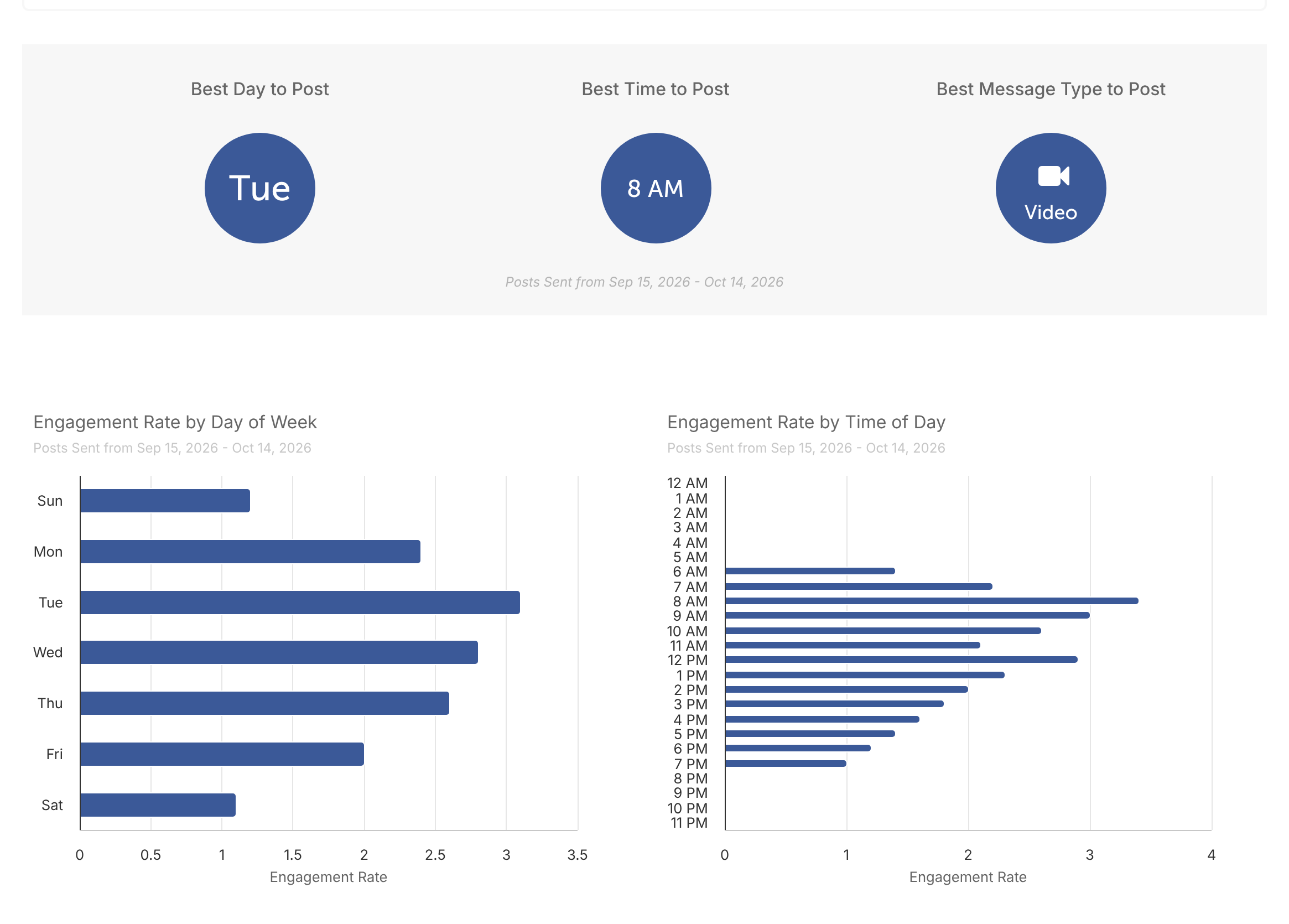
The day, time and message type of your most engaging posts, so you can see when your audience responds best.
Post types
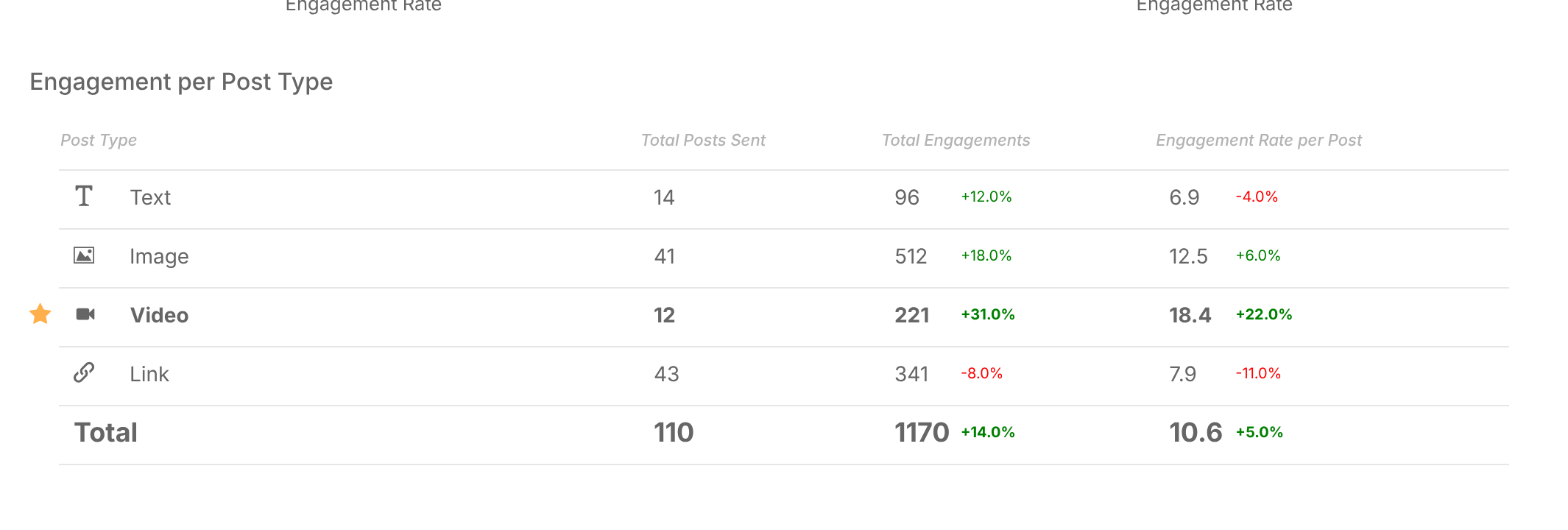
How each post type performed, with its growth percentage for the date range.
When data appears
- When you first connect a profile, CoSchedule fills in the 60 days before you connected it.
- Profile data updates once a day, after 2 AM UTC.
- If a profile needs reconnecting, its data stops updating, and days missed before you reconnect aren't filled in later. Reconnect the profile as soon as CoSchedule flags it.
- A profile connected before a network changed the permissions CoSchedule needs must be reconnected before its data loads.
- LinkedIn demographic data starts in mid-2025.
Why numbers differ from the network
Each network defines its metrics in its own way and shares less data with outside tools than it shows in its own analytics. CoSchedule also rounds some numbers, and report date ranges end in your calendar's timezone. Small differences are expected. See What each analytics metric means for each network's definitions.