
Every published social message and social campaign shows its own engagement, so you can check results without opening a report. Available on Starter, Professional and Suite.
Message analytics cover Facebook, Instagram, X, LinkedIn, YouTube Shorts, TikTok, Threads, Bluesky and Mastodon.
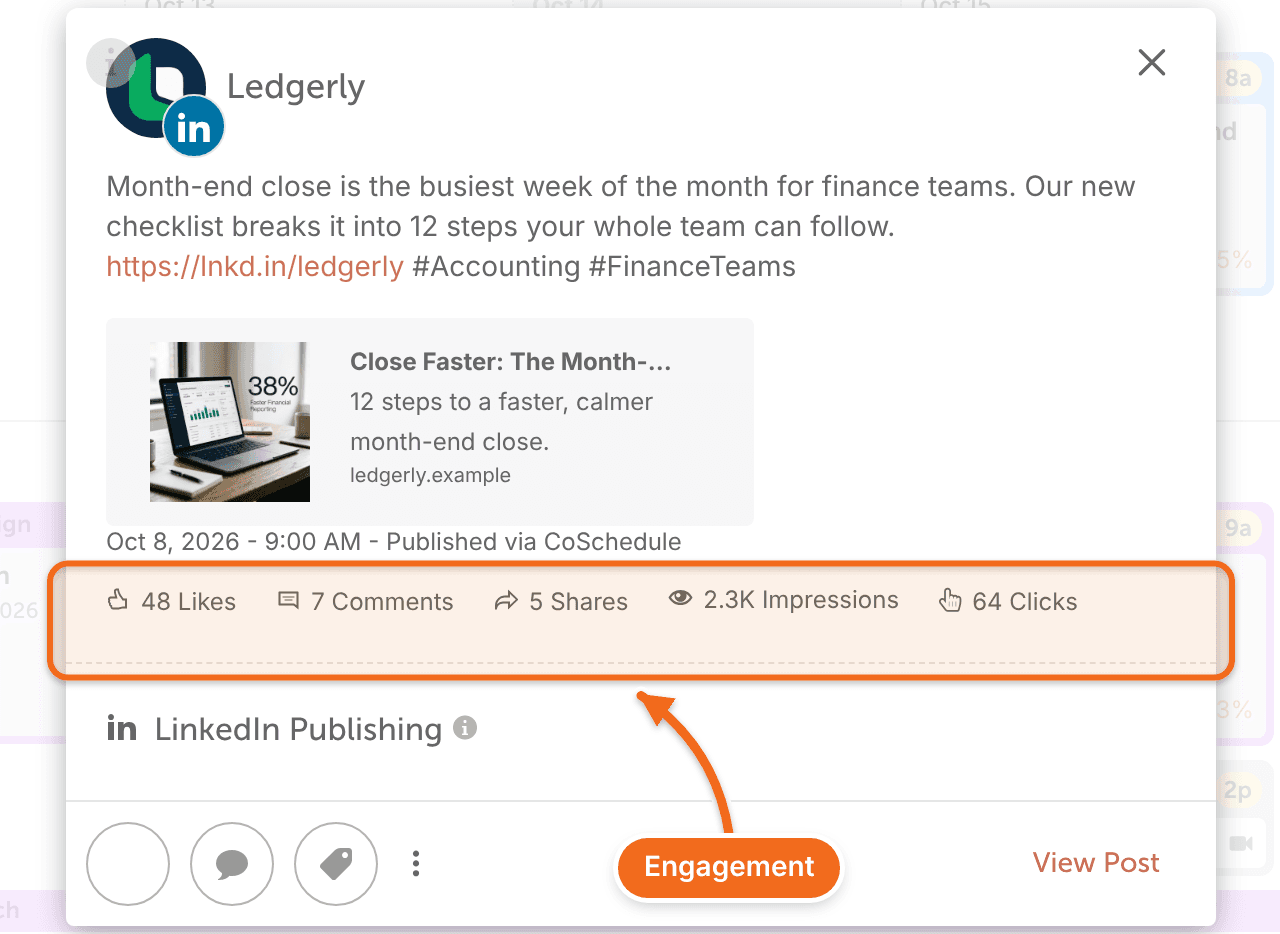
View analytics on a social message
- On your calendar, click a published social message to open it.
- Scroll to the bottom of the message to see its engagement.
Messages published to a Facebook Page also show impressions.
View analytics on a social campaign
- On your calendar, click a published social campaign to open it.
- Review the line chart, which shows the overall engagement of the campaign's social messages.
- Review the breakdown next to the chart, which shows engagement on each social network.
For more detail, or to compare campaigns, use the Social Campaign Report.
When stats update
CoSchedule collects a message's stats on a schedule after it publishes:
- Most networks: 1 hour, 6 hours, 12 hours, 1 day, 2 days, 4 days, 8 days, 14 days, 3 months and 9 months after publishing.
- X: 1 day, 8 days, 14 days, 3 months and 9 months after publishing.
Between collections, the numbers stay as they were at the last one.
Stats pause while a profile needs reconnecting, and collections missed in that time aren't made up later. Reconnect a flagged profile as soon as you can.
Frequently asked questions
Why aren't stats showing on my message?
Usually the first collection hasn't happened yet, or the message hasn't had any engagement. If the profile needs reconnecting, stats stop until you reconnect it. See Fix missing social analytics data.
What counts as engagement?
It depends on the network. See What each analytics metric means.