
The Team Performance Report shows your team's progress on its tasks in one report: due versus completed tasks, the completion rate, overdue tasks and each team member's progress. Available on Suite.
The report measures tasks only. For the status of your projects, use Project Reports. For one team member's open work, use the Team Management Dashboard, or filter Table View by that member to see the projects they own.
Open the report
- From your calendar, click Analytics in the sidebar menu.
- Click Team Performance Report.
Each section counts the tasks in the date range you select.
What each section shows
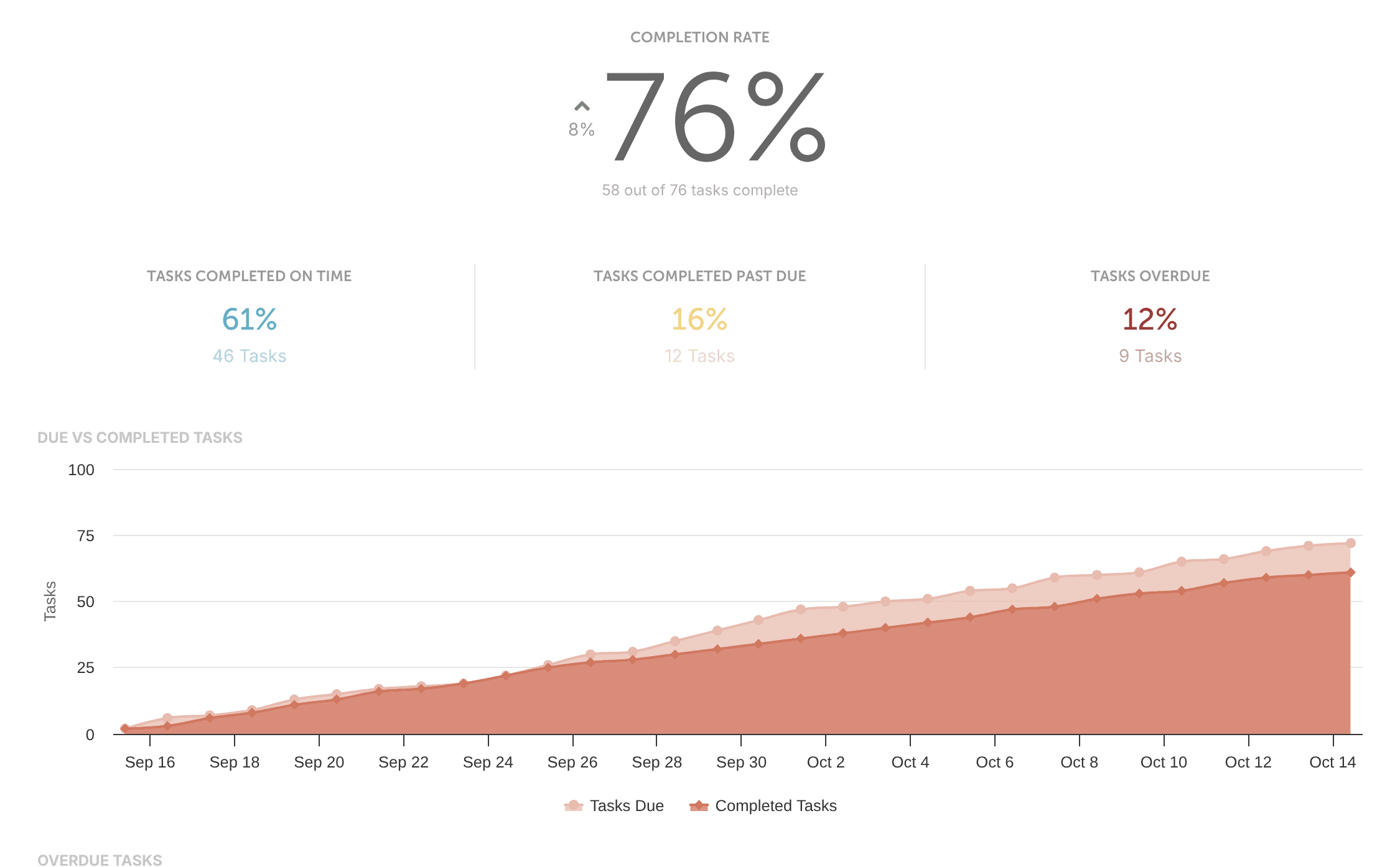
Due vs. Completed Tasks
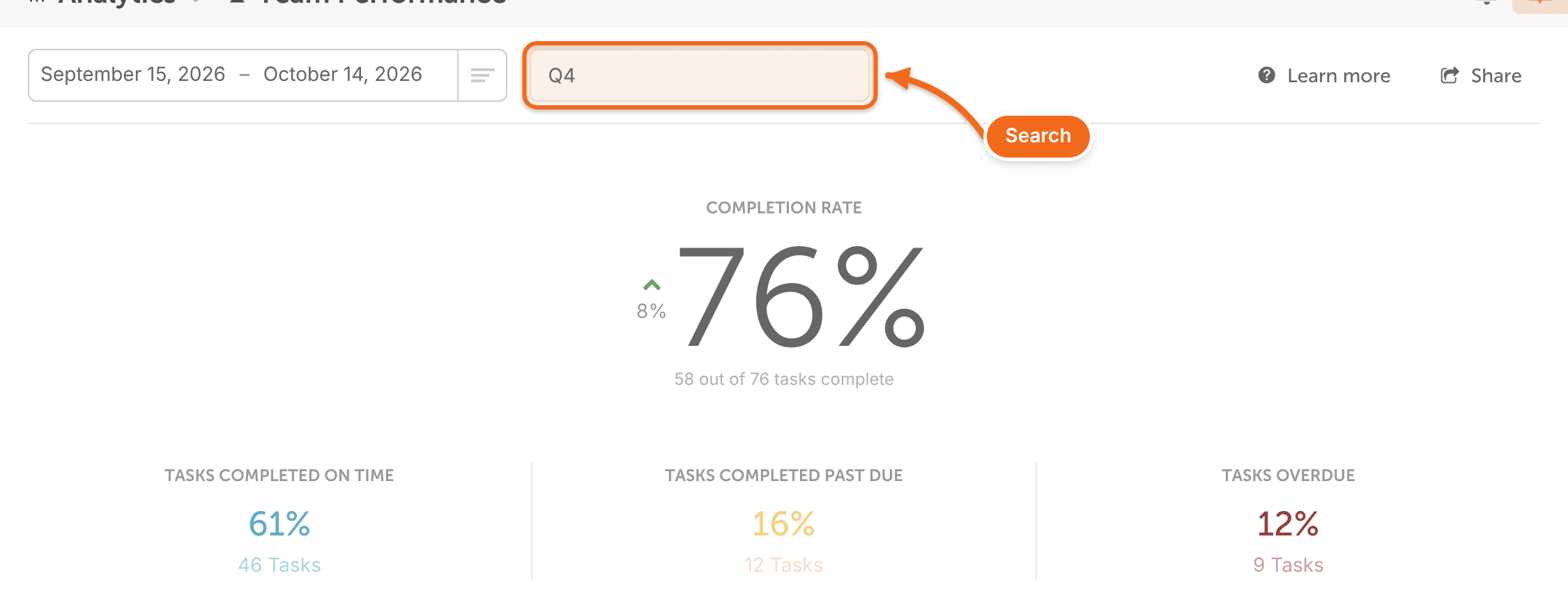
How many tasks were scheduled, completed on time, completed after their due date, and overdue.
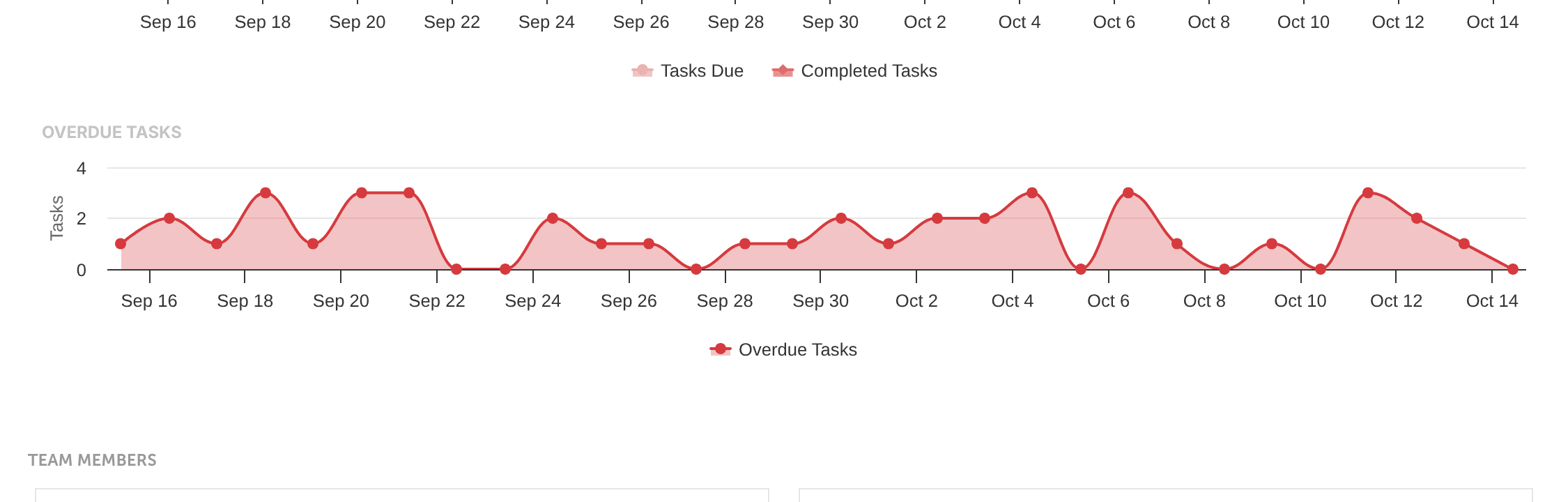
Overdue Tasks
The total number of tasks that are overdue.
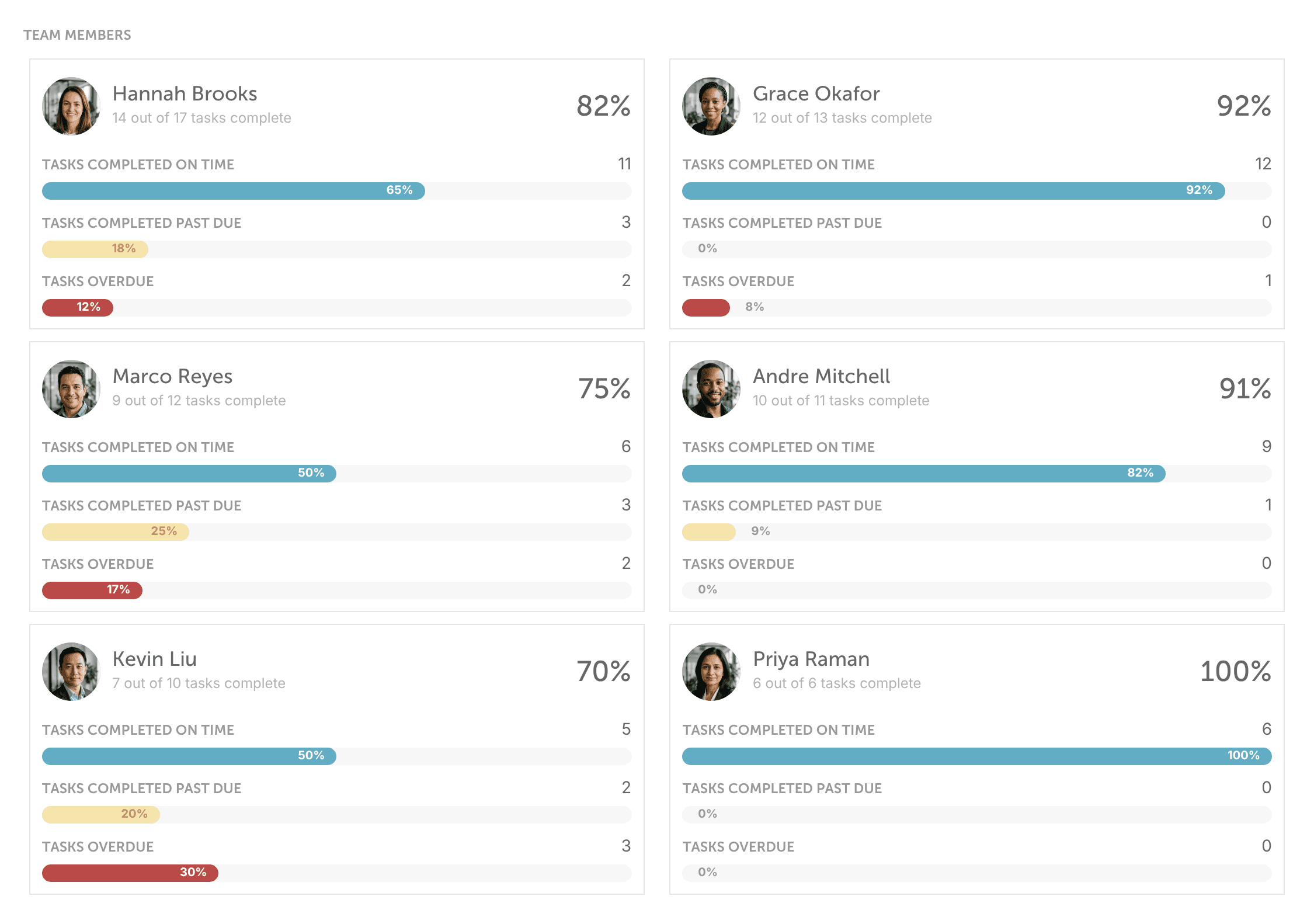
Team Members
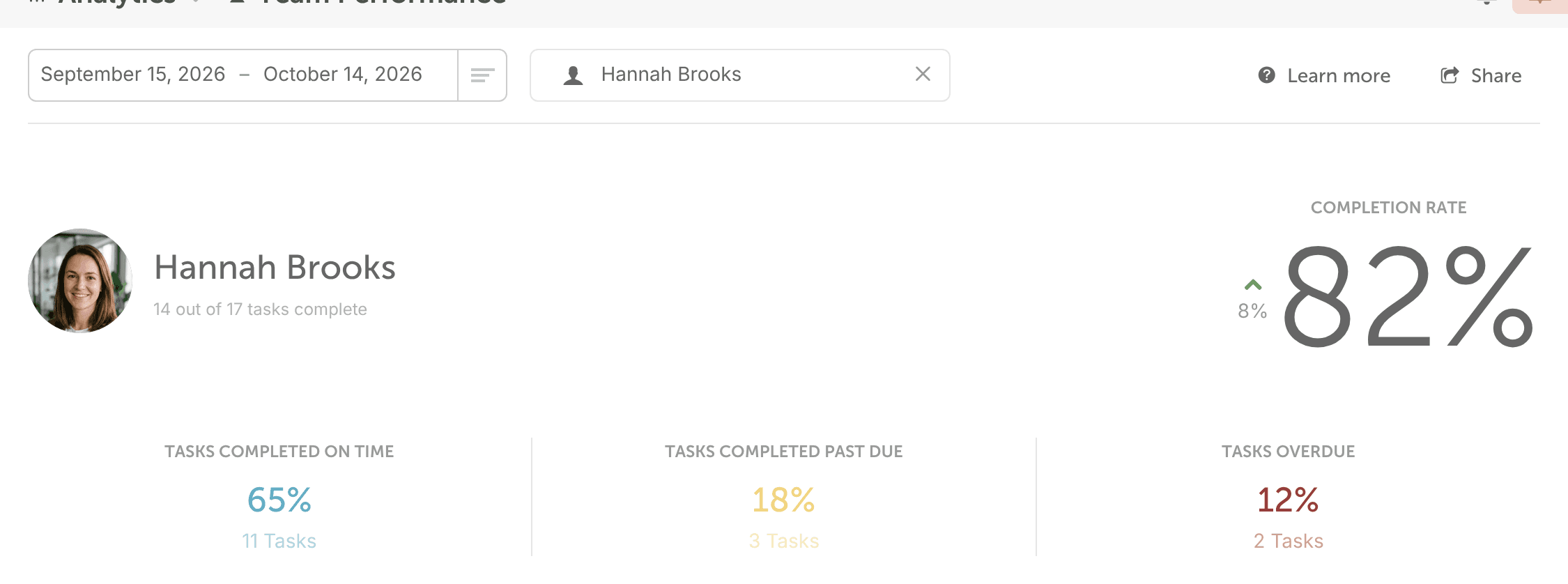
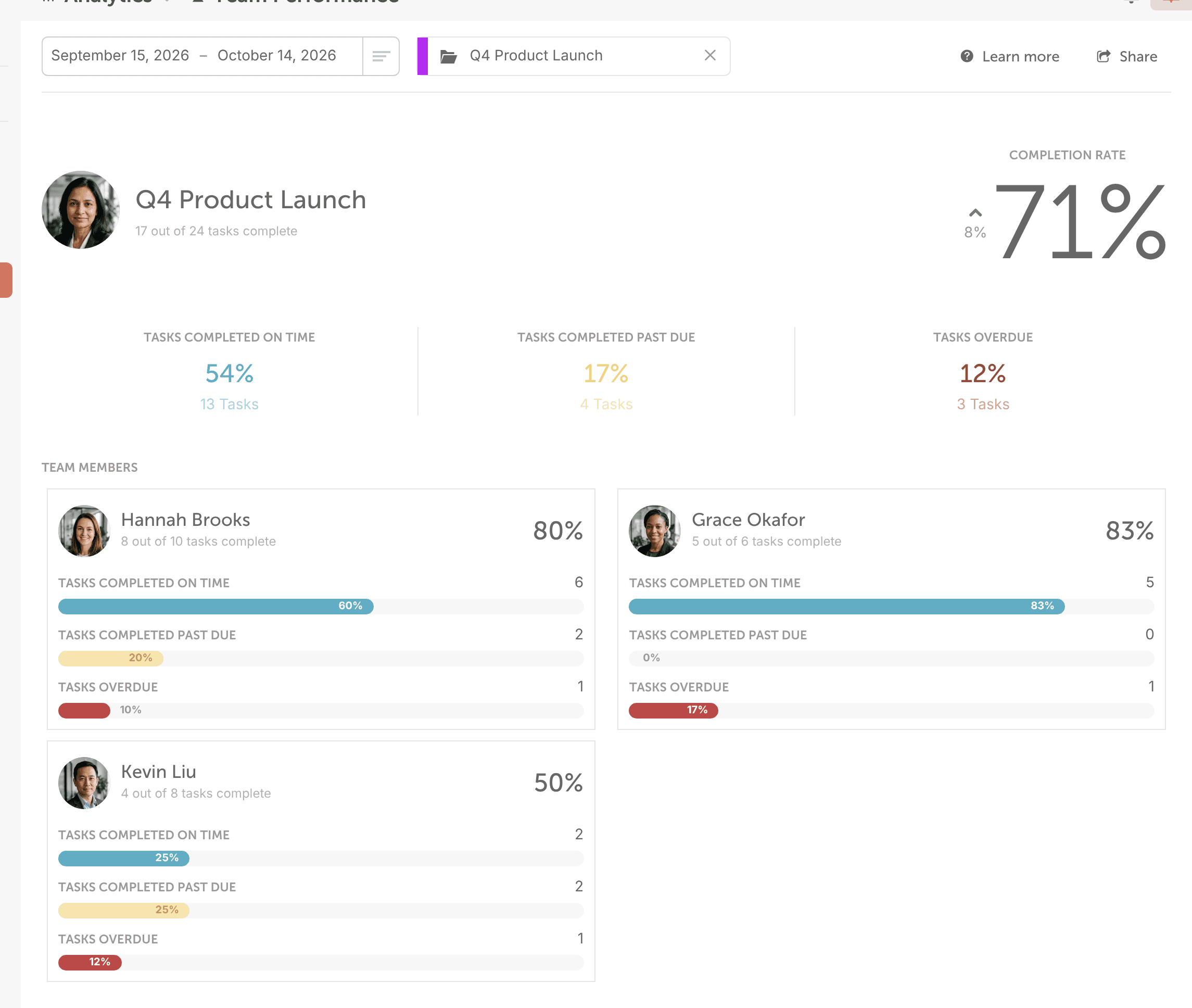
Task completion for each team member on your calendar: completed tasks, tasks completed after their due date, and overdue tasks. Click a team member's section to open their own report, with their due vs. completed tasks, completion rate and overdue tasks.
See tasks for one project or campaign
- On the right side of the report, search for the project or campaign.
- Select it.
The report shows how many of its tasks were scheduled, completed or overdue in your date range, and each team member's progress on it, including completed and past-due tasks.
Export or schedule the report
Click Share and choose Export PDF or Export CSV to download a copy, or Schedule Report to email it weekly, monthly or quarterly. For the steps, see Export and schedule reports.