
An internal discussion lets you talk with your teammates about a Social Inbox conversation before anyone replies. Internal discussions are available on Professional and Suite.
Start a discussion
- Click Social Inbox in the left-side menu.
- Click the conversation you want to discuss.
- Click the Internal Discussions tab, next to Reply To Comment. The tab shows how many unread messages it has.
- Write your message. To bring in a teammate, @mention them.
- Click Start Discussion.
Teammates answer with Reply. To change a message, edit it and click Save, or click Cancel to leave it as it was.
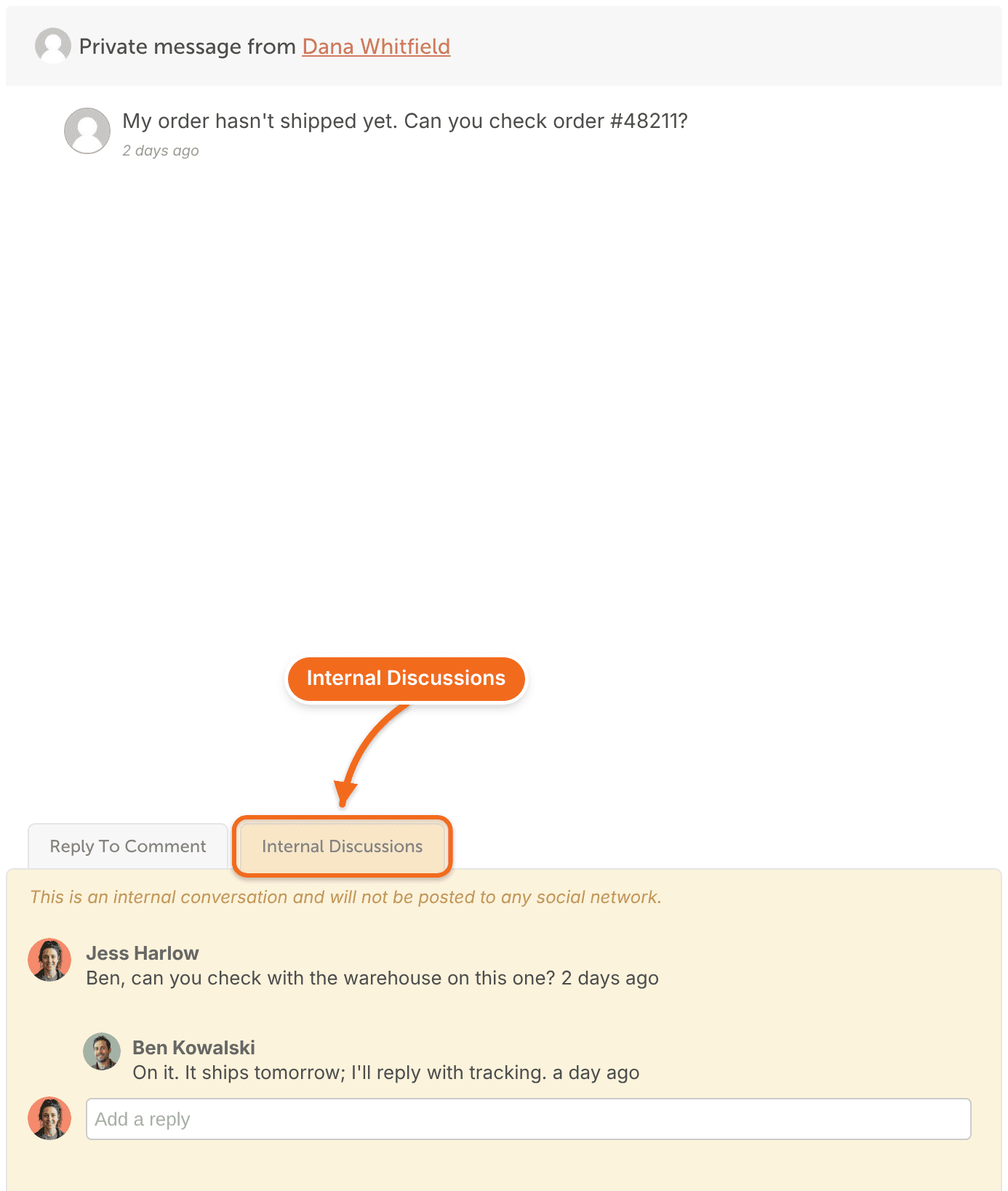
The discussion stays inside CoSchedule, under the banner "This is an internal conversation and will not be posted to any social network." The person who wrote to you can't see it.
When your team agrees on an answer, reply from the reply box as usual. You can start from a saved reply or draft one with AI Reply Assistant.
Learn more
- Turn on and navigate Social Inbox
- Assign conversations to teammates
- Create and use saved replies
- Discuss work with your team, for discussions on projects and other calendar items