
If a comment, mention or message you expected isn't in Social Inbox, work through these checks in order. Social Inbox is available on Starter, Professional and Suite.
Check that your plan covers the network
Starter covers Facebook and Instagram. Professional and Suite also cover LinkedIn Pages, Google Business Profile, X, YouTube, Bluesky, Mastodon and Threads. Social Inbox doesn't support TikTok, Pinterest, LinkedIn personal profiles or Facebook Groups, and it isn't on the free plan. See Networks Social Inbox supports on each plan.
If you're on an older plan, see If you are on an older CoSchedule plan to find the current plan that matches yours.
Check when Social Inbox and the profile were turned on
Social Inbox collects conversations only from the moment it's turned on, and from the moment each profile is turned on in it. Anything from before that doesn't appear.
If Social Inbox or a profile was turned off and back on, everything it held before was removed. Those conversations don't come back.
Check that the profile is turned on in Social Inbox
- From your calendar, open Settings.
- Click Power Ups.
- Click Social Inbox Settings.
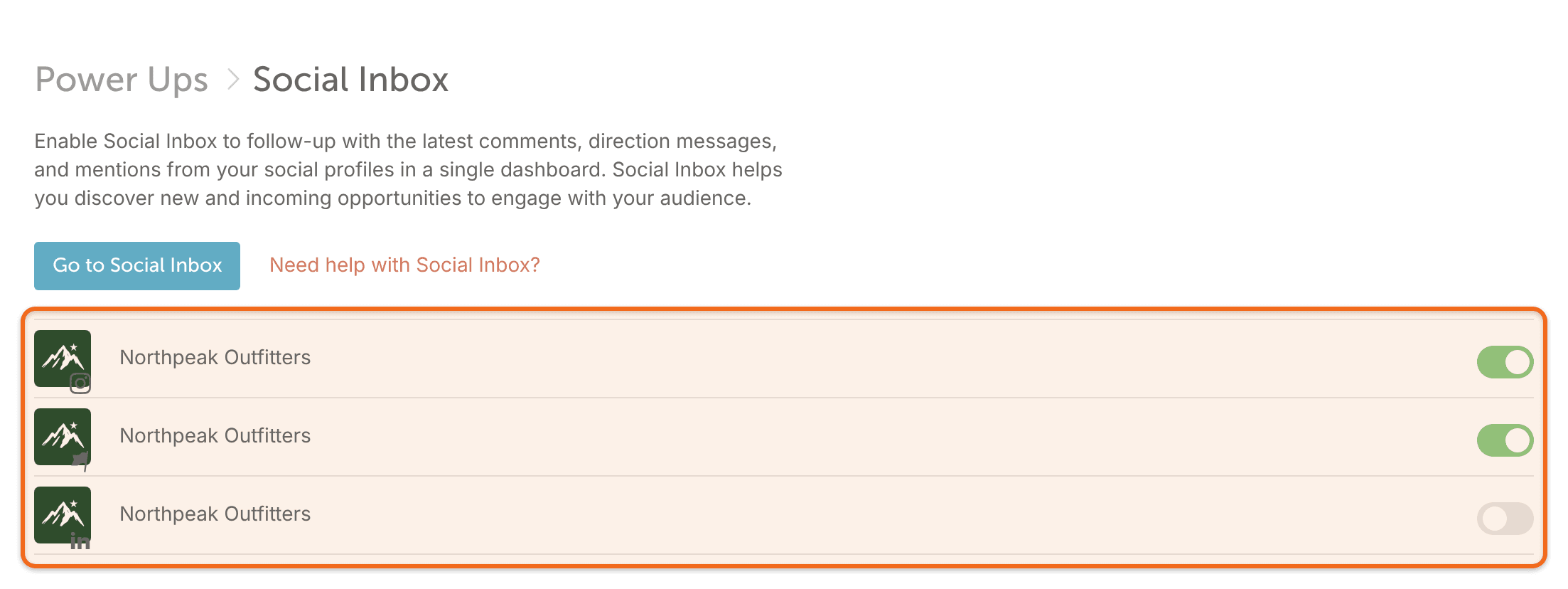
- Make sure the profile is turned on.
Clear your filters and check Archived
- If you clicked one profile in the list on the left, view all profiles again.
- Set the type filter back to All Types.
- Switch from Inbox to Archived to see whether the conversation was archived. To move it back, click the unarchive icon on it.
Check that the item type comes into Social Inbox
- Instagram: tags of your account in images and videos appear. Mentions in a caption or a comment don't.
- Facebook: mentions from personal profiles appear as Anonymous.
- LinkedIn: only Company Pages are supported. Comments from personal profiles appear without the person's name or photo.
- X: group X Chats don't appear, and X Chat messages sent before October 27, 2026 can't be unlocked. See Read X Chat messages in Social Inbox.
- YouTube: comments appear only when your channel is connected as a YouTube Shorts social profile. See Connect YouTube to publish Shorts.
Give it time to sync
Most items arrive in real time. Some sync every 6 hours, or every minute while you're logged in to CoSchedule: Bluesky items, Facebook mentions from personal profiles, Instagram media tags, Threads mentions and YouTube comments. Google Business Profile reviews and questions arrive on Google's own delayed schedule.
If you have a very large number of conversations, Social Inbox can take a minute or two to load after you open it.
Reconnect the profile
The permissions Social Inbox needs for comments and messages are granted when you connect a profile. Reconnect the profile, then check Social Inbox again. See Reconnect a social profile.
X accounts connected before March 5, 2025 don't get direct messages in Social Inbox until they're reconnected.
Still missing?
Contact support and tell us the network and profile, whether it's a comment, mention or direct message, and an example you expected to see.
Common questions
Can I see Social Inbox in the mobile app?
No. Social Inbox isn't available in the CoSchedule mobile app. Use it in CoSchedule on the web.