
AI Reply Assistant drafts a reply for you in Social Inbox, so you can answer comments, mentions and messages faster. It's available on Professional and Suite.
Draft a reply with AI
- Click Social Inbox in the left-side menu.
- Click the comment, mention or message you want to answer.
- In the reply box, click the wand icon (tooltip "AI Assistant"). CoSchedule AI drafts a reply.
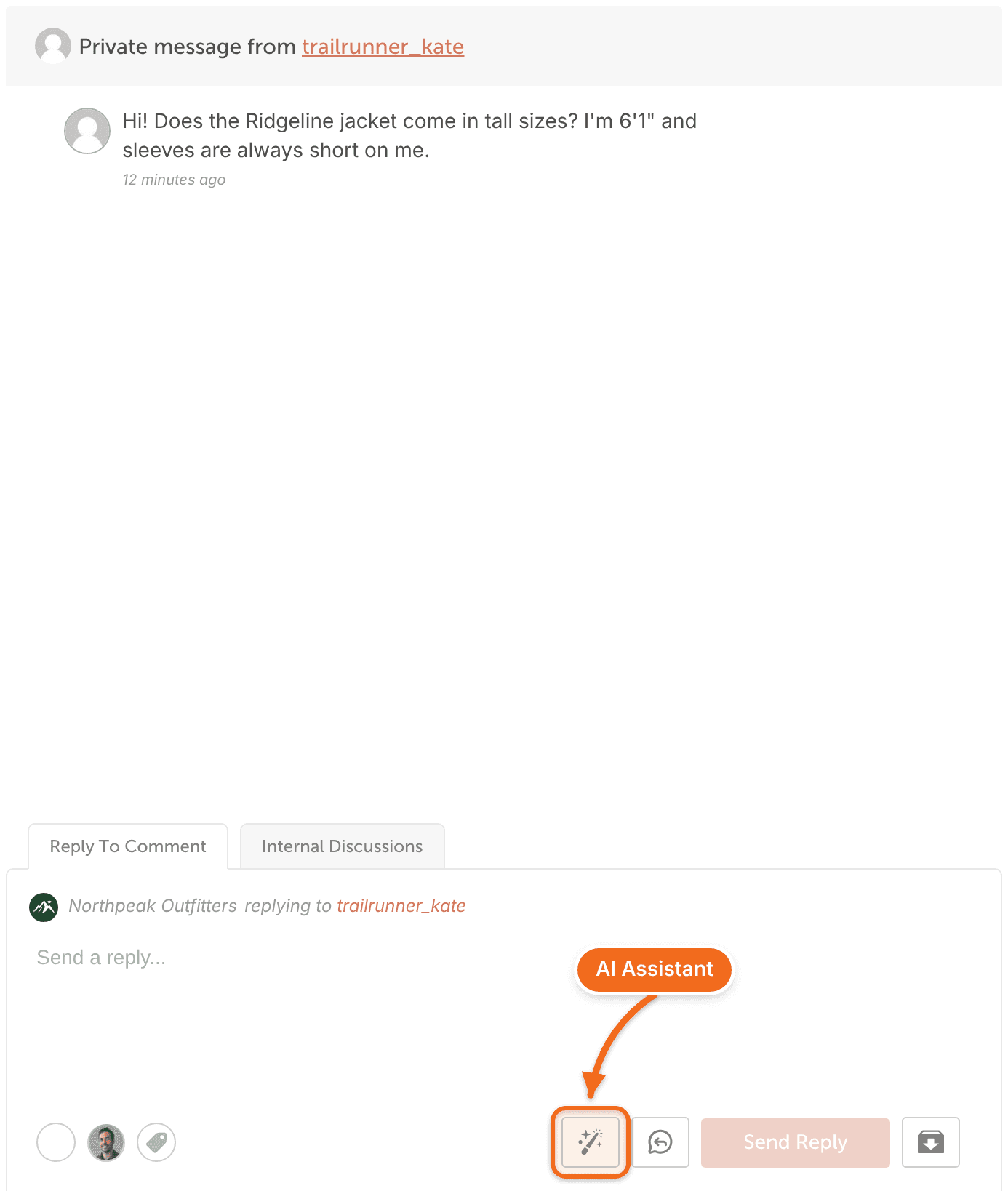
- To change the draft, click a quick prompt (Conversational, Friendly, Stronger Opening or Other), or type your own request in the message box.
- Click Use this response. The text goes into the reply box ("Send a reply...").
- Read the reply and edit it if you need to.
- Send the reply.
You can reply only where the network allows it. For example, Facebook and Instagram direct messages can be answered from Social Inbox only within 24 hours of being sent. See Networks Social Inbox supports on each plan.
Use a brand profile
If your calendar has brand profiles, AI Reply Assistant shows a brand profile picker. Each reply it drafts uses the profile you choose, or your default brand profile. Brand Profiles are a paid add-on for Suite. See Set up and use Brand Profiles.
Common questions
Is AI Reply Assistant the same as AI Social Assistant?
No. AI Reply Assistant drafts replies in Social Inbox. AI Social Assistant writes new social messages in the social composer. See Write social messages with AI Social Assistant.
Which plans include AI Reply Assistant?
Professional and Suite. Starter includes Social Inbox for Facebook and Instagram, but not AI Reply Assistant.