
Table View lists your team's ideas, projects and marketing campaigns in one scrolling table, whatever their status. Available on Suite.
Open Table View
- Open your calendar.
- Click Table in the left sidebar.
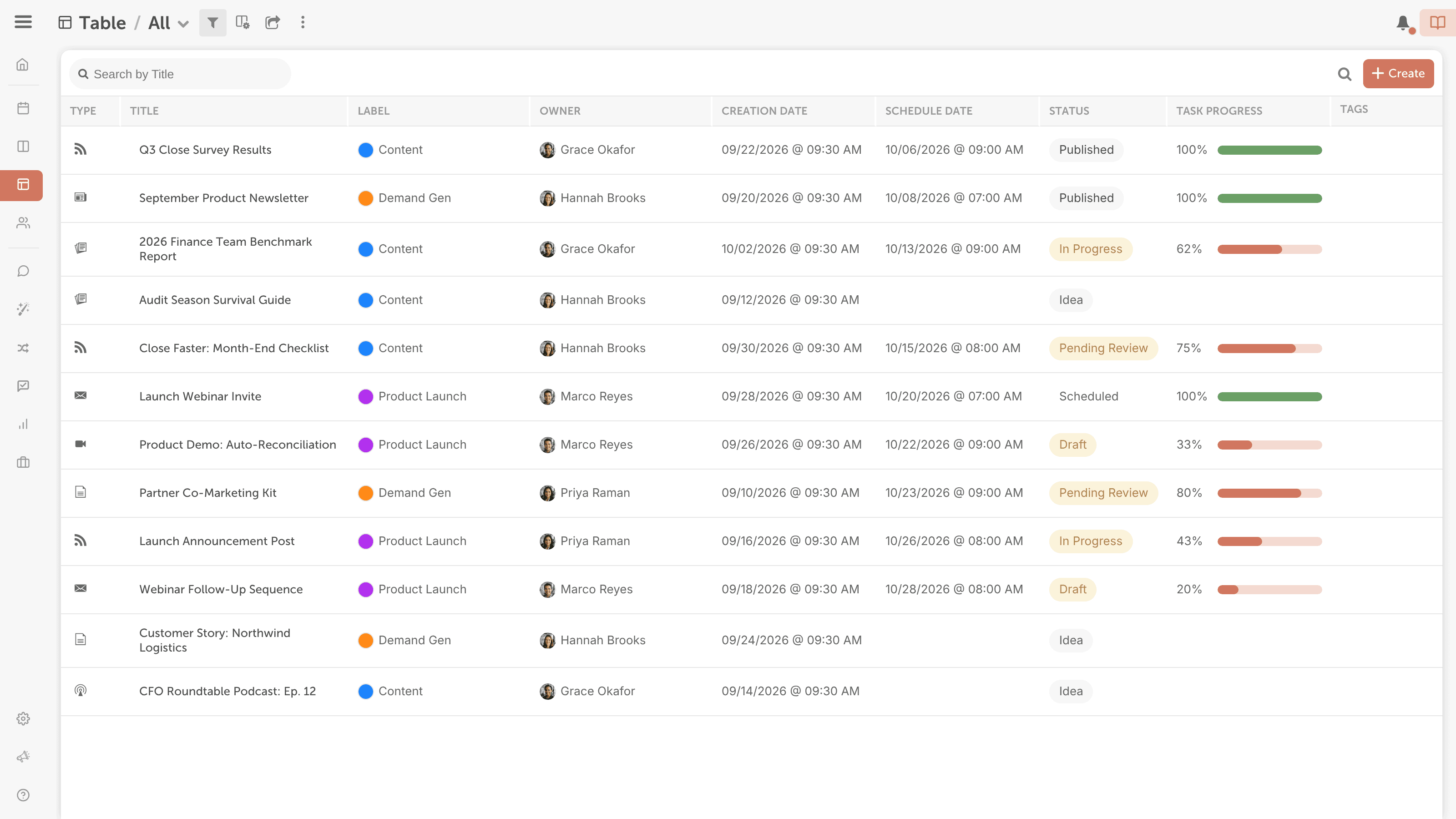
The tasks column shows how far along each project's tasks are, as a percent complete with a progress bar.
Choose your columns
- Click the icon with the tooltip Customize Table. The Modify Columns window opens.
- Add the columns you want to see, including your custom fields, and remove the ones you don't need.
- Click Update table.
To sort the table, click a column header. Click it again to switch between ascending and descending order.
Filter and save a view
Table View uses the same filters and saved views as the calendar.
- Click the filter icon.
- Choose the filters you want.
- Name the view and save it.
To open Table View with a saved view each time, open the saved views dropdown in the top bar, open that view's submenu and click Default View. Your default applies only to you and only to Table View.
To learn what each filter shows, see Save and manage calendar views.
Share or export a view
Share a read-only link to a view, or download it as a CSV file to open in Excel or another spreadsheet app. The CSV holds whatever the view's filters show.
- Open the view.
- Click the share icon.
- To share a link, turn on read-only sharing and copy the link.
- To export, click Download CSV.
Useful views
- Unfinished projects: filter by Status and select every status except the ones your team uses for finished work. Table View doesn't mark overdue projects, so check the dates of what's left.
- One team member's projects: filter by Team Member. It shows the projects that person owns, not projects where they're only assigned a task or added as a contributor.
- Projects in a date range: add a Scheduled or Created date filter to the view, then click the share icon and Download CSV. The download doesn't ask for dates; it holds whatever the view's filters show.
A project's status is set by hand or by task rules. See Project and social message statuses and Automate tasks with task rules.