
CoSchedule connects directly to HubSpot and WordPress. It doesn't have a direct integration with Squarespace, Wix, Webflow, Ghost, Joomla, Drupal or other content management systems. You can still plan, write and promote those posts in CoSchedule in three ways. RSS Feed Sync and Zapier are available on every plan, including the free plan.
Option 1: Bring in new posts with RSS Feed Sync
If your site has an RSS feed, RSS Feed Sync adds each newly published post to your calendar as a project. You can then add social messages to promote it.
- Only posts published after you add the feed come in. Scheduled posts don't.
- The sync is one-way. Changes in CoSchedule don't change your site.
To find your feed's address, see the help for Squarespace or Wix. Then follow Sync RSS feeds to your calendar.
Option 2: Write in CoSchedule and download the HTML
Write the post in CoSchedule, then download it as HTML and bring it into your CMS.
- Create a project for the post on the date you plan to publish. See Create a project.
- Write the post in the project's text attachment.
- Open the attachment's cog menu and click Download HTML.
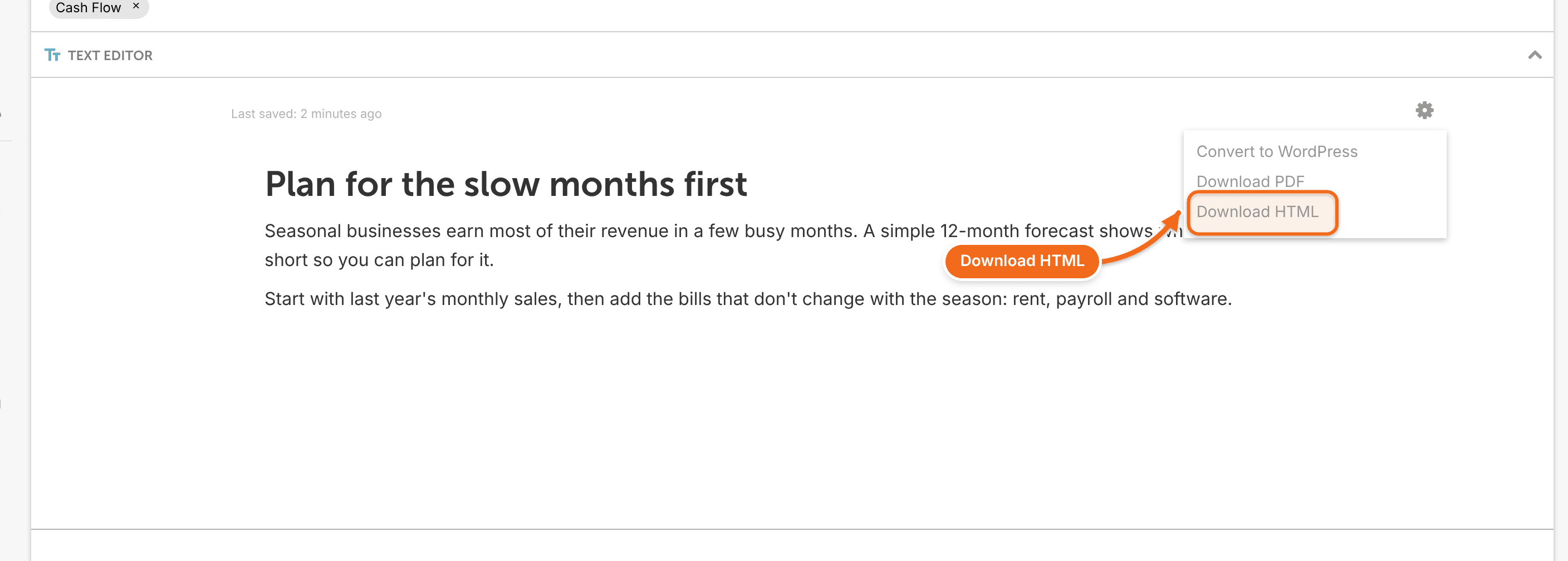
- Import or paste the HTML into your CMS. Your CMS's help explains how.
Option 3: Connect with Zapier
If your CMS has a Zapier app, a Zap can create projects or social messages in CoSchedule when something happens there, or send CoSchedule activity the other way. See Connect other tools with Zapier.
Promote your posts
Whichever option you use, you can promote any post on social media from CoSchedule. A social campaign can link to any URL. See Create a social campaign.