
Starter and Professional customers can lower their subscription price by referring new customers and by publishing a review of CoSchedule. The program isn't available on Suite.
The nonprofit, referral and review discounts add together. They can't be combined with a promotional price or coupon.
Refer new customers
Every Starter and Professional customer gets a referral link. Each new customer who signs up for a paid account with your link earns you a discount for as long as they keep a paid CoSchedule account.
- Go to accounts-billing.coschedule.com/savings.
- Copy your referral link and share it.
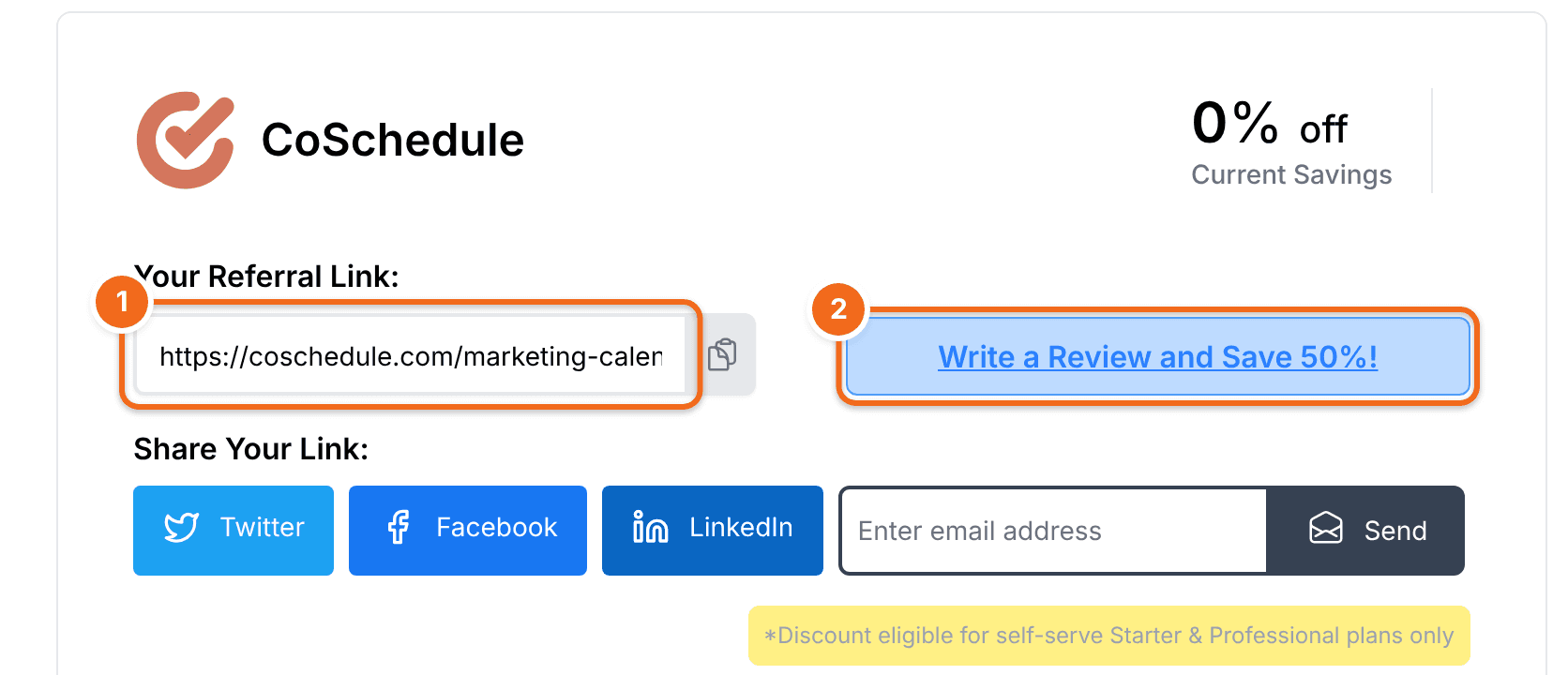
You get an email when someone signs up for a paid account with your link, and another if they later stop using CoSchedule. Keep sharing your link: if one referral leaves, others keep your discount up.
Publish a review
Publish a blog post or video review of CoSchedule Starter or Professional to earn a discount on your subscription, billed monthly or annually. The discount applies only to the account where the live review is published.
Blog review guidelines
- Publish the review on your live blog.
- Include CoSchedule in the headline.
- Write at least 500 words, and cover only CoSchedule.
- Cover what the software is, how it works and how you use it.
- Include at least two screenshots, images or videos of CoSchedule.
- Include at least one link to a live page on coschedule.com. Your referral link works well here.
- Make sure every screenshot, video and mention of features or plans reflects the current version of CoSchedule.
Video review guidelines
- Publish the review as a video on YouTube or Facebook.
- Include CoSchedule in the video title.
- Make the video at least four minutes long, and cover only CoSchedule.
- Cover what the software is, how it works and how you use it. It helps to explain the tools you used before and how your process has improved.
- Include at least one link to a live page on coschedule.com in the video description. Your referral link works well here.
- Make sure every screenshot, video and mention of features or plans reflects the current version of CoSchedule.
Want to use another format? Email support@coschedule.com and we'll consider it.
Submit your review
- Email the link to your published review to support@coschedule.com.
We check the review against these guidelines and then apply the discount to your Starter or Professional subscription. This usually takes 2 to 3 business days.