Instagram Collaborations, Now Built Into CoSchedule
Collaborating with other creators or brands to grow your Instagram reach? Now you can schedule Instagram Collaboration posts directly in CoSchedule.
Add up to
five collaborators to a single Instagram post to join forces with other brands and expand your reach together.
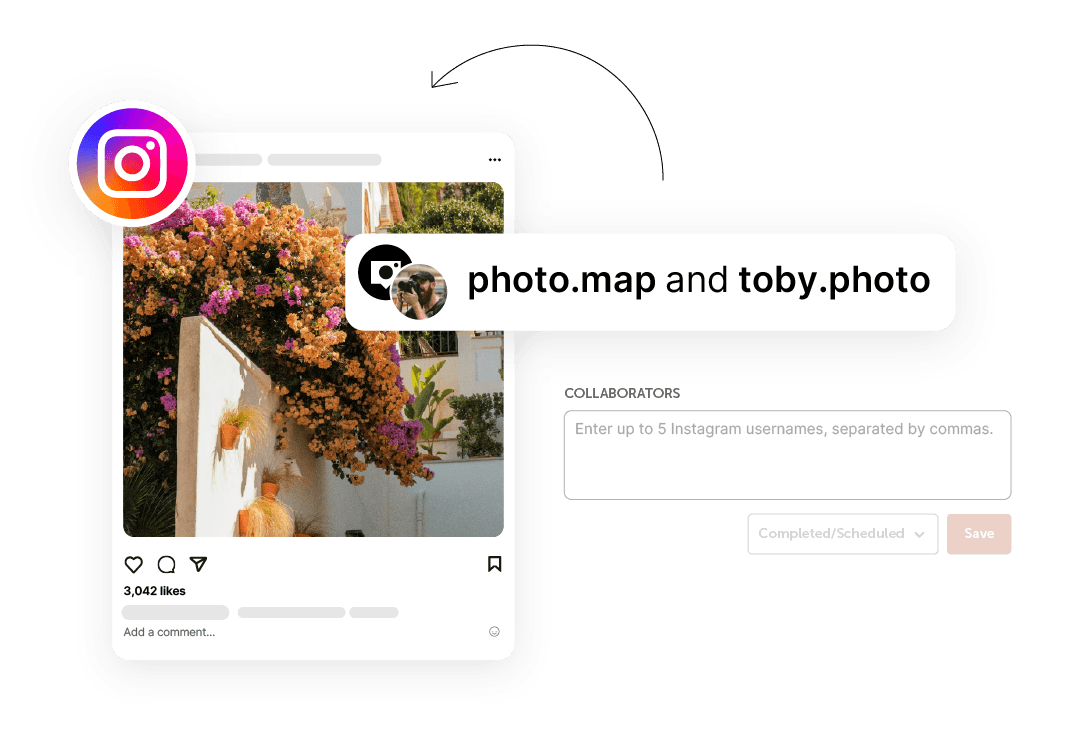 How It Works:
Instagram Collaboration posts allow you to co-author content with other accounts, sharing the content across every collaborator’s profile and feed once the collaboration is accepted.
After you, the creator, publish a post to your profile, each collaborator will receive an invitation to accept or deny the content. When they accept, the post appears on their profile as well as yours. The post header credits all accounts.
All likes, comments, shares, and saves are combined in the single post, boosting your stats while reaching the audience of every collaborator.
Grow With Collaborations:
Collaborations make it possible to create content together that goes further, connecting with new audiences while delivering shared results for every account.
- Co-author content with other creators and brands
- Work together by publishing a single post that represents every collaborator equally.
- Reach new audiences
- Instantly expand your reach as your content reaches your audience and your collaborators’ audiences.
- Create better brand partnerships
- Strengthen your partnerships with other brands by creating content they can easily use.
- Increase engagement
- Combine likes, comments, shares, and saves into one post to drive stronger overall performance.
- Benefit every profile involved
- Each collaborator gains exposure, engagement, and attribution without duplicating content.
Get Started With Collaborations In CoSchedule:
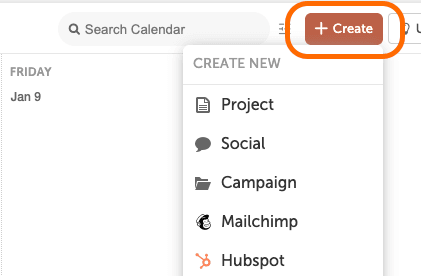
1. Click Create
Start by selecting Create from your CoSchedule dashboard.
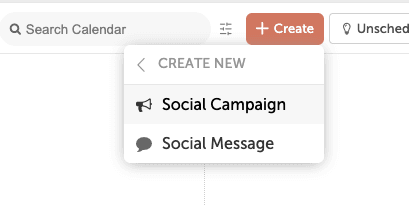
 2. Choose Social Campaign
Select
Social →
Social Campaign or
Social Message to plan and publish your Instagram content.
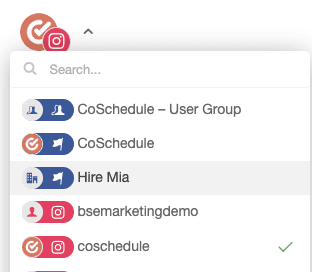
 3. Select Your Instagram Account
Choose the Instagram profile you want to publish the collaboration post from.
 4. Create Your Post
Add your caption, media, and any other post details as usual.
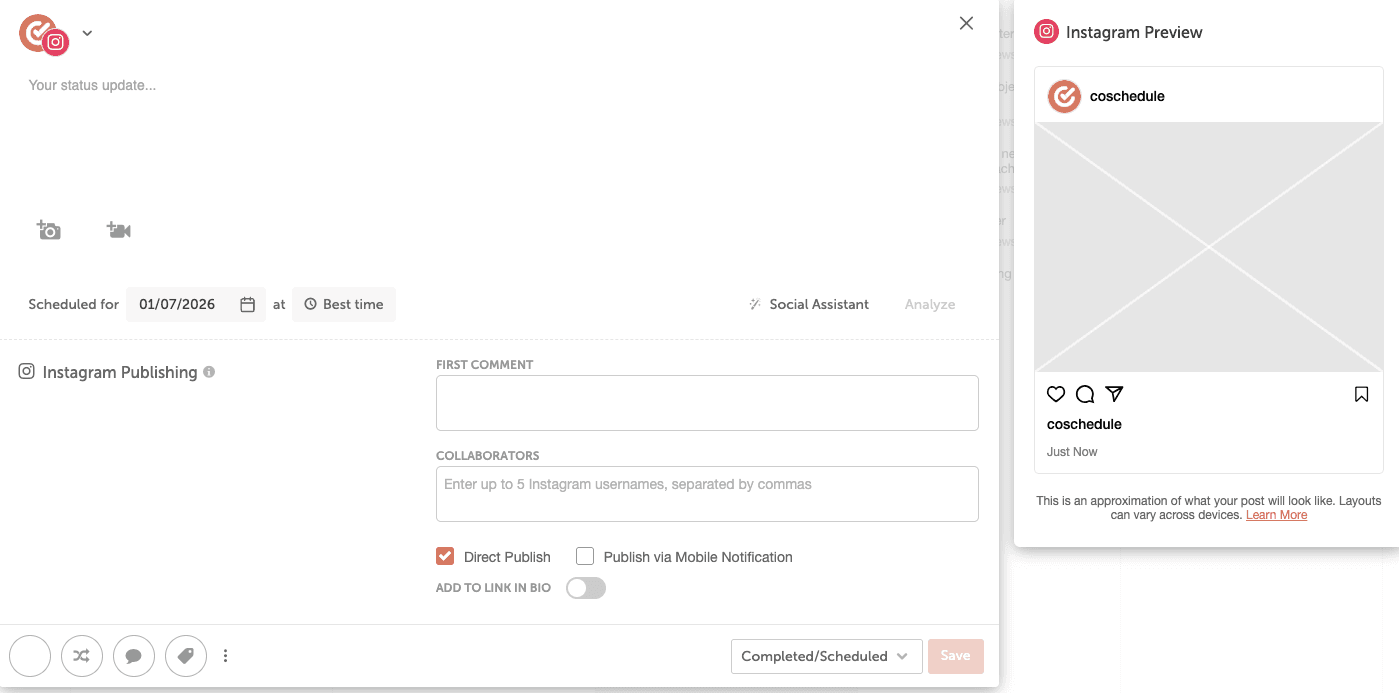 5. Tag Creators For Collaboration
Use the collaboration tagging option to add the Instagram accounts you want to co-author the post with.
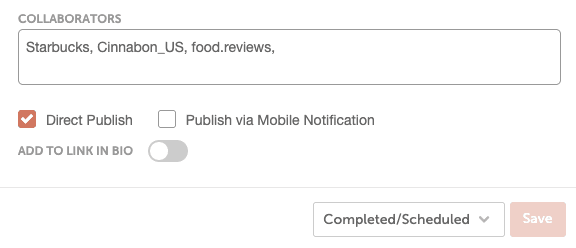 6. Publish Your Post
Once published, each tagged collaborator will receive an invitation on Instagram to accept or decline the collaboration.
7. Collaborators Accept
When collaborators accept, the post appears on their profile and feed as a shared collaboration post, with all engagement combined.