If you’re comparing CoSchedule vs Hootsuite, you’re probably the person who owns social for the business, or part of a small team that does, and your Hootsuite renewal just landed. Both tools publish, reply and report across the major networks. They’re built for different jobs.
CoSchedule is social media management software built on a calendar: you see the whole month, run campaigns from it and fill the gaps with evergreen posts. Hootsuite is built for scale: listening, inbox automation, ad management and customer care routing across a large organization.
The short verdict: pick CoSchedule if you plan social as campaigns, want approvals and AI without a top-tier plan, and don’t want your bill to multiply with every seat. Pick Hootsuite if social listening, customer care at volume or enterprise integrations like Salesforce are the center of your job, and your budget covers per-user pricing.
CoSchedule Vs. Hootsuite At A Glance
CoSchedule starts at $29/mo billed annually and is built around the calendar; Hootsuite starts at $99 per user/mo billed annually and leads on listening, inbox automation and enterprise tools.
 |  | |
|---|---|---|
| Best for | Marketers and small-to-large marketing teams who plan social as campaigns on a calendar | Larger social and customer care teams that need listening, inbox routing and enterprise integrations |
| Starting plan | Starter, $29/mo billed annually (1 user, 3 social profiles) | Standard, $99 per user/mo billed annually (10 social accounts) |
| Free plan | Yes: 1 social profile, 15 scheduled posts at a time | None listed on the plans page |
| Free trial | 14 days on Starter and Professional, credit card required; Suite starts with a demo | 14 days on Standard, Professional and Advanced, no credit card |
| Standout strengths | Drag-and-drop calendar, social campaigns whose schedule moves with the launch date, ReQueue for evergreen posts, unlimited AI Campaign Assistant on every paid plan | Social listening on every plan, inbox automation and skill-based routing, social ads management, 100+ app integrations |
Try CoSchedule free for 14 days
CoSchedule Vs. Hootsuite Plans And Pricing
CoSchedule prices by plan with users included; Hootsuite prices every plan per user, so the gap grows with each seat. Pricing as of October 2026.
CoSchedule Pricing
CoSchedule has three paid plans and a free plan. See current details on the CoSchedule pricing page.
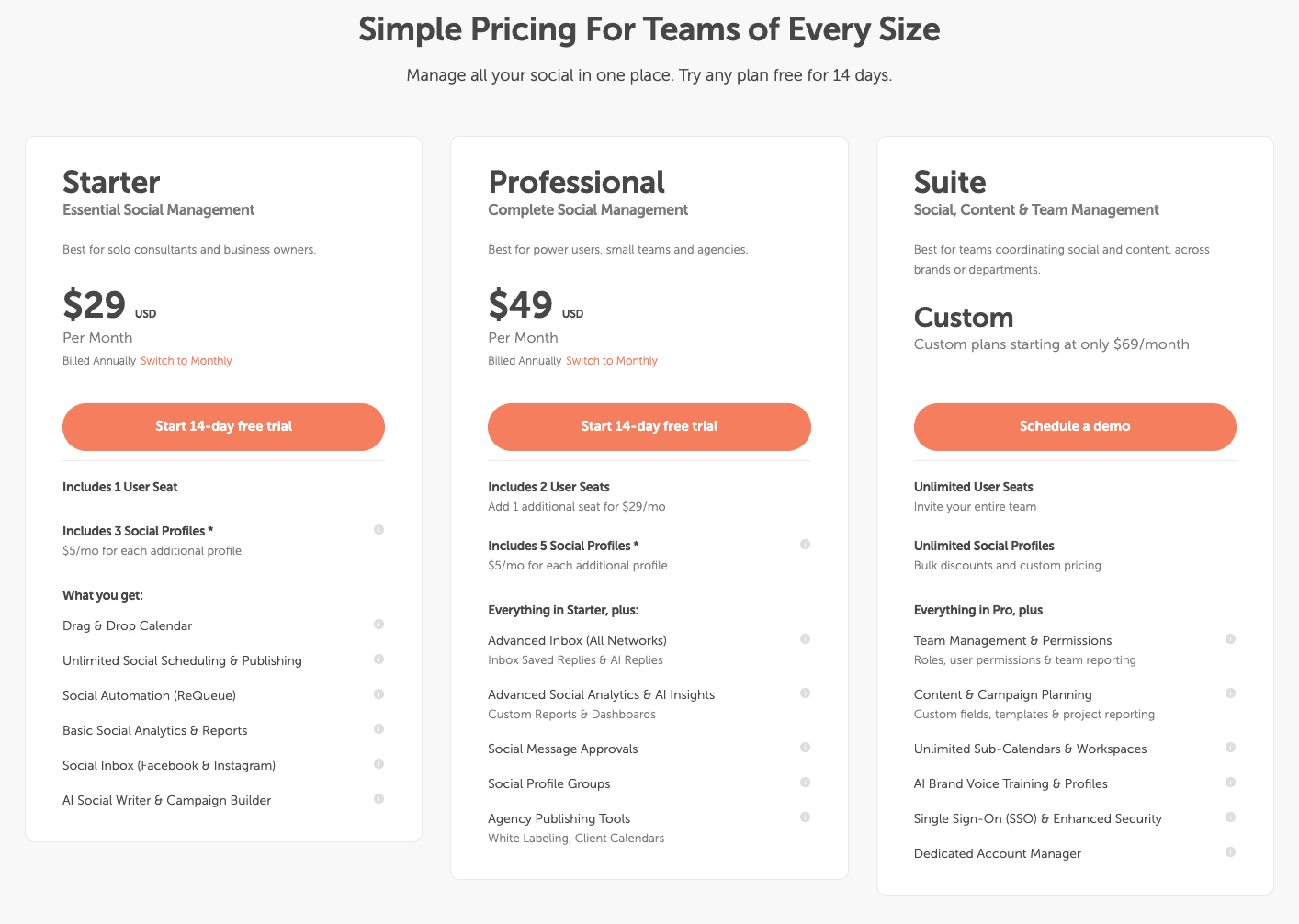
CoSchedule Plans
| Plan | Price | Users | Social profiles |
|---|---|---|---|
| Free plan | $0 | 1 | 1 (15 scheduled posts at a time) |
| Starter | $29/mo billed annually | 1 | 3 |
| Professional | $49/mo billed annually | 2 included, up to 3 ($29/mo per extra user) | 5 |
| Suite | Custom, from $69/mo | Unlimited | Unlimited |
Extra social profiles are $5/mo each on Starter and Professional. X is a paid add-on on every paid plan, at $16 per profile per month on Starter and Professional.
Hootsuite Pricing
Hootsuite has three self-serve plans plus Enterprise, and every plan is priced per user.
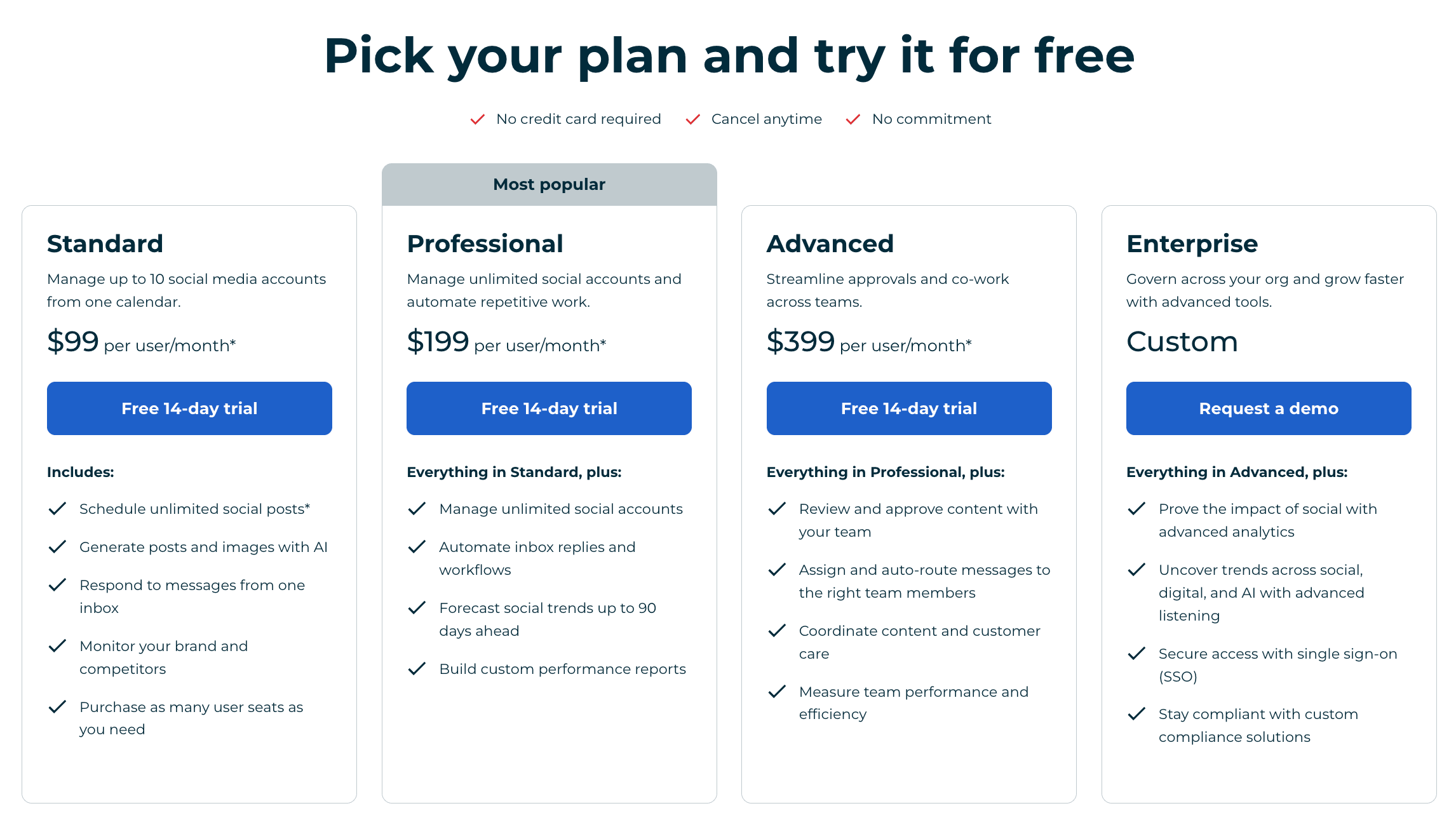
Hootsuite Plans
| Plan | Price per user | Social accounts |
|---|---|---|
| Standard | $99/mo billed annually | 10 |
| Professional | $199/mo billed annually | Unlimited |
| Advanced | $399/mo billed annually | Unlimited |
| Enterprise | Custom quote | Unlimited |
Hootsuite offers monthly billing on Standard, Professional and Advanced at a higher per-user rate, but the plans page doesn’t list the monthly price. Every plan includes 100 AI credits a month for its Wisdom AI assistant. Employee advocacy (Parliament), advanced listening, the Salesforce integration and ROI reporting are Enterprise-only.
What that means for a team of three: three users on Hootsuite Standard cost $297/mo billed annually. On CoSchedule Professional, three users cost $78/mo: the $49 plan plus one $29 extra user. Hootsuite Standard includes more profiles (10 vs. 5), so if you run many accounts, add $5 per extra CoSchedule profile to compare fairly. And if you need approvals, Hootsuite starts them on Advanced, which is $1,197/mo for three users billed annually; CoSchedule includes them on Professional.
Free Trials
Hootsuite offers a 14-day free trial on Standard, Professional and Advanced with no credit card required, and it doesn’t charge you automatically when the trial ends. Trial accounts are limited to 10 to 20 posts a day per organization, and bulk scheduling isn’t available during the trial. Enterprise starts with a demo.
CoSchedule offers a 14-day free trial on Starter and Professional, and it requires a credit card; Suite starts with a demo. CoSchedule also keeps a free plan with 1 social profile and 15 scheduled posts at a time.
CoSchedule Vs. Hootsuite Feature Review
CoSchedule is stronger at planning campaigns and keeping the calendar full; Hootsuite is stronger at listening and handling high message volume.
Calendar And Campaigns
CoSchedule wins on the calendar, because the calendar is the product. Every paid plan (Starter, Professional and Suite) gets a drag-and-drop calendar, color labels and filtered, saved calendars. Social campaigns on every paid plan group the posts behind a launch or promotion: move the launch date and the campaign’s schedule moves with it. Professional and Suite add read-only calendar sharing and white-label client calendars.
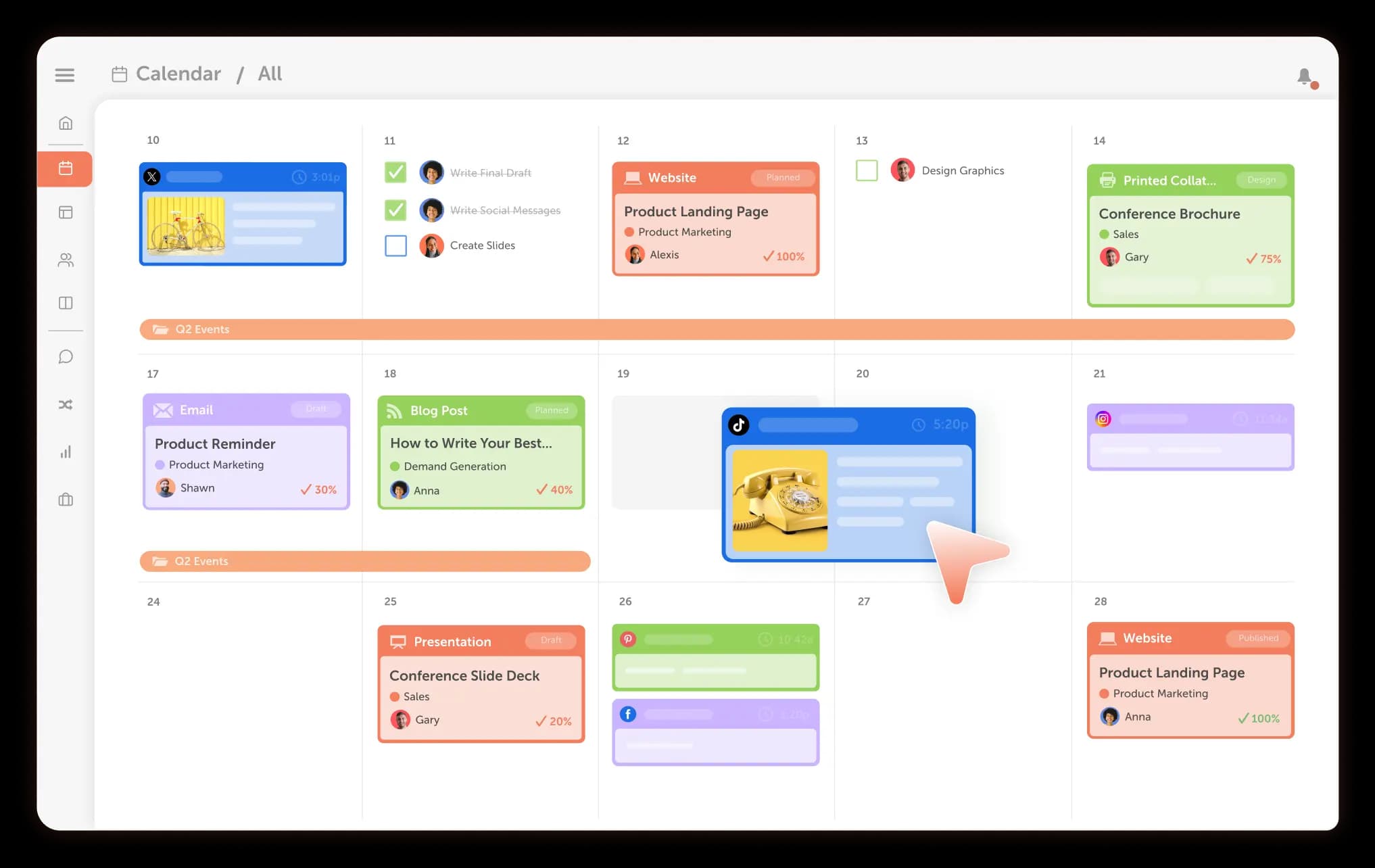
Hootsuite includes a social content calendar, recommended publishing times and calendar exporting on every plan. Its plans page doesn’t list campaign grouping that reschedules posts together.
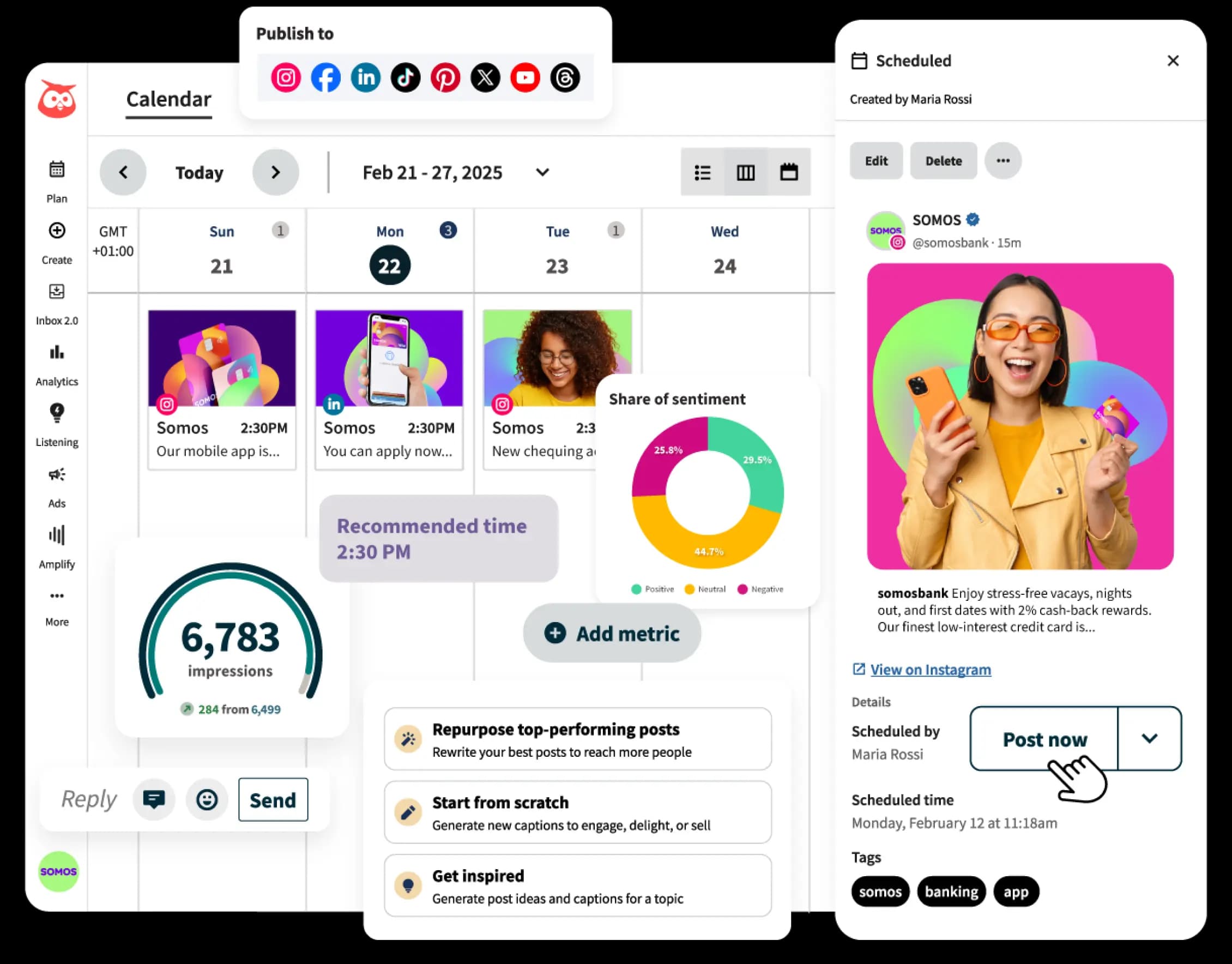
Takeaway: if you plan in months and campaigns, CoSchedule’s calendar does more of the work.
Collaboration And Approvals
CoSchedule puts approvals on its middle plan; Hootsuite saves them for its top self-serve plan. CoSchedule includes social message approvals and user roles on Professional and Suite. Suite adds approval workflows, custom permissions and SSO.
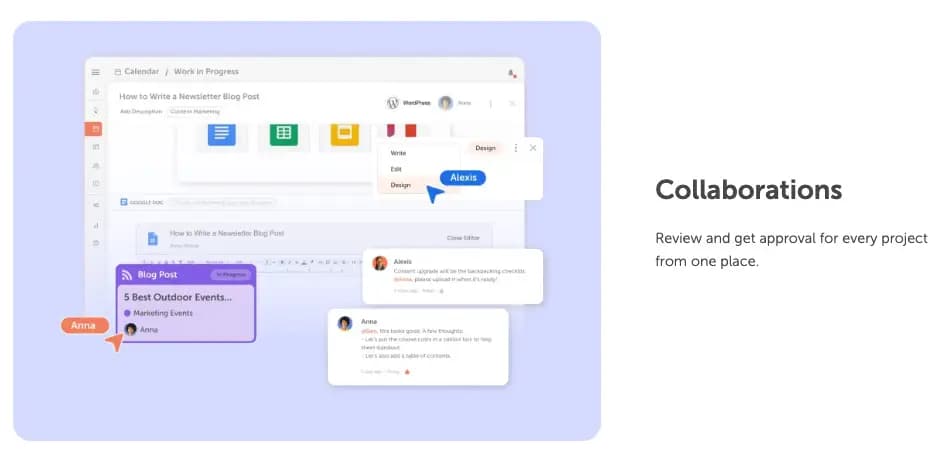
Hootsuite includes user access permissions on every plan. Post approval workflows, internal comments and suspending scheduled posts start on Advanced ($399 per user/mo billed annually), and SSO is Enterprise-only.
Takeaway: you get approvals for $49/mo billed annually on CoSchedule Professional; on Hootsuite they start at $399 per user/mo billed annually.
Supported Networks
The lists overlap on the big networks, with a few differences each way. CoSchedule publishes to 11 social networks on every paid plan: Facebook, Instagram, LinkedIn, Pinterest, TikTok, Threads, YouTube, Google Business Profiles, Bluesky, Mastodon and X (a paid add-on). Instagram publishing needs a Business or Creator account.
Hootsuite supports Facebook, Instagram, X, LinkedIn, TikTok, YouTube, Threads, Pinterest and Bluesky, handles WhatsApp messages in its inbox, and manages Google Business Profile through an app.
Takeaway: pick CoSchedule if you post to Mastodon; pick Hootsuite if customers message you on WhatsApp.
Ease Of Publishing
Both tools cover bulk scheduling, best-time suggestions and media editing on every plan. CoSchedule adds ReQueue on every paid plan: you choose your evergreen posts in ReQueue groups (5 on Starter, 10 on Professional, custom on Suite), and ReQueue reshares them to fill gaps, favoring the ones that perform best within your groups. Best Time Scheduling, reusable social templates, first comment scheduling, Instagram grid preview and bulk import of up to 365 messages are on every paid plan too.
Hootsuite includes bulk scheduling, a link in bio tool, Canva and Adobe Express templates, a stock photo and GIPHY library and an asset library on every plan. Vanity URLs and automatic link tracking start on Professional. Its plans page doesn’t list automatic resharing of evergreen posts.
Takeaway: both publish well; CoSchedule does more to keep your calendar full without writing new posts.
Social Inbox And Listening
Hootsuite is stronger here, and it’s a big reason larger teams choose it. Every plan gets one inbox with saved replies, inbox search and conversation notes, plus listening with a 7-day Quick Search, sentiment analysis and AI summaries. Professional adds DM automations, automated responses, AI smart replies and a 30-day Quick Search; Advanced adds message assignment and skill-based routing.
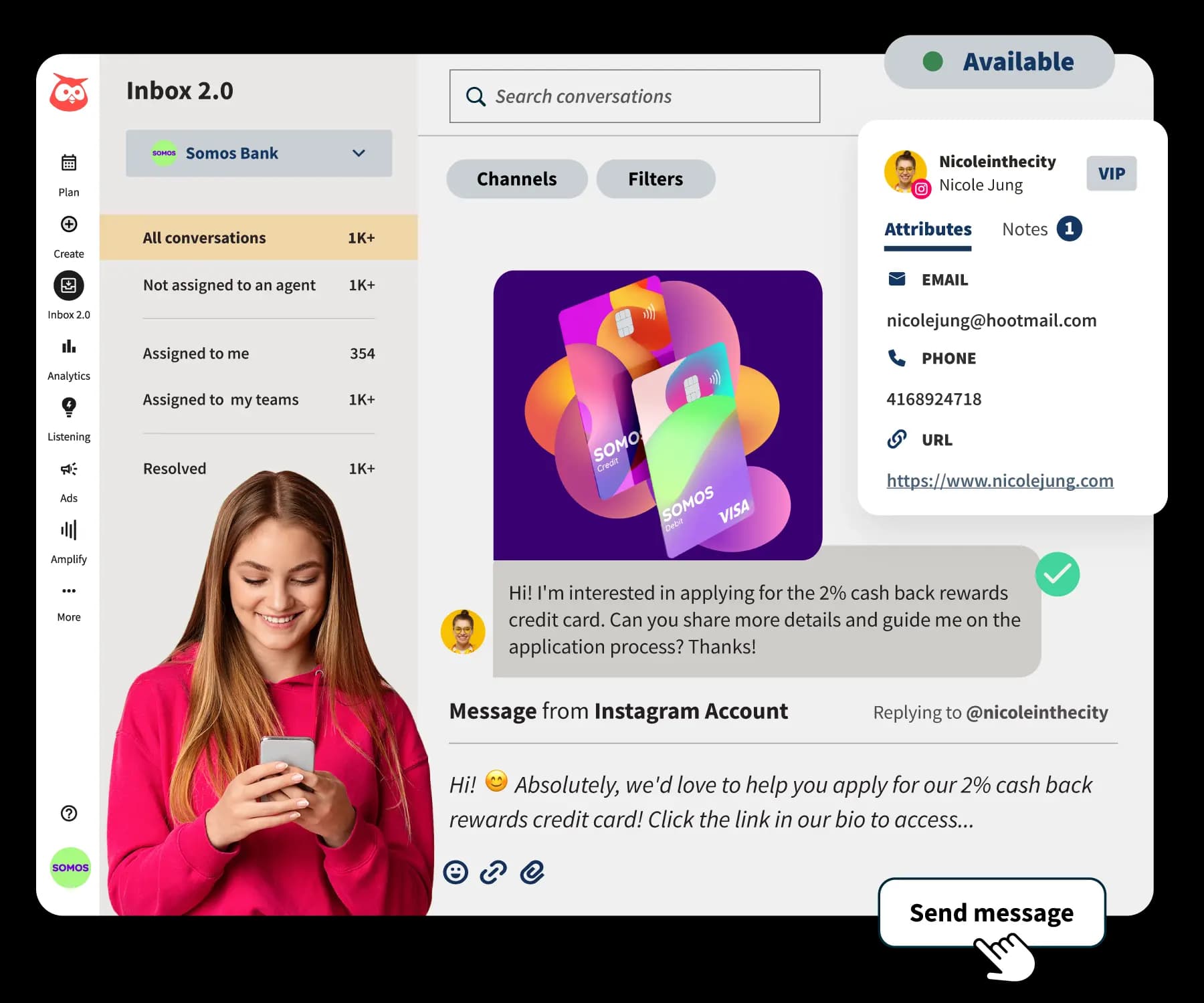
CoSchedule’s Social Inbox handles comments, mentions and DMs in the same tool. Starter covers Facebook and Instagram. Professional and Suite cover Facebook, Instagram, LinkedIn Pages, Google Business Profile, X, YouTube, Bluesky, Mastodon and Threads, and add saved replies, internal discussions and the AI Reply Assistant. Suite adds assigned replies. There’s no TikTok or Pinterest in the inbox, and listening covers what reaches the inbox, not keyword monitoring.
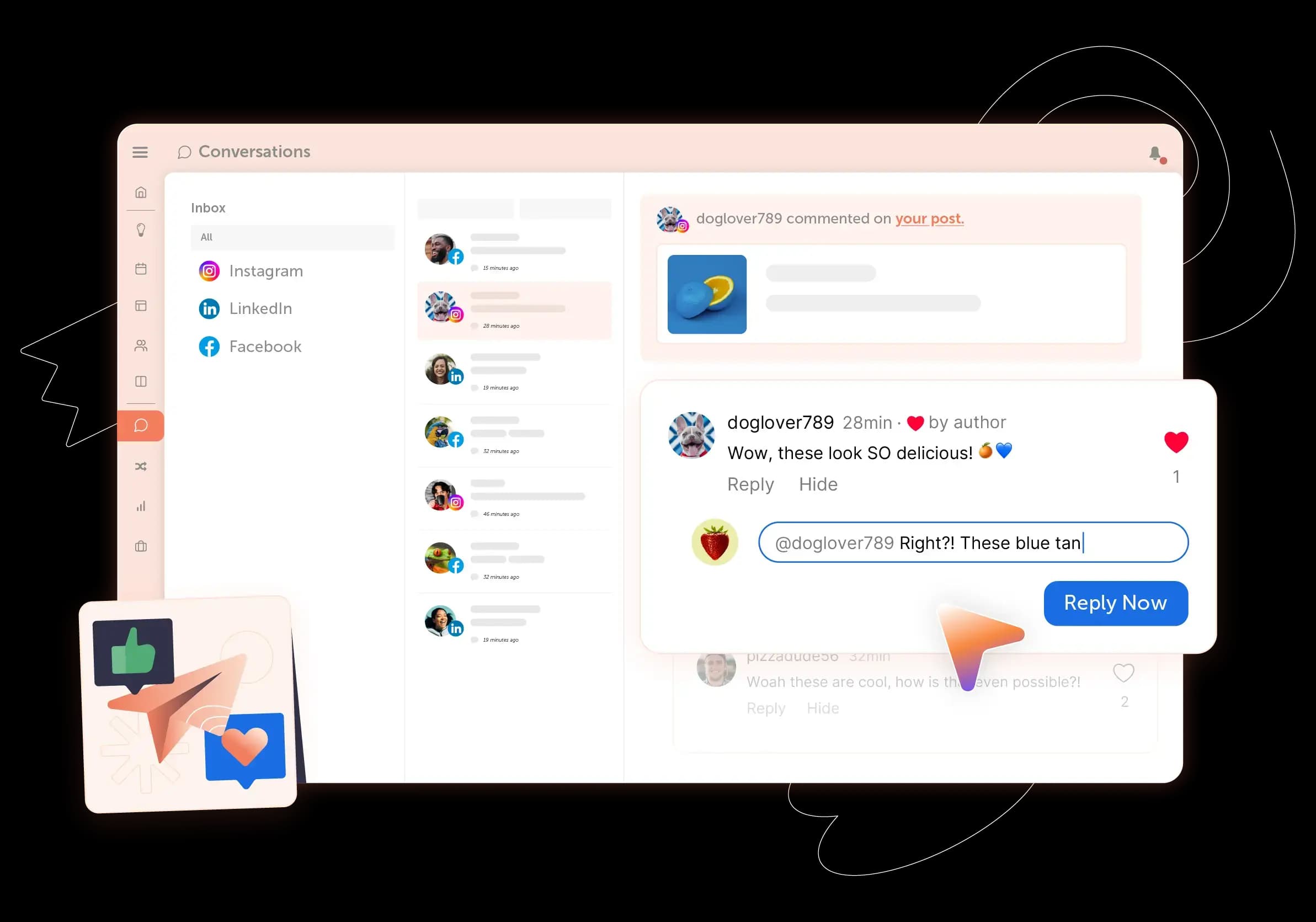
Takeaway: if you need keyword listening or run customer care at volume, Hootsuite is the better fit.
Analytics
Both tools report across networks; CoSchedule puts AI analysis on its $49 plan, while Hootsuite goes deeper on benchmarking. CoSchedule reports cover 9 networks: Facebook, Instagram, X, LinkedIn, YouTube Shorts, TikTok, Threads, Bluesky and Mastodon. Every paid plan gets social network reports and report scheduling. Professional and Suite add AI Insights, custom dashboards, white-label reports, and competitor and ROI reporting in the Analytics dashboards.
Hootsuite includes post performance and multi-network reports, industry benchmarking and competitive benchmarking against 5 competitors on every plan. Professional adds custom reports, report scheduling and exports, and 20 competitors. Advanced adds your logo on reports, and ROI reporting is Enterprise-only.
Takeaway: both tools report on competitors; pick Hootsuite if you want benchmarking against up to 20 competitors and industry benchmarks; pick CoSchedule if you want AI Insights and white-label reports without a per-user price.
AI
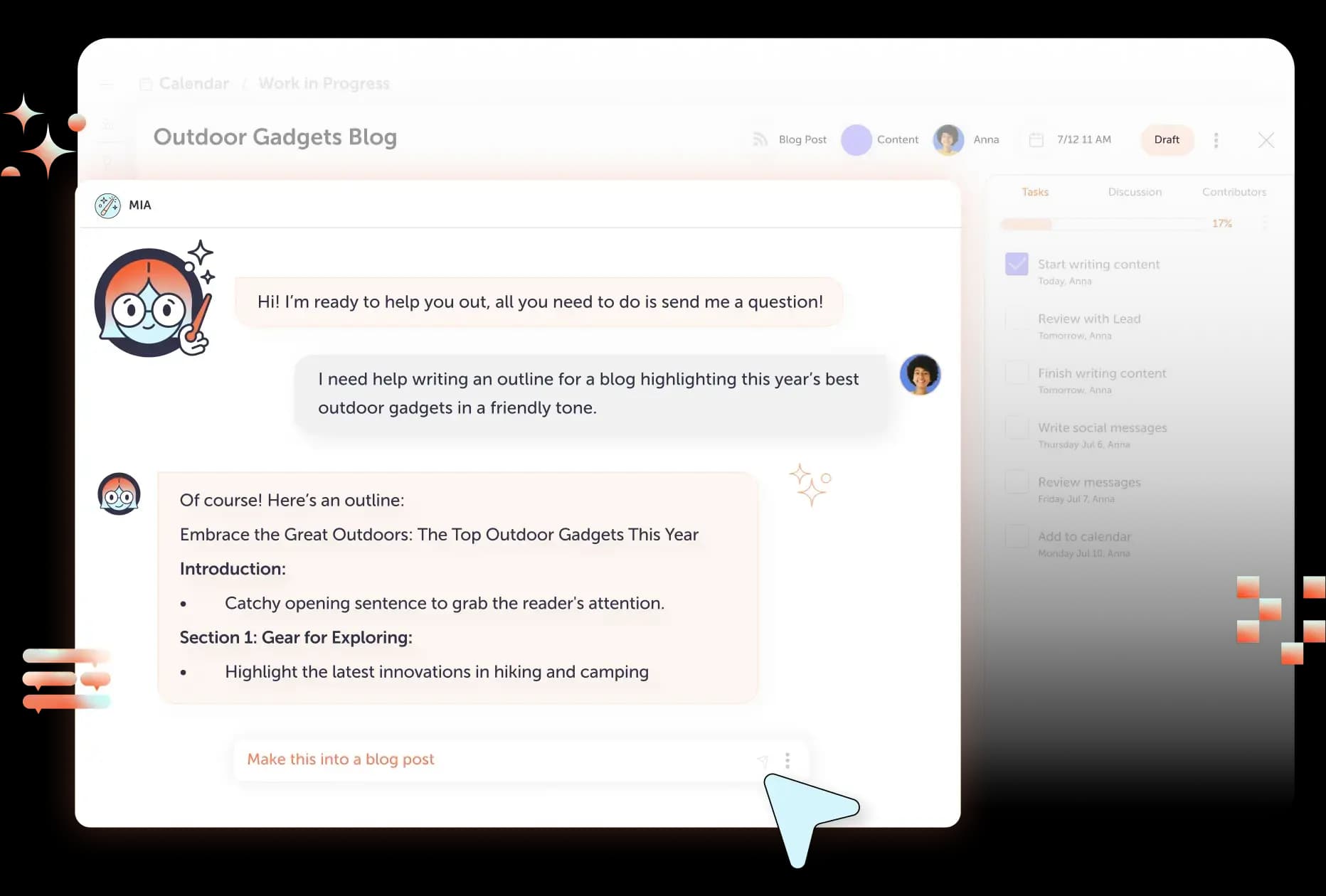
CoSchedule’s AI plans whole campaigns; Hootsuite’s AI helps you write, reply and summarize. CoSchedule AI includes the AI Social Assistant and AI Campaign Assistant, unlimited on every paid plan. Campaign Assistant drafts a whole social campaign, images included, straight onto your calendar. Professional and Suite add AI replies in Social Inbox and AI Insights on reports. Suite adds Brand Voice Training & Profiles, which writes in your voice.
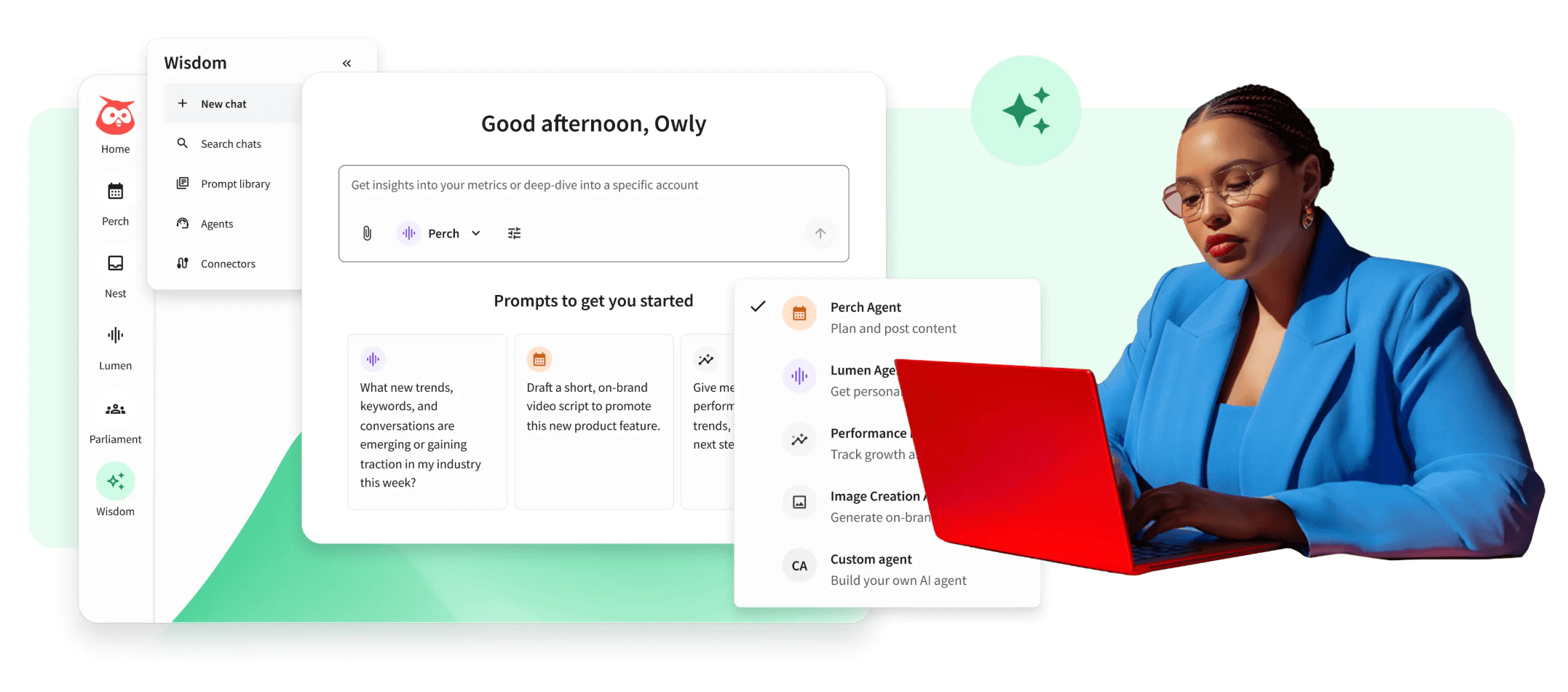
Hootsuite’s Wisdom AI is on every plan with 100 AI credits a month on self-serve plans. It generates post ideas and captions, suggests hashtags and summarizes listening results, and AI smart replies start on Professional.
Takeaway: for AI that builds the plan, not just the caption, CoSchedule is ahead.
Where CoSchedule Wins
CoSchedule is the better choice when social runs as a plan: campaigns on a calendar, evergreen posts filling the gaps, and approvals and AI without a top-tier, per-seat price. Here’s where it leads, and who that matters to.
- Price for small teams. Starter is $29/mo billed annually, and Professional is $49/mo billed annually with two users included. Three users on Professional cost $78/mo; three on Hootsuite Standard cost $297/mo billed annually. This matters to the one-person marketing department and teams of two or three.
- Approvals on the middle plan. Social message approvals come with Professional and Suite. Hootsuite puts approval workflows on Advanced, at $399 per user/mo billed annually. This matters to anyone who needs a second set of eyes before a post goes out.
- Campaigns that move together. Social campaigns on every paid plan group the posts behind a launch: move the launch date and the campaign’s schedule moves with it. This matters to teams whose social runs on launches, promotions and seasonal pushes.
- Evergreen posts that keep working. ReQueue, on every paid plan, reshares the evergreen posts you choose in ReQueue groups to fill gaps, favoring the ones that perform best within your groups. Hootsuite’s plans page doesn’t list evergreen resharing.
- AI that plans the campaign. AI Campaign Assistant drafts a whole social campaign, images included, onto your calendar, and it’s unlimited on every paid plan. Hootsuite’s Wisdom AI comes with 100 AI credits a month on self-serve plans.
- AI Insights, competitor and ROI reporting, and white-label reports on Professional. Hootsuite adds a logo to reports starting on Advanced. Hootsuite’s ROI reporting is Enterprise-only. This matters to agencies reporting to clients and to anyone who reports results to leadership.
- Support when you need it. Every paid plan gets email and live chat, and live chat is always open. Hootsuite’s self-serve support runs weekdays, 9:00 am to 5:00 pm in the listed time zones.
- A free plan. CoSchedule’s free plan covers 1 social profile and 15 scheduled posts at a time; Hootsuite doesn’t list a free plan.
- Mastodon. CoSchedule publishes to Mastodon on every paid plan; Hootsuite doesn’t list it among its networks.
- One calendar for the whole team on Suite. Suite puts social, email, events, campaigns and the blog on the calendar the whole marketing team runs on, with approval workflows and SSO.
Feature-By-Feature Chart
Here’s how the two tools line up, with the plan where each feature starts. Hootsuite facts: plans and integrations pages, checked Oct 2026.
| Feature | | |
|---|---|---|
| Pricing model | Per plan, users included | Per user |
| Starting price | $29/mo billed annually (Starter) | $99 per user/mo billed annually (Standard) |
| Free plan | Yes | No |
| Free trial | 14 days, card required (Starter, Professional) | 14 days, no card (Standard, Professional, Advanced) |
| Social profiles included | 3 (Starter), 5 (Professional), unlimited (Suite) | 10 (Standard), unlimited (Professional and up) |
| Calendar | Drag-and-drop, every paid plan | Social content calendar, every plan |
| Campaigns that move with the launch date | Every paid plan | Not listed |
| Read-only or exported calendar | Read-only sharing, Professional and Suite | Calendar exporting, every plan |
| Evergreen resharing | ReQueue, every paid plan | Not listed |
| Bulk scheduling | Up to 365 messages at once, every paid plan | Every plan (not during trial) |
| Best time to post | Best Time Scheduling, every paid plan | Recommended times, every plan |
| Approvals | Professional and Suite | Advanced and Enterprise |
| SSO | Suite | Enterprise |
| Networks | 11 (X is a paid add-on); includes Mastodon | 9 for publishing plus Google Business Profile app; WhatsApp in inbox |
| Social inbox | Facebook and Instagram on Starter; 9 networks on Professional and Suite | Every plan |
| Inbox automation and routing | Assigned replies, Suite | DM automation (Professional); skill-based routing (Advanced) |
| AI replies | AI Reply Assistant, Professional and Suite | AI smart replies, Professional and up |
| Keyword listening | No | Every plan (7-day Quick Search); 30 days on Professional |
| Social analytics | 9 networks, every paid plan | Every plan |
| AI analysis of reports | AI Insights, Professional and Suite | Wisdom AI summaries; personalized recommendations |
| White-label reports | Professional and Suite | Logo on reports, Advanced and up |
| Report scheduling | Every paid plan | Professional and up |
| Competitive benchmarking | Professional and Suite | 5 competitors (Standard); 20 (Professional, Advanced) |
| ROI reporting | Professional and Suite | Enterprise |
| AI writing | AI Social Assistant, unlimited, every paid plan | Wisdom AI, 100 credits/mo, every plan |
| AI campaign planning | AI Campaign Assistant, unlimited, every paid plan | Not listed |
| Social ads management | No | Every plan |
| Employee advocacy | No | Parliament, Enterprise |
| Mobile app | Every plan | iPhone and Android |
CoSchedule Vs. Hootsuite Integrations
CoSchedule connects to the email and content tools marketers use around social; Hootsuite connects to CRM, customer care and enterprise systems through a 100+ app directory.
CoSchedule integrates with YouTube, Mailchimp, HubSpot, Canva, Constant Contact, Campaign Monitor, ActiveCampaign, Google Drive, Microsoft 365, Dropbox, Bitly, Google Analytics, Google Calendar (ICS sync), RSS feed sync and WordPress, on every paid plan. Zapier connects it to many more.
Hootsuite lists more than 100 apps and integrations, including Canva, Adobe Express, HubSpot, Salesforce (Enterprise), Slack, monday.com, Wrike, Asana, Dropbox, Shopify, Proofpoint, Bynder and a Reddit app for monitoring mentions. Bitly starts on Professional, and Google Analytics connects through its advanced analytics.
Takeaway: choose CoSchedule if your social ties into email campaigns and content; choose Hootsuite if social feeds Salesforce, a compliance tool or a large app stack.
CoSchedule Vs. Hootsuite Customer Service
CoSchedule gives every paid plan email and live chat that’s always open; Hootsuite’s self-serve plans get in-account chat on weekdays, and each tool saves hands-on onboarding for its top plan.
CoSchedule offers email and live chat support on every paid plan, and live chat is always open for customers. Every plan also gets a knowledge base with guides and video tutorials. Suite adds priority support (an email response within 90 minutes during business hours) and Express Onboarding, with 1-on-1 onboarding and a dedicated account manager available as add-ons.
Hootsuite’s Standard, Professional and Advanced customers get its Help Center, chat from inside their account, a request form and support through X and Facebook. Support runs Monday to Friday, 9:00 am to 5:00 pm in the listed time zones, in English only. Enterprise adds expert-led onboarding, consulting and training. Hootsuite holds 4.3 of 5 stars across 7,498 reviews on G2.
Takeaway: CoSchedule’s live chat is open whenever you need it, on every paid plan; for guided onboarding, you need CoSchedule Suite or Hootsuite Enterprise.
CoSchedule Vs. Hootsuite Publishing Consistency
Both tools run public status pages with incident histories, but neither publishes an uptime figure, so there’s no sourced basis for calling one more reliable.
Hootsuite’s public status page tracks its web and mobile apps, with a full incident history. In the two weeks before we checked, it logged a Bluesky publishing issue, a composer error when scheduling and media maintenance windows, all marked resolved or scheduled.
CoSchedule runs a public status page that tracks social publishing, the app, the WordPress plugin, email notifications and more, with an incident history. It also shows every scheduled post on the calendar, syncs posts you publish natively back onto it with Social Sync and lets you pause all scheduled social messages with Pause Social Messages, on every paid plan.
Takeaway: check each tool’s status history during your trial, and judge it by the networks you actually post to.
CoSchedule Vs. Hootsuite: The Verdict
CoSchedule is the better pick if you plan social as campaigns on a calendar and want approvals and AI without paying per seat. Hootsuite is the better pick if listening, high-volume customer care or enterprise integrations are most of your job.
CoSchedule Is Best For:
- The one-person marketing department that owns social for the business and wants to see the whole month at once, starting at $29/mo billed annually on Starter.
- Small teams and agencies that need approvals, read-only sharing and white-label client calendars on Professional, at $49/mo billed annually with two users included.
- Campaign-driven social: launches, promotions and seasonal pushes where moving the launch date moves the campaign’s schedule with it.
- Keeping profiles active with ReQueue resharing the evergreen posts you choose, on every paid plan.
- Teams that want AI to plan, with AI Campaign Assistant drafting whole campaigns onto the calendar, unlimited on every paid plan.
- Larger marketing teams on Suite that run social alongside email, events, campaigns and the blog on one calendar, with approval workflows and SSO.
Hootsuite Is Best For:
- Brands that need social listening, with Quick Search and sentiment analysis from the Standard plan.
- Customer care teams handling high DM and comment volume who need automation, routing and satisfaction surveys.
- Businesses that support customers on WhatsApp.
- Teams that benchmark against up to 20 competitors and run paid social from the same tool.
- Enterprises that need Salesforce, compliance integrations, employee advocacy or ROI reporting.
- Agencies or brands managing more than 10 social accounts that want unlimited accounts from Professional up.
Try CoSchedule free for 14 days
Frequently Asked Questions
Is CoSchedule Good For Social Media?
Yes. CoSchedule is social media management software built on a calendar. It publishes to 11 social networks, fills gaps with ReQueue, handles replies in Social Inbox and reports on 9 networks. It’s strongest for marketers who plan social as campaigns and want to see the whole month at once.
Is Hootsuite Worth The Price?
It can be, if listening and customer care are central to your work. Hootsuite starts at $99 per user per month billed annually, so a team of three on Standard pays $297/mo, and approvals start on Advanced at $399 per user. If you mainly plan, publish and report, you’re paying for tools you may not use.
Is There A Good Alternative To Hootsuite?
CoSchedule is a strong alternative if you want calendar-first planning at a lower cost as your team grows: Professional includes two users and approvals for $49/mo billed annually. If listening and inbox routing are your top needs, compare tools built around those before you switch. For more options, see our list of Hootsuite alternatives and our roundup of the best content calendar tools.
Does Hootsuite Have A Free Plan?
No. Hootsuite’s plans page lists Standard, Professional, Advanced and Enterprise, with no free plan. You can try the first three free for 14 days without a credit card. CoSchedule has a free plan with 1 social profile and 15 scheduled posts at a time.
Why Is Hootsuite So Expensive For A Small Team?
Because every Hootsuite plan is priced per user. Three users cost $297/mo on Standard and $1,197/mo on Advanced, both billed annually. On CoSchedule Professional, three users cost $78/mo billed annually; add $5 per extra profile beyond the 5 included.
Can I Schedule To Bluesky And Threads With Both Tools?
Yes. Both CoSchedule and Hootsuite publish to Threads and Bluesky. CoSchedule also publishes to Mastodon, which Hootsuite doesn’t list.