
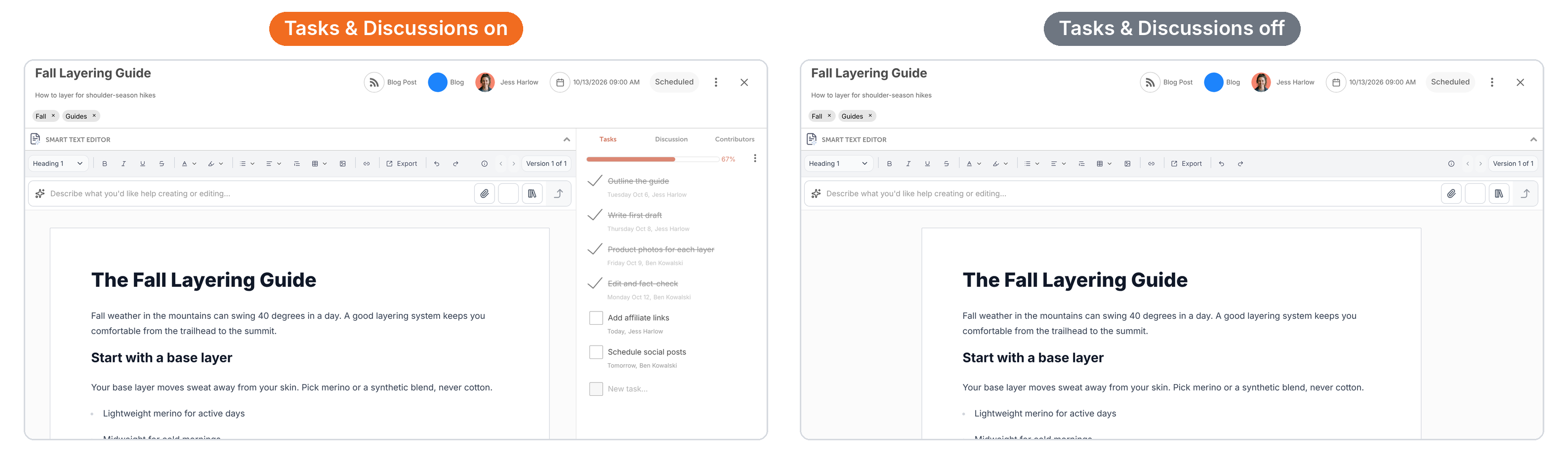
Tasks & Discussions is a power-up that adds teamwork tools to your projects. When it's on, every project on the calendar has a sidebar on the right with three tabs:
- Tasks: assign and track the work needed to finish the project.
- Discussion: comment and talk with your team inside the project.
- Contributors: the people following the project. Contributors are also called followers.
When it's off, projects open with just the editor and no sidebar. That suits people who work alone or are writing something quick. This feature is available on Starter, Professional and Suite, and set separately for each calendar.
- For Starter and Professional plans Tasks & Discussions are off by default.
- For Suite plans Tasks & Discussions are on by default.
- For calendars created before October 14, 2026, Tasks & Discussions are on by default.
Turn on Tasks & Discussions
- From your calendar, open Settings.
- Click Power Ups.
- Click Enable Tasks & Discussions.
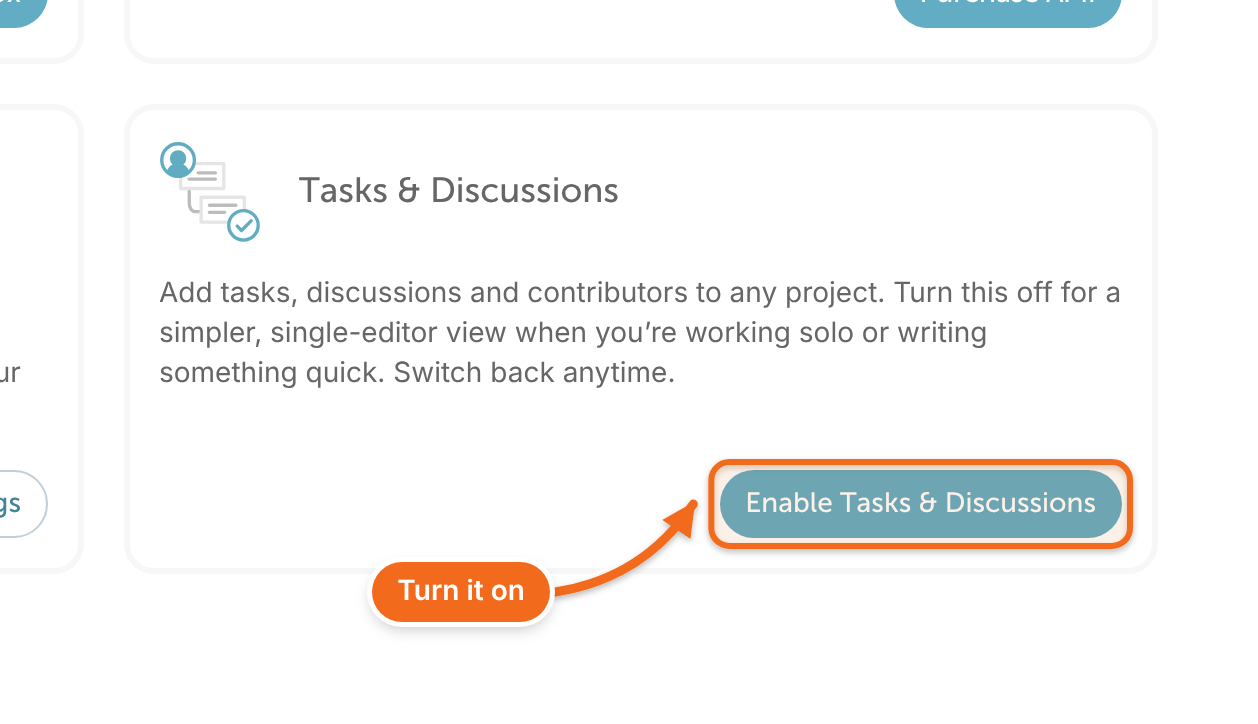
The change is immediate. There are no settings to set up. Open any project to see the Tasks, Discussion and Contributors tabs on the right.
Turn off Tasks & Discussions
- From your calendar, open Settings.
- Click Power Ups.
- Click Disable Tasks & Discussions.
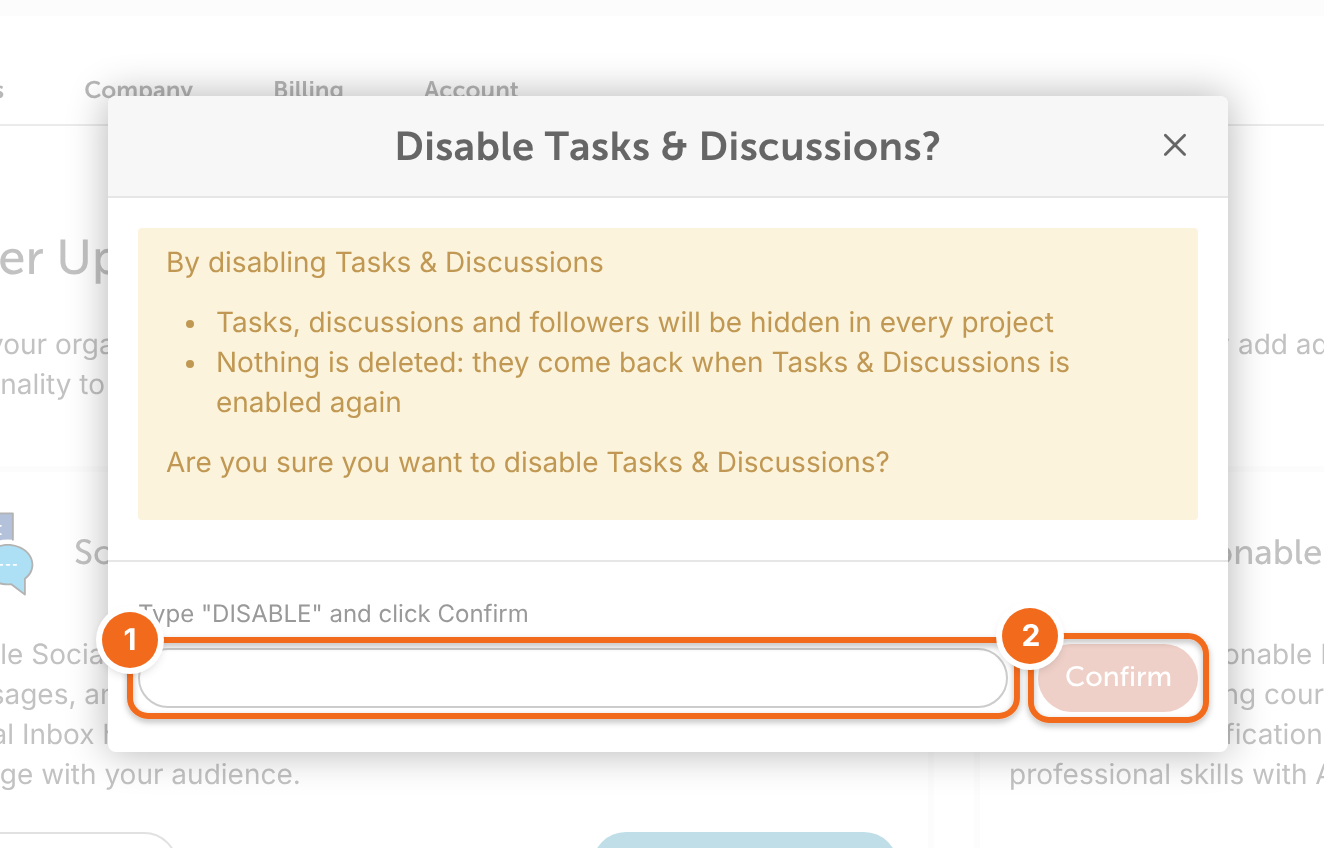
- Type DISABLE, then click Confirm.
What happens when it's off:
- Tasks, discussions and contributors are hidden in every project on that calendar.
- In the mobile app, projects no longer show the Tasks slide.
- Nothing is deleted. Turn the power-up back on and all your tasks, discussions and contributors come back.
Is it already on for my calendar?
To check, open Settings, then Power Ups: if you see Enable Tasks & Discussions, it's off.