We've Been Taking Notes. Here's What's New In CoSchedule
Your feedback helps shape CoSchedule every day.
Over the last few months, our team has been focused on delivering improvements that make it easier to collaborate, create content, and report on results. We're excited to share some of our most requested updates, all now available in CoSchedule.
Assign Replies In Social Inbox
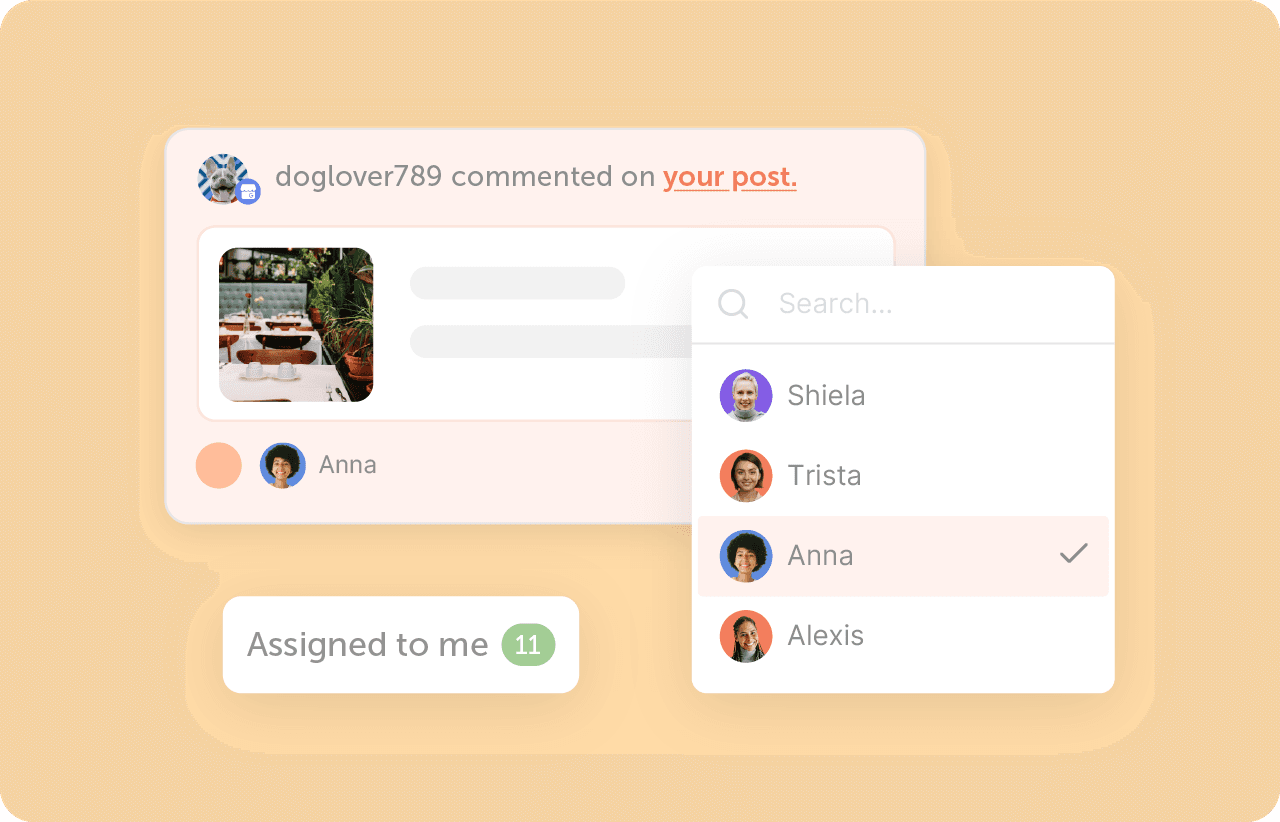
You can now assign messages directly to teammates inside Social Inbox, making it simple to route conversations to the right person and ensure nothing slips through the cracks.
Whether you're managing multiple brands, handling customer support requests, or collaborating across teams, everyone can clearly see who owns each conversation and who responded.
What You Can Do
- Assign incoming messages to specific teammates
- Automatically notify team members when a message is assigned to them
- See who replied to every conversation
- Quickly view messages assigned to you
- Customize notification settings to fit your workflow
Social Inbox is even more effective for teams that need visibility and accountability when managing customer conversations.
Publish Images And Videos Together On Instagram & Threads
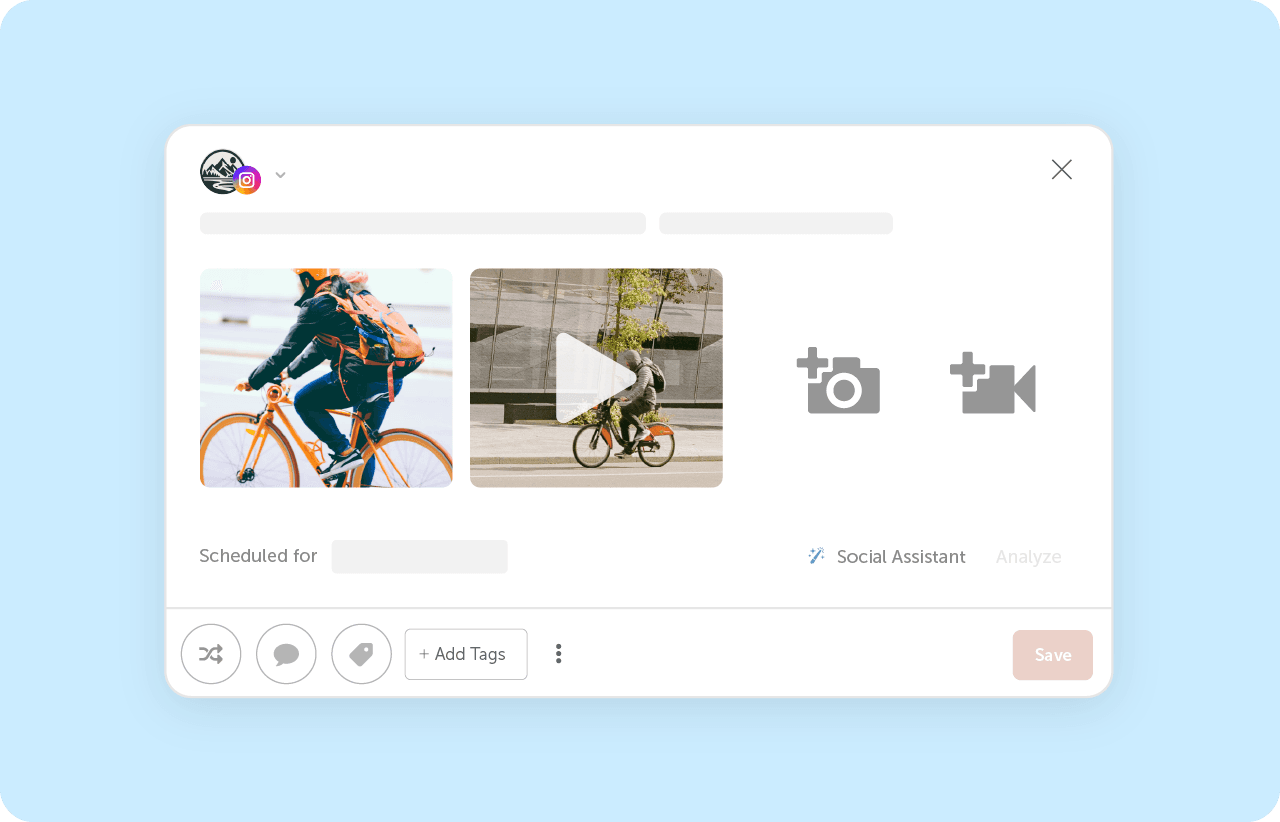
CoSchedule now supports multimedia posting on Instagram and Threads, allowing you to publish posts that include both images and videos together in a single post.You can also include multiple videos within the same post.
What's New
- Mix images and videos in the same Instagram or Threads post
- Publish multiple videos in a single post
- Create richer content without leaving CoSchedule
Simply select Add Media while creating your post and choose the images and videos you'd like to include.
More creative freedom. Same streamlined workflow.
Instagram Reports Now Include Shares Data
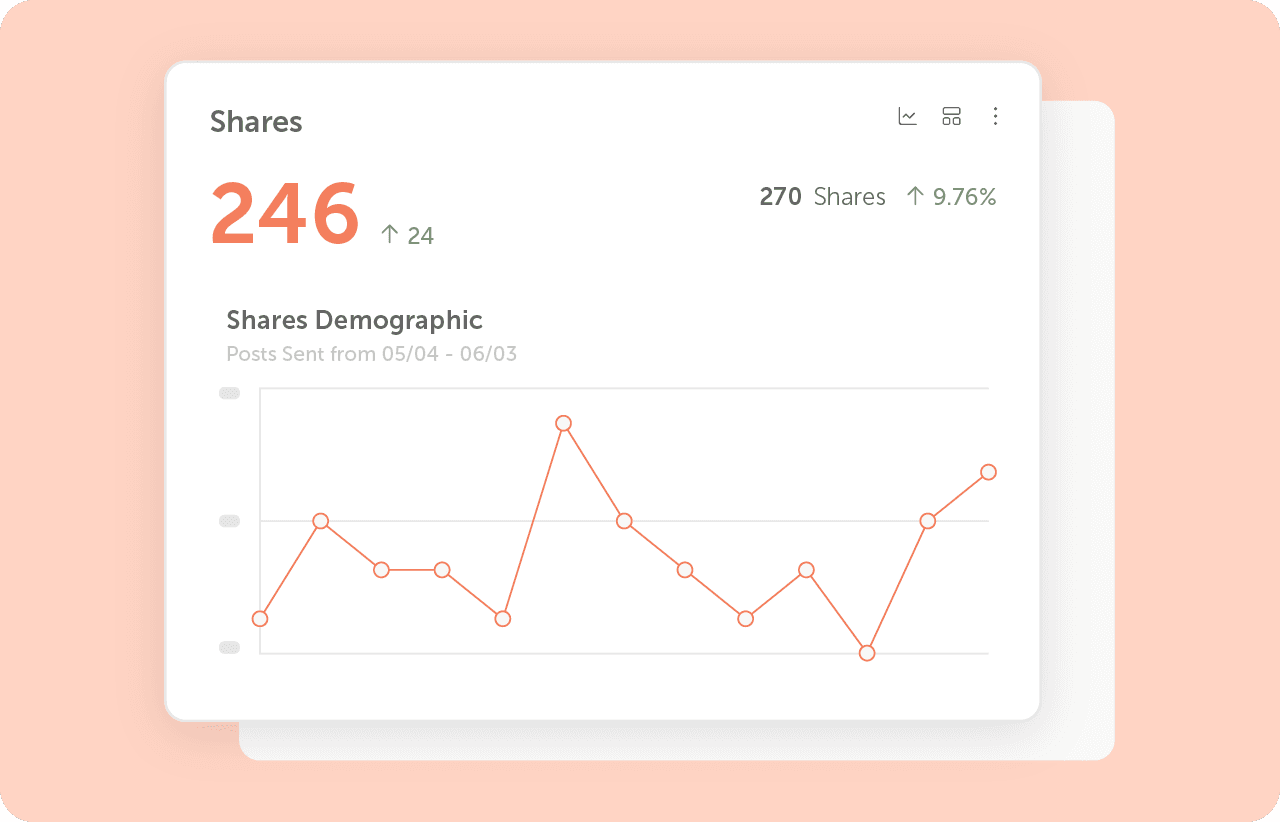
Understanding what content gets shared and how often is one of the most important social metrics right now.
That's why we've added Shares data directly to your Instagram Analytics Reports.
A new chart now tracks how often your content is shared, giving you deeper insight into which posts are resonating with your audience and encouraging further reach.
Included Automatically
- New Shares chart in Instagram reports
- Share metrics available alongside your existing engagement data
- PDF exports automatically include Shares data
Now you can better understand not just who sees your content, but who is actively sharing it with others.
New Table View For AI Insights
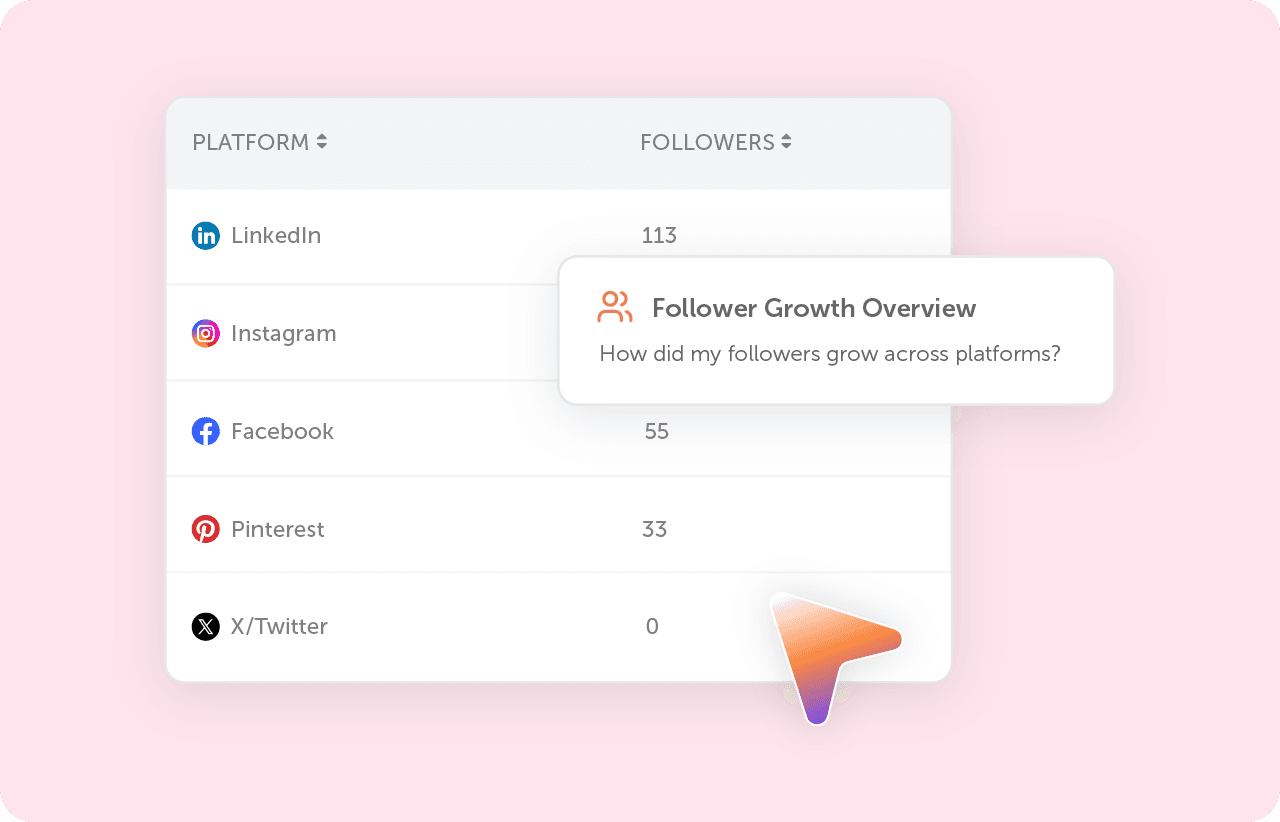
We’re prioritizing more ways to view and analyze your data.
You’ll see a new Table View option to AI Insights.
In addition to bar charts, line charts, and pie charts, you can now view your results and create dashboards and reports in a clean, structured table format.
Why You'll Love It
- See exact values at a glance
- Compare results row by row
- Review data in a familiar spreadsheet-style format
- Add tables to your dashboards and share with stakeholders
Simply run any AI Insights report and select Table View on a chart to switch formats.
Bonus Tip: Your preferred view is saved and respected when exporting reports.
Try These New Features Today
These updates were built directly from customer feedback, and they're designed to help your team communicate faster, create better content, and report on results more effectively.
Log in to your CoSchedule account to explore these new features today.
Don't have a CoSchedule account yet?
Try CoSchedule Free and see what's possible.