
Hootsuite used to be the default choice for social media management, but for a lot of teams, the price has quietly crept into “hard to justify” territory. If you’re running a small team, an agency, or even a growing marketing department, you’ve probably started asking the same question everyone else is asking in 2026…
Do we really need to pay that much?
That’s where this comparison comes in. This isn’t about saying one platform is wildly better than the other. It’s about understanding what you actually get for your money and whether there’s a smarter way to manage social without overspending.
See The Full CoSchedule Vs. Hootsuite Comparison
CoSchedule Vs Hootsuite At A Glance
| Feature |  |  |
|---|---|---|
| Best For | Marketing teams that want an all-in-one calendar | Enterprises needing advanced social listening |
| Starting Price | Lower cost, scalable plans | Higher starting price with tiered upgrades |
| Core Strength | Unified marketing calendar + publishing | Social media scheduling + monitoring |
| Ease Of Use | Intuitive, calendar-first UI | Powerful but more complex interface |
| Collaboration | Built-in workflows and approvals | Available but more structured and layered |
| Analytics | Clear, actionable reporting | Advanced but often gated behind higher tiers |
| Value | High value for cost-conscious teams | Premium pricing for enterprise features |
CoSchedule Vs Hootsuite Plans And Pricing
CoSchedule Pricing
CoSchedule is designed to scale with your team without forcing you into enterprise-level pricing too early. You can start with essential scheduling and grow into advanced marketing coordination tools like campaign planning, approvals, and reporting.
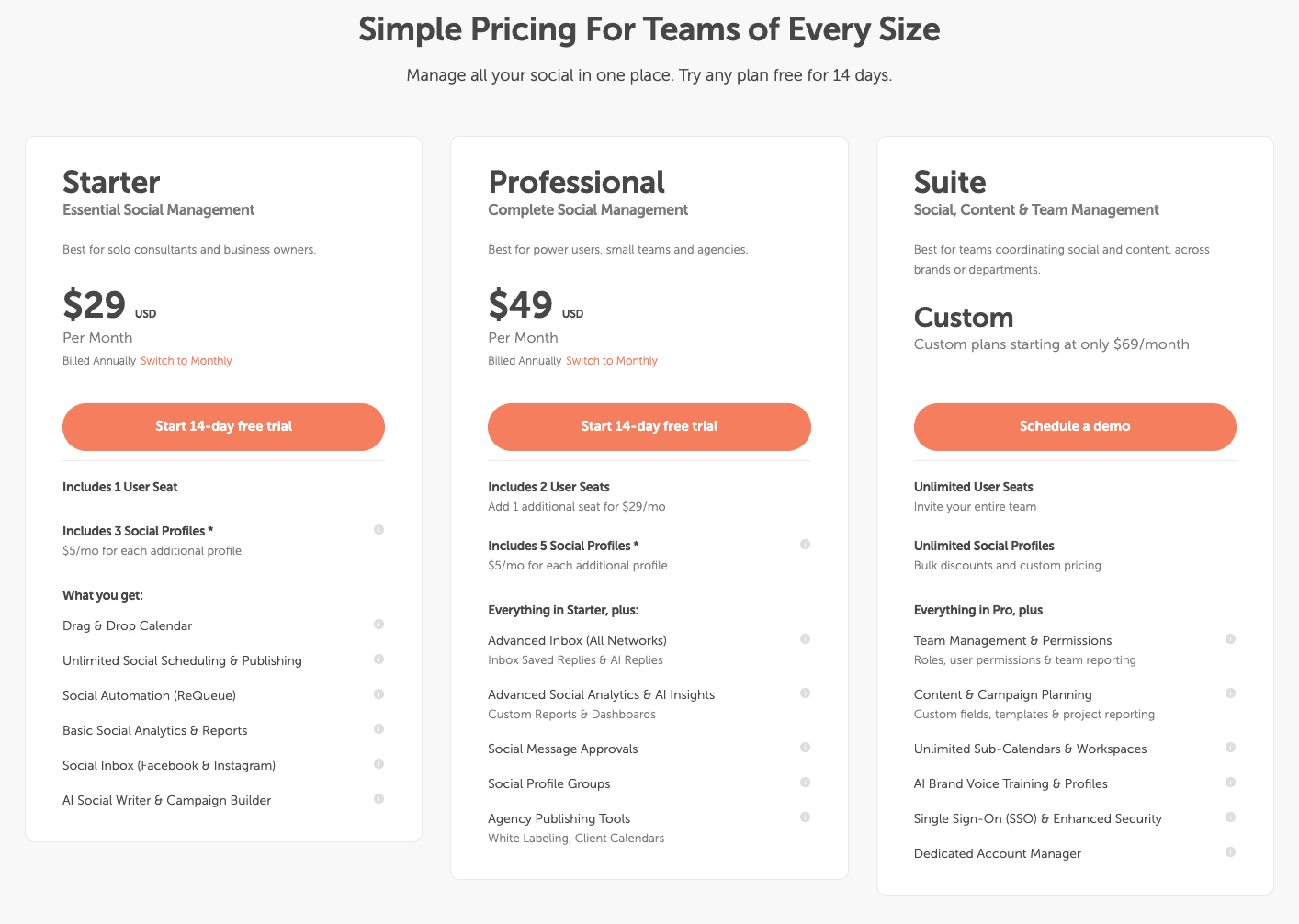
The biggest differentiator is value. You’re not paying extra just to unlock basic functionality. Features like calendars, collaboration, and publishing are core to the platform, not hidden behind multiple pricing tiers.
Plans start at $29/month with a 14-day free trial option available.
Hootsuite Pricing
Hootsuite’s pricing has shifted significantly over the years. What used to be accessible for small teams now often requires a larger investment, especially if you need analytics, team workflows, or multiple users.
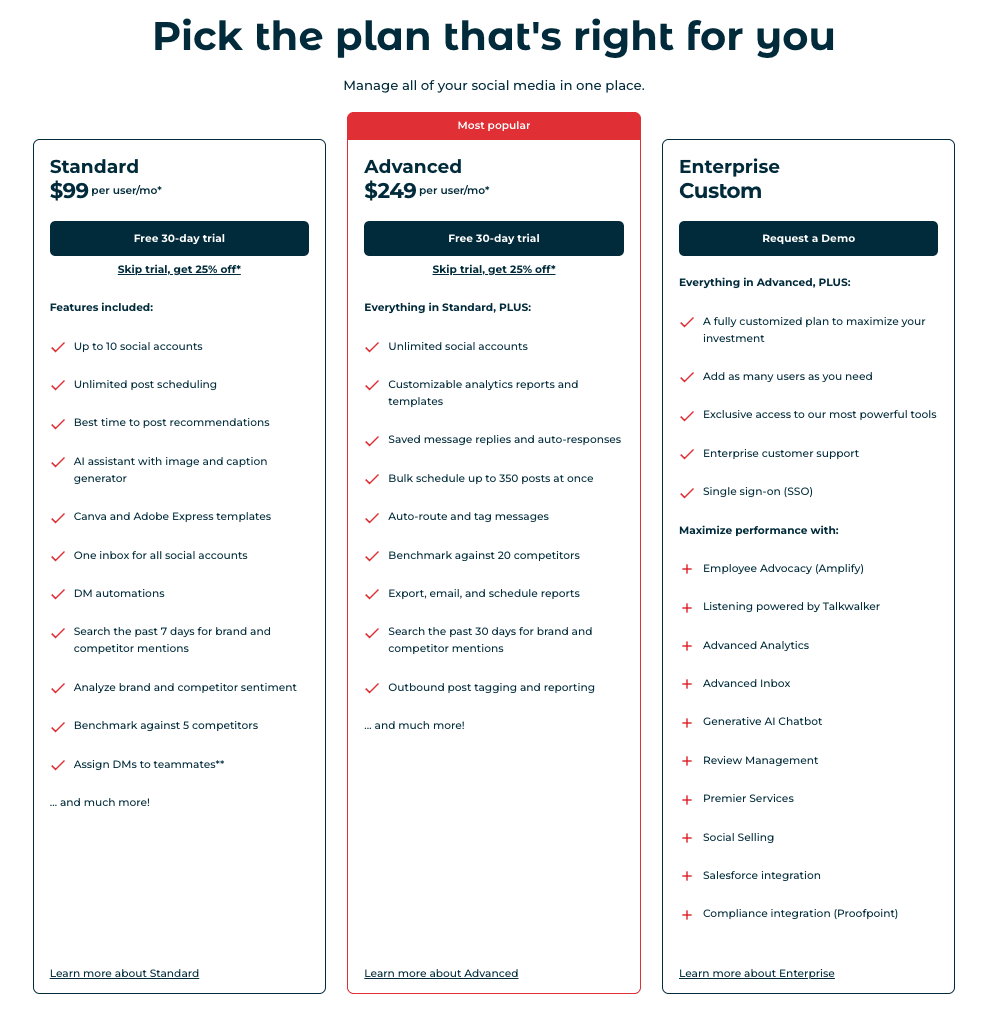
Many of its most valuable features such as advanced analytics, social listening, and team permissions are locked behind higher-tier plans, which can add up quickly.
Plans start around $199/month with a 30-day free trial option available
Free Trials
Both platforms offer free trials, but the experience differs:
CoSchedule offers a free 14-day trial for its Social Calendar and Agency Calendar plan. Each trial unlocks all features in that plan.
Hootsuite’s 30-day free trial highlights premium features that may require a higher-tier upgrade to continue using.
CoSchedule Vs Hootsuite Feature Review
Marketing Calendar
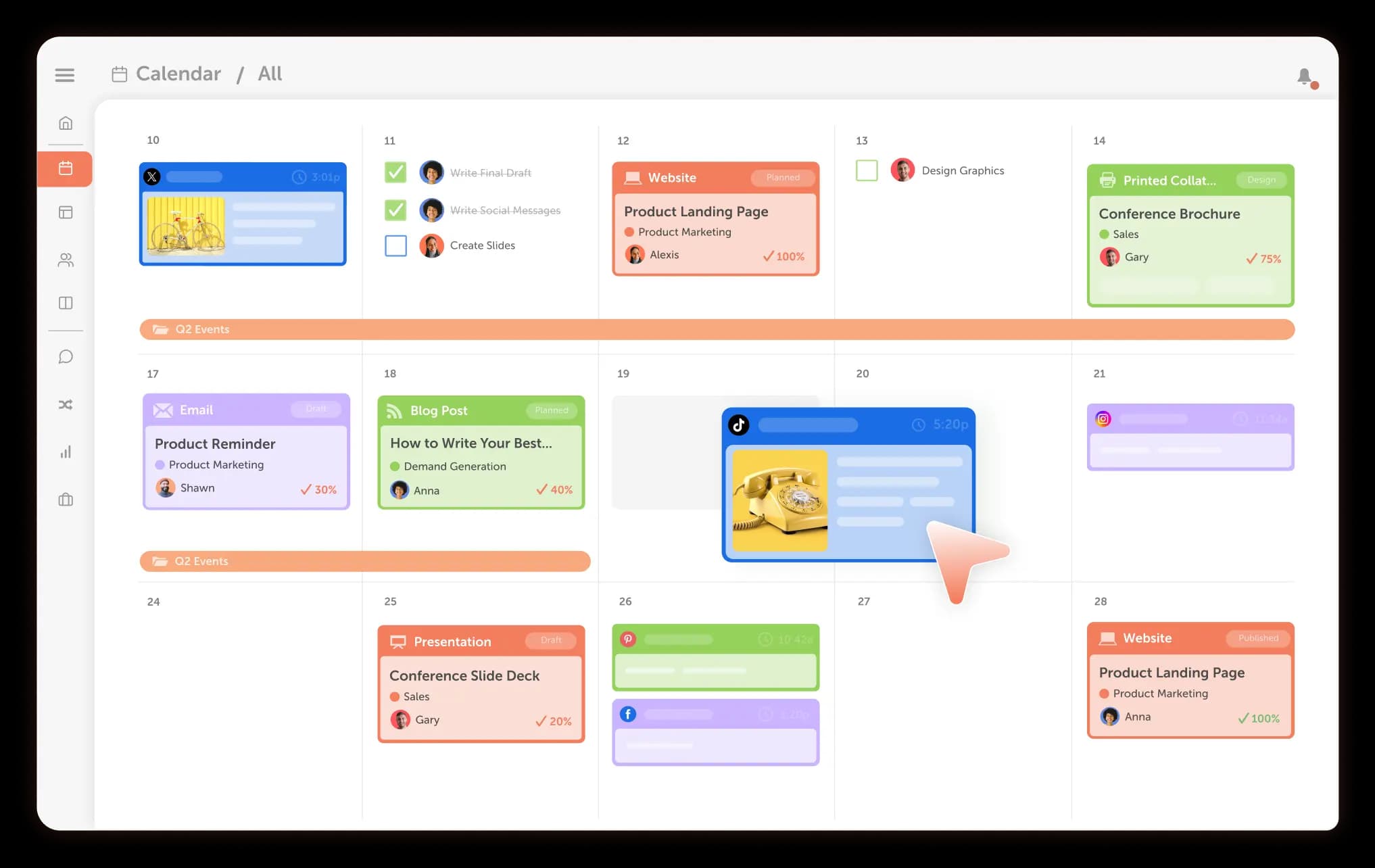
CoSchedule’s calendar is the centerpiece of the platform. Everything lives in one place including social posts, campaigns, and projects. This makes it especially useful for teams managing multiple channels and deadlines.
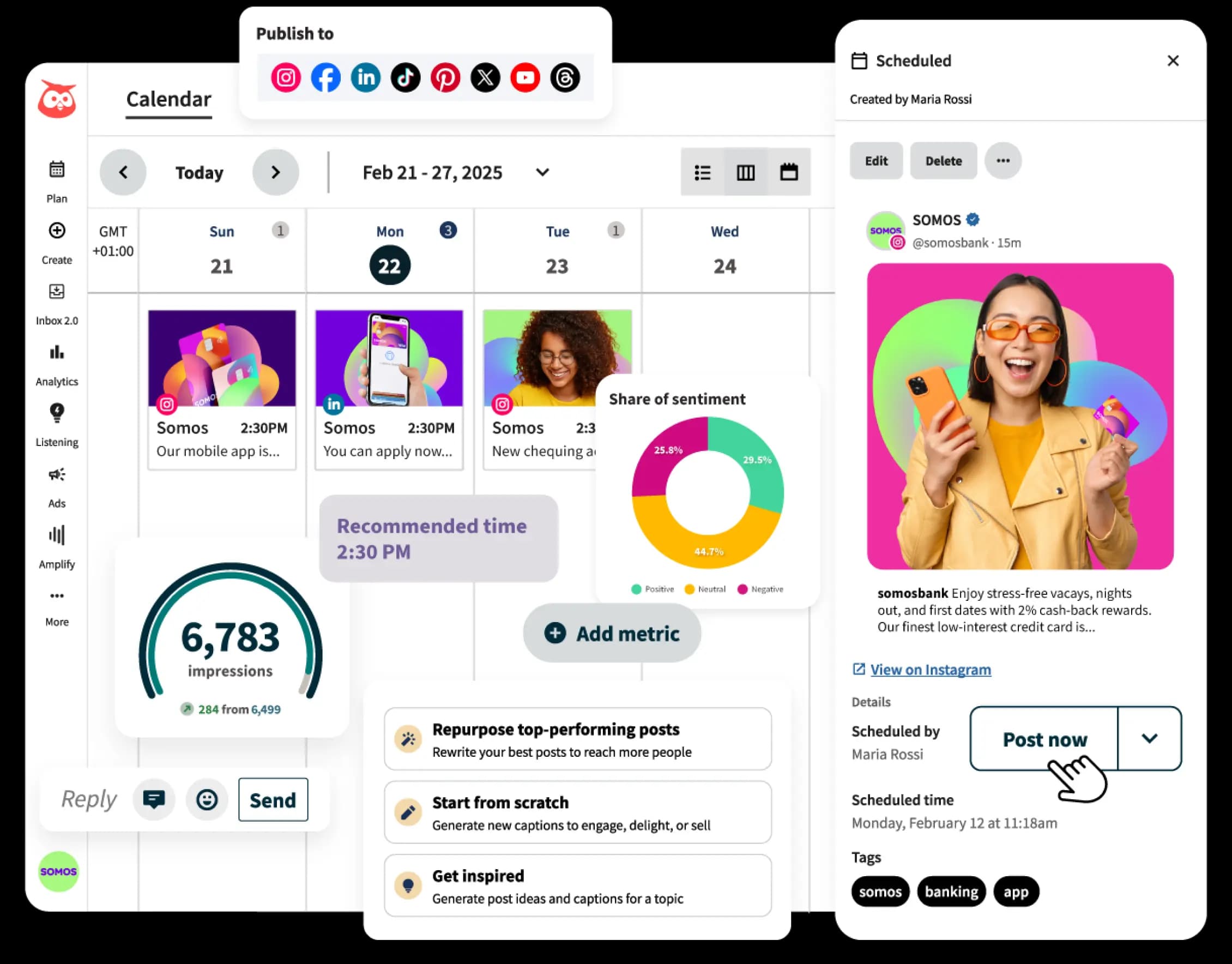
Hootsuite offers scheduling views, but it’s more focused on post-level management rather than full campaign visibility.
Collaboration And Approvals
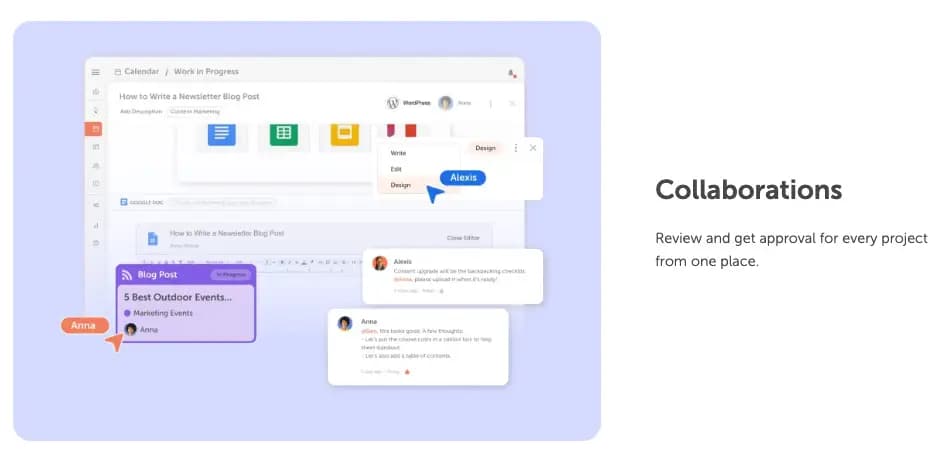
CoSchedule makes collaboration feel natural. You can assign tasks, set approvals, and track progress directly in the calendar.
Hootsuite supports collaboration, but workflows can feel more rigid and are often better suited for structured enterprise teams.
Publishing And Scheduling
Both tools handle scheduling well, but CoSchedule emphasizes consistency with features like reusable templates and campaign-based publishing.
Hootsuite is strong in bulk scheduling and multi-account posting, though it can take more setup to streamline workflows.
Supported Platforms
Both platforms support major social networks.
CoSchedule supports all major networks including:
- Twitter/X
- YouTube
- TikTok
- Threads
- Google My Business
- YouTube Shorts
- Bluesky
- Mastodon
Hootsuite supports most major networks including:
- Twitter/X
- YouTube
- TikTok
- Threads
- WhatApp
- Bluesky
Social Inbox
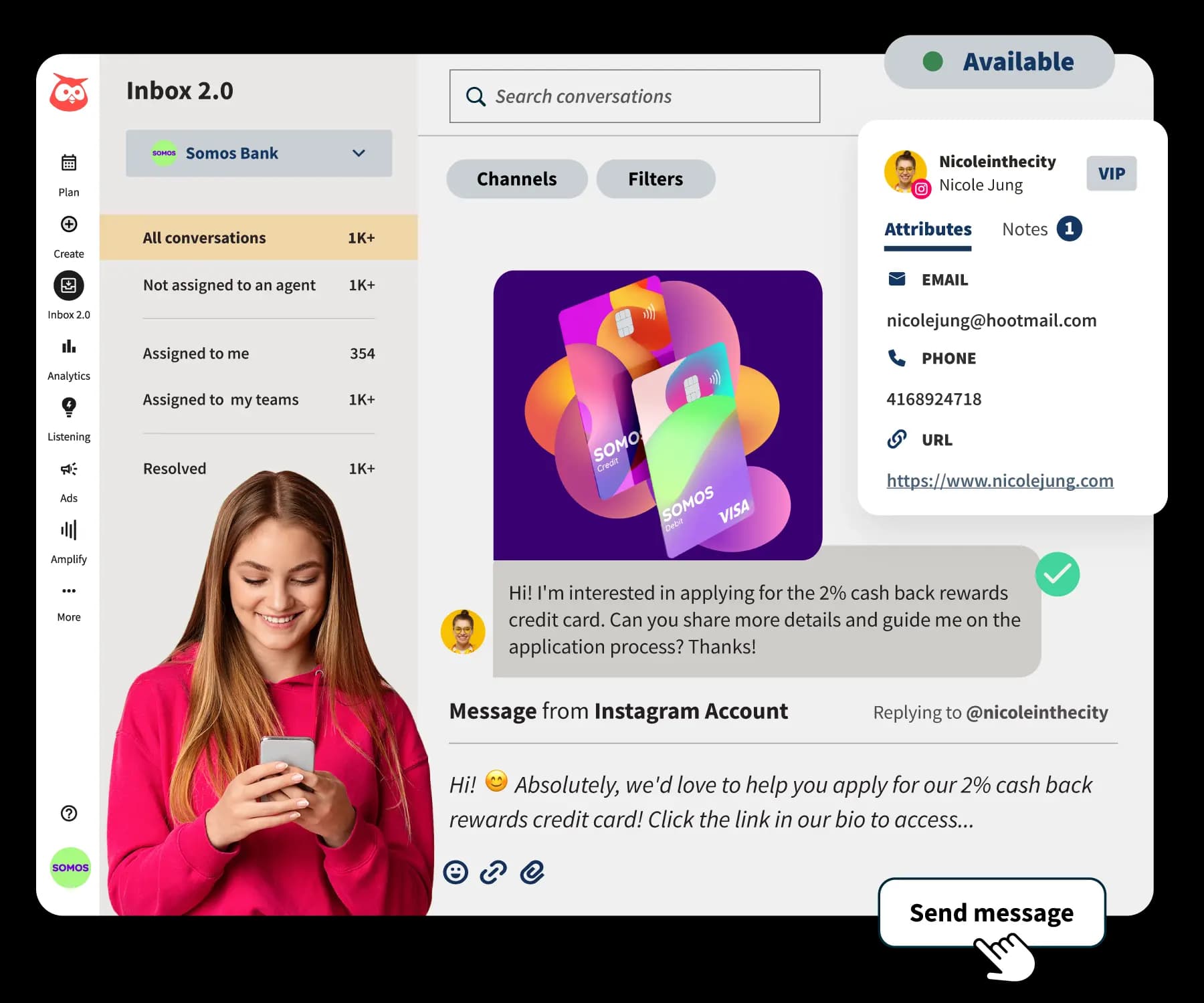
Hootsuite has a more advanced social inbox for monitoring and responding to messages across channels. The social inbox is included in all paid plans, with advanced features only available in the enterprise level plans.
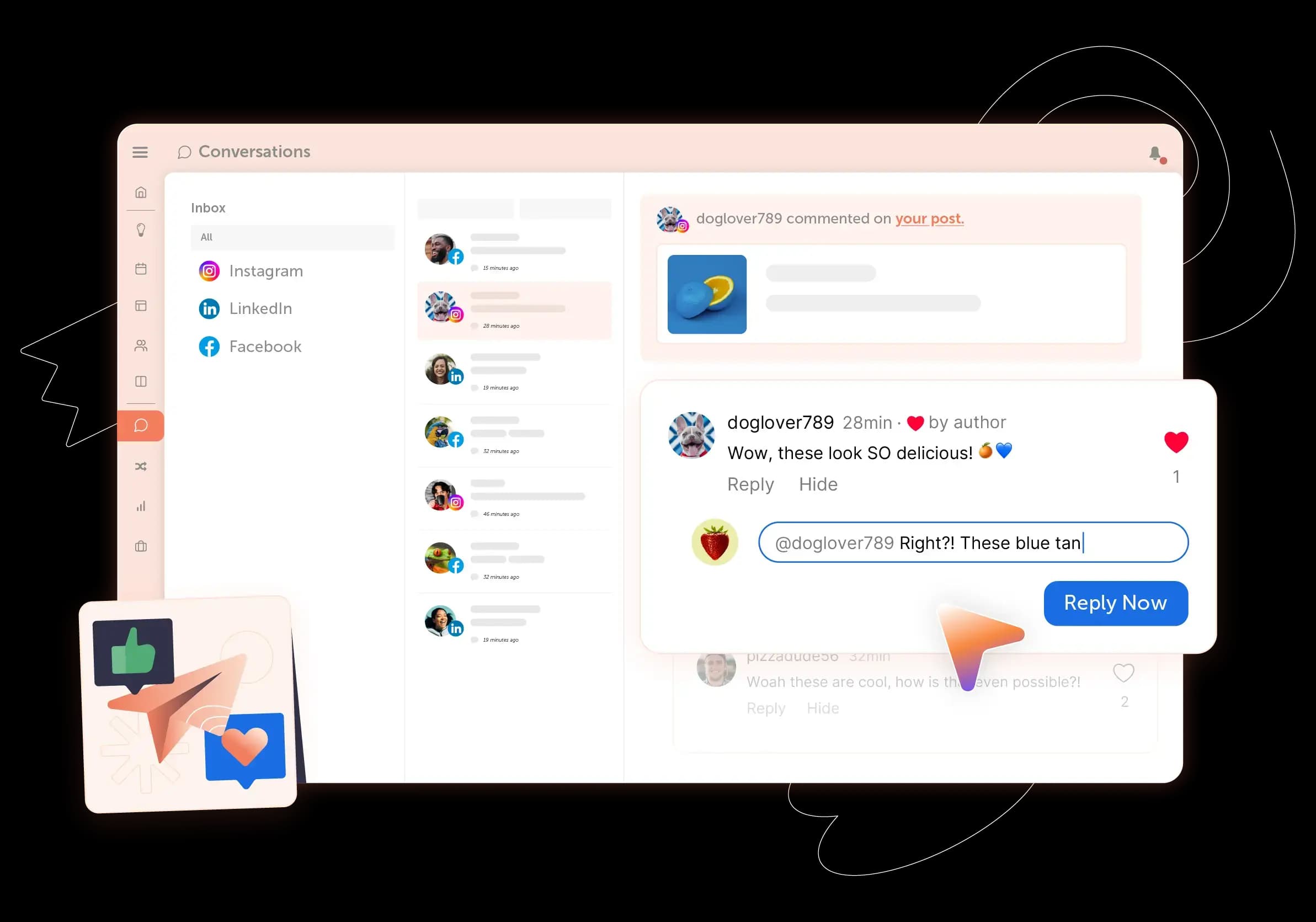
CoSchedule also offers a social inbox to manage comments, DMs and mentions across every platform. The social inbox is available in all paid plans, with Instagram and Facebook available in the Social Calendar plan and all networks unlocked in any upgraded plan.
Analytics
Hootsuite provides robust analytics, but many advanced insights are restricted to higher-tier plans.
CoSchedule delivers clear, actionable reporting without overcomplicating things. For most teams, the insights are more than enough to guide strategy without requiring a data analyst to interpret them.
Feature By Feature Comparison Chart
| Feature | | |
|---|---|---|
| Unified Calendar | ✅ Yes | ⚠️ Limited |
| Task Management | ✅ Yes | ⚠️ Partial |
| Approval Workflows | ✅ Yes | ⚠️ Yes (tier dependent) |
| Bulk Scheduling | ✅ Yes | ✅ Yes |
| Social Inbox | ⚠️ Basic | ✅ Advanced |
| Analytics | ✅ Included, easy to use | ⚠️ Advanced, often premium |
| Campaign Management | ✅ Advanced | ⚠️ Limited |
| Ease Of Use | ✅ High | ⚠️ Moderate |
CoSchedule Vs Hootsuite Integrations
Hootsuite offers a wide range of integrations, especially for enterprise tools and CRM systems. This makes it appealing for larger organizations with complex tech stacks.
CoSchedule integrates with essential marketing tools like WordPress and major social platforms, with a focus on keeping workflows simple and centralized rather than sprawling.
CoSchedule Vs Hootsuite Integrations
| Category | | |
|---|---|---|
| Overview | Focused set of integrations designed for centralized, streamlined workflows | 100+ third-party apps and enterprise-focused integrations for complex tech stacks |
| Design & Creative Tools | Canva | Canva, Adobe Express, Adobe Creative Cloud, Adobe Stock |
| Video & Media | YouTube | Vidyard |
| CRM & Marketing Automation | HubSpot, ActiveCampaign, Campaign Monitor, Constant Contact, Mailchimp, Keap, Insightly | Salesforce, HubSpot, ActiveCampaign, Pardot |
| Project Management & Collaboration | Asana, Jira, Trello, Wrike, Monday.com, MeisterTask, Slack, Todoist | Asana, Monday.com, Wrike, ClickUp, Slack |
| Analytics & Social Insights | Google Analytics | Talkwalker, Panoramiq Insights, Fedica, Upfluence, ReviewTrackers |
| File Storage & Content Management | Google Drive, Dropbox, OneDrive | Google Drive, Dropbox |
| Publishing & CMS Tools | WordPress | WordPress, Wix, Gravity Forms |
| Events & Forms | — | Eventbrite |
| Automation & Connectivity | Zapier | Zapier |
| Content Curation & Feeds | Feedly, RSS Feed Sync | Feedly, RSS via Hootsuite Syndicator, Pocket |
| Social & Web Tools | Google Business Profile, Shopify | Google Business Profile, Tumblr, OneClick.bio |
| Security & Compliance | — | Proofpoint |
| Productivity & Data Tools | Google Sheets, Microsoft Excel | — |
| Internal / Proprietary Tools | Headline Studio, Hire Mia | — |
| Other Integrations | DivvyHQ, Calendar ICS Sync, Bitly, Flock | — |
CoSchedule Vs Hootsuite Customer Service
CoSchedule is known for responsive support and a strong focus on helping teams get up and running quickly. Documentation and onboarding are straightforward, which reduces friction early on.
Hootsuite provides support as well, but response times and access levels can vary depending on your plan. Higher-tier customers often receive priority service.
CoSchedule Vs Hootsuite Publishing Consistency
Reliability is a critical factor when evaluating publishing tools, and this is an area where clear differences emerge.
Public status data from Hootsuite shows a relatively high volume of reported incidents and service disruptions over time, including outages that can interrupt scheduled posts or cause publishing failures. For teams managing time-sensitive campaigns, these disruptions can create gaps in execution and require additional monitoring or rework.
By comparison, CoSchedule maintains a smaller incident history based on its public status page, suggesting a more stable publishing environment. Fewer disruptions mean marketing teams can rely more confidently on their schedules running as planned, without needing to constantly check for failed or delayed posts.
CoSchedule Vs Hootsuite The Verdict
If you strip everything down, the decision comes down to how much you’re willing to pay for the features you actually use.
CoSchedule delivers the core functionality most teams need, without the extra cost. Hootsuite offers more advanced capabilities, but those often come with a higher price tag that not every team can justify.
CoSchedule Is Best For
- Teams looking for affordable social media management tools for teams
- Marketers who want a unified calendar for campaigns and content
- Agencies that need an easy social media scheduler for agencies
- Businesses searching for social media tools like Hootsuite but cheaper
- Small to mid-sized teams that prioritize value and simplicity
Hootsuite Is Best For
- Large enterprises with complex workflows
- Teams that require advanced social listening
- Organizations with dedicated analytics teams
- Businesses that can justify higher costs for expanded capabilities
See The Full CoSchedule Vs. Hootsuite Comparison
Frequently Asked Questions
Is CoSchedule Good For Social?
Yes. CoSchedule is especially strong for teams that want to plan, schedule, and manage social media alongside broader marketing efforts. Its calendar-first approach makes it easier to stay organized and consistent.
Is Hootsuite Worth The Price?
It depends on your needs. If you require advanced analytics, social listening, and enterprise-level integrations, it can be worth it. For many smaller teams, the cost outweighs the benefits.
Is There A Good Alternative To Hootsuite?
Yes. CoSchedule is one of the best Hootsuite alternatives for small business teams and agencies. It offers similar core functionality at a much lower cost, making it a practical choice for teams focused on efficiency and value. If you’re weighing more than two tools, our roundup of the 12 best content calendar tools compares Hootsuite, CoSchedule and ten other options side by side.