Every Social Profile Now Has Its Own Calendar
See every social profile on its own calendar, and keep the big picture in All view.
When every profile shares one calendar, you have to read the whole thing to find out whether LinkedIn is covered next week or Instagram has gone quiet. Now every social profile you connect gets its own calendar view in CoSchedule, created automatically.
Plan Each Social Profile On Its Own Calendar
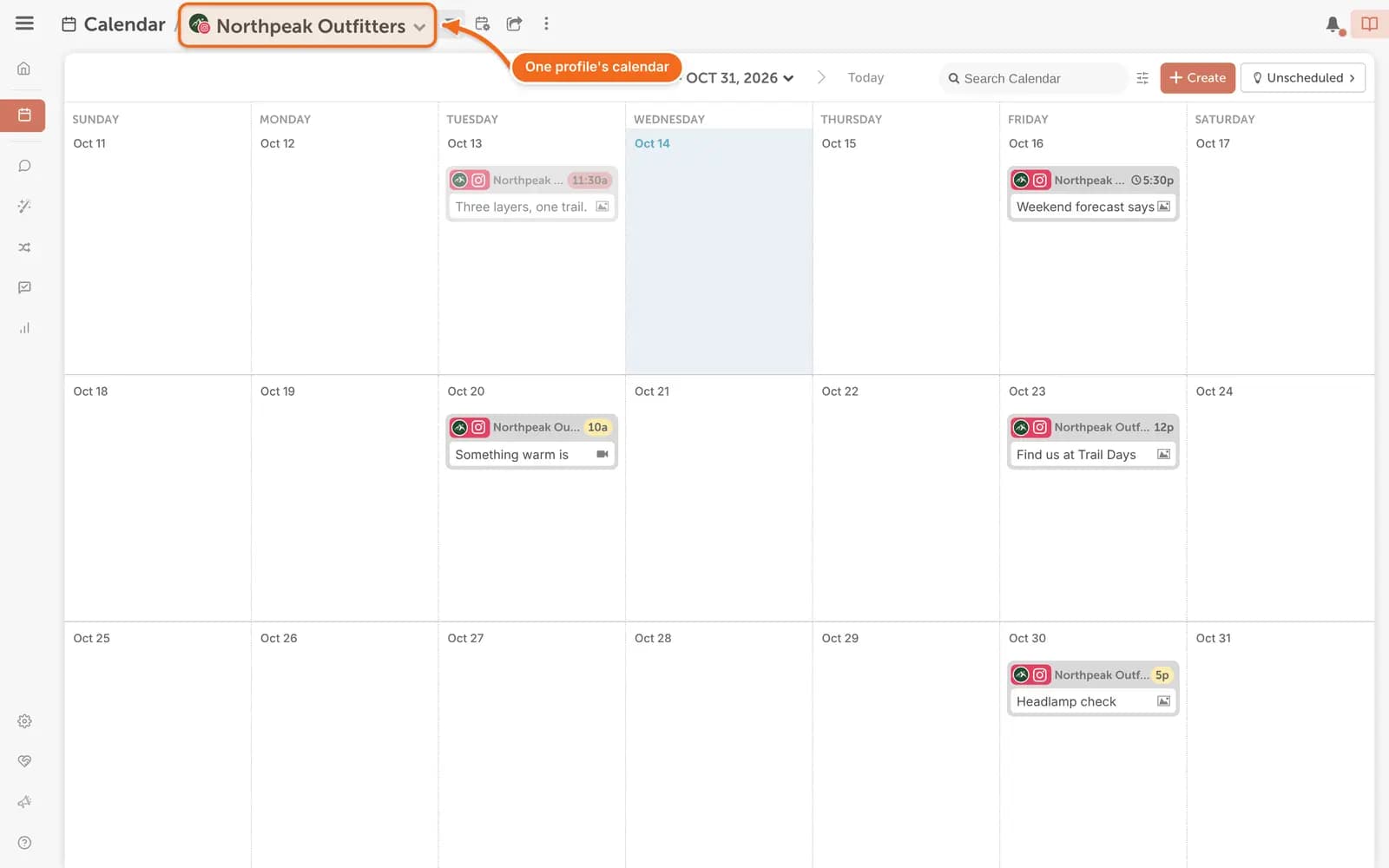
Social Profile Calendars give every social profile you connect its own calendar view. Review the upcoming posts for one profile at a time, and keep every channel on a consistent publishing schedule.
A Calendar For Every Profile
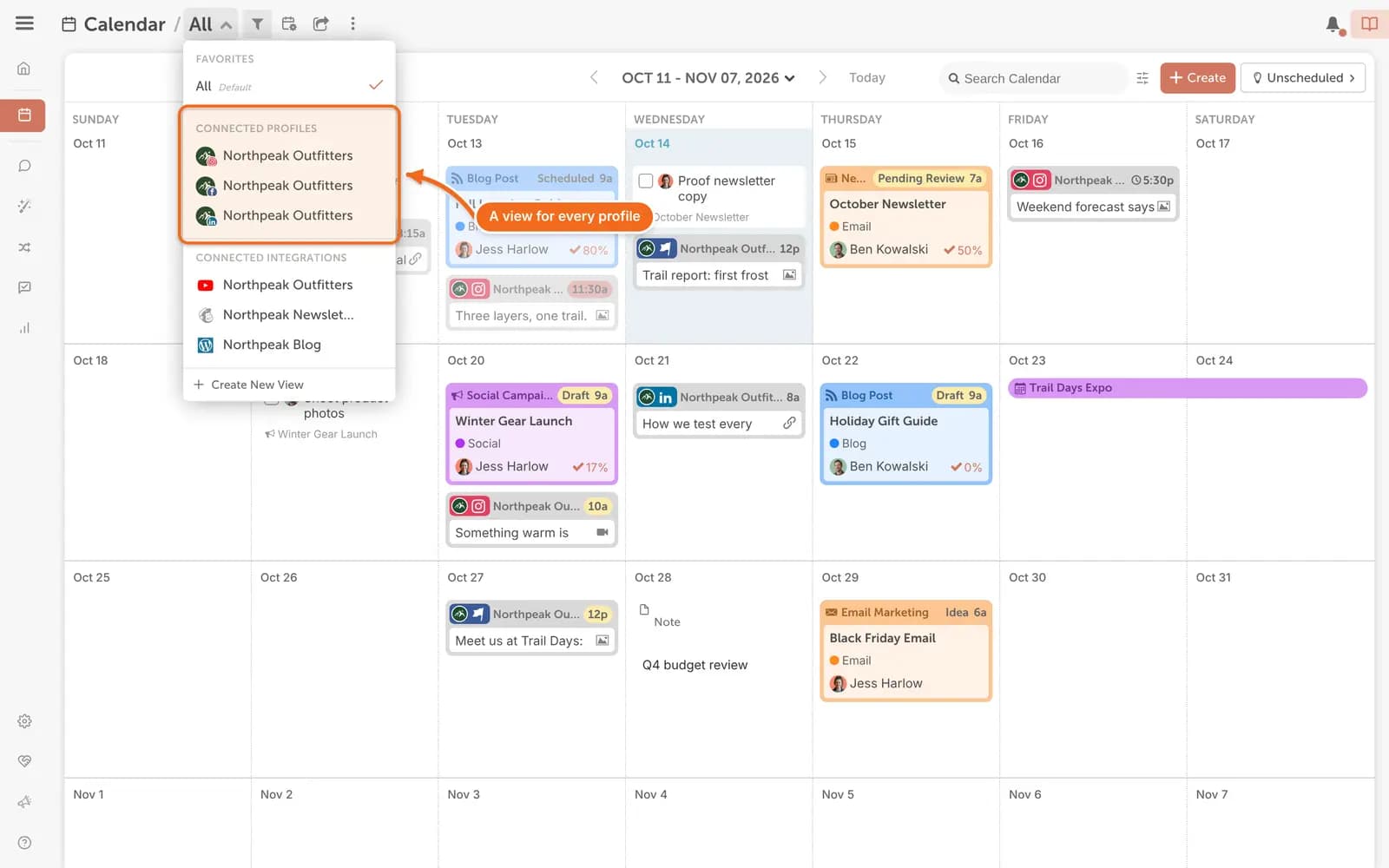
CoSchedule adds a calendar view for every social profile you connect, including the profiles you already have. There are no views to build or filters to save, on any plan.
Save A Click On Every Post
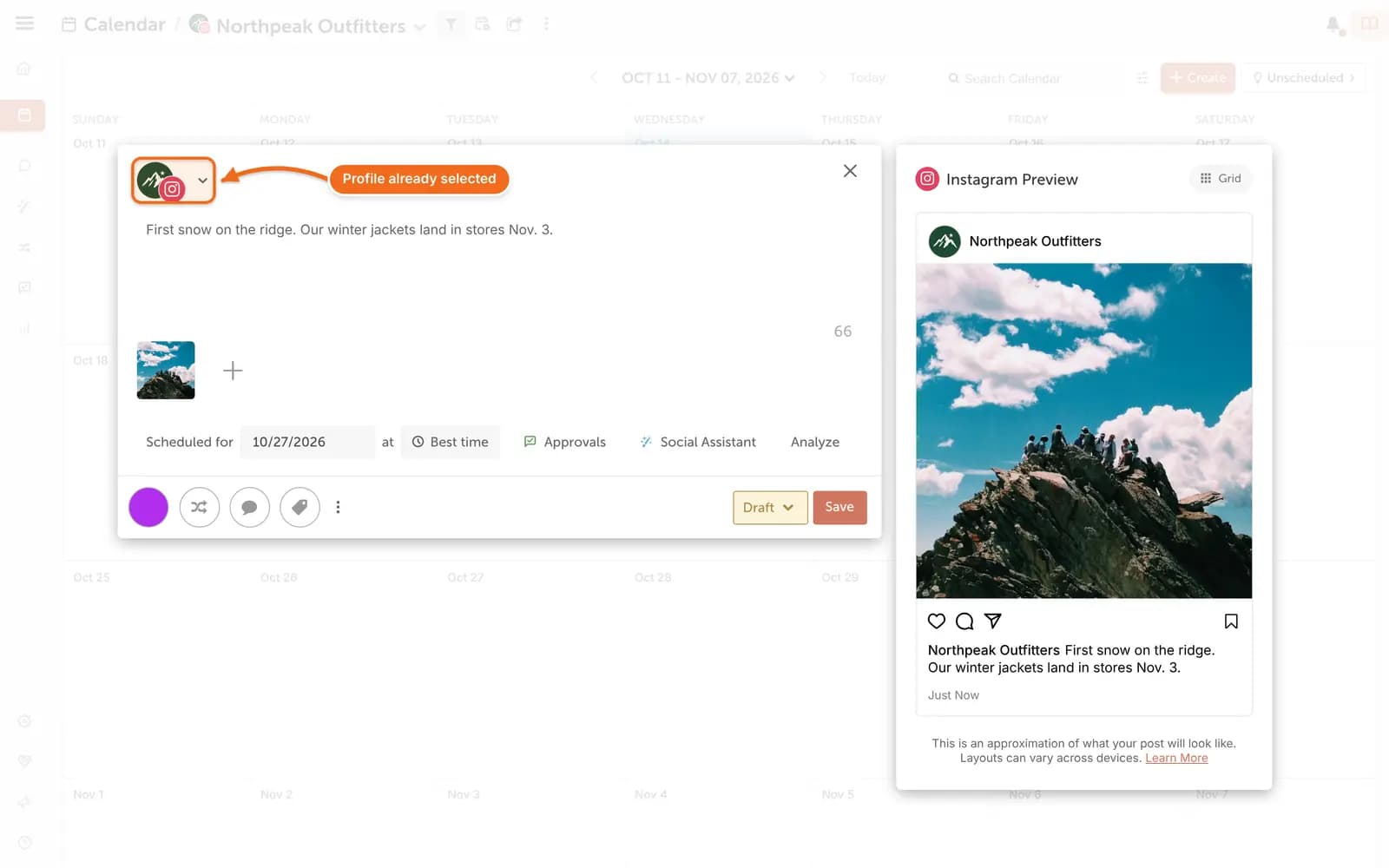
When you create a social message from a profile's calendar, CoSchedule selects that profile in the composer for you. Fill each profile's calendar without leaving its view.
Keep The Big Picture In The All View
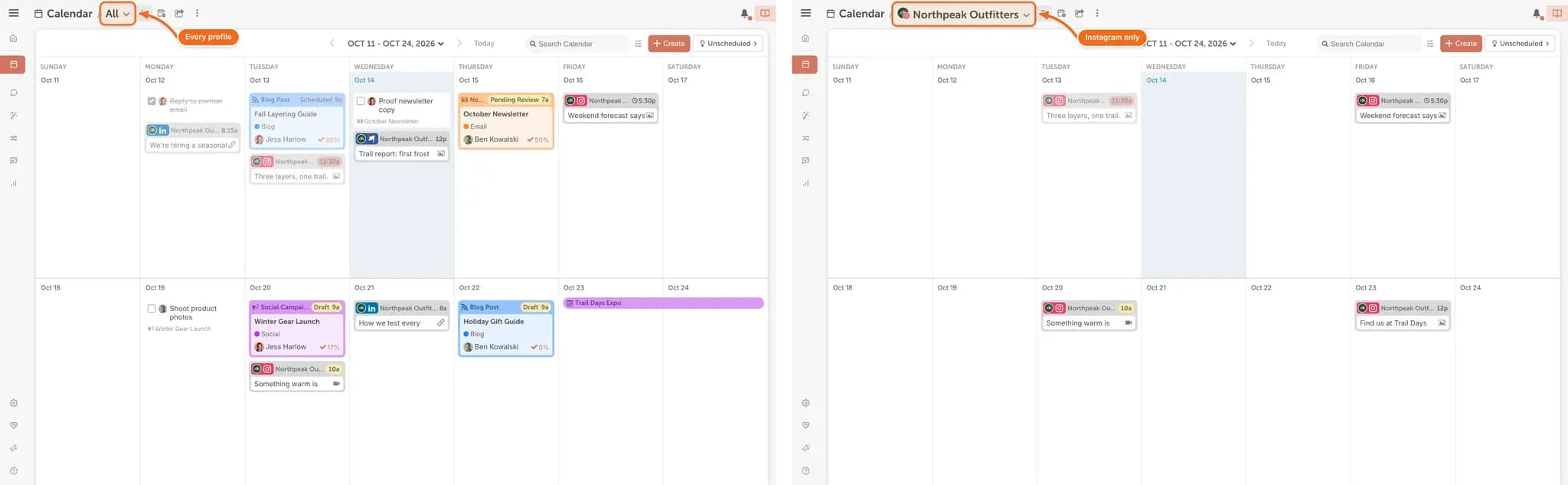
The All view still shows every social profile together. Plan one profile up close, then step back to see how every channel fits into your social media plan.
How To Find Your Profile Calendars
There's nothing to turn on.
- On your calendar, open the calendar view menu at the top of the page. It shows All by default.
- Pick a social profile under Connected Profiles to see only that profile's schedule.
- Create a social message from that view. The profile is already selected in the composer.
- Switch back to All to see every profile together.
Your connected YouTube channels, email accounts (Mailchimp, ActiveCampaign, Campaign Monitor and Constant Contact) and WordPress sites get their own views too, under Connected Integrations. Social Profile Calendars are
available on every CoSchedule plan, including legacy plans, so there's nothing to upgrade. Like your saved views, they're onthe calendar in your web browser.
Try Social Profile Calendars Today
CoSchedule is social media management software built on a best-in-class calendar, and Social Profile Calendars are included on every plan. Log in to your CoSchedule account to see your profile calendars. Don't have a CoSchedule account yet?
Get Started Free.
Available in: Starter, Professional and Suite.