Stop Building Reports By Hand: Your AI Assistant Can Do It Now
Ask CoSchedule AI Anything About Your Team, Projects, Or Campaigns
Reporting to leadership is one of the most time consuming parts of running a marketing team: pulling status updates, checking who's behind, and packaging it all into something readable.
We built something to fix that. Your AI Insights Assistant now runs project data for you.
If you're on a CoSchedule Suite plan, your AI Assistant can now see your project, task, and campaign data. Ask it a question about your team's work, and it'll pull real answers and reports straight from your CoSchedule workspace.
- Who's overloaded with assignments?
- What projects are falling behind?
- How many projects did we complete this month?
- Whose tasks are overdue?
- What's assigned to me this week?
- Can I get a status report of every current project for leadership?
- What campaigns are next?
Just ask your Insights Assistant.
Insights Assistant Builds The Reports You Dread
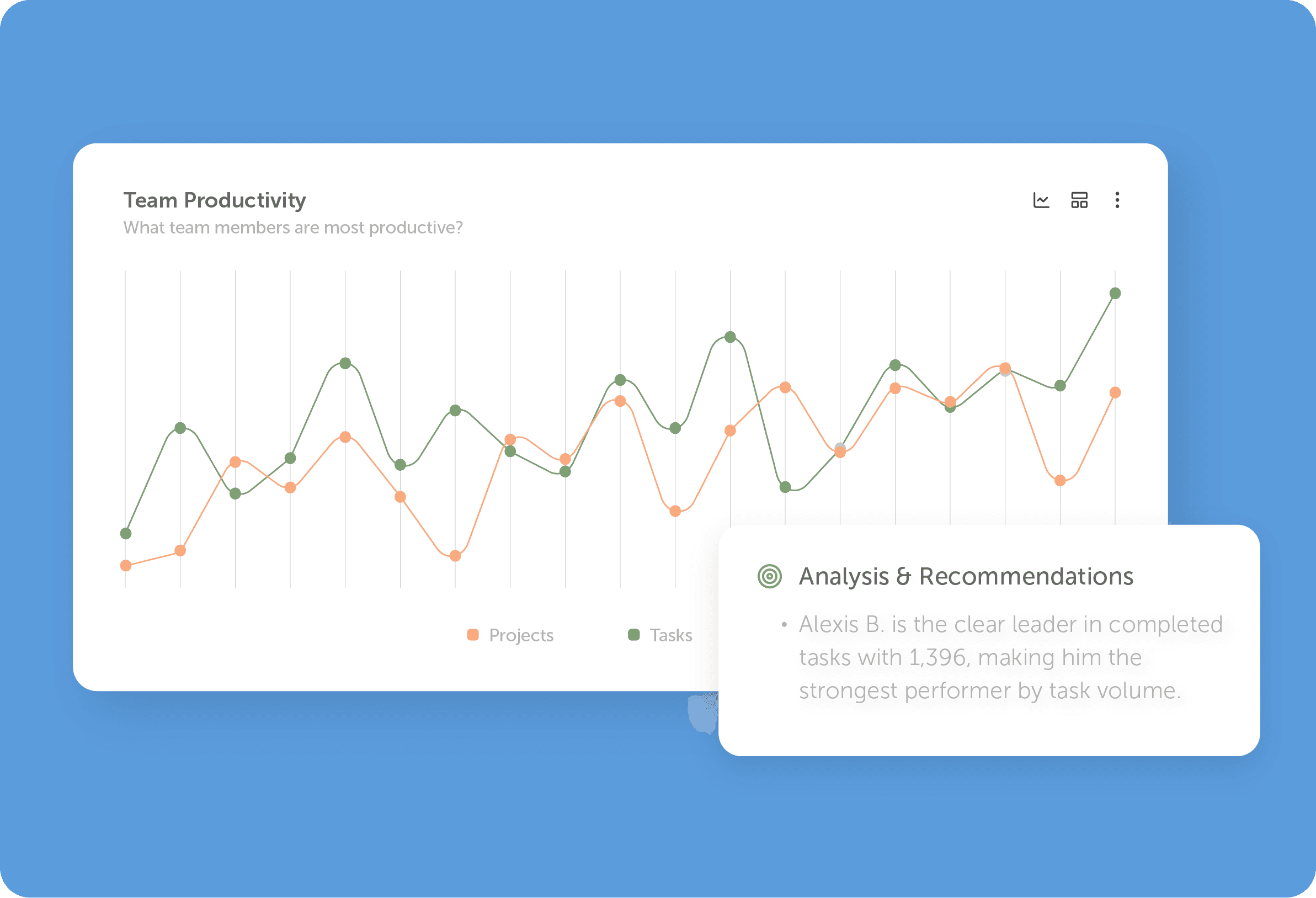
Reporting eats way more time than it should.
A one page rundown of every open project now takes seconds. Executive summaries that show what's completed, what's overdue, and who's carrying the heaviest load are a single request away. And you can get a straight answer on whether a project is actually on track to hit its deadline.
You don't have to comb through your work yourself. Insights Assistant turns your work into fast, shareable updates.
It Also Spots Trouble Early
Beyond reporting, your Insights Assistant helps you stay ahead of problems before they become fire drills:
- Spot at risk projects and campaigns before they slip past their due dates
- See who's overloaded and who has room to take on more
- Catch overdue work by team member, project, or campaign
- Find projects that look finished but haven't been marked complete
- Get a fast pulse check on team strengths and where things could improve
Spot what needs attention faster.
Get The Reports In One Click
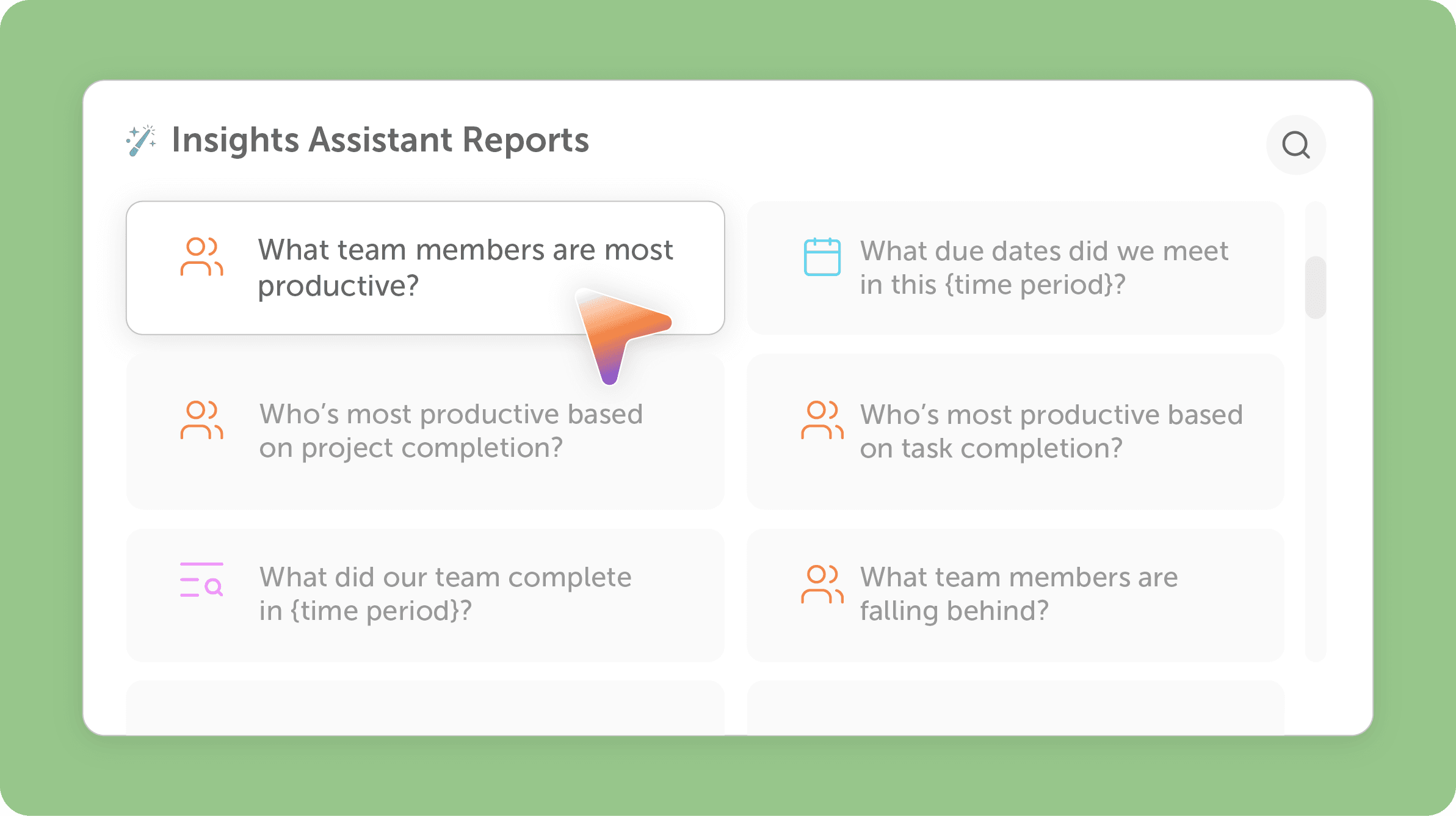
We've built one click prompts organized around the questions teams ask most:
Team Member Performance — Things like who's most productive, who might need support, individual workload breakdowns, and weekly output trends.
Project & Campaign Status — Snapshots of everything in flight, overdue and at risk projects, completion predictions, and full campaign rundowns from top to bottom.
Tasks — Daily task breakdowns by person, project, or campaign, overdue tracking, workload balance, and exportable task reports you can hand off to anyone.
Just click a prompt, and the Insights Assistant does the digging for you.
Try It Today
If you're on a Suite plan, this is already live in your account. Open your AI Assistant and ask it something you'd normally have to dig for, like "What projects are at risk of falling behind?" or "Give me an executive summary of my team's progress."
We think you'll be surprised by how much time you can get back each week.
Don't have an account?
Try CoSchedule for free today to organize all of your marketing in one place.