What’s New In CoSchedule: Collabs, Tagging, Bluesky Video, And More
New features, smarter publishing, and more ways to manage your social strategy, all in one place.
1. Tag Users In Instagram & Facebook Posts
You can now tag other Instagram and Facebook accounts directly in CoSchedule before your posts go live.
Select Tag People from publishing options after you uploaded an image or video, type in the username, and save. Tags are applied at publish time, exactly as they'd appear on the native platform.
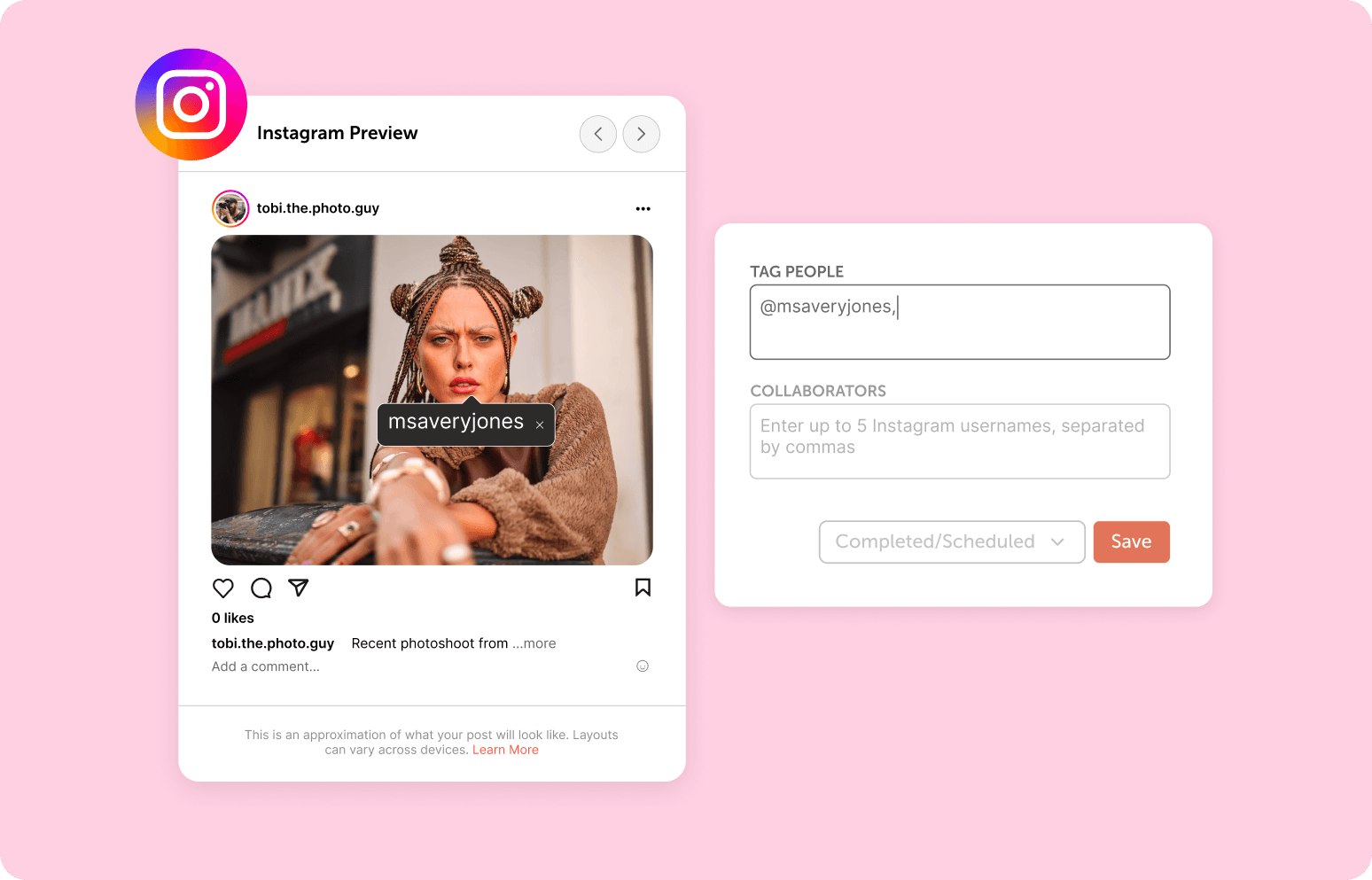
Here's how to tag other accounts in your posts:
- Create a social message and select your Instagram or Facebook profile.
- Upload your image or video.
- Choose Tag People from publishing options below.
- Click anywhere on the image.
- Type the username you'd like to tag and click Save Tags.
Note: Usernames must be entered exactly as they appear on Instagram or Facebook for tags to appear.
2. Publish Videos To Bluesky
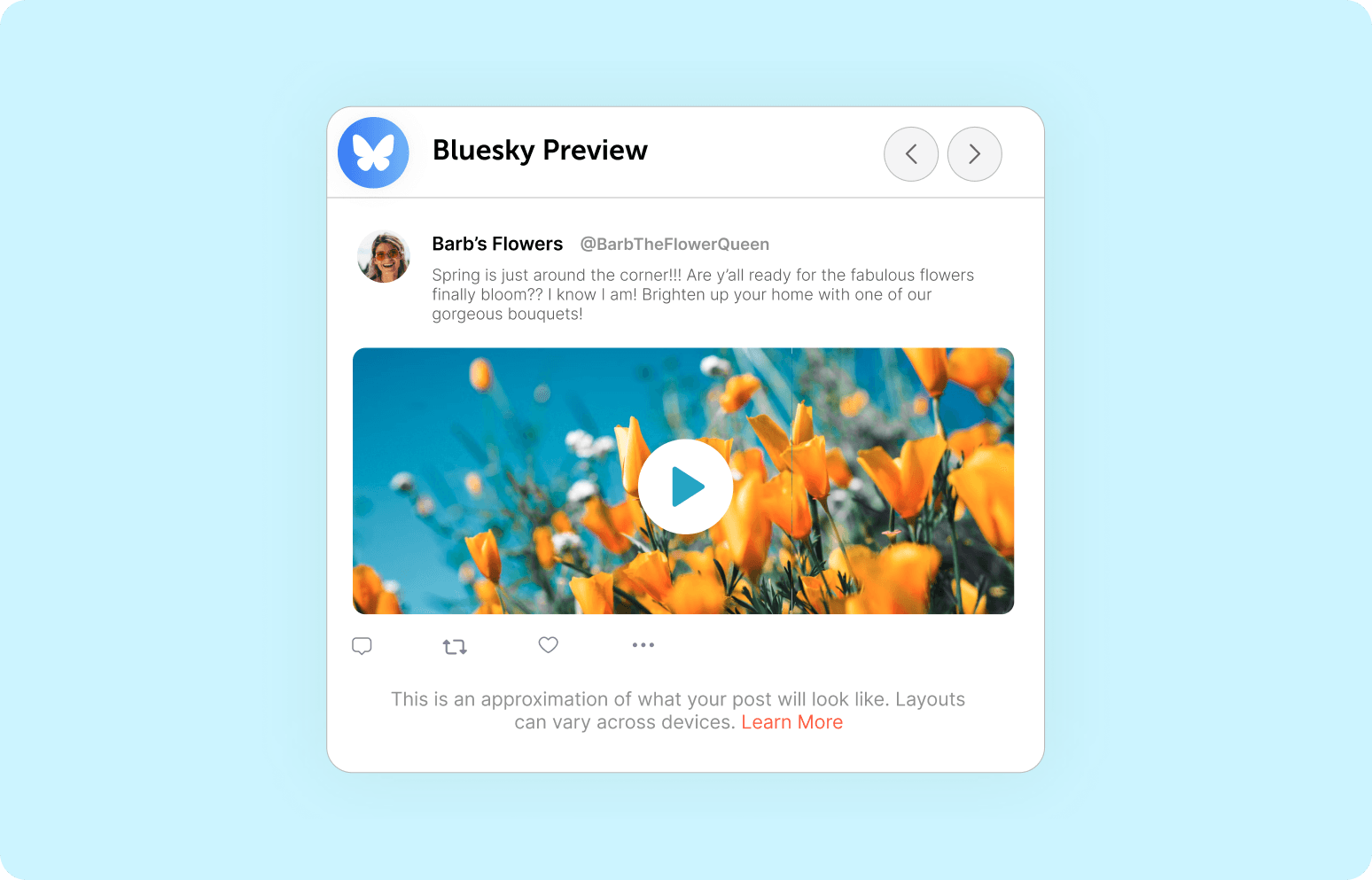
CoSchedule now supports video publishing to Bluesky, so you can upload, preview, and schedule your video content without ever leaving the app.
You get the same familiar CoSchedule workflow: upload your file, preview exactly how it'll look in the feed, and publish or schedule it alongside the rest of your Bluesky content.
 3. Schedule Instagram Collaborations
Collaborating with other creators or brands to grow your Instagram reach? Now you can schedule Instagram Collaboration posts directly in CoSchedule.
Add up to five collaborators to a single Instagram post to join forces with other brands and expand your reach together.
Instagram Collaboration posts allow you to co-author content with other accounts, sharing the content across every collaborator’s profile and feed once the collaboration is accepted.
All likes, comments, shares, and saves are combined in the single post, boosting your stats while reaching the audience of every collaborator.
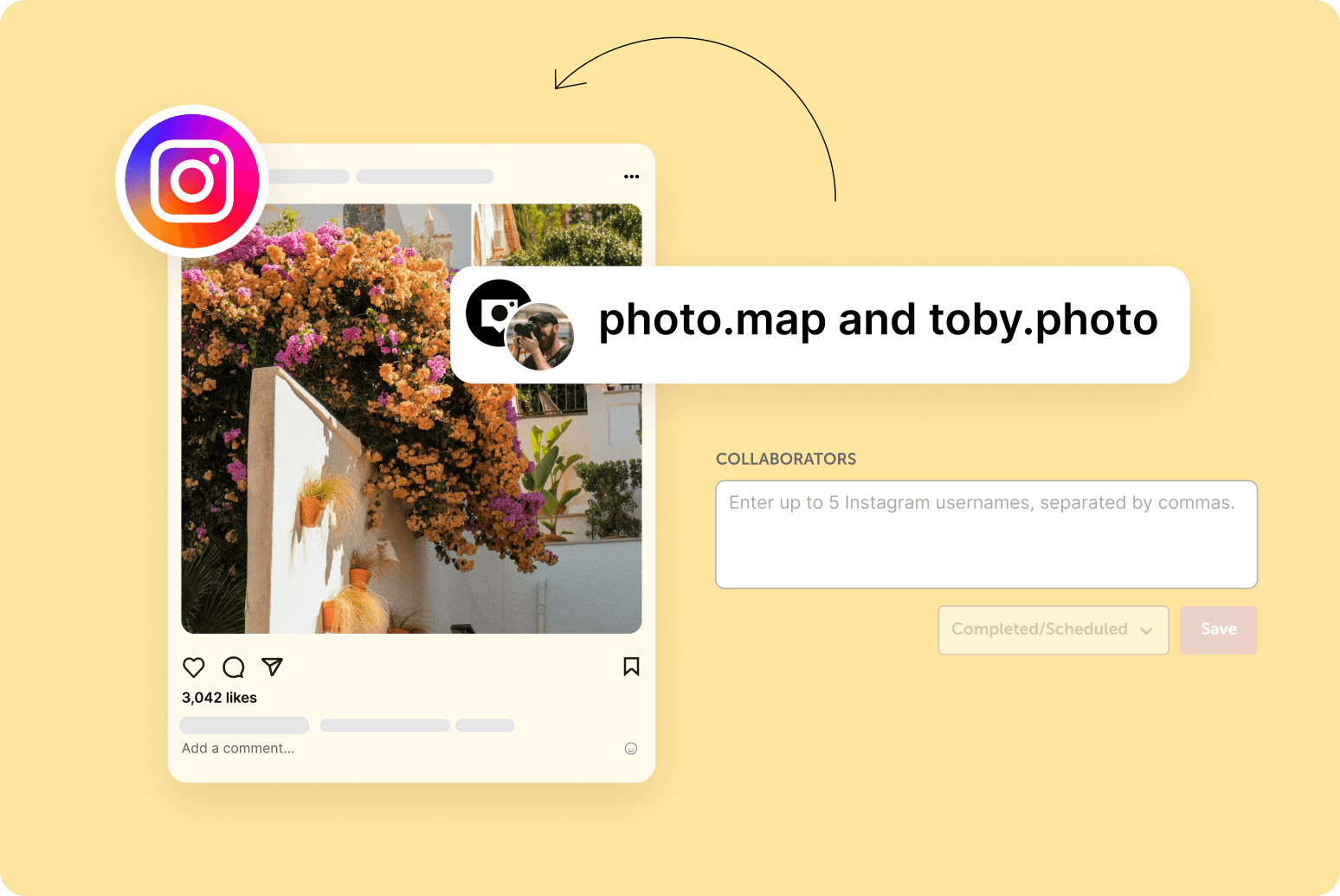
How To Create A Collaboration In CoSchedule:
- 1. Choose the Instagram profile you want to publish the collaboration post from.
- 2. Add your caption, media, and any other post details
- 3. Use the collaboration tagging option to add the Instagram accounts you want to co-author the post with.
- 4. Once published, each tagged collaborator will receive an invitation on Instagram to accept or decline the collaboration.
4. Publish To Every Major Network From The CoSchedule App
You can now publish to every major social network from the CoSchedule app, no matter where you’re working. We’ve added four networks:
- Google My Business
- Mastodon
- TikTok
- YouTube Shorts
In addition to Facebook, Twitter/X, LinkedIn, Instagram, Threads, Bluesky, and Pinterest.
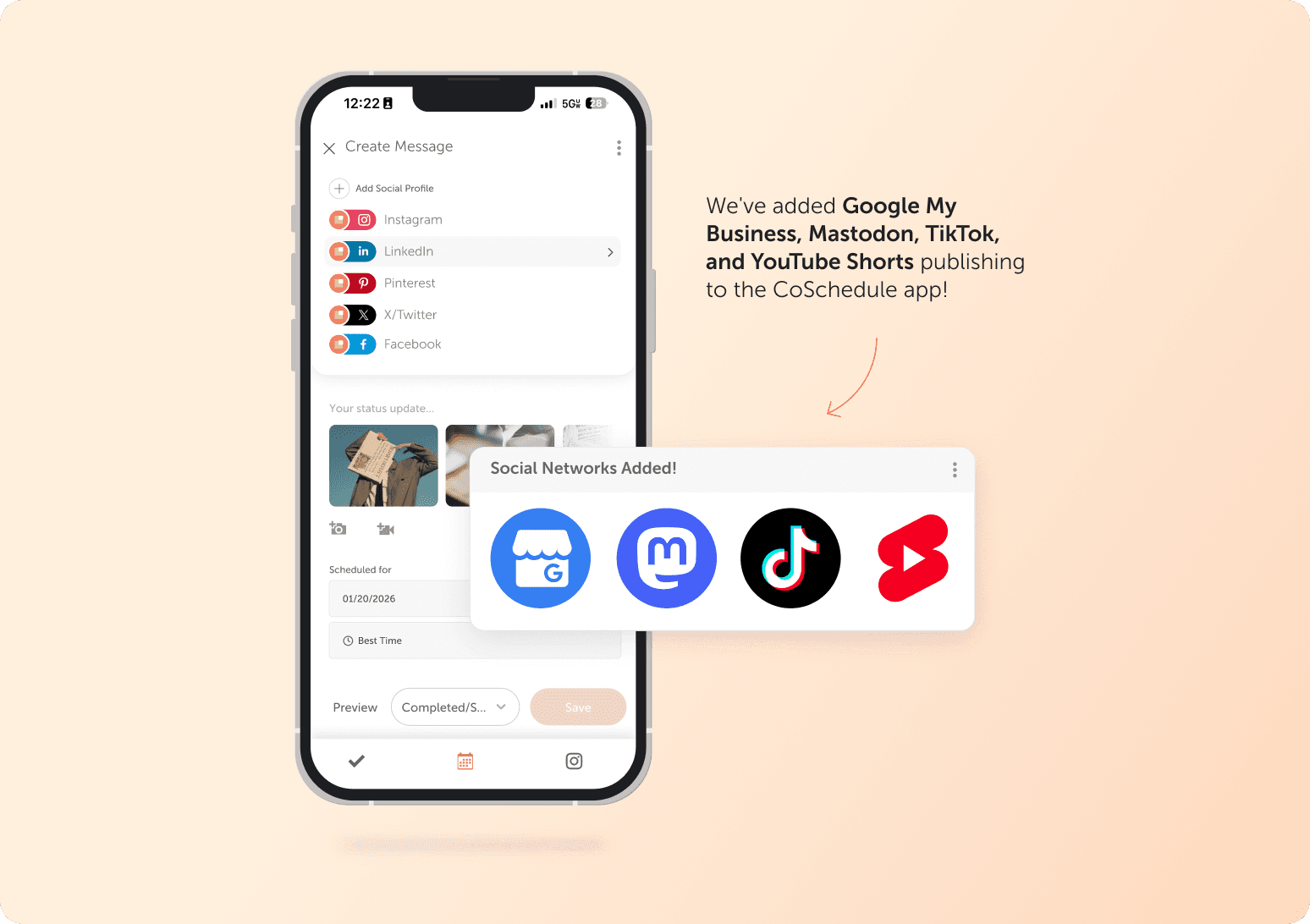
Create, preview, and publish social posts from your phone with the same publishing experience you love on desktop.
Whether you’re working away from your desk or managing content entirely from your phone, the CoSchedule app now gives you more reasons to publish from anywhere.
Try CoSchedule FREE.