New Ways To Work With Images In CoSchedule
August 31, 2026
Enhancement
New Ways To Work With Images In CoSchedule
Creating scroll-stopping image content just got a lot easier. Three new features let you edit, preview, and optimize your images without ever leaving CoSchedule.
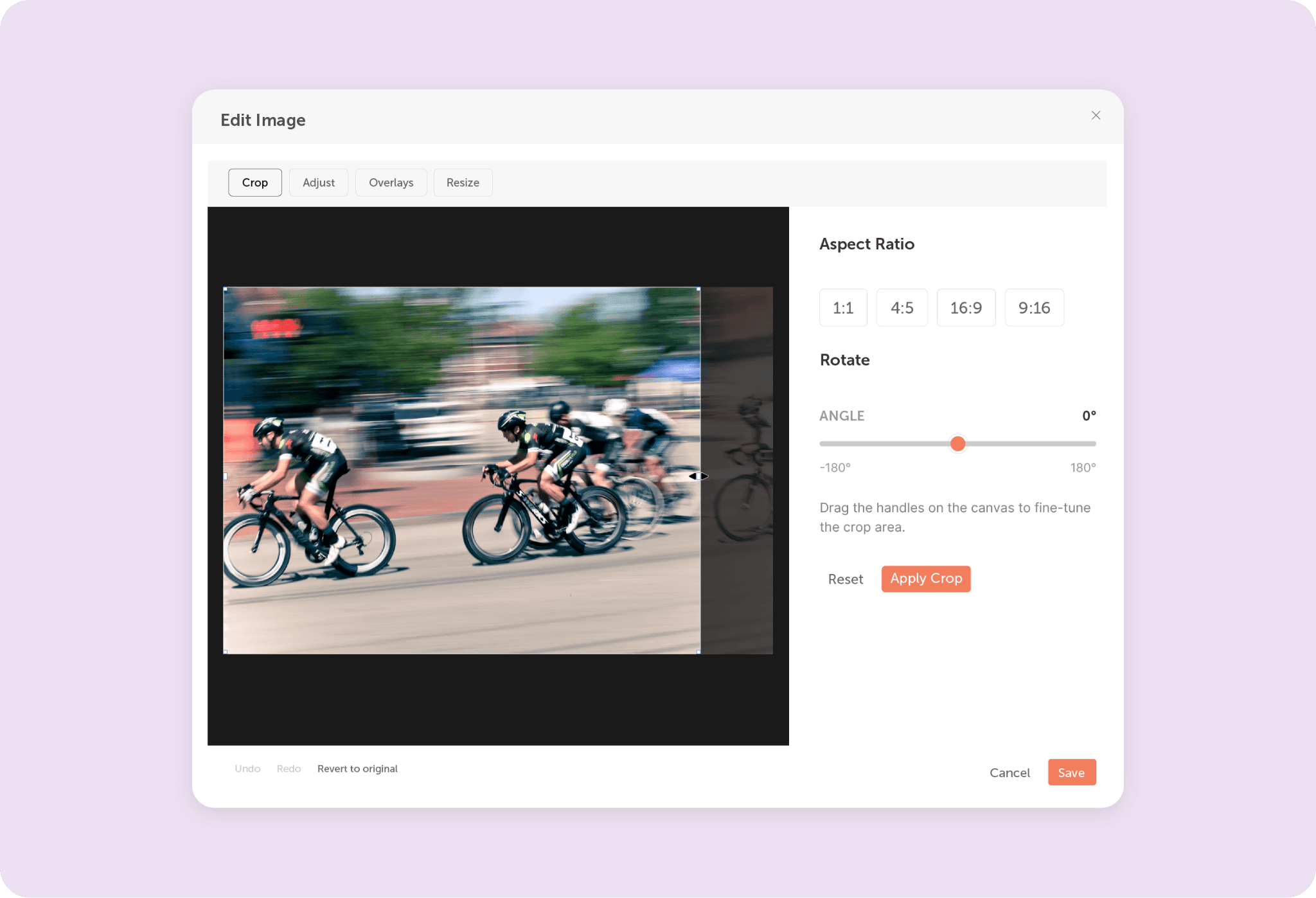
Edit Images Before You Publish
You can now edit images directly in CoSchedule.
Inside the image editor, you can:
- Crop and rotate images
- Apply filters
- Adjust brightness and color settings
- Add text or emoji overlays
- Resize images
Make your edits, then publish your image to social without switching to another tool.
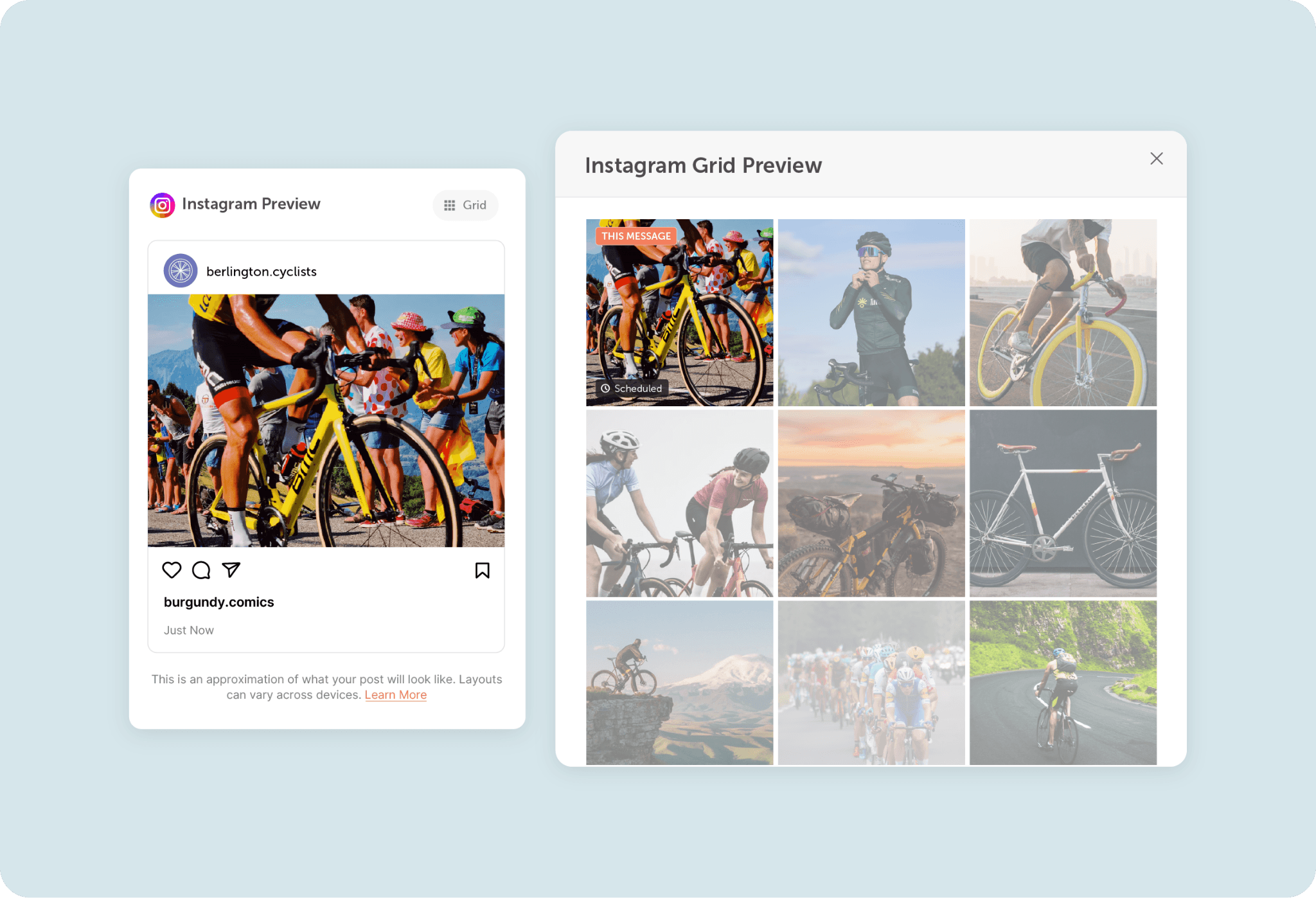
Preview Your Instagram Grid
See how your next Instagram post will look alongside your existing content before you publish it.
You can see your grid by clicking the “Grid” button in the message preview when creating a new Instagram post in CoSchedule.
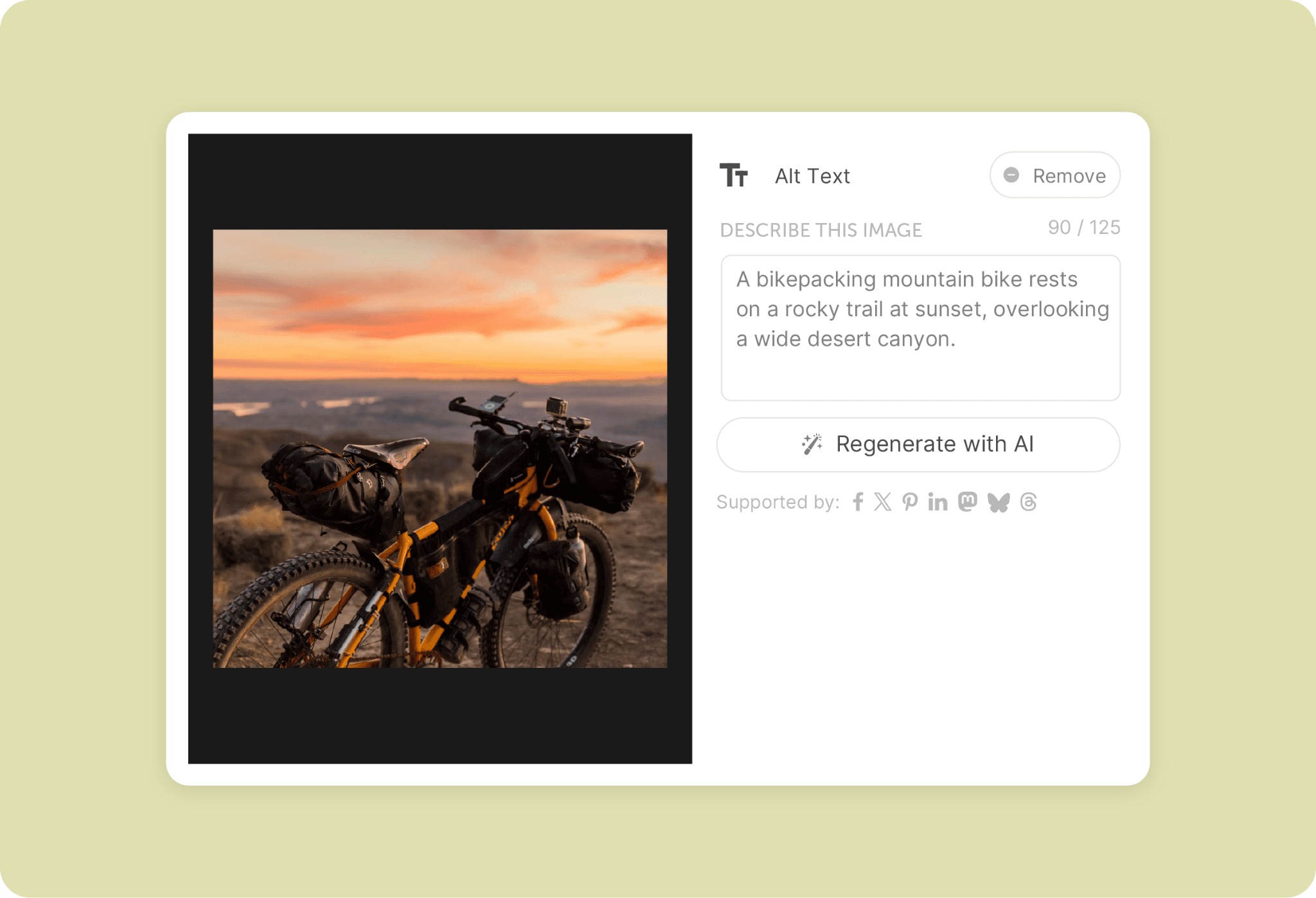
Automatically Generate Alt Tags With AI
Make your images more accessible and searchable with AI-written alt tags.
Now in CoSchedule, you can automatically generate an AI-written image description to help explain what’s in your image for search engines and screen readers.
Available in Marketing Suite.
Try These New Features Today
Log in to your CoSchedule account to explore these new features today.
Don't have a CoSchedule account yet?
Try CoSchedule Free.