Product Announcements
Meet Smart Editor: Your AI-Powered Writing & Editing Workspace Inside CoSchedule
June 1, 2026
Enhancement
Meet Smart Editor: Your AI-Powered Writing & Editing Workspace Inside CoSchedule
An Intelligent Editor For High-Performing Teams
Draft blogs, campaign copy, social posts, emails, and more inside a powerful WYSIWYG editor designed for modern marketing workflows. Format content easily, collaborate with your team, and keep every document connected directly to the projects and campaigns it supports.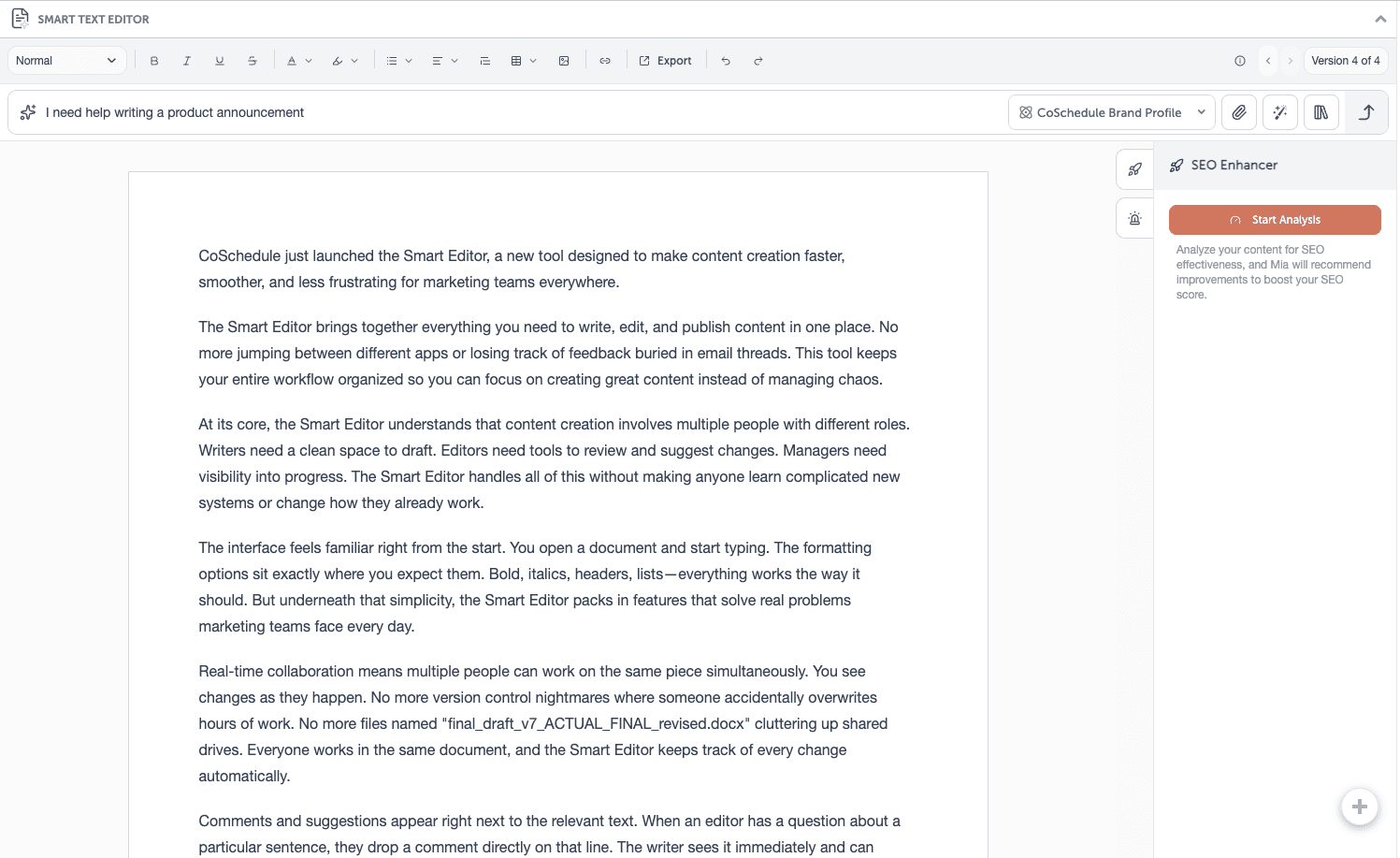
Your First Draft In Seconds
Need help getting started? Smart Editor’s built-in AI Assistant and Prompt Library can:- Generate first drafts
- Brainstorm headlines
- Expand ideas
- Summarize content
- Refine messaging
- Repurpose copy
AI Built For Marketing Work
Smart Editor’s AI Assistant is designed specifically for marketing teams.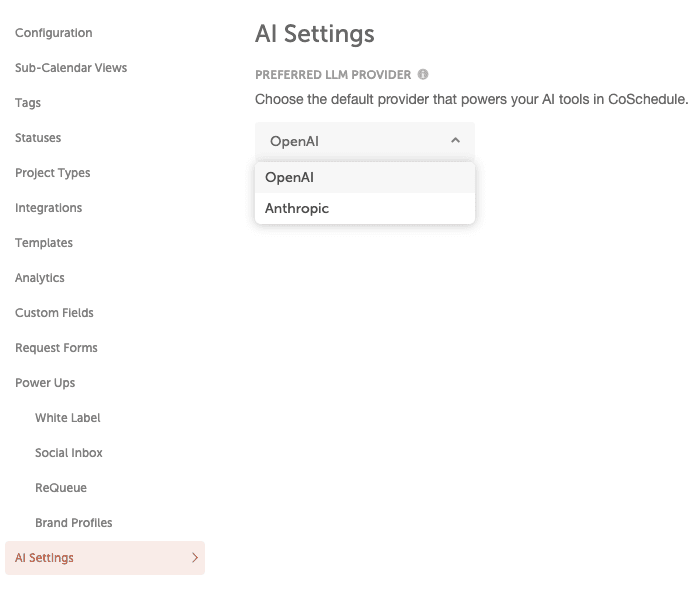 Choose your preferred AI provider in Settings → AI Settings:
- OpenAI
- Anthropic
Editing Tackled For You
Smart Editor helps your team create polished content faster with powerful in-line editing tools. With just a few clicks, you can:- Adjust tone
- Shorten or expand sections
- Improve clarity
- Convert text to bullets
- Humanize copy
- Fix grammar and spelling
- Repurpose existing content
Content That Stays On Brand
Using Brand Profiles? Run a Compliance Check or SEO Enhancer directly from the editor sidebar to keep content aligned with your brand standards and optimization goals.Every Version, Always Recoverable
Experiment freely without losing work. Version history allows your team to:- Review previous edits
- Compare changes
- Restore earlier versions anytime
How Smart Editor Works
- Open a project in your calendar
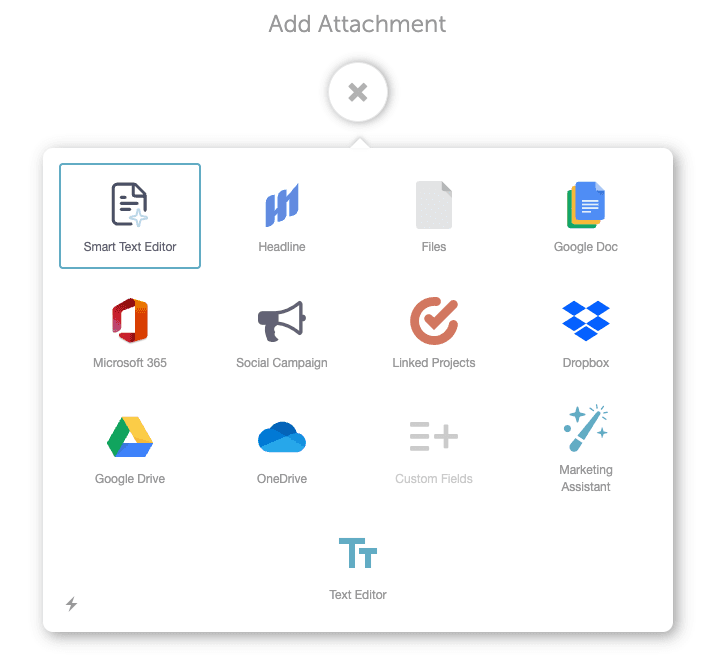
- Select Smart Editor under Add Attachments
- Start writing in the document
- Use the chat bar for AI assistance
- Select in-line AI tools for quick edits
- Run SEO Enhancer or Compliance Check from the sidebar
- Access previous versions anytime
- Export when ready