Plan, Write And Schedule Social Posts From Claude And ChatGPT
Write a week of social posts in Claude or ChatGPT, approve each post in a preview, and schedule the week to CoSchedule without leaving the chat.
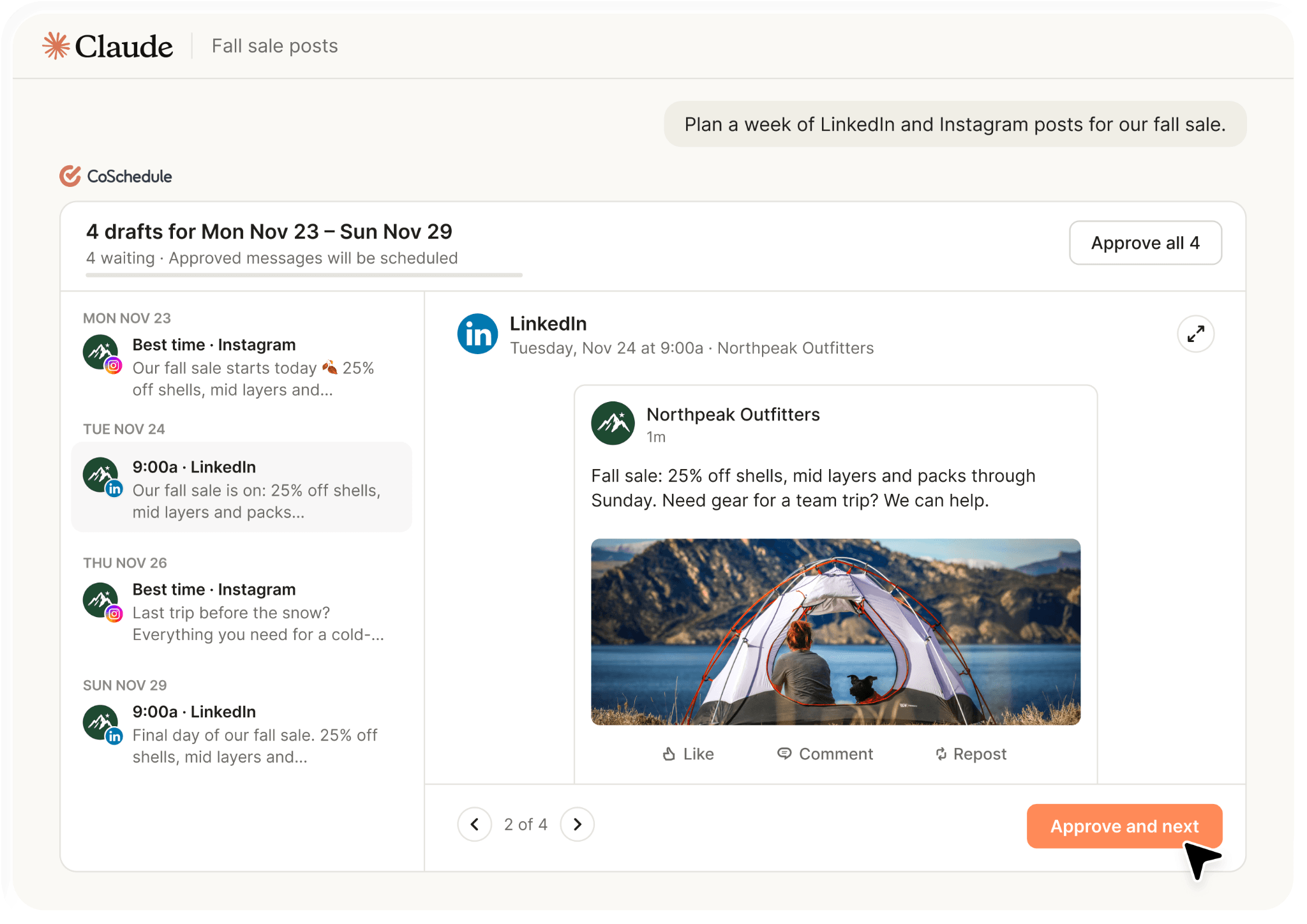
AI assistants can draft a week of social posts from one prompt, but each post still has to be copied into your scheduling tool, one profile at a time. Now Social Media MCP connects Claude, ChatGPT and any AI assistant that supports MCP to CoSchedule, so you can schedule posts from the chat once you approve them.
Go From Prompt To Published Without Copy And Paste
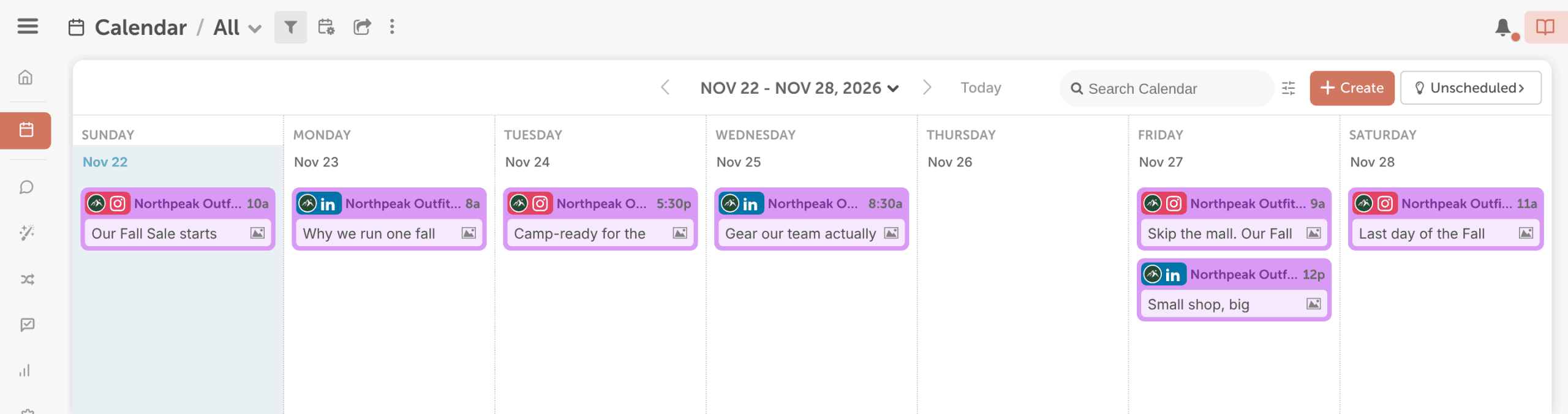
Ask Claude or ChatGPT for a week of posts for the social profiles you choose, each written for its network. Schedule the whole week to your CoSchedule calendar from the same chat, in the marketing campaign you pick.
Approve AI-Generated Posts Before They Publish
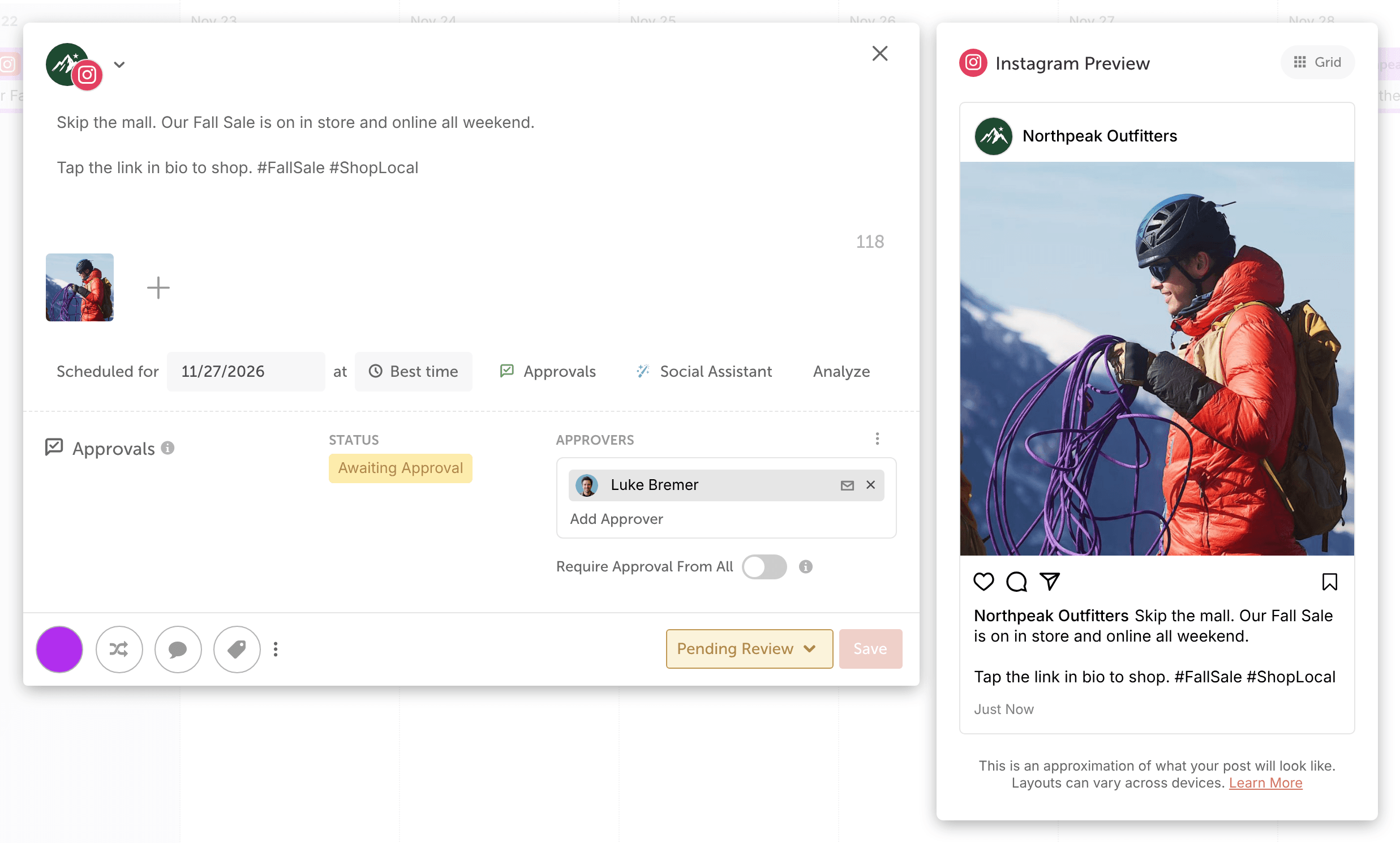
Social Previews show each post in the chat as its network will display it, with an Approve button. Ask for changes in the chat, then approve posts one at a time or the whole week at once. A post is scheduled only after you approve it.
Base Next Week's Posts On Your Top Performers
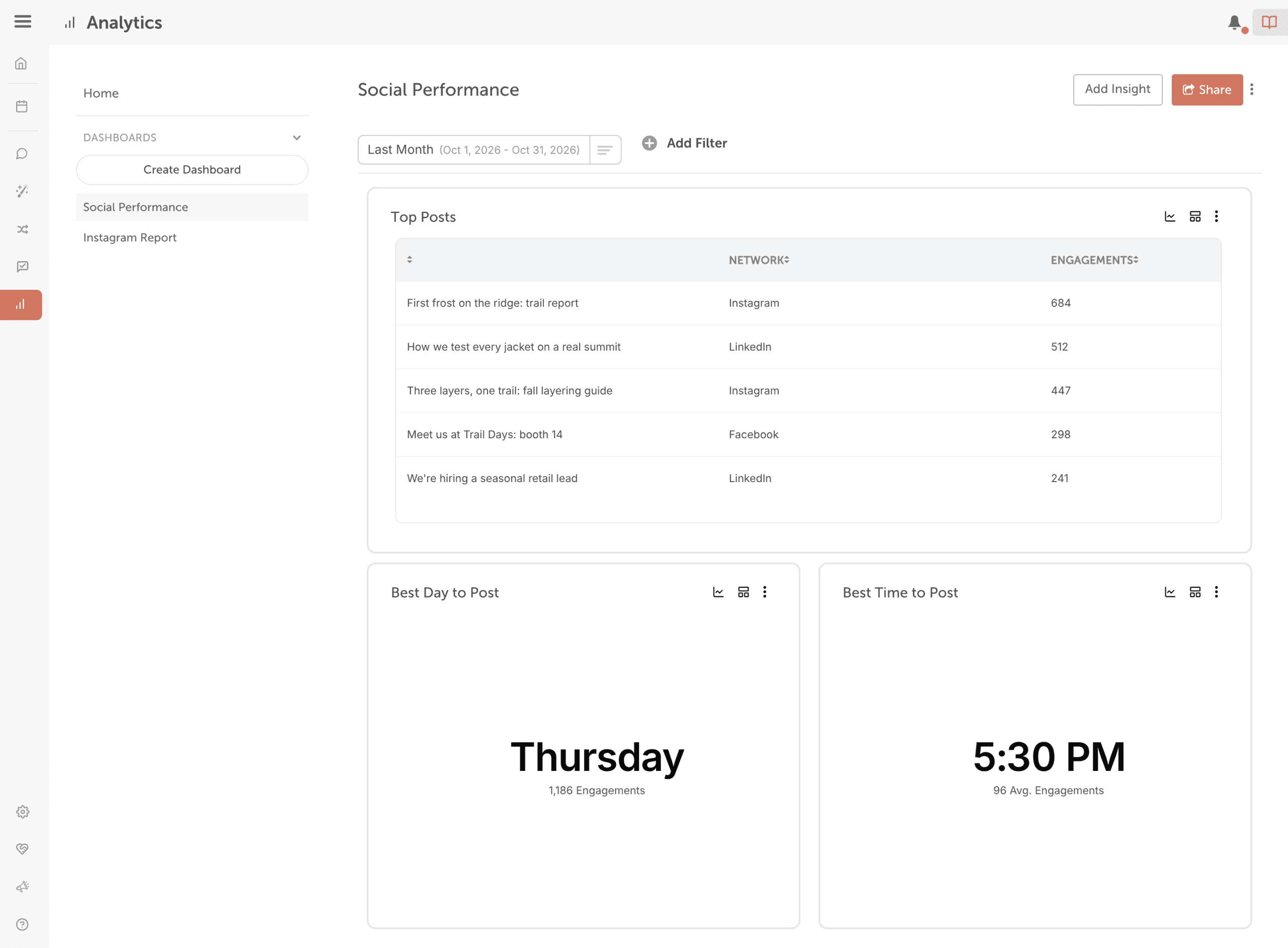
Social Media MCP lets Claude and ChatGPT see how your published posts performed. Ask for next week's posts, and your assistant writes them around the topics, formats and posting times that earned the most engagement.
How To Connect Social Media MCP
Connect once. There's no API key to set up.
- Find CoSchedule in the Claude connector directory or the ChatGPT app directory, and connect it.
- Sign in with your CoSchedule email address and password, then click Sign In.
- Review the access you're granting, and click Authorize.
- Ask for posts, like "Plan a week of LinkedIn and Instagram posts promoting our new guide, and show me how they'll look."
- Review the preview, ask for any changes, then click Approve or Approve all.
Using another AI tool that supports MCP? Add a server with the URL https://platform.coschedule.com/mcp and sign in with OAuth. Social Media MCP is
available on every CoSchedule plan, and plan limits still apply. Disconnect any time in your AI app's connector settings, or in CoSchedule under
My Profile →
Connected apps.
Try Social Media MCP Today
CoSchedule is social media management software built on a best-in-class calendar, and Social Media MCP is included on every plan.
Connect to Claude or
connect to ChatGPT to schedule your next week of posts from the chat. Don't have a CoSchedule account yet?
Start Your Free Trial.