
Audience targeting asks Facebook or LinkedIn to show a Page post to people by location and demographics. It works on Facebook Pages and LinkedIn Pages, not on personal profiles. Available on Suite, depending on your Suite agreement.
Target a post
Audience Targeting shows in the menu only when your plan includes targeting, a Facebook Page or LinkedIn Page is selected, and the message hasn't been sent. It doesn't show on ReQueue messages, and once the targeting panel is open it leaves the menu.
- Open your calendar and click +Create, choose Social, then select Social Message.
- Choose a Facebook Page or LinkedIn Page.
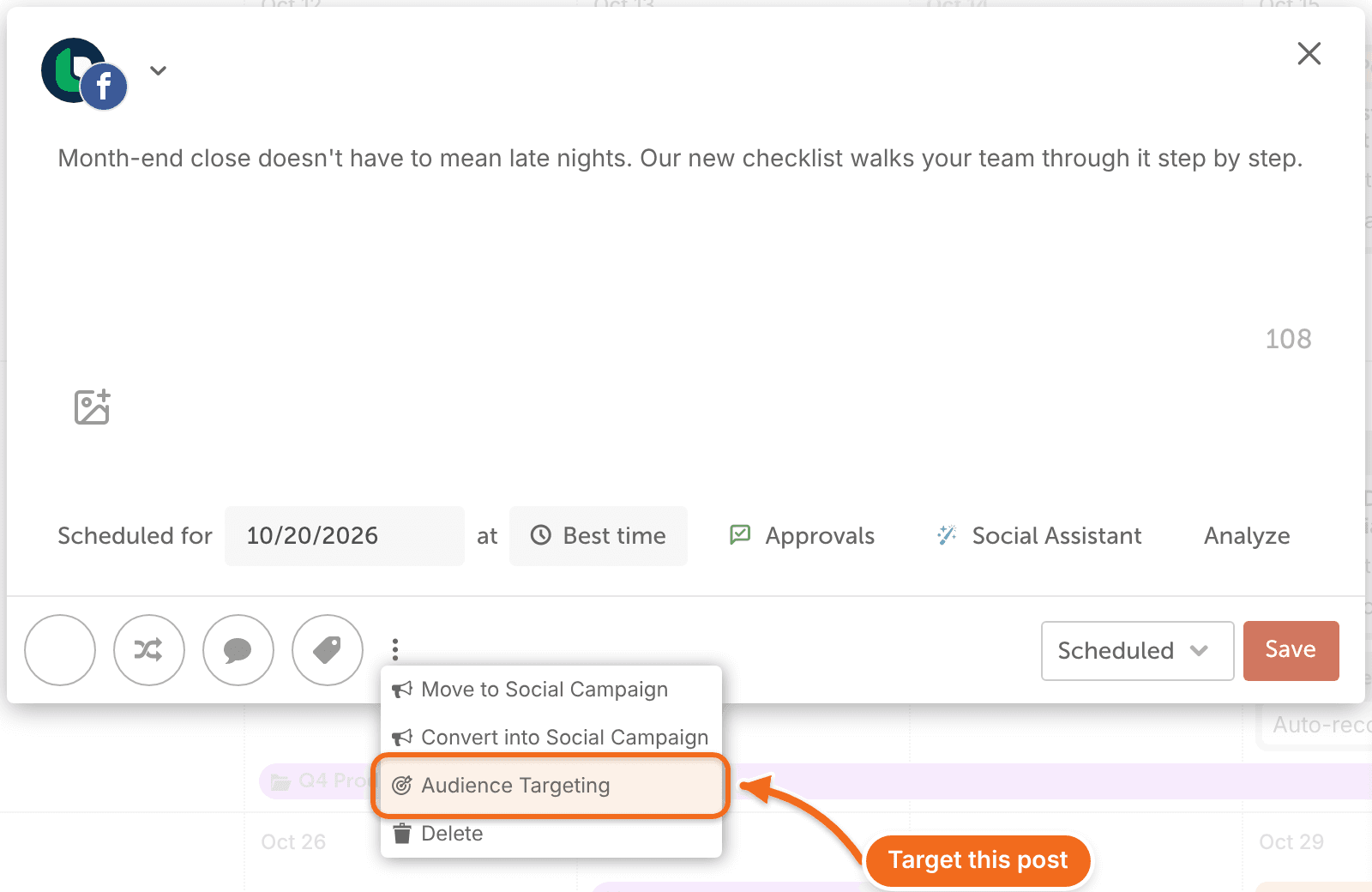
- Click the vertical ellipsis, then click Audience Targeting. The targeting panel opens.
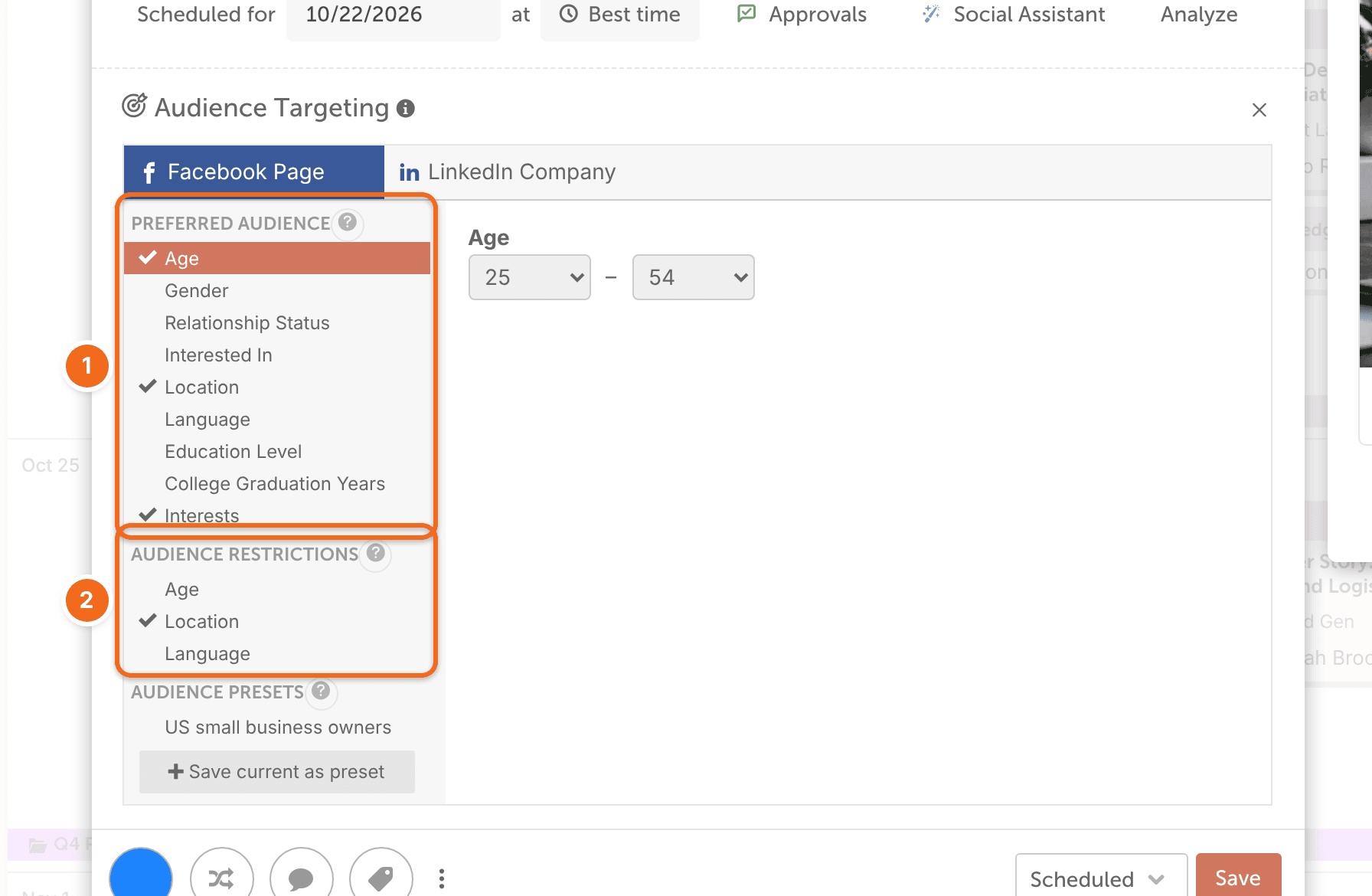
- If you selected both a Facebook Page and a LinkedIn Page, switch between them with the Facebook Page and LinkedIn Company tabs.
- For a Facebook Page, set your targeting in Preferred Audience and Audience Restrictions.
- For a LinkedIn Page, choose from Language, Job Function, Seniority, Location, Company size and Industry, or use Audience Presets.
If your LinkedIn Page doesn't have enough followers for targeting, the panel shows a message saying so instead of the targeting options.
- Select the date and time, then click Save.
To remove all targeting from the message, click the X on the right side of the social message editor.
Save targeting as a preset
Save targeting you use often as an Audience Preset, so you can apply it to other messages.
- Choose all the targeting parameters you want.
- Click Save current as preset.
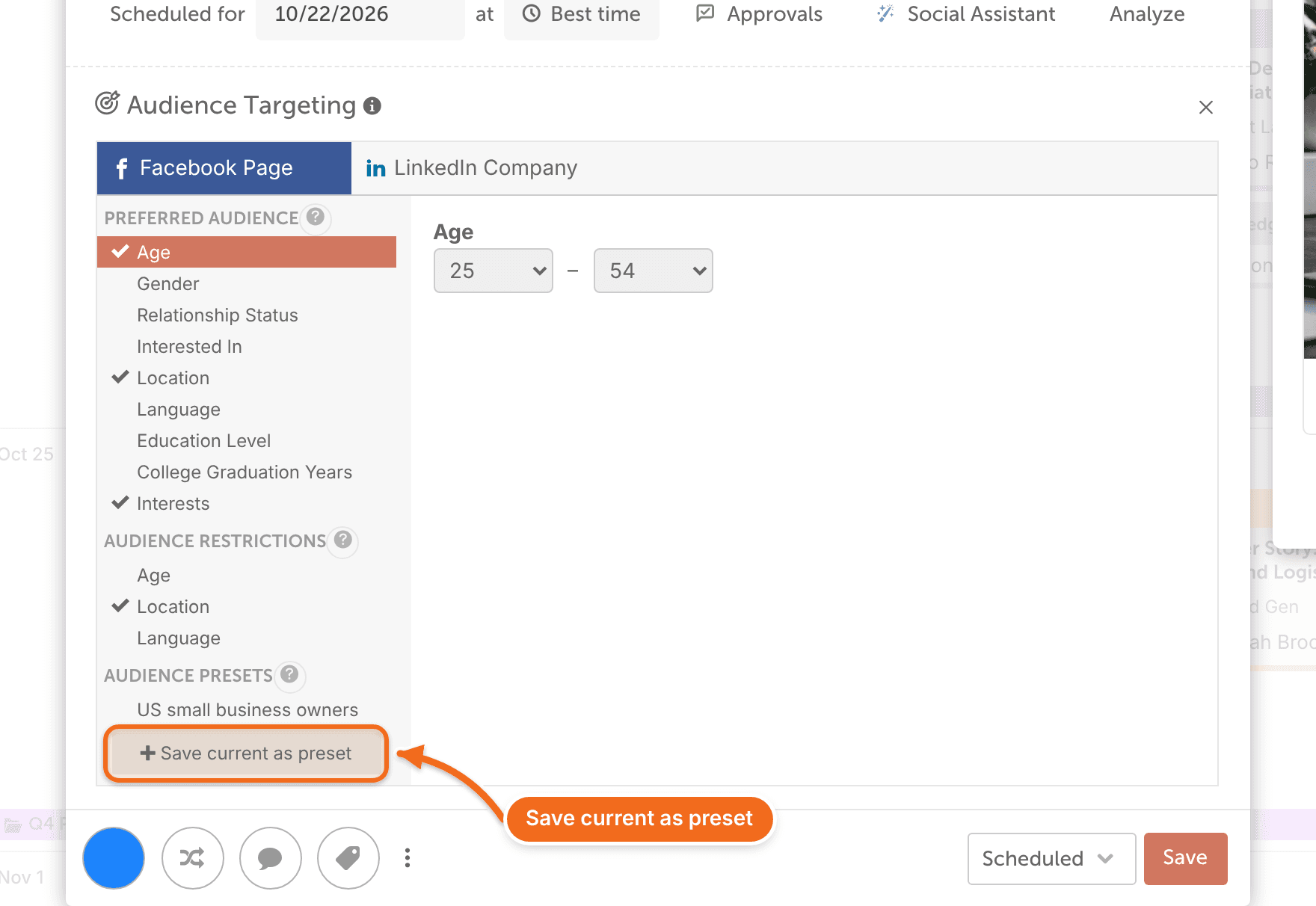
To use a preset, choose its name and click Apply. To remove one, click Delete.
Frequently asked questions
Does targeting guarantee who sees my post?
No. Facebook and LinkedIn decide who sees a post. Targeting narrows the audience you ask for, but the network may still show the post to people outside it.
Can I target posts from a personal profile?
No. Targeting works only on Facebook Pages and LinkedIn Pages.