
Managing client campaigns at scale is mostly an operational problem.
As your agency grows, campaign volume expands faster than your systems. One client expects weekly paid performance updates. Another needs a coordinated multi-channel launch. A third wants revenue-level attribution every month.
You’re delivering different outcomes, on different timelines, to different stakeholders, often with the same core team.
PMI’s 2025 research shows that only about half of projects achieve their intended outcomes, mostly because plans don’t translate into execution. Client campaigns are no different. When execution isn’t structured, timelines drift and performance becomes inconsistent.
In this guide, I’ll show you how to manage client campaigns at scale without exhausting your team or eroding client trust.
Step 1: Build A Repeatable Campaign Planning Process
Before production starts, you and the client must align on the campaign goal, scope, and ownership.
Define The Business Outcome And KPIs
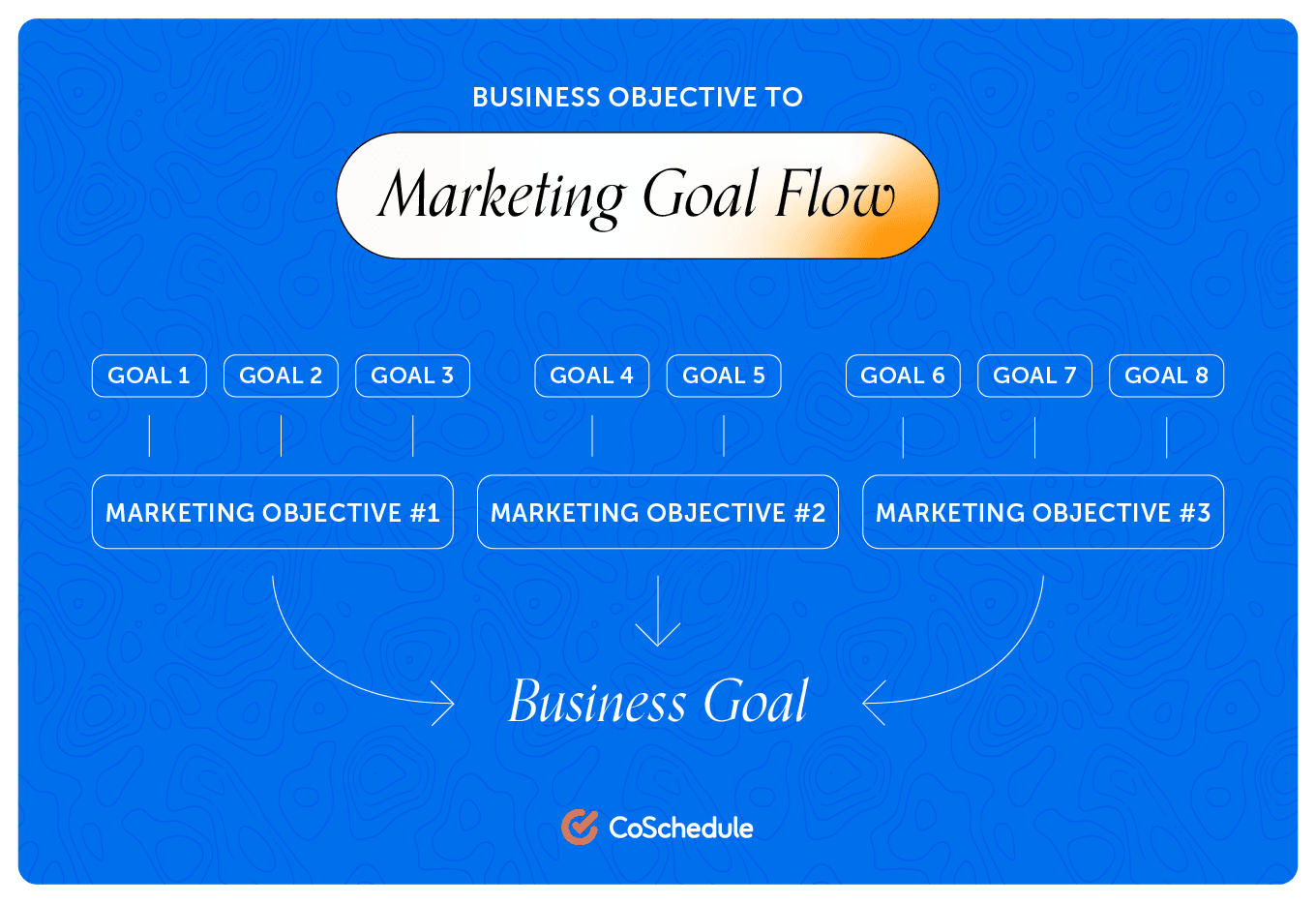
Don’t say you’re running a campaign to “increase awareness.” Define the business goal in measurable terms. For example, “This 60-day campaign will generate 120 MQLs at or below $180 per MQL, with at least 30 converting to booked demos.”
Now success is clear. Everything that follows—messaging, creative, channel mix, budget allocation—should support this target.
Then lock in the metrics that determine whether you hit it. If your goal is 120 MQLs, you need to track cost per MQL, landing page conversion rate, demo conversion rate, and total spend. Write these into the campaign brief before production begins. That way, performance isn’t debated later.
Document Scope And Deliverables
Outline exactly what you’ll deliver, from the number of landing pages to creative assets.
If the campaign includes biweekly creative testing and two optimization cycles, that belongs in the brief too.
Assign Clear Campaign Ownership
Make accountability visible from day one. Define who owns the campaign overall, who owns each channel, who reviews internally, and who approves on the client side.
In CoSchedule, this becomes more practical. You can assign tasks directly within the campaign view and attach deadlines to each deliverable. That clarity scales when multiple client campaigns run simultaneously.
Break Campaign Timeline Into Major Milestones:
Break the campaign into logical checkpoints:
- Strategy sign-off
- Creative draft complete
- Internal review
- Client approval window
- Launch
- Reporting milestone
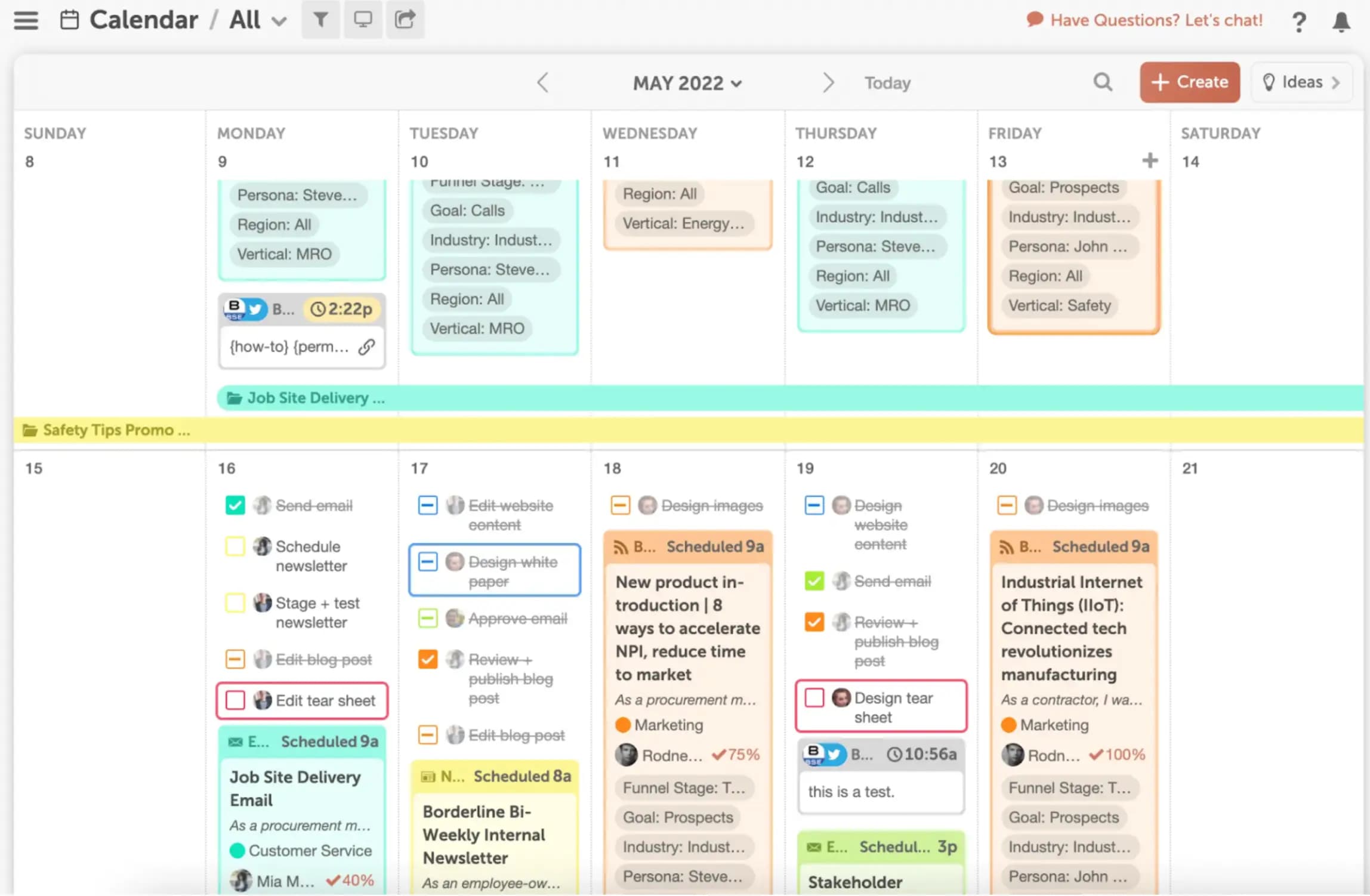
Place these on a visual campaign calendar. This helps you see how work overlaps across accounts. When you map milestones based on real dependencies, you avoid stacking deadlines and rushing quality at the end.
Step 2: Create A Clear Marketing Campaign Workflow
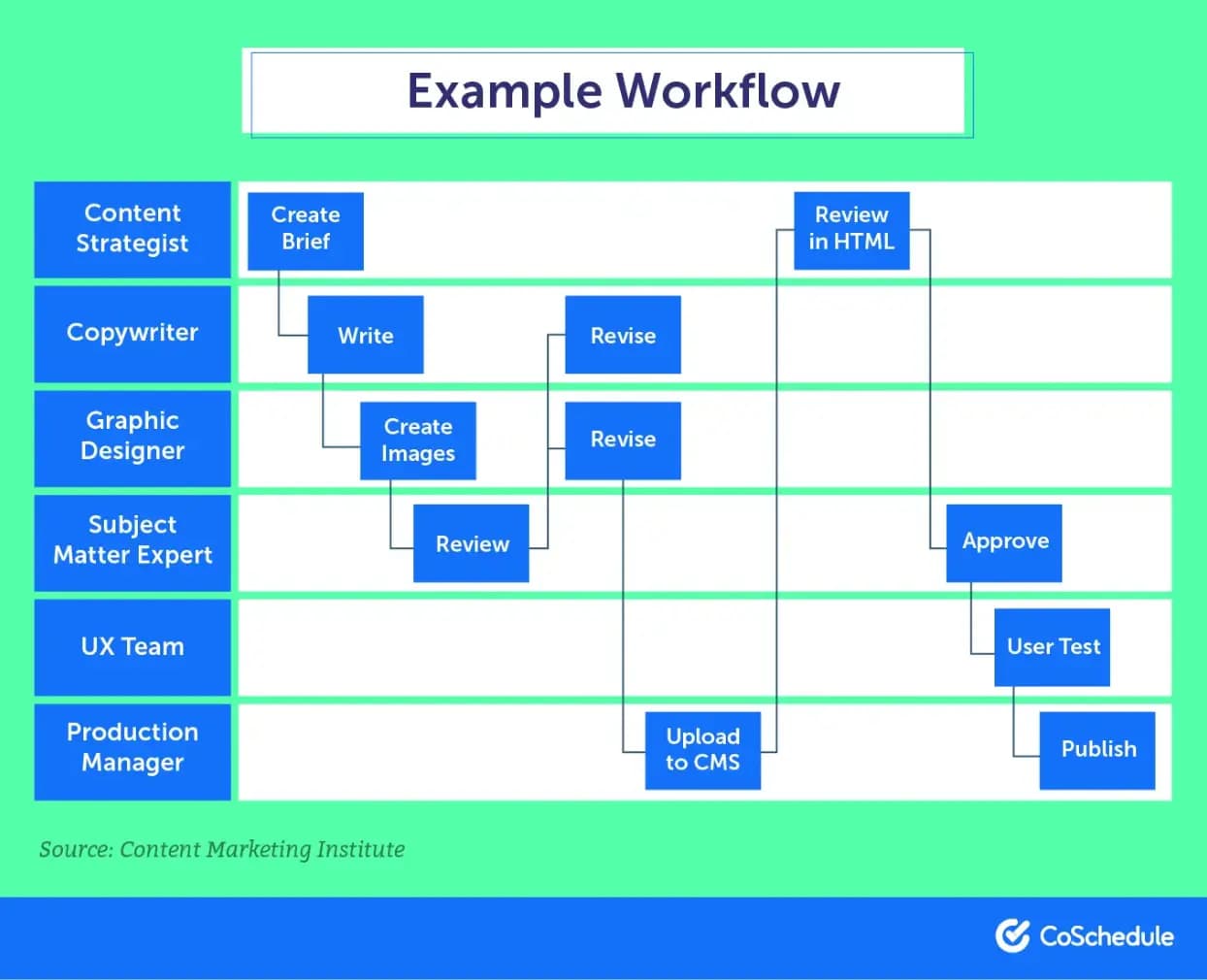
Next comes execution. To avoid delays/bottlenecks, you’ll create (and document) a clear workflow that tells your team how work moves from strategy to launch.
Lock Strategy Before Production Begins
Confirm a few core decisions:
- Core positioning and campaign message
- Target audience and channel mix
- Budget allocation and KPI targets
Lock these before work begins. If messaging or targeting shifts mid-production, creative and media plans often have to be rebuilt. Agreeing on strategy first keeps the rest of your campaign stable.
Top Tool: Download Your Marketing Budget Template Now
Sequence Work Based On Dependencies
Map what must happen before something else can begin. For example, messaging approval usually comes before creative development, and landing pages need to exist before ads can point anywhere.
Once those dependencies are clear, sequence tasks around them. If one step moves, the tasks that depend on it move as well. This keeps the workflow aligned.
Define Clear Review Gates
Campaigns should move through specific checkpoints:
- Strategy sign-off
- Internal review
- Client approval
- Pre-launch validation
Notice how each checkpoint ends with a clear decision. Work shouldn’t move forward until the current stage is approved. This prevents last-minute changes that disrupt production late in the process.
Build Buffers Based On Reality
Use your past campaigns to set realistic timelines. If clients usually take three business days to review creative, plan for three. If QA typically requires a day to check a batch of assets, include that time.
Standardize Recurring Campaign Types
If you run recurring campaign formats, webinar launches, paid acquisition cycles, product rollouts, document the execution path once. Define the assets required, the order of tasks, the review checkpoints, the tracking setup, and the reporting timeline.
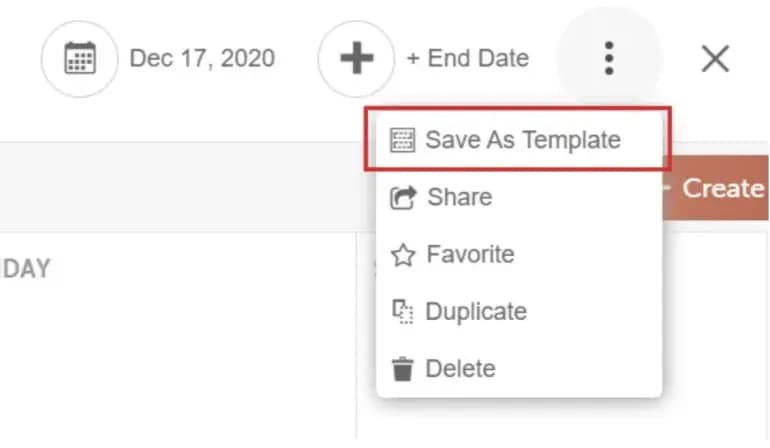
Turn that process into a reusable template. Each client campaign may vary slightly, but the core structure stays consistent. That’s how you maintain quality as volume increases.
In CoSchedule, campaign templates can automatically create the tasks, deadlines, and milestones needed for repeatable campaigns. Hire Mia can also generate assets like ad copy, email drafts, and landing page outlines so your team doesn’t start from scratch.
Read More: 86 Awesome Free Marketing Templates To Make Your Life Easier
Step 3: Structure Client Communication And Approvals
Most campaign delays come from unclear expectations. When reporting cadence, feedback timelines, and decision points are unclear, work slows down.
You avoid most of that friction by setting communication rules during kickoff.
Set A Communication Cadence That Matches Campaign Intensity
Set up meetings that support how your campaign actually runs.
For a high-spend paid campaign where cost per lead can swing week-to-week, schedule a weekly performance call tied to optimization decisions. If the campaign is slower-moving, like content or lifecycle marketing, a biweekly execution update and a monthly KPI review is usually enough.
Define three things at kickoff:
- How often performance will be reviewed.
- Which metrics will be discussed.
- What decisions can be made in those meetings.
Define Approval Windows And Tie Them To Launch Dates
Approvals should have clear timelines. For example:
- Creative drafts require feedback within 48 hours
- Landing pages require review within 72 hours
- Budget reallocations require same-day confirmation
Attach these windows to the campaign timeline. If approvals arrive late, the launch date moves. This keeps schedules realistic and prevents your team from compressing production to recover lost time.
Share Campaign Progress, Not Just Results
Results matter, but clients also want visibility into what’s happening.
Let them see what’s launching soon, what’s currently in production, what’s waiting for approval, and when optimizations are scheduled. It also helps shift conversations from status checks to active decision-making.
Step 4: Use The Right Marketing Collaboration Tools
As the number of campaigns grows, coordination becomes its own workload. Your tools either reduce that burden or amplify it.
Most agencies typically rely on a few core categories of tools:
- Campaign planning and marketing calendar tools show you what’s launching and when. Tools like CoSchedule let you manage campaigns in one shared calendar and connect tasks directly to each launch. When everything lives in one place, timelines stay clear and launch conflicts are easier to spot.
- Project management tools handle day-to-day production. Platforms such as Asana, ClickUp, or monday.com help teams assign work, track deliverables, and see progress without chasing updates across tools.
- Communication tools centralize campaign conversations. Tools like Slack or Microsoft Teams make it easier to share feedback and make quick decisions.
- Marketing automation tools cut down on manual coordination. For example, Zapier or Make can trigger task creation when a campaign is approved, move assets between systems, or alert teams as deadlines approach.
- Analytics and reporting tools show how campaigns perform after launch. Tools like Google Analytics, Looker Studio, or HubSpot dashboards help you track results and report progress clearly to clients.
The point is to reduce manual coordination—not add more software. When your tools keep planning, execution, and reporting connected, running multiple client campaigns becomes easier to manage.
Step 5: Track Campaign Performance And Report Clearly
Are you delivering the outcome you committed to? Performance analysis connects results back to the original campaign objective. It shows whether your strategy is working and where adjustments are needed.
Compare Results To The Original Target
Review campaign performance against the goal defined during planning.
Look at:
- Actual results vs. the campaign target
- Spend compared to the allocated budget
- Current performance pace compared to forecast
If the campaign is behind target, identify where the gap is coming from. If results are ahead of plan, assess whether scaling the campaign will maintain cost efficiency.
Identify What’s Actually Driving Performance
Now that you know the results, look deeper at the factors influencing them. This includes channel contribution, creative performance, landing page conversion rates, and lead-to-demo conversion.
You’re looking for leverage points. Sometimes a small adjustment, such as refining an offer or simplifying a form, can change overall campaign performance.
Look For Patterns Across Campaigns
Compare performance across campaigns. For example, if shorter forms increase conversion rates, apply that change going forward. Or, if a specific ad format consistently performs better, prioritize it in new launches.
Over time, these patterns guide how you run future campaigns.
Turn Insights Into Clear Next Steps
Every performance review should end with clear changes for the next cycle.
Define:
- Which channels or creatives will receive more budget
- Which tactics will be reduced or paused
- What new tests will run next
Treat each campaign as input for the next one so your strategy improves with every cycle.
Step 6: Optimize Your Marketing Agency Operations
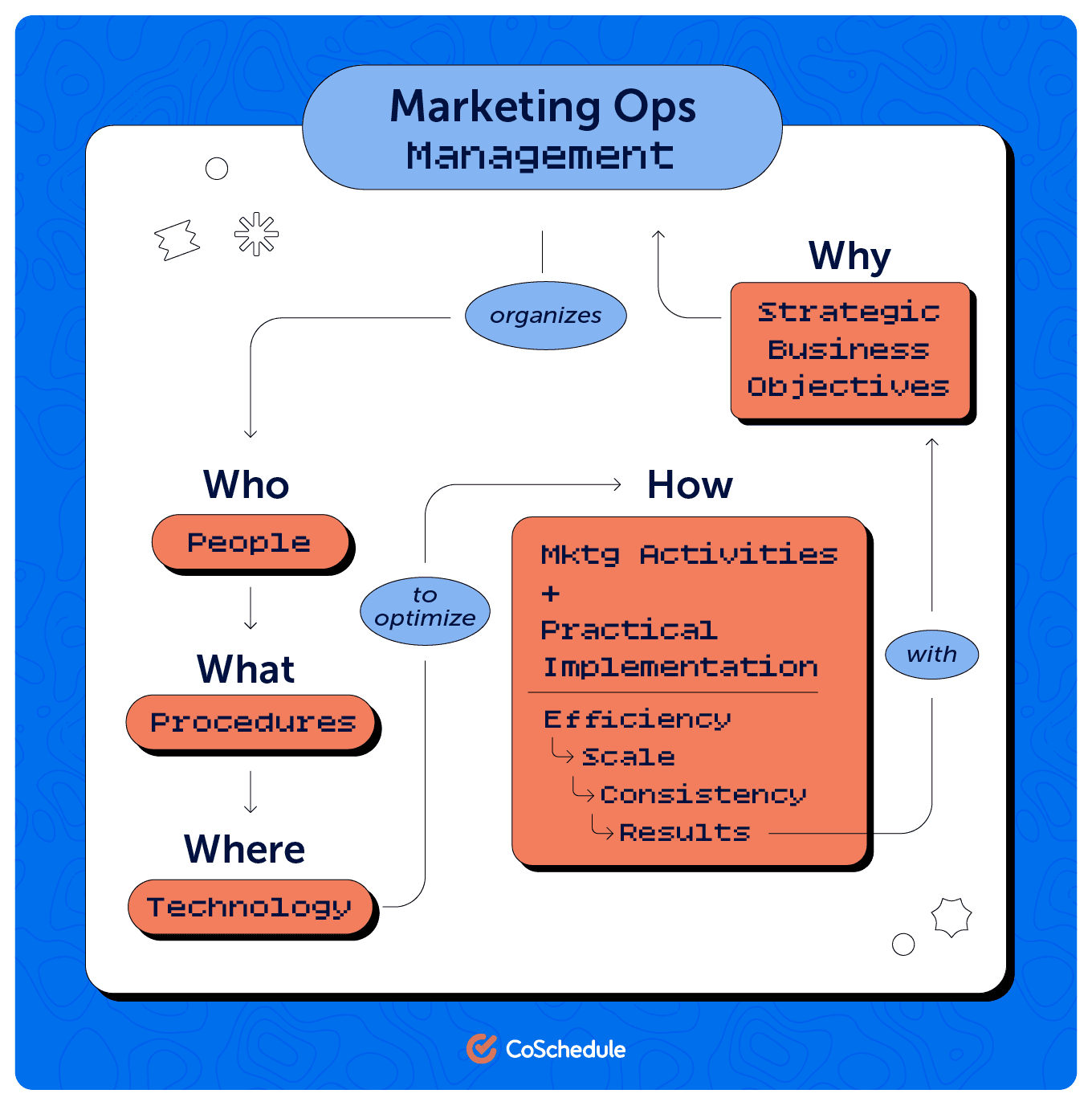
After several campaign cycles, operational patterns start to emerge. You notice where revision cycles stretch longer than expected and where timelines regularly slip. Those patterns show you where your agency operations need adjustment.
Use that insight to refine how work moves through your team. When your systems reflect how campaigns actually run, you can handle more client work without putting delivery at risk.
Analyze Where Campaign Time Actually Goes
After each campaign cycle, compare your estimates with the time the work actually required.
Look at where delivery expanded beyond the plan:
- Planned hours vs. actual hours
- Expected revision rounds vs. actual rounds
- Allocated optimization time vs. real time spent
When paid campaigns consistently require more optimization than expected, adjust the scope or pricing. When creative goes through repeated revisions, extend the production timeline so future launches reflect how the work actually moves.
Evaluate Approval And Revision Friction
Campaign timelines often slow during review stages. Look closely at where that friction appears.
Landing pages that go through several rewrite cycles usually point to messaging that wasn’t validated early enough. Delayed approvals often signal unclear decision ownership on the client side.
Address those issues during kickoff by confirming who approves messaging, creative, and budget changes. Clear approval paths keep production from stalling later.
Model Capacity Across Accounts
Next, assess how many campaigns your team can realistically support at the same time.
Review average campaign duration, when launches tend to overlap, and how workload is distributed across strategists, designers, and media specialists. When several major campaigns repeatedly land in the same window each quarter, treat that pattern as a capacity signal and plan additional support ahead of time.
Track where time and delays pile up, then adjust before delivery slips.
Why Client Campaign Management Breaks Down

As your client roster grows, campaign coordination becomes harder to manage. The challenge rarely comes from strategy or creative direction. It comes from operational pressure.
When several campaigns run at once, small coordination gaps start to compound.
You may see timelines stretch because revisions increase and dependencies appear late. Production slows when messaging approvals, creative reviews, or budget changes wait on feedback. Multiple launches scheduled close together make it difficult to see who owns what or where deadlines are colliding.
One delayed campaign rarely causes major disruption. Several delays across accounts quickly affect delivery schedules and team capacity.
When these patterns appear regularly, the issue sits in the operating structure behind your campaigns. Planning, execution, and visibility need to work together so teams can manage volume without constant coordination.
Agencies address this by centralizing campaign planning, execution, and oversight inside one system.
Using CoSchedule To Simplify Client Campaign Management
You need one place where campaign timelines, tasks, and ownership stay visible across clients.
With CoSchedule, you can see all active campaigns in a shared marketing calendar and attach tasks directly to campaign milestones. Workflow templates allow your team to launch repeatable campaign types with the same structure each time, while ownership and deadlines remain visible across accounts.
Because planning, execution, and reporting stay connected in the same system, you spend less time reconciling tools and more time managing delivery.
As your agency grows, a unified marketing calendar helps you maintain clear workload visibility and keep campaign timelines under control. Try CoSchedule’s Marketing Calendar and schedule and coordinate all of your marketing in one place.
