
Schedule posts to an X (Twitter) account from your calendar, with images, a GIF or a video. Available on Starter, Professional and Suite. First, connect your X account.
Schedule an X post
- From your calendar, click + Create in the upper-right corner.
- Choose Social.
- Select Social Message.
- Choose your X account from the drop-down menu.
- Enter your text. You can add hashtags and emojis. The character count shows in the lower-right corner.
- Add images, a GIF or a video if you want (see below).
- Select the date and time, or use Best Time Scheduling.
- Click Save.
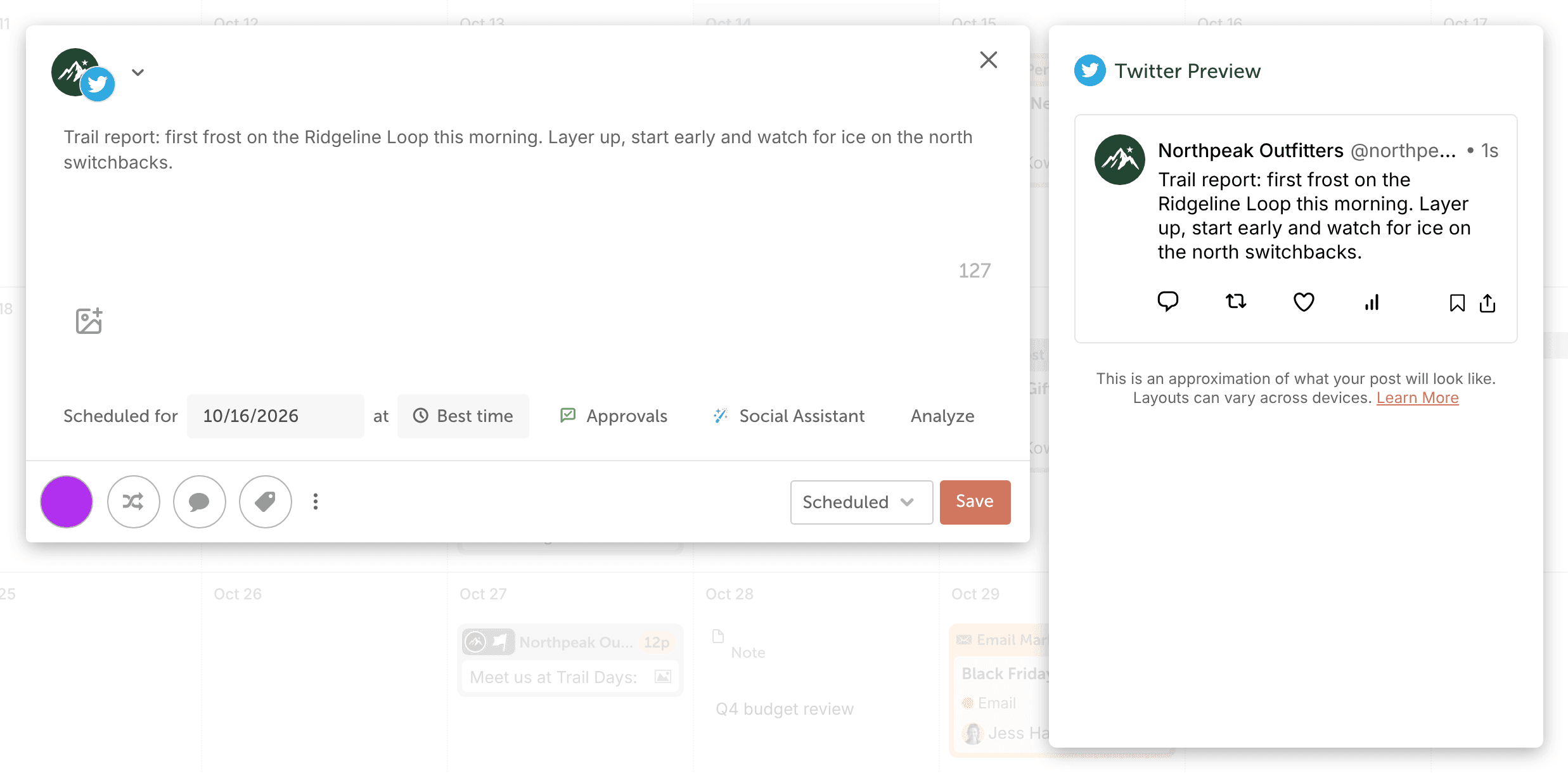
CoSchedule publishes single posts to X. It can't publish a multi-post thread on X.
Character limit
The composer warns you when your text goes over X's character limit. If your X account has X Premium, you can post longer messages once you verify the profile in CoSchedule; see Connect an X (Twitter) account. For the limits, see Character limits for social messages.
Add images, a GIF or a video
- Click the image icon (Add media to message).
- Upload a file from your computer, select media you uploaded before, or, on Suite, choose media from Assets.
- Choose your images, GIF or video.
- Click Save.
- A post can have up to 4 images. If you add more, only the first four publish.
- Images: JPEG or JPG, at least 600 x 335 pixels, up to 5 MB.
- GIFs: up to 15 MB.
- For video formats, sizes and lengths, see Image, video and GIF sizes for social messages.
Add more to your message
- Color label: click the white circle in the lower-left corner and choose a color. See Organize your calendar with color labels.
- ReQueue: click the ReQueue icon to add the post to a ReQueue group. See Set up ReQueue and add messages to groups.
If an X post doesn't publish
- Reconnect your X account, then reschedule the post. See Reconnect a social profile and Reschedule a social message.
- If X returned a "service unavailable" error, reschedule the post for a later time.
- If the error is about an image or video, remove the media, upload it again from your computer, and reschedule.
For other errors, see Why a social message did not publish.