
You’re likely under-distributing your content, even if your calendar feels full.
Once an asset goes live, attention drops quickly as nothing is built to carry it forward. Distribution gets handled manually or ignored altogether. Each piece peaks once and fades.
That’s how content saturation shows up in real teams. Strong work expires early because it has no built-in path beyond launch.
The fix starts with how you use what you already create. Build a core asset with multiple channels in mind, and it can support weeks or even months of visibility.
Content repurposing tools support this exact workflow, helping you adapt and reuse an asset across channels as part of the same process.
What Is A Content Repurposing Tool?
A content repurposing tool is software that helps you reuse existing content across formats, channels, and timeframes without rebuilding everything manually. It handles the practical work of adapting one asset into multiple usable pieces and keeping those pieces in circulation after launch.
These tools extend the reach and lifespan of work that already exists. The value shows up quickly through fewer one-off tasks, and it compounds as each asset continues to resurface long after its publish date.
After launch, content usually relies on memory and availability to stay visible. Repurposing tools remove that dependency. They define how an asset gets adapted, scheduled, and reused over time, making distribution a built-in part of content marketing and publishing.
Types Of Content Repurposing Tools
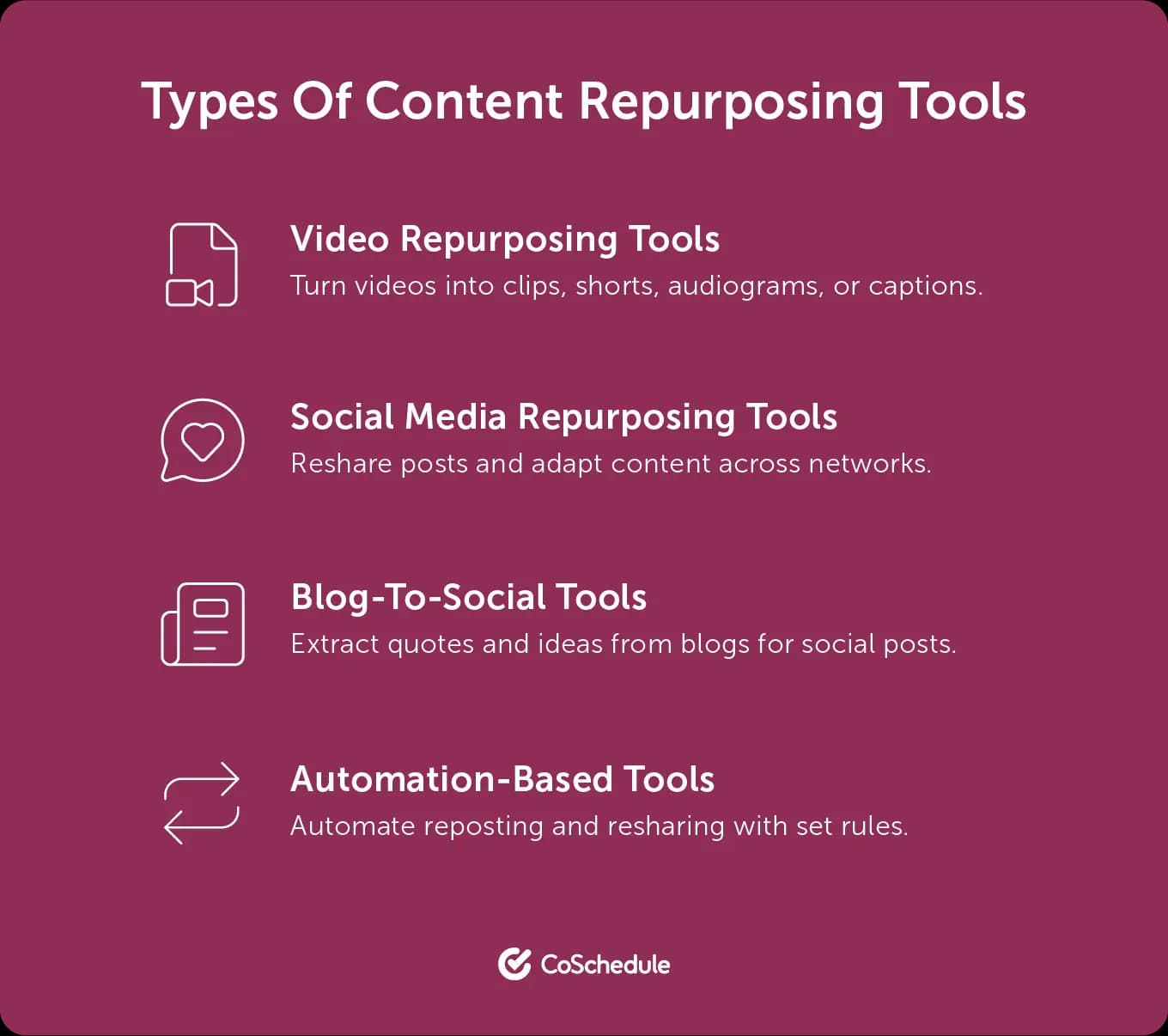
Most tools in this category focus on a specific part of the repurposing process.
- Video repurposing tools turn long videos into clips, shorts, audiograms, or captions for social platforms.
- Social media repurposing tools reshare evergreen posts and adapt high-performing content for different networks over time.
- Blog-to-social tools extract quotes, summaries, or ideas from written content and turn them into social posts.
- Automation-based tools trigger reposting, resharing, or redistribution through rules tied to timing, gaps, or performance signals.
Why Marketers And Agencies Rely On Them
For in-house teams, content repurposing tools reduce the pressure to publish something new every day. Planned reuse allows a small team to maintain a steady presence without expanding headcount or adding more campaigns.
For agencies, the value shows up in repeatability. One client asset can be adapted and scheduled across multiple channels without rebuilding deliverables for each placement.
The leverage comes from decoupling creation from daily publishing decisions. You invest effort in fewer primary assets, then rely on a defined system to carry those assets forward across channels and time. Distribution continues even when the team is focused elsewhere.
Why Content Repurposing Matters More In 2026
Content repurposing matters more in 2026 because distribution has become the limiting factor.
Teams are expected to show up across more channels, but publishing once rarely carries far. A blog post or video might earn a brief spike, then disappear as feeds refresh and timelines move on. That drop-off is a distribution problem.
Faced with that pressure, most teams respond by producing more content. But that approach breaks quickly. Even with AI speeding up drafts, production still slows at the same points. Reviews take time. Strategy requires alignment. Creating something solid demands real coordination, which makes constant net-new output hard to sustain.
As a result, teams are adjusting their behavior. Nearly half of social media marketers now reuse or lightly adapt content across platforms, while far fewer create unique content for every channel. That change is a response to how hard it has become to sustain distribution with only net-new assets.
Repurposing changes the math. One strong asset can continue appearing across channels instead of peaking once and fading. A single blog can support a dozen usable social posts. A long-form video can fuel weeks of short-form distribution.
The cost difference becomes obvious once you look at effort honestly. In fact, 65% of marketers say it’s their most cost-effective content strategy.
You see, creating new content always requires the most time and coordination. Repurposing extends the value of work you’ve already done, which is why many marketers now point to it as their most cost-effective content strategy.
The 11 Best Content Repurposing Tools For Marketers (2026 List)
1) Repurpose.io
Repurpose.io is a “set-it-and-forget-it” repurpose app for distribution, especially if your workflow starts with video, live streams, or podcasts. You connect channels like YouTube, TikTok, Instagram, LinkedIn, and podcast feeds, then define workflows that publish content across platforms as soon as it’s uploaded. This is useful when speed and consistency matter more than creative changes.
Repurpose.io doesn’t help with editing or rewriting. Your content needs to be ready before it enters the workflow.
2) CoSchedule ReQueue
ReQueue works best when visibility is the bottleneck, not asset creation.
You group evergreen social posts into queues, and CoSchedule publishes them automatically when your schedule has open slots. This keeps proven content in circulation without rebuilding calendars or rescheduling by hand.
Posts are timed based on past engagement, plus you can review performance and continue promoting content that still performs—and pause posts that no longer do.
Note that ReQueue doesn’t “create” clips or graphics. You use it after repurposing work is done to extend how long content stays active.
Read More: Learn how Hilary De Freitas maintains an automated social media presence with ReQueue.
3) Descript
Descript is a production tool for turning one recording into multiple usable assets quickly. Its transcript-based editing lets you select, cut, and rearrange audio or video by editing the text itself. This makes it easy to pull clips, shorten recordings, and generate captions from a single source.
It fits teams working with spoken content who want faster extraction without using a traditional timeline editor. You can move from a full conversation to platform-ready clips with minimal friction.
You’ll still want a separate scheduler for distribution cadence, since Descript only lets you create repurposed pieces.
4) Canva
Canva is what you use when repurposing means reformatting. You can take one idea and turn it into a carousel, story, thumbnail, quote card, or channel-sized graphic without rebuilding designs from scratch.
Tools like Magic Resize (via Magic Switch) help you adapt a single design into multiple platform dimensions quickly, and Bulk Create makes it easy to generate multiple variations from one template (think: 20 quote cards from one template).
However, Canva won’t tell you what to repurpose or automate your distribution. It fits best when your messaging is already clear, and the goal is fast, repeatable production.
5) Ampifire
AmpiFire turns one topic, or one existing URL (an article, video or web page), into a full organic campaign and publishes it for you. It creates eight formats: news articles, blog posts, social posts, reels/shorts, infographics, interview-style podcast episodes, flipbooks/slideshows, and longer informational videos.
It then publishes to 300+ sites, including Google News, YouTube, Spotify, Facebook, Instagram and TikTok, plus your own site. You can run it yourself with AI or have a team write and manage the content.
AmpiFire is built for organic traffic, so it won’t create ad creative, and results build over months.
6) Jasper
Jasper supports repurposing by rewriting/reshaping existing messaging for different channels.
You start with a core message, such as a blog, campaign brief, or long-form asset, and Jasper adapts it into social posts, captions, or short scripts while following your brand voice guidelines.
The biggest advantages here are speed and consistency. Of course, the output reflects the strength of the input, which means clear source material and editorial review still matter.
7) Lately
Lately is built for one job: turning long-form content into a lot of social posts.
You feed the tool a blog, podcast, or video, and it “atomizes” that asset into dozens of social-ready snippets designed to match your brand voice and past engagement patterns. It also leans into scheduling and cadence, so you’re not stuck manually spacing posts over time.
Lately works best when your repurposing is text-led. You can use it to generate and schedule social posts, but you’ll still want a video editor when clip selection and visual timing matter.
8) Notion AI/workflow tools
Notion AI works as a coordination layer for repurposing workflows. It helps you organize source content, generate variations, and track what has been extracted, approved, or published.
You can use it for tasks like summarizing long-form assets, rewriting sections for different channels, translating content, and generating multiple variants across databases. This keeps reuse structured and reduces copy-and-paste work on your end.
Notion won’t publish content for you, but it makes sure everything is ready when it’s time to do so.
9) Adobe Express
Adobe Express works well for fast visual repurposing when you want polished output without opening full design tools. It focuses on quick adaptation. One design can be resized, reformatted, or lightly edited to “fit” different channels in minutes.
This makes Adobe Express useful for turning a core asset into social posts, short videos, and simple promos without rebuilding layouts. Don’t mistake it for a deep automation engine. It only serves as a production layer to adapt existing designs, then pass those assets into scheduling or repurposing tools.
10) Kapwing
Kapwing is built for video teams repurposing long-form content into short-form formats. It simplifies resizing horizontal video into vertical layouts, adding subtitles, trimming clips using transcripts, all of that boring-but-essential repurpose work.
The tool fits workflows where one video needs to live across platforms, like YouTube, Shorts, TikTok, and Instagram. You’ll still need to identify which moments are worth pulling, as Kapwing just speeds up execution.
11) Buffer
Buffer supports repurposing at the redistribution stage. It helps teams keep existing posts in rotation after the initial publish.
Features like evergreen queues and post resharing make it easy to resurface top-performing content across weeks or months without duplicating schedules or planning daily posts. This maintains visibility with minimal ongoing effort.
Repurpose.io vs. CoSchedule: Which One Fits Your Workflow?
The choice comes down to where repurposing breaks down for you.
If the problem is distribution across platforms, Repurpose.io is the better fit. It monitors your source channels and automatically publishes new videos or episodes to other platforms shortly after they go live. This works well when content is already edited and ready to ship, and the goal is to reduce manual uploads across channels.
If the problem is longevity, CoSchedule fits better. ReQueue is designed to keep existing social posts in circulation after the initial publish. It pulls evergreen messages from ReQueue Groups and fills open slots in your calendar, helping strong content resurface over time without manual scheduling.
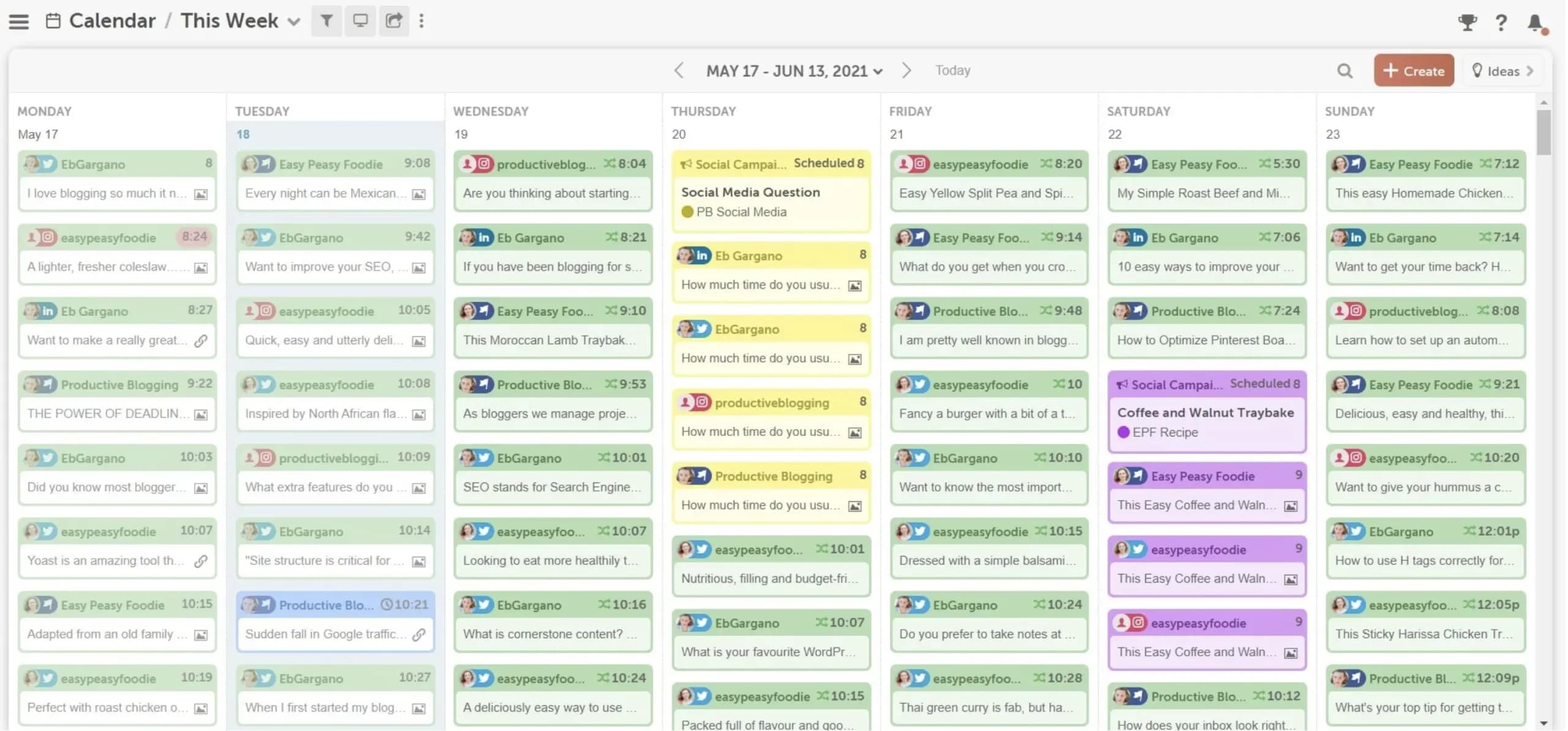
You might realize you don’t actually need a Repurpose.io replacement. Instead, you need a complementary system that handles long-term amplification, like CoSchedule.
How Marketing Teams Use CoSchedule As A Content Repurposing System
Marketing teams use CoSchedule to keep repurposed content circulating without rebuilding a social schedule every week. Once a core asset exists, the system is simple: pull reusable messages from that asset, store them in ReQueue Groups, and let ReQueue publish them into open slots on your editorial calendar.
Here’s what a CoSchedule repurposing workflow looks like:
Step 1: Start With A Primary Asset That Holds Multiple Ideas
Choose a blog, video, podcast, or webinar that has several clear takeaways you can promote separately. Each point should translate into a clear social message without rewriting the original asset.
Step 2: Pull Short, Focused Social Messages From The Asset
Create short posts (e.g., tips, short explanations, quotes, brief clips) that communicate one specific takeaway. Each post should make sense without having the reader click through or read earlier context.
Step 3: Add Those Messages To ReQueue Groups
Add your evergreen social messages to ReQueue Groups inside CoSchedule. Each group acts as a pool of posts that can be reused, such as blog promotions or video highlights.
CoSchedule pulls from these groups when it finds a ReQueue publishing slot on your calendar.
Step 4: Set Your ReQueue Schedule To Fill Open Slots
Define when ReQueue is allowed to publish by setting your posting schedule.
ReQueue only publishes if there’s an open slot that matches those rules. If a slot stays empty, check whether the group has eligible messages and whether any expiration rules removed them.
Step 5: Use The Calendar View To Manage Spacing
Review your calendar to see exactly where ReQueue posts will appear. You should also adjust timing to prevent similar messages from publishing too close together.
Use this view to balance repurposed content with campaigns, announcements, and one-off posts.
Step 6: Curate What Stays In Rotation
Regularly remove posts that no longer earn clicks or engagement. Keep the messages that continue to perform and refresh the queue with new variations drawn from recent content.
This keeps ReQueue focused on messages that still contribute to visibility and traffic.
Start Automating Your Repurposed Content
Good content deserves more than one publish date.
CoSchedule keeps proven messages in rotation so your calendar stays active without daily planning.