The number one thing we hear from marketers who are overwhelmed by their workload is how difficult it is to get a project to completion and how exhausting it is to chase the details of the work.
Marketing work slows down because campaigns live in one tool, approvals happen in another, assets live in shared drives, and deadlines are buried in spreadsheets. Moving between tools wastes time and means a lot of chasing to bring work to completion.
An all-in-one marketing operations software helps teams centralize planning, execution, collaboration, publishing, and reporting so campaigns move faster with fewer handoff issues.
This guide compares the best marketing operations tools for modern marketing teams and breaks them into the categories that matter most.
Key Takeaways
- Marketing operations software helps teams centralize campaigns, workflows, calendars, and assets.
- The right platform depends on whether your biggest challenge is execution, content visibility, or asset organization.
- Project management tools improve delivery and collaboration.
- Editorial calendar tools improve planning and publishing consistency.
- DAM platforms reduce asset chaos and version control issues.
- CoSchedule combines marketing calendars, campaign planning, content scheduling, and team visibility in one platform.
What Makes It An All-In-One Marketing Operations Software?
The best marketing operations platforms do more than manage tasks. They connect the entire marketing workflow so teams can move from planning to execution without constantly switching between tools.
An all-in-one marketing operations software typically includes several core capabilities:
Campaign Planning
Marketing teams need a centralized place to organize campaigns, launches, promotions, and initiatives across channels.
A strong marketing operations platform allows teams to:
- Create campaign timelines
- Assign owners and deadlines
- Track progress across multiple projects
- Coordinate work between marketing, sales, design, and leadership
- See how individual tasks connect to larger campaign goals
Without centralized campaign planning, teams often struggle with duplicated work, missed deadlines, and unclear priorities.
Project Management
Marketing operations software should make it easy to manage the day-to-day execution of work.
This includes:
- Task assignment
- Due dates
- Status tracking
- Dependencies
- Approval workflows
- Team workload visibility
The goal is to help teams deliver campaigns consistently while reducing bottlenecks and confusion.
Editorial Calendars
Content teams need visibility into what is being created, when it will be published, and who is responsible for it.
An effective editorial calendar helps marketers:
- Plan blog posts, social media, email campaigns, videos, and other content
- Maintain a consistent publishing schedule
- Avoid content gaps or overlaps
- Align content with larger campaign objectives
- Give leadership a clear view of upcoming marketing activity
For many teams, the marketing calendar becomes the operational hub for the entire department.
Asset Organization
Marketing work depends on having quick access to approved creative assets.
A complete marketing operations system should help teams organize:
- Images and graphics
- Videos
- Brand assets
- Campaign files
- Templates
- Final approved versions
Good asset organization reduces version control problems and prevents teams from wasting time searching through shared drives or email threads.
Workflow Automation
Modern marketing operations platforms also automate repetitive processes.
Common automations include:
- Task creation
- Approval routing
- Status updates
- Publishing schedules
- Notifications and reminders
- Recurring campaign workflows
Automation helps teams spend less time managing the process and more time creating marketing that performs.
Reporting
Operations leaders need visibility into performance.
The best platforms provide reporting on:
- Campaign progress
- Project completion rates
- Team workload
- Publishing activity
- Marketing performance metrics
- Operational efficiency trends
Reporting helps marketing leaders identify bottlenecks and improve how work moves through the organization.
Team Collaboration
Marketing operations software should improve communication between everyone involved in a campaign.
That includes:
- Marketers
- Designers
- Writers
- Social media managers
- Executives
- External stakeholders
When conversations, approvals, assets, and deadlines live in the same system, teams spend less time chasing updates and more time executing campaigns.
The Best All-In-One Marketing Operations Software
1. Project & Campaign Management
For many teams, project and campaign management is the foundation of marketing operations.
These tools act as a central hub for planning campaigns, assigning work, tracking progress, and ensuring everyone knows what needs to happen next. They help teams reduce bottlenecks and keep projects moving toward completion.
CoSchedule Suite
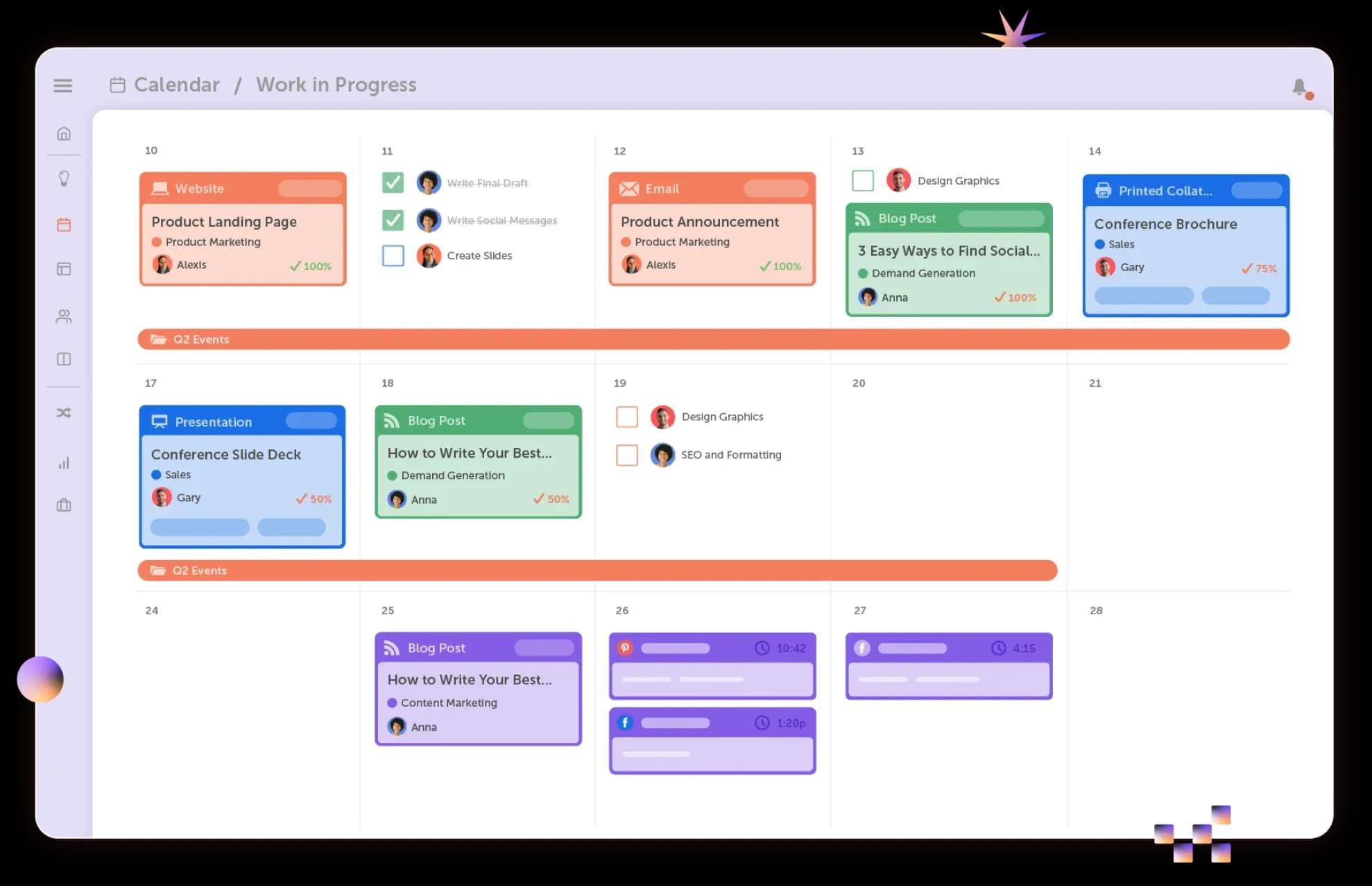
Best For: Marketing teams that want campaign management, content planning, and execution in one platform
Key Features
- Centralized Marketing Calendar
- Campaign planning and organization
- Project and task management
- Team collaboration workflows
- Marketing request intake
- Approval processes
- Social publishing and scheduling
- Cross-team visibility
Why Teams Choose CoSchedule Suite
Many project management platforms are designed for general work management and not for marketers.
CoSchedule Suite is purpose-built for marketing operations. Teams can organize campaigns, assign work, manage approvals, coordinate publishing schedules, and track progress from a centralized calendar instead of juggling disconnected tools. Unlike the most common project operation software, CoSchedule has complete social media publishing capability, as well as social inbox management and analytics.
Because campaign planning and execution happen in the same workspace, teams gain clearer visibility into priorities and reduce operational overhead.
Pros
- Built specifically for marketing teams
- Connects campaign planning with execution
- Centralizes calendars, projects, and workflows
- Reduces context switching across tools
Cons
- Teams with highly technical development workflows may still require separate engineering tools
Pricing
- Custom pricing plans starting at $69/month
- Varies by marketing teams’ needs
- Book a demo to see how CoSchedule Suite can help you
Asana
Best For: Large marketing teams running multi-channel campaigns
Key Features
- Campaign and project timelines
- Portfolios and goals
- Workflow automation
- Cross-functional collaboration
Pros
- Excellent campaign visibility
- Strong executive reporting
- Mature automation capabilities
Cons
- Can become expensive at scale
- Content-specific workflows may require customization
Pricing
- Free Plan: $0 forever
- Starter Plan: $10.99/month per user
- Advanced Plan: $24.99/month per user
Monday.com
Best For: Visual campaign and production workflows
Key Features
- Custom workflow builders
- Automations
- Timeline views
- Team dashboards
Pros
- Highly customizable
- Excellent visualization options
Cons
- Setup takes time
- Can become complex for large teams
Pricing
- Free Plan: $0 forever
- Basic Plan: $9/month per user
- Standard Plan: $12/month per user
- Pro Plan: $19/month per user
ClickUp
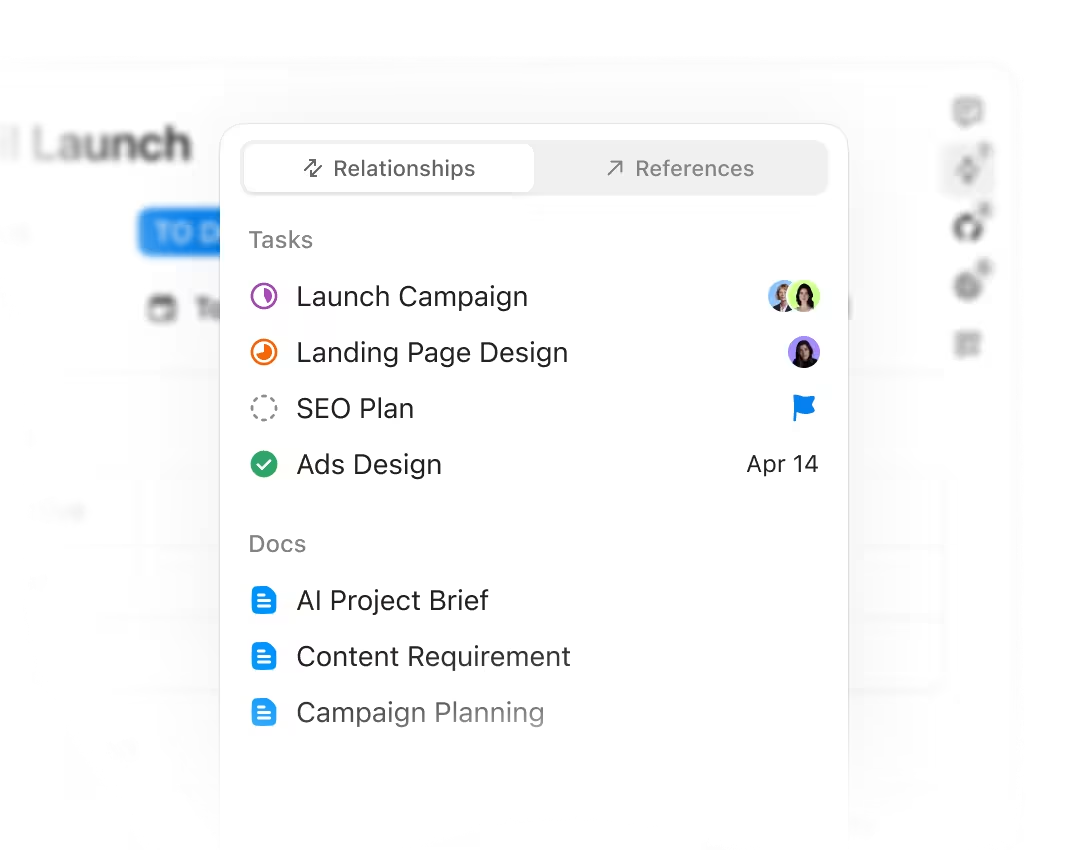
Best For: Teams wanting project management and documentation together
Key Features
- Tasks
- Docs
- Whiteboards
- Goal tracking
Pros
- Extremely flexible
- Consolidates multiple workflows
Cons
- Steeper learning curve
- Interface can feel overwhelming
Pricing
- Free Plan: $0 forever
- Unlimited Plan: $7/month per user
- Business Plan: $12/month per user
2. Content & Editorial Calendars
Content and editorial calendar tools help teams stay organized by providing visibility into what’s being created, who’s responsible for it, and when it will be published.
If your biggest challenge is coordinating content and maintaining a consistent publishing schedule, these tools can help bring order to the process.
CoSchedule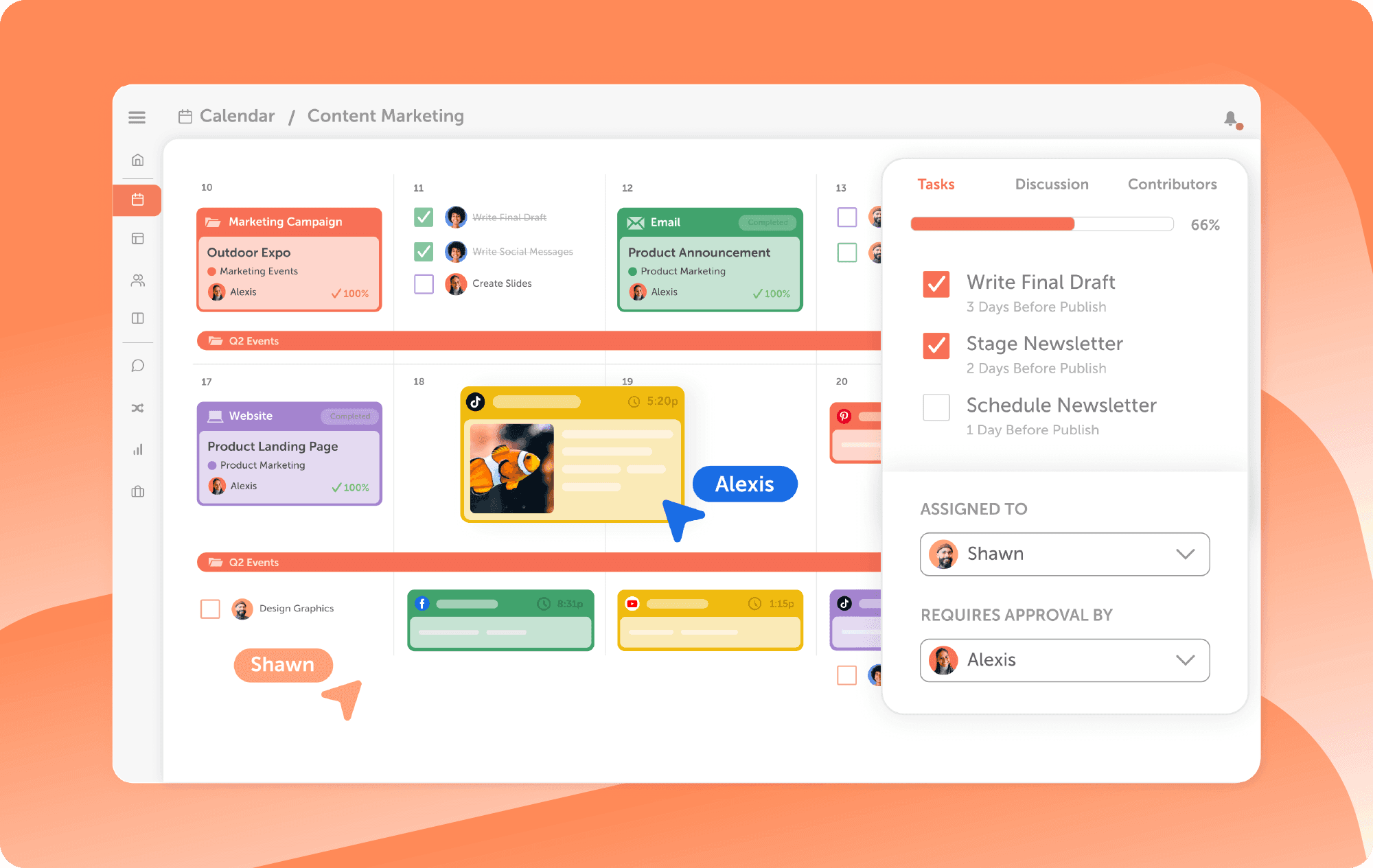
Best For: Marketing teams managing campaigns, content, and publishing in one place
Key Features
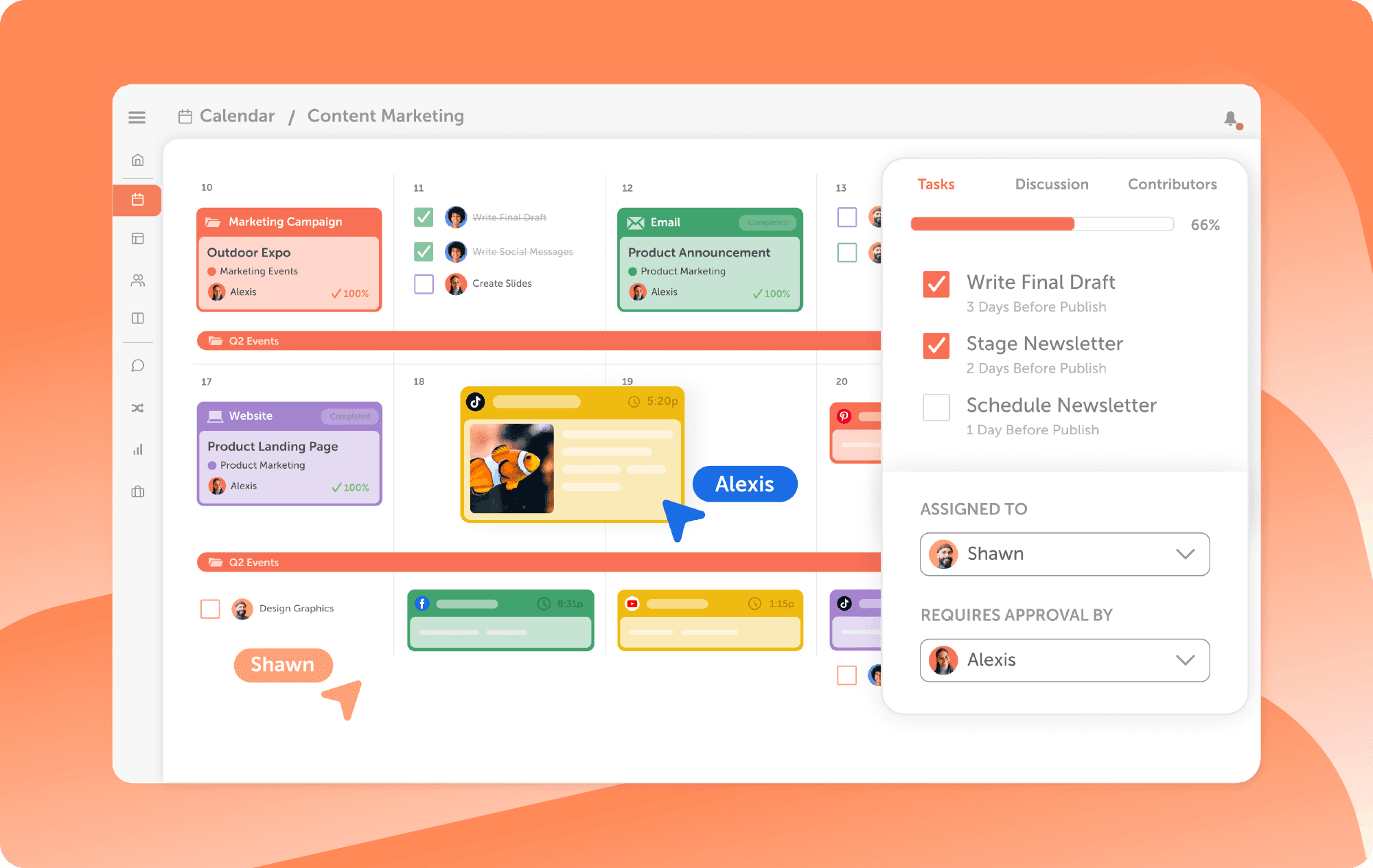
- Marketing Calendar
- Social scheduling
- Campaign organization
- Team workflows
- Content planning
- Unified visibility
Why Teams Choose CoSchedule
CoSchedule was built specifically for marketers.
Instead of adapting generic project software for marketing work, teams can plan campaigns, schedule content, coordinate deadlines, and manage execution from one centralized calendar.
Marketing leaders get visibility into priorities while contributors stay focused on execution.
Pros
- Purpose-built for marketers
- Strong content and campaign visibility
- Connects planning and publishing
Cons
- Advanced workflows may require higher plans
Pricing
- Free Plan: $0 forever
- Starter Plan: $29/month per user
- Professional: $49/month per user
Try CoSchedule for FREE today! And join more than 100,000 marketers who start their day with CoSchedule.
Airtable
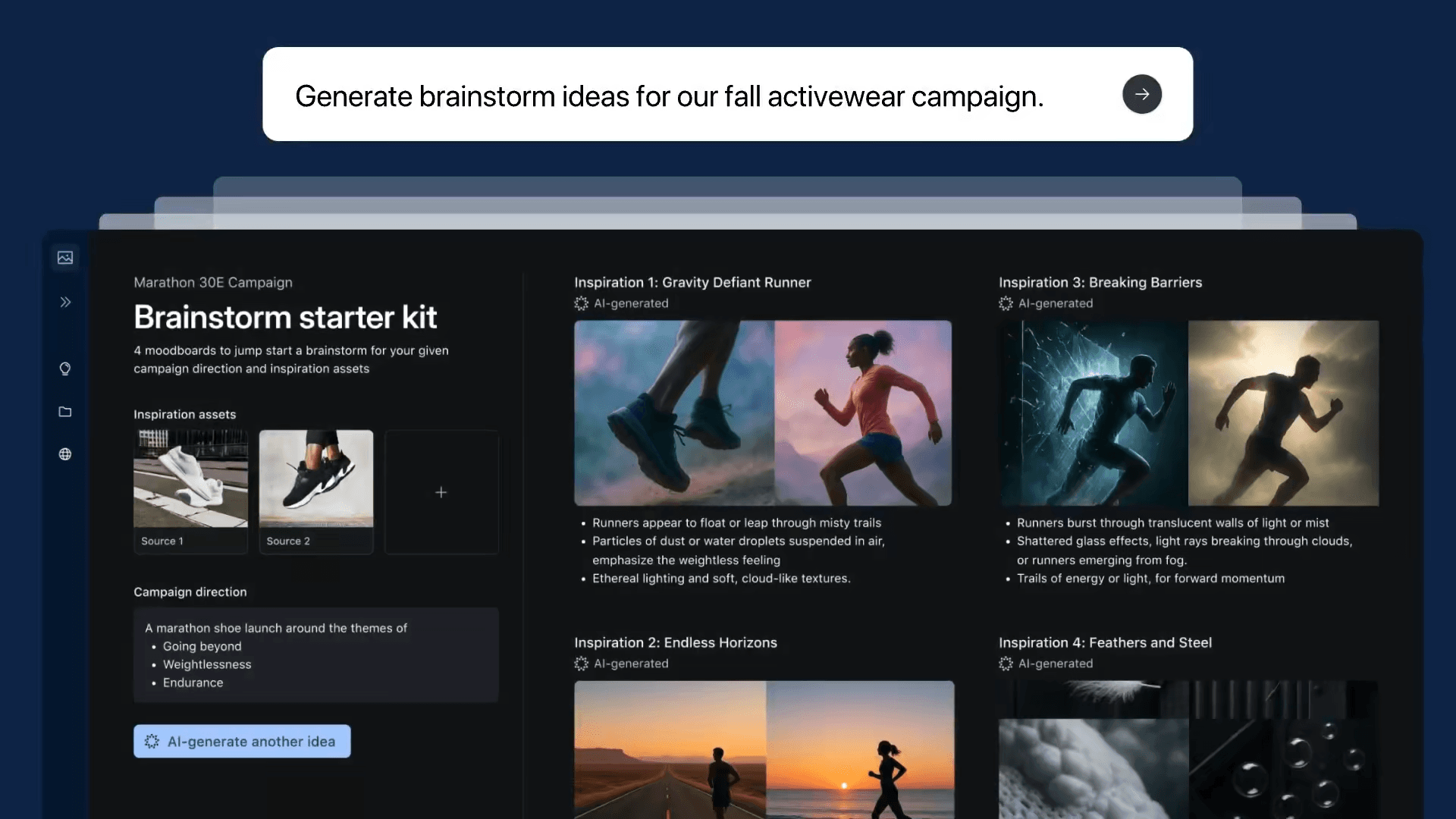
Best For: Flexible content operations and structured planning
Key Features
- Database views
- Calendar views
- Kanban boards
- Workflow automations
Pros
- Extremely customizable
- Excellent for content inventory
Cons
- Requires setup effort
- Governance becomes harder at scale
Pricing
- Free Plan: $0 forever
- Team Plan: $20/month per user
- Business Plan: $45/month per user
Notion
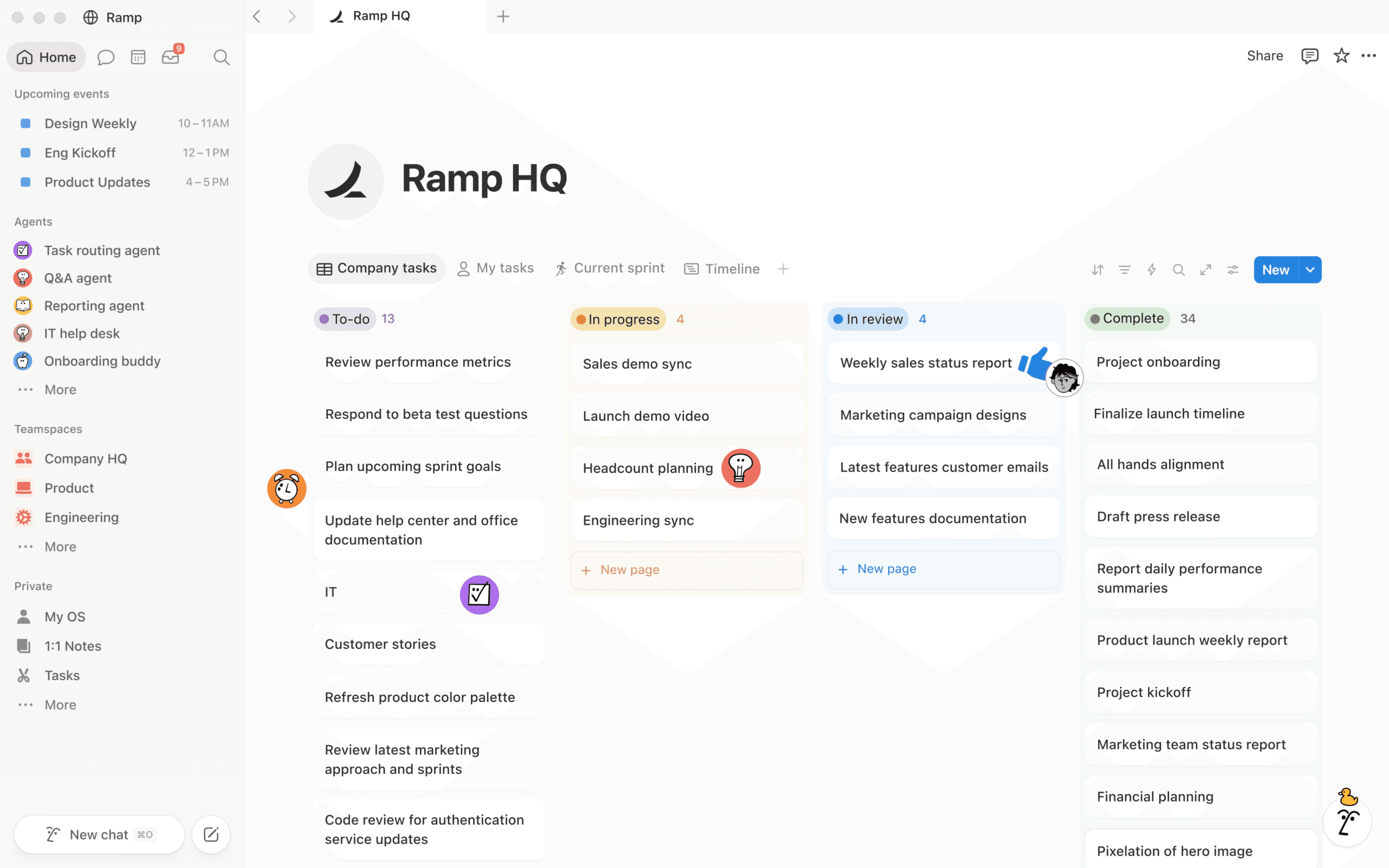
Best For: Small teams needing documentation and lightweight planning
Key Features
- Wikis
- Editorial calendars
- Collaborative documents
- Templates
Pros
- Great knowledge management
- Strong collaboration
Cons
- Limited operational reporting
- Scaling workflows takes effort
Pricing
- Free Plan: $0 forever
- Plus Plan: $10/month per user
- Business Plan: $20/month per user
3. Digital Asset Management (DAM)
Marketing teams create a massive amount of content, but creating assets is only half the battle. Teams also need a reliable way to store, organize, and find those assets when they’re needed.
Digital Asset Management (DAM) platforms help solve that problem by giving teams a centralized place to organize, manage, and distribute approved creative assets. If asset organization and brand consistency are becoming a challenge, these tools are worth considering.
Brandfolder
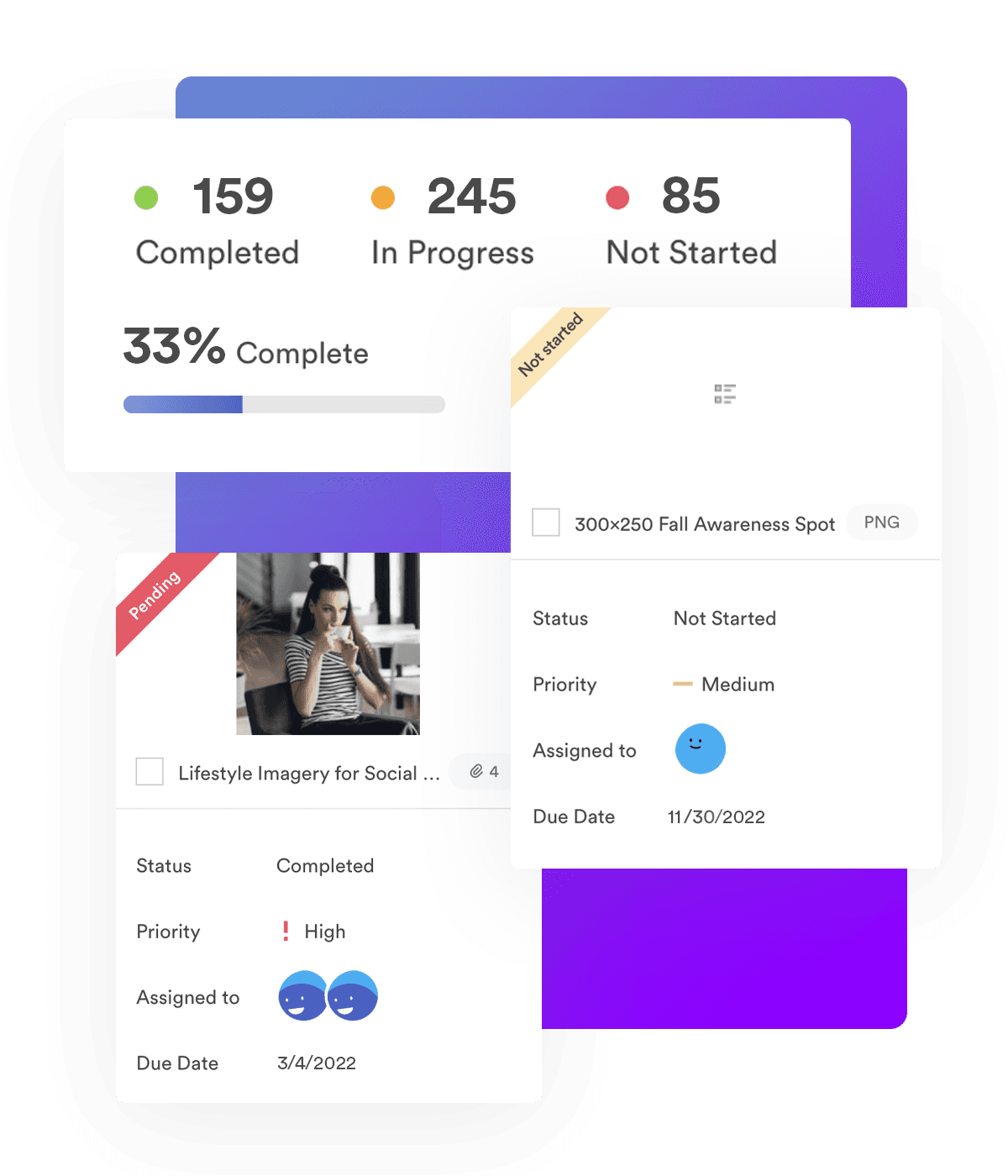
Best For: Enterprise asset management
Key Features
- AI asset tagging
- Asset portals
- Search and governance
- Version control
Pros
- Powerful search
- Excellent brand consistency
Cons
- Premium pricing
Pricing
- Booked demo call required
- Premium Plan: about $1,500 – $3,000 per month
- Enterprise Plan: about $30,000 – $150,000 per year
Box
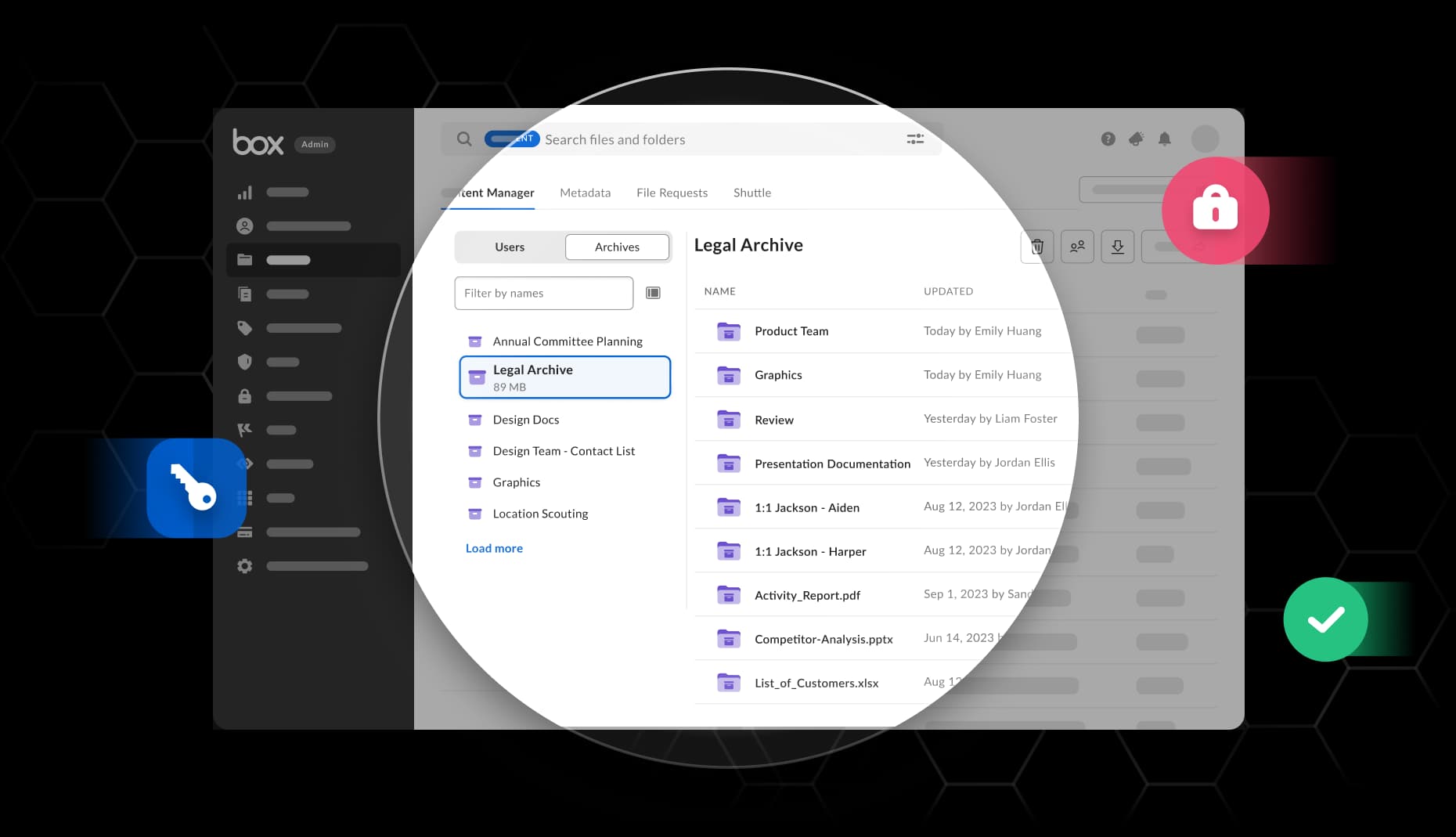
Best For: Secure enterprise file organization
Key Features
- Cloud storage
- File governance
- Version history
- Adobe integrations
Pros
- Strong security
- Reliable collaboration
Cons
- Less marketing-specific than dedicated DAMs
Pricing
- Business Plan: $15/month per user
- Business Plus Plan: $25/month per user
- Enterprise Plan: $35/month per user
- Enterprise Plus Plan: $50/month per user
Marketing Operations Tools Comparison
| Tool | Category | Best For | Standout Feature |
|---|---|---|---|
| CoSchedule | Content & Operations | Marketing teams | Marketing calendar |
| Asana | Project Management | Enterprise campaigns | Portfolios |
| Monday | Workflow Management | Production teams | Automations |
| ClickUp | Work Management | Flexible teams | Docs + Tasks |
| Airtable | Content Ops | Editorial workflows | Database views |
| Notion | Collaboration | Small teams | Documentation |
| Brandfolder | DAM | Asset governance | AI tagging |
| Box | DAM | Enterprise storage | Security |
FAQ
What is marketing operations software?
Marketing operations software helps teams plan, manage, and execute marketing work from one place. It centralizes campaigns, projects, calendars, workflows, and reporting to improve visibility and efficiency.
What is the difference between project management and marketing operations?
Project management focuses on completing tasks and projects. Marketing operations is broader, covering the systems, processes, and workflows that help marketing teams plan, execute, and measure their work.
Can one platform replace an entire martech stack?
Usually not. Most teams still need specialized tools for areas like CRM, analytics, and email marketing. Marketing operations software serves as a central hub that helps connect and organize those tools.
What is the best all-in-one marketing operations platform?
The best platform depends on your team’s needs. For marketers looking to manage campaigns, projects, content calendars, workflows, and social media from one place, CoSchedule is a strong option.
How does CoSchedule support marketing operations?
CoSchedule helps teams plan campaigns, manage projects, organize content, coordinate workflows, and schedule social media from a single marketing calendar, making it easier to keep work organized and on track.