
Marketing teams are expected to do more than ever.
Launch campaigns. Publish content. Coordinate social media. Align with sales. Hit deadlines. Report on results.
The problem is that most teams still manage all of that across disconnected spreadsheets, project management tools, calendars, Slack threads, and status meetings.
Marketing calendar software gives teams a centralized place to plan, schedule, execute, and track marketing work from one shared view.
If you’re evaluating options, this guide compares the best marketing calendar software available today and explains which tools are best depending on your team’s size, goals, and workflow.
Key Takeaways
- The best marketing calendar software helps teams plan campaigns, organize content, manage workflows, and improve visibility across marketing activities.
- CoSchedule stands out for teams that want a purpose-built platform designed specifically for marketing planning and execution.
- General work management platforms like Asana, Monday.com, ClickUp, and Wrike offer broader project management capabilities with lesser calendar functionality.
- Features like campaign planning, calendar views, workflow automation, collaboration, reporting, and integrations should guide your evaluation.
- Choosing the right platform depends on your team size, workflow complexity, and whether you need marketing-specific functionality or general project management.
What Is Marketing Calendar Software?
Marketing Calendar Software
Marketing calendar software is a planning platform that helps marketing teams organize work visually across timelines, campaigns, content schedules, and publishing calendars.
Unlike standard calendars or generic project management tools, marketing calendar software is built to help teams coordinate marketing activities across multiple channels.
Most marketing calendar tools include:
- Campaign planning
- Content calendars
- Social media scheduling
- Team collaboration
- Workflow management
- Task assignments
- Reporting and visibility
A good marketing calendar becomes the operating system for your marketing team.
Instead of asking:
- What’s launching this month?
- Who owns this campaign?
- Has this blog been approved?
- Did social posts get scheduled?
Your team already knows.
How We Evaluated The Best Marketing Calendar Software
Not all calendar tools are designed for marketers.
To build this list, we evaluated each platform across seven categories.
1. Ease Of Use
Can teams onboard quickly?
Does the interface make planning easier or more complicated?
2. Calendar & Planning Features
We looked for:
- Multiple calendar views
- Campaign planning
- Content scheduling
- Cross-functional visibility
3. Collaboration Capabilities
Marketing rarely happens in isolation.
We prioritized tools that support:
- Assignments
- Approvals
- Comments
- Team communication
4. Workflow Automation
Automation reduces repetitive work and keeps projects moving.
5. Reporting & Visibility
The best platforms help teams understand what’s happening and where projects stand.
6. Integrations
Marketing calendars should connect with the rest of your tech stack.
7. Pricing & Overall Value
Features matter, but usability and long-term value matter too.
The Best Marketing Calendar Software
1. CoSchedule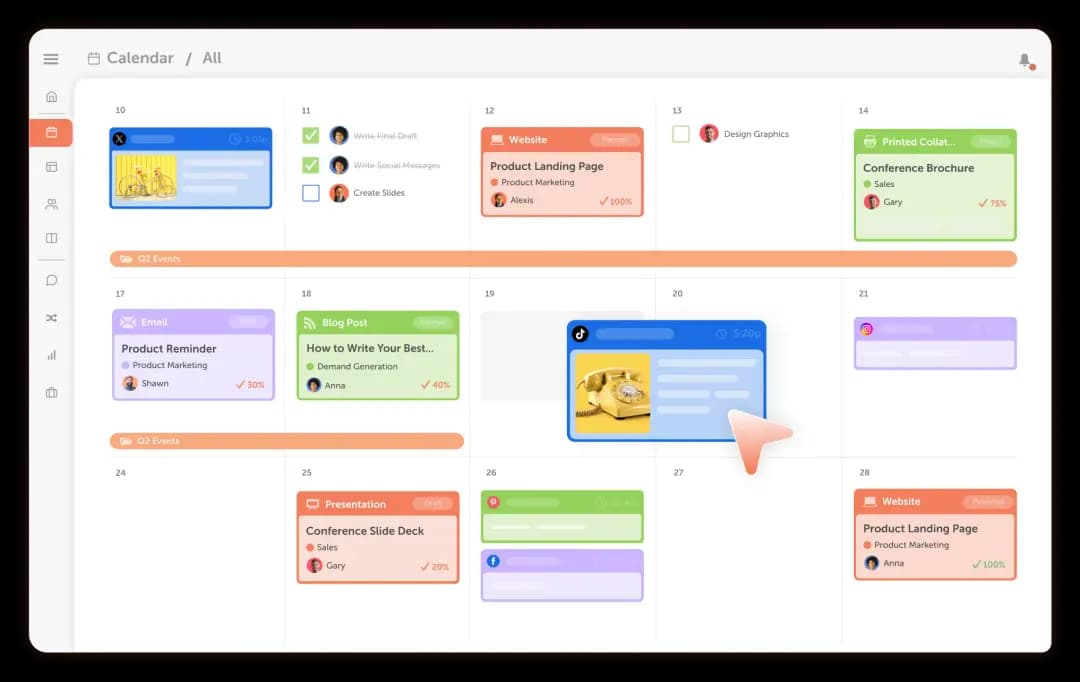
Best For: Marketing teams that want purpose-built marketing planning software.
CoSchedule is designed specifically for marketers.
Instead of adapting generic project management software to a marketing workflow, CoSchedule is built to help marketers manage campaigns, content, social publishing, projects, and execution.
Everything revolves around a centralized marketing calendar.
Key Features
- Marketing Calendar
- Campaign planning
- Social media scheduling
- Team workflows
- Task management
- AI-powered marketing tools
- Content organization
- Cross-channel visibility
Pros
- Built specifically for marketing teams
- Strong campaign visibility
- Excellent content and social planning
- Centralized calendar experience
- Easy onboarding
Cons
- Some teams may not use every available feature if they only need a basic content calendar.
Pricing
- Free Calendar: $0
- Starter Plan: $29/month
- Professional Plan: $49/month
2. Asana
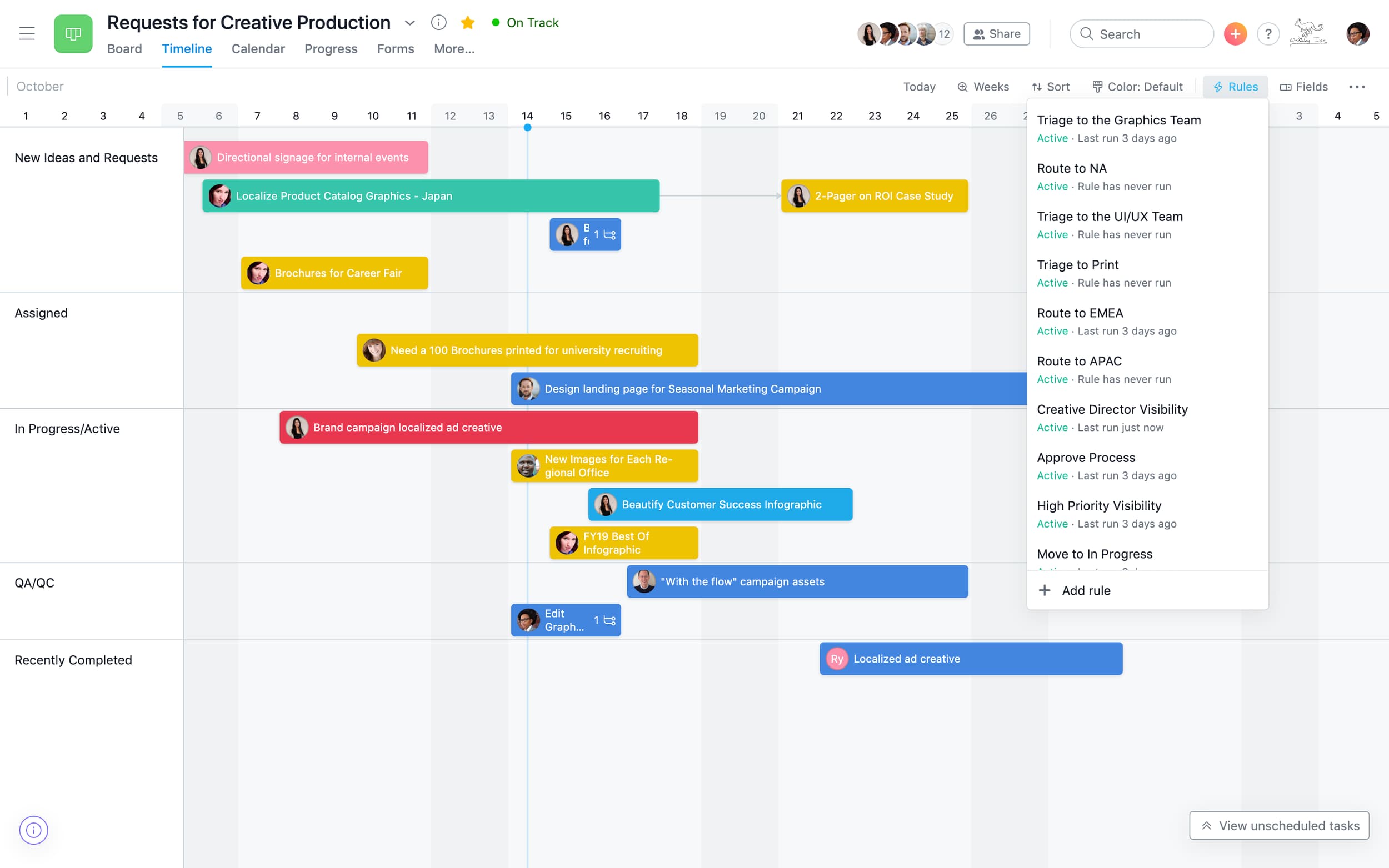
Best For: Marketing teams that prioritize project collaboration.
Asana excels at managing projects and coordinating teams.
Its timeline and board views make campaign planning manageable, though teams may need additional tools for publishing and marketing execution.
Key Features
- Project and campaign management
- Timeline and calendar views
- Task assignments
- Workflow automation
- Collaboration and approvals
- Reporting dashboards
Pros
- Strong project visibility
- Flexible workflows
- Good collaboration
Cons
- Marketing-specific functionality is limited
Pricing
- Personal: Free
- Starter: $10.99 per user/month
- Advanced: $24.99 per user/month
3. Monday.com
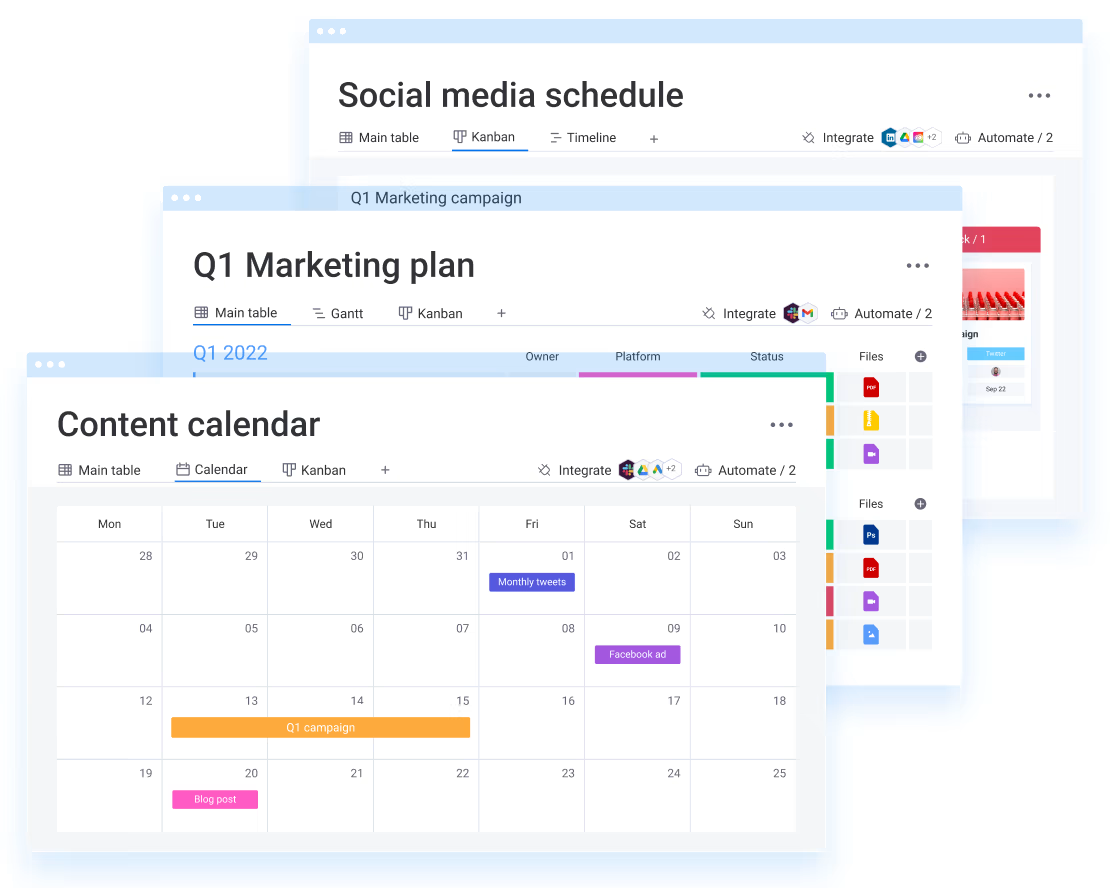
Best For: Teams that want customization.
Monday.com allows teams to build highly customized workflows and dashboards.
It works well for organizations with unique planning processes.
Key Features
- Visual calendar and timeline views
- Workflow automation
- Custom dashboards
- Team collaboration
- Project tracking
- Templates
Pros
- Flexible workflows
- Strong reporting
- Good automation
Cons
- Setup can become complex
Pricing
- Free plan: $0
- Basic: $9 per user/month
- Standard: $12 per user/month
- Pro: $19 per user/month
4. ClickUp
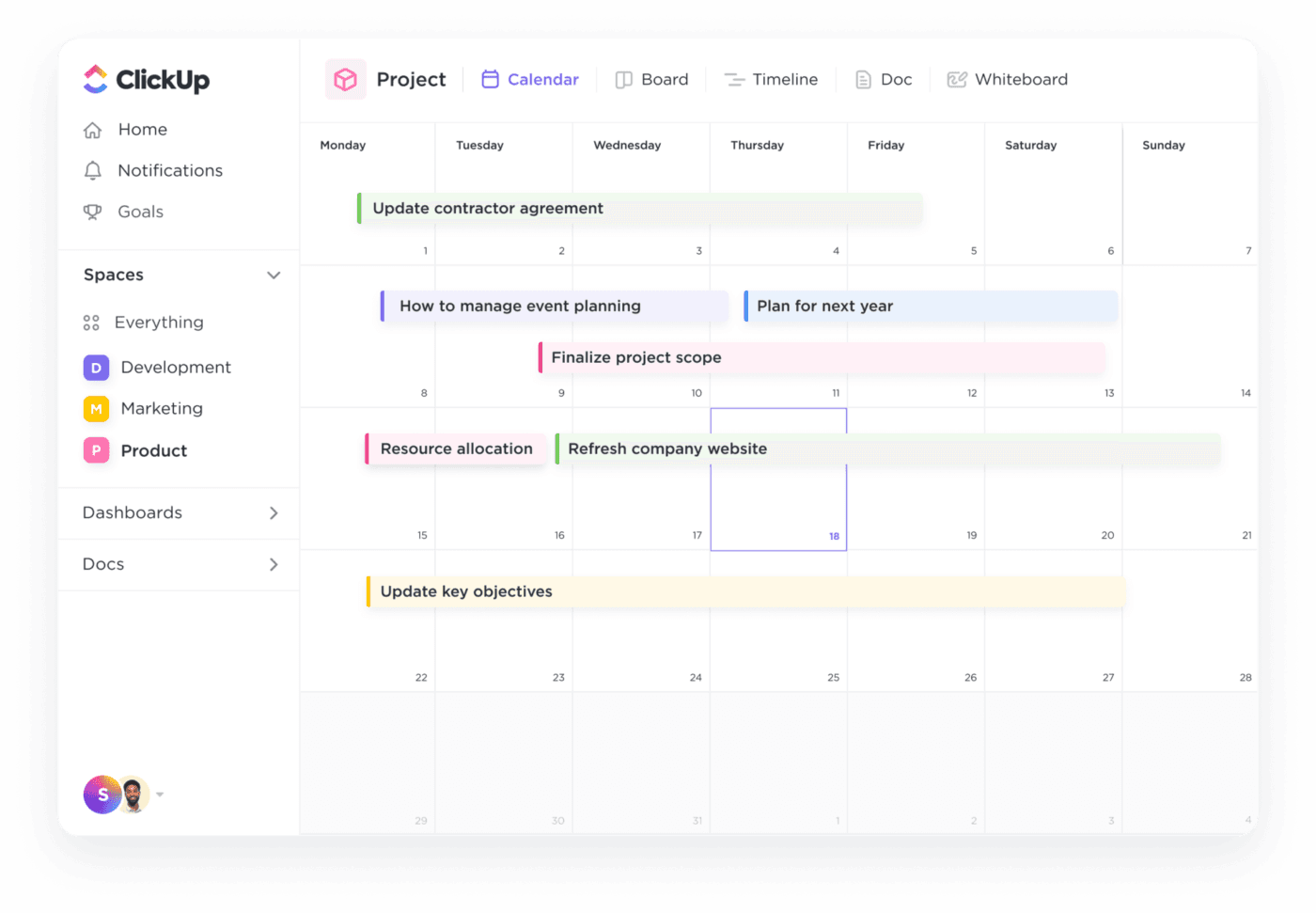
Best For: Teams seeking an all-in-one work platform.
ClickUp combines calendars, tasks, documents, dashboards, and automation.
Key Features
- Calendar and timeline planning
- Task and project management
- Docs and knowledge management
- Workflow automation
- Dashboards
- Team collaboration
Pros
- Extensive feature set
- Flexible customization
- Multiple planning views
Cons
- Can feel overwhelming for new users
Pricing
- Free plan: $0
- Basic: $7 per user/month
- Advanced: $12 per user/month
5. Wrike
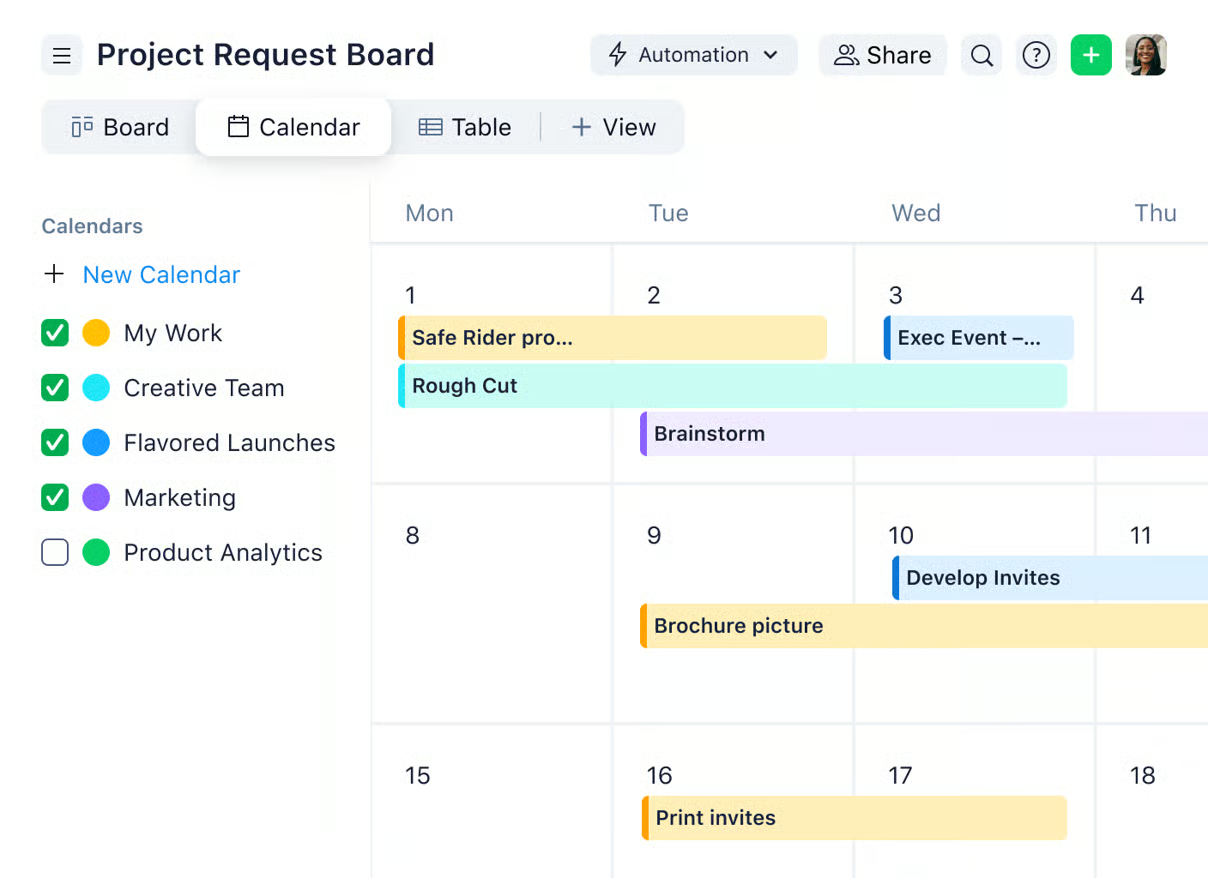
Best For: Enterprise marketing teams.
Wrike offers advanced workflows and reporting capabilities suited for larger organizations.
Key Features
- Calendar and workload views
- Workflow automation
- Approval processes
- Reporting dashboards
- Resource management
- Enterprise controls
Pros
- Enterprise controls
- Strong reporting
- Complex workflow support
Cons
- Higher learning curve
Pricing
- Free plan: $0
- Team plan: $10 per user/month
- Business plan: $25 per user/month
6. Airtable
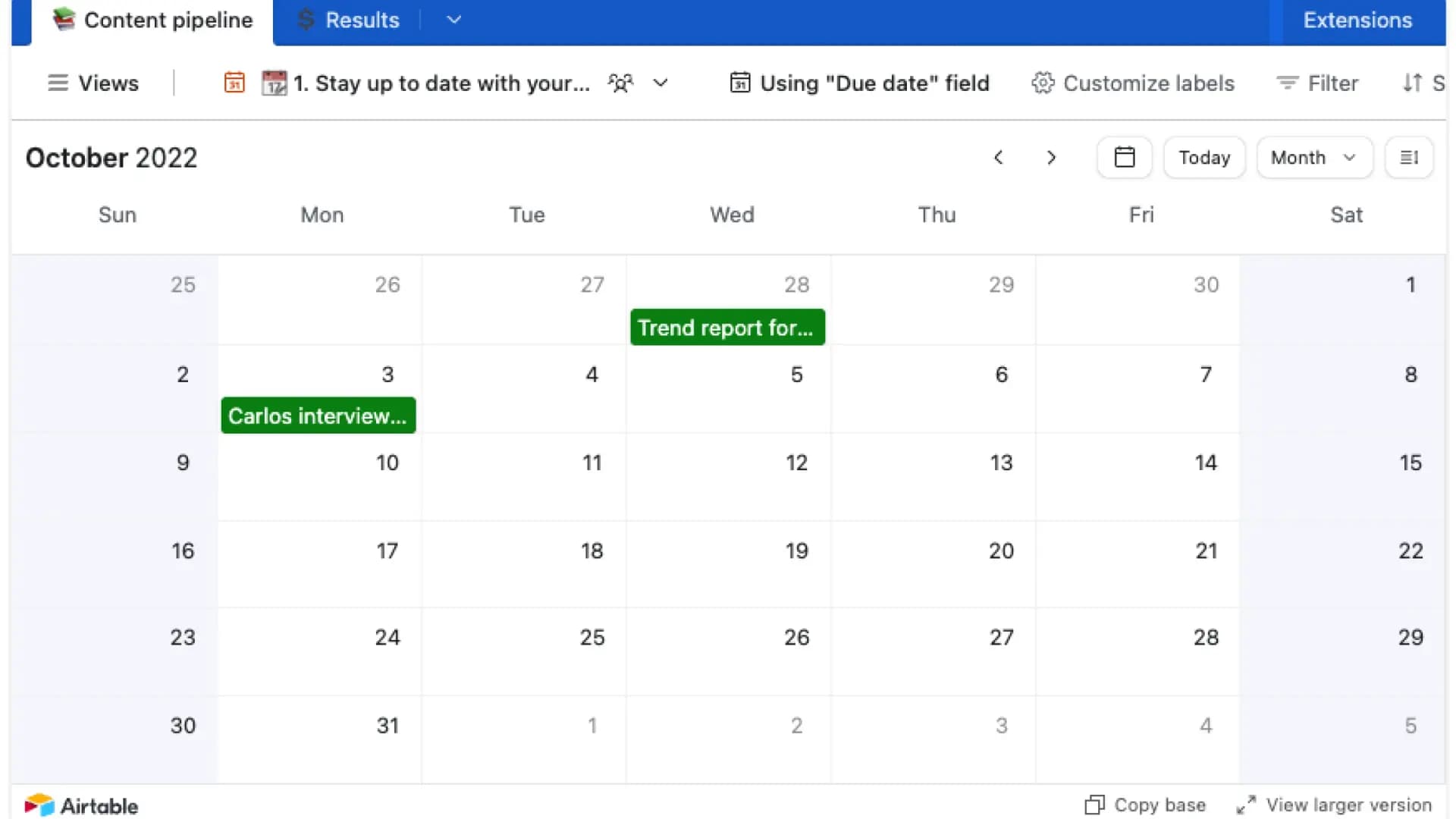
Best For: Spreadsheet-first planners.
Airtable combines database flexibility with visual calendar management.
Key Features
- Calendar and grid views
- Custom fields
- Automations
- Content planning
- Collaboration tools
- Templates
Pros
- Highly flexible
- Strong organization
Cons
- Requires setup and maintenance
Pricing
- Free plan: $0
- Team plan: $20 per user/month
- Business plan: $45 per user/month
7. Smartsheet
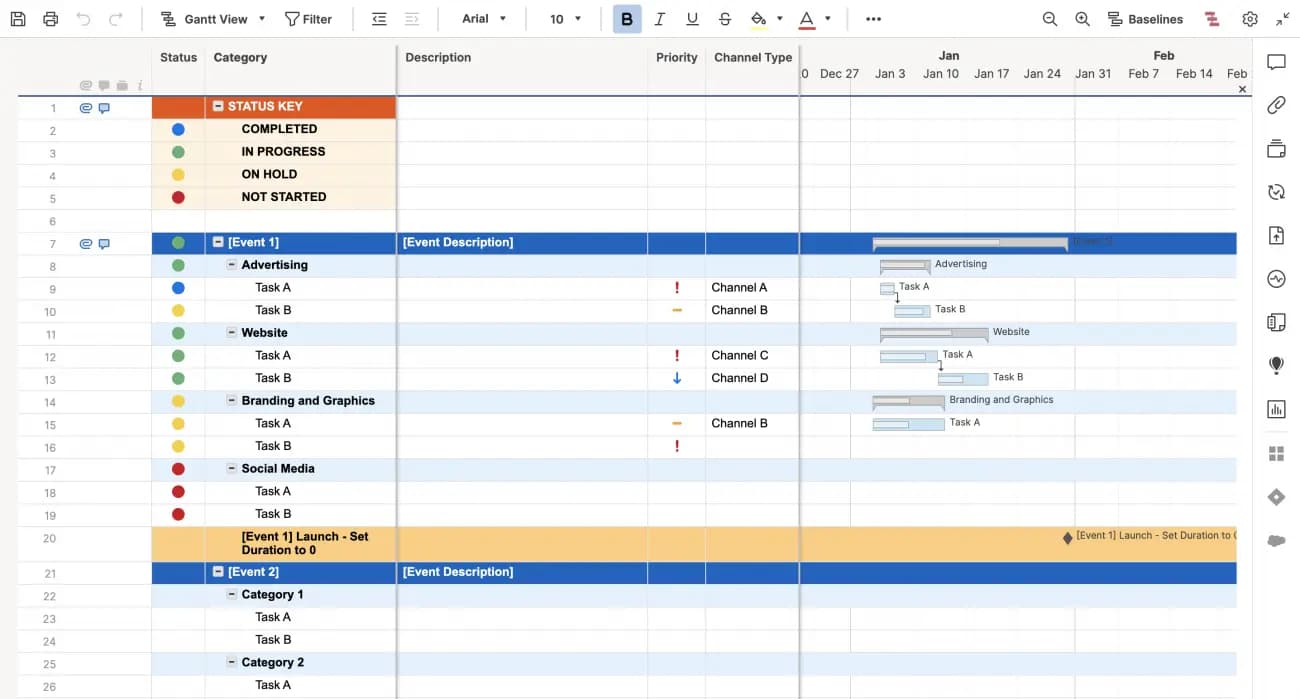
Best For: Operational planning.
Smartsheet works well for large project portfolios and structured workflows.
Key Features
- Calendar and Gantt views
- Workflow automation
- Reporting dashboards
- Resource planning
- Collaboration tools
- Project tracking
Pros
- Strong reporting
- Resource management
Cons
- Less intuitive for marketers
Pricing
- Pro plan: $9 per user/month
- Business plan: $19 per user/month
8. Notion
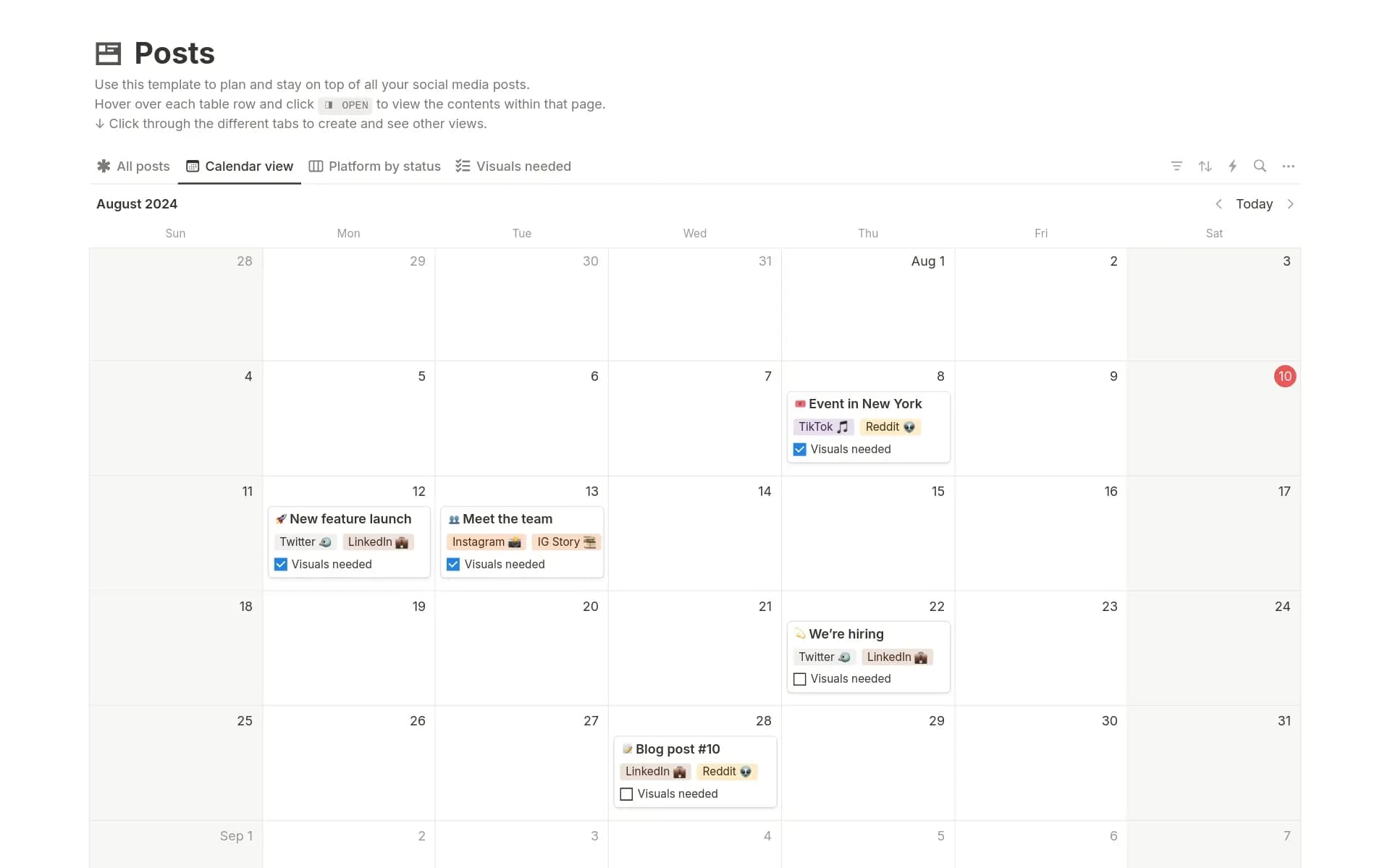
Best For: Lightweight planning and documentation.
Notion gives teams flexibility but often requires more manual setup.
Key Features
- Calendar views
- Documentation workspace
- Task management
- Team collaboration
- Templates
- Knowledge management
Pros
- Flexible workspace
- Great documentation
Cons
- Limited native marketing workflows
Pricing
- Free plan: $0
- Plus plan: $10 per user/month
- Business plan: $20 per user/month
Marketing Calendar Software Comparison
| Software | Best For | Calendar Views | Automation | Reporting |
|---|---|---|---|---|
| CoSchedule | Marketing teams | ✅ Excellent | ✅ Strong | ✅ Strong |
| Asana | Collaboration | ✅ Strong | ✅ Strong | ✅ Strong |
| Monday.com | Custom workflows | ✅ Strong | ✅ Strong | ✅ Strong |
| ClickUp | All-in-one management | ✅ Strong | ✅ Strong | ✅ Strong |
| Wrike | Enterprise teams | ✅ Excellent | ✅ Strong | ✅ Excellent |
| Airtable | Flexible planning | ⚠️ Good | ⚠️ Moderate | ⚠️ Moderate |
| Smartsheet | Operations | ⚠️ Good | ✅ Strong | ✅ Strong |
| Notion | Lightweight planning | ⚠️ Moderate | ❌ Limited | ❌ Limited |
Benefits Of Using Marketing Calendar Software
Improved Visibility
Everyone knows what’s launching and when.
Better Team Alignment
Teams collaborate without endless status updates.
Faster Campaign Execution
Projects move from idea to launch faster.
Fewer Missed Deadlines
Clear ownership reduces bottlenecks.
Better Resource Planning
Prevent team overload.
Improved Marketing ROI
Consistent execution produces better outcomes.
How To Choose The Right Marketing Calendar Software
Choose based on your team’s needs.
Small Teams
Prioritize simplicity and affordability.
Growing Teams
Focus on collaboration and scalability.
Agencies
Look for visibility across clients and projects.
Enterprise Organizations
Prioritize governance and reporting.
Ask yourself:
- How many people need access?
- Do we manage campaigns?
- Do we publish content?
- What integrations are essential?
Why Many Marketing Teams Choose CoSchedule
Most work management platforms weren’t designed for marketers.
CoSchedule was.
Instead of forcing campaigns into generic task systems, CoSchedule gives marketing teams one place to organize:
- Campaigns
- Content
- Social media
- Projects
- Team workflows
The result is less switching between tools and more time executing work.
If your team’s biggest challenge is visibility and coordination, CoSchedule offers one of the strongest purpose-built solutions available.
Final Verdict
Every platform on this list can help organize work. But CoSchedule delivers the strongest overall fit.
Its combination of campaign planning, calendar management, content organization, social publishing, and marketing workflows makes it especially valuable for modern marketing teams.
Frequently Asked Questions
What is marketing calendar software?
Marketing calendar software helps teams plan, organize, schedule, and manage marketing work from a centralized calendar.
What is the best marketing calendar software?
The best option depends on your needs, but CoSchedule is a strong choice for teams that want marketing-specific planning and execution tools.
How is marketing calendar software different from project management software?
Marketing calendar software focuses on campaign visibility, publishing schedules, and marketing workflows rather than general task management.
Can marketing calendar software manage social media campaigns?
Many platforms support social scheduling and campaign planning.
Does marketing calendar software help with content planning?
Yes. Most solutions include editorial calendars and publishing workflows.
Is marketing calendar software worth it?
For growing teams, centralized planning often reduces missed deadlines and improves execution.
If you mostly plan blog posts and content rather than campaigns, see our list of content calendar tools.
Ready to see your campaigns, content, and marketing projects in one place?
Try CoSchedule and build your marketing calendar around the way marketers actually work.