
Short-form video is ruling social media right now, and on Instagram, Reels sit right at the center of that shift. Meta confirms the format now accounts for 50% of all time spent in the app.
The real work, however, shows up in staying consistent with the pace and process Reels require.
Short-form content takes energy, creativity, and coordination. You’re bouncing between drafts, edits, approvals, captions, music rights, timing—often across multiple brands or clients. Add in the occasional “we filmed this horizontally, didn’t we?” moment, and suddenly it feels like you’re sprinting on a treadmill that never slows down.
This is where rhythm matters as much as ideas. And CoSchedule helps you build that rhythm. It gives you a calm, organized system to plan, schedule, publish, and track everything in one place.
Ahead, you’ll see how to set up a repeatable workflow that keeps your Instagram video strategy consistent and clear using CoSchedule.
Why Instagram Reels Matter for Marketers
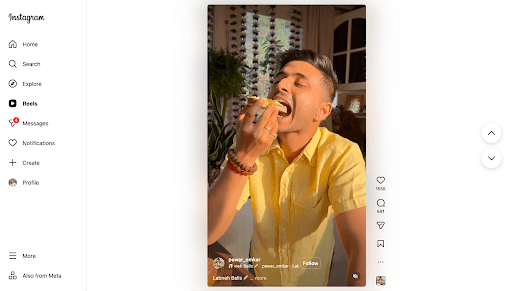
Instagram has repeatedly prioritized short-form video in feed recommendations, and the numbers back it up.
Buffer’s recent reach study showed Reels pulling over double the reach of single-image posts and meaningfully outpacing carousels, too. Socialinsider’s 2024–2025 benchmark report pointed to a similar story across business accounts: Reels continue to land more impressions and stronger engagement than static formats, even as the entire platform’s engagement curve evolves.
Reels are simply where people spend time.
And let’s be honest: the behavioral shift matters more than the percentages.
Gen Z and Millennials don’t browse Instagram the way they did five years ago. They want motion. Personality. Real context. Founder moments. Micro-tutorials. The formats that feel natural in Reels are the same formats audiences actually make buying decisions from now.
If you show up consistently, Instagram’s recommendation engine keeps you in circulation. If you don’t, the algorithm forgets you just as quickly. I’ve watched teams treat Reels like sporadic creative experiments and then wonder why they only gain traction in bursts. The brands growing on Instagram share one thing: a repeatable publishing system. And if you want reliable reach, you need one too.
The Challenges Of Managing Instagram Reels Manually
Inconsistent Posting Schedules
Even with the best intentions, consistency slips. Maybe you film something great and plan to post later—only to miss the engagement window because another campaign demanded your attention. Or a hectic week means no posting at all.
Instagram favors the creators who show up regularly. If you don’t build that cadence, your reach will trail.
Juggling Platforms And Approvals
Editing clips, finalizing captions, designing a cover, collecting approvals, finding the right audio… there’s a lot to do. With each step, likely living in a different app or message thread. Add clients or multiple brands to the mix, and you’re stretched thin.
Planning That Lives In Too Many Places
A fragmented view of your content assets may result in you losing strategic alignment. You might accidentally schedule a Reel on the same day as a major email send, or recreate content you already posted in another channel.
Instead of supporting the larger campaign arc, your content starts moving in parallel tracks—busy, but not aligned.
Disconnected Analytics And Performance Insight
Your team may post Reels, check reach in Instagram, review blog traffic in Google Analytics, and see paid results in Meta Ads Manager. That division makes it difficult to understand impact, which can cause you to miss the chance to learn and improve.
Why Marketers Love Using CoSchedule For Instagram Reels
When you run social as part of a broader marketing strategy, you need more than a tool that pushes videos live. You need a workflow that protects quality while helping you move quickly. CoSchedule gives you just that.
Reels Scheduling Built Into A Unified Calendar
CoSchedule lets you slot every Reel inside the same calendar where you map blog posts, emails, promotions, and your larger social mix. This way, you don’t lose context, and everything sits in one plain view.
Auto-Publish Instagram Reels
CoSchedule lets you prep your video, write your caption, choose your best posting time, and trust the platform to publish to Instagram automatically (with a Business or Creator account). That means no alarms to remind you when to post, and no manual upload step when you’re in the middle of something else.
Collaboration Tools For Teams & Agencies
CoSchedule brings tasks, comments, revisions, and approvals right into the workflow. Everyone sees what’s happening, when it’s due, and what’s next.
Integrated Analytics
CoSchedule pulls your social performance into one dashboard, so you can see how your Instagram content, including Reels, performs alongside other marketing channels and campaigns. That makes it easier to adjust content themes, spot patterns, and justify what’s working to leadership or clients.
How to Schedule Instagram Reels With CoSchedule (Step-by-Step)
Step 1: Connect Your Instagram Account
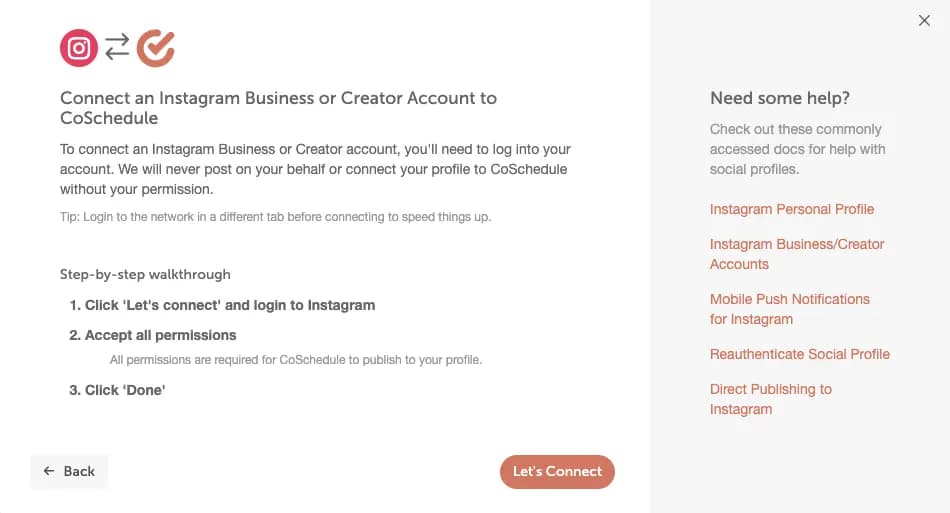
Inside CoSchedule, head to Settings → Social Profiles.
Choose “Connect Social Profile”, select “Instagram”, and follow the prompts.
Just make sure you’re using a Business or Creator account. Instagram doesn’t allow direct publishing for personal profiles, so this step matters.
Step 2: Create A Social Message For The Reel
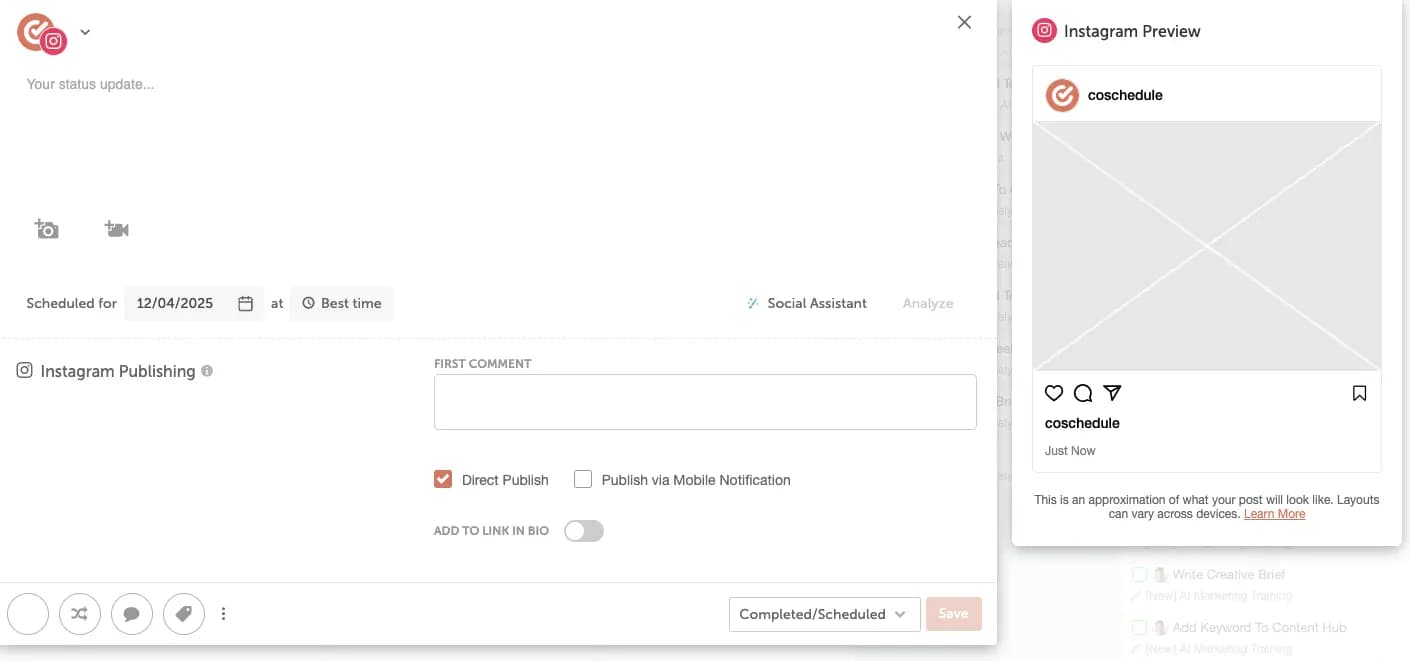
In your CoSchedule Calendar, click “+ Create” and choose “Social Message”. Select your connected Instagram account from the dropdown menu. Then upload your video using the video icon.
Step 3: Choose “Reels” Or “Feed & Reels” As The Format
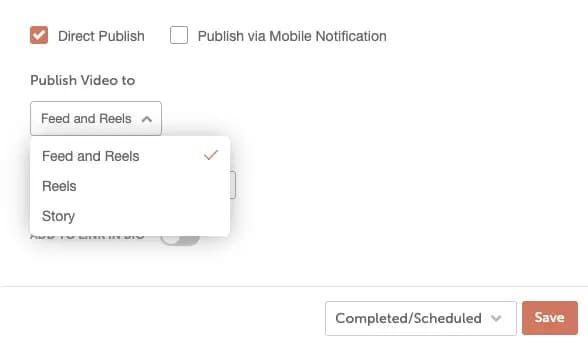
Once uploaded, choose the format: Reels, or Feed & Reels. If you choose Reels (or Feed & Reels), you have the option to upload a custom thumbnail under the “Video Thumbnail” section.
Step 4: Set Your Caption, Date/Time, And Publishing Method
In the social composer, write your caption (including hashtags/links/emojis), then set the date and time. Or, you can click Best Time to let CoSchedule suggest an optimal slot.
Under Publishing Options, select either “Direct Publish” if you’re ready for a fully hands-off workflow. But if you prefer a notification so you can add finishing touches on mobile, select “Publish via Mobile Notification.”
Step 5: Save and monitor
Click “Save” to schedule the Reel. After scheduling, you can edit the Social Message from the calendar view, and later monitor performance in the Social Profile Reports of CoSchedule’s analytics dashboard.
Use Case Examples: Agencies & Marketing Teams Winning With CoSchedule
When You’re An Agency Juggling Multiple Clients
Managing multiple brands means managing multiple voices, approvals, and publishing windows—and you might likely be doing it across scattered files and inbox threads. CoSchedule brings every client calendar, asset, and feedback loop into one place, so Reels become part of a predictable, client-ready workflow.
As Sarah Donnell, President of Amp My Brand, explains: “Marketing Suite allows us to give our clients complete control over their social media content. That’s unique. It’s critical to the strategic, long-term success of our company and gives us a competitive advantage.”
With shared calendars and built-in approval paths, you can scale content across clients without sacrificing quality or burning out your team.
When You’re An In-House Team Aligning Social With Campaigns
If you’re planning Reels in a separate doc or app, it’s easy for social to feel disconnected from the rest of your marketing. CoSchedule fixes that by putting everything—blog posts, product milestones, campaigns, Reels—in one editorial calendar. You can see where each video fits, what’s coming up, and where you might need extra coverage. And if priorities change, adjust in seconds.
Michael Mayday, Digital Content Manager at ON24, sums it up: “CoSchedule has given me sanity. Being able to see where there are online content gaps and rearrange content on the fly is absolutely invaluable.
With this setup, your Reels publish on time and reinforce the larger story your brand is telling across every channel.
Why CoSchedule Beats Other Instagram Reels Tools
Many Reels tools are designed for one thing: getting social media posts published. That works if you only need scheduling, sure. But not if you’re planning campaigns, aligning channels, or reporting across the full marketing calendar.
Taking a different approach, CoSchedule lets marketers manage multiple lanes at once, from product launches and partner pushes to emails and social content. You get:
- A single calendar for Reels, social posts, blog deadlines, and campaigns
- Direct Reels scheduling
- Commenting, tasks, and approvals right in the calendar
- Social performance reporting alongside your broader content efforts
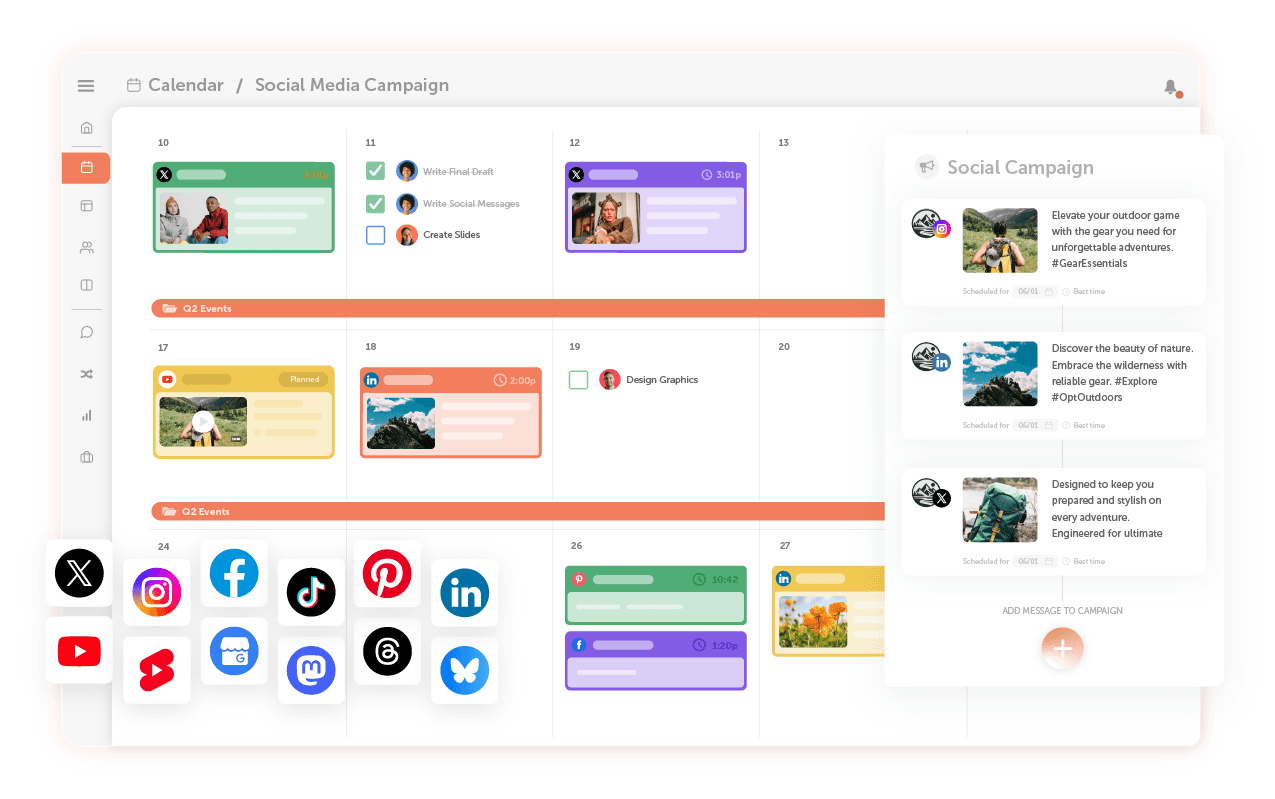
Social media schedulers like Later, Buffer, and Instagram’s native scheduler are perfect when all you need is social posting. But when you need your Reels tied to launches, email timelines, content drops, partner pushes, and team workflows, you need CoSchedule.
It brings planning and execution together, which is how modern marketing teams stay consistent and in sync.
Try CoSchedule For Instagram Reels Today
CoSchedule gives you one home for planning, scheduling, and tracking Reels alongside the rest of your content. You can see what’s coming, adjust when plans shift, and focus more on shaping good ideas, not managing marketing logistics.
Set up your next few Reels in CoSchedule and see how it feels to move through the workflow without rushing or juggling extra tabs. Get started today.
