
If you’ve ever tried to manage social media without a proper tool, you know the feeling: sticky notes everywhere, spreadsheets multiplying, and a dozen browser tabs open just to schedule a week’s worth of posts. Social media moves fast, and keeping everything organized manually quickly becomes overwhelming.
That’s why social media management tools exist. They simplify planning, scheduling, collaboration, and analytics so you can focus on creating better content instead of constantly scrambling to stay organized. In CoSchedule’s research of 900 marketers, 55% say social media is their top content focus, and the right platform is essential for managing all of it.
Whether you’re overseeing multiple brands, coordinating with a team, or trying to stay consistent across platforms, a strong social media tool can save hours every week and significantly improve results.
Key Takeaways
- CoSchedule: Best social media tool for content calendar and team collaboration
- Hootsuite: Best social media tool for large enterprises
- Buffer: Best social media tool for simplicity
- Sprout Social: Best social media tool for social listening
- Metricool: Best social media tool for budget-conscious teams
- Later: Best social media tool for visual brands
What Features Should You Look For In A Social Media Management Tool?
When evaluating social media software, it helps to think beyond scheduling alone. The strongest tools help marketers plan, publish, analyze, and collaborate all in one place.
Expert Tips For Choosing The Right Tool
Look for a strong content calendar
A visual calendar makes it easier to maintain consistency and coordinate campaigns across channels.
Prioritize collaboration features
If more than one person touches your content, approval workflows, shared calendars, and internal comments are essential.
Choose tools with analytics built in
Understanding what works (and what doesn’t) allows you to continuously improve your strategy.
Consider automation to help you
Features like reposting evergreen content or AI caption generation can significantly reduce manual work.
Make sure all key platforms are supported
Most teams need publishing access to LinkedIn, Instagram, Facebook, TikTok, Pinterest, and YouTube.
Scheduling tools improve efficiency and ROI by streamlining repetitive posting and reporting workflows.
The Best Social Media Management Tools
CoSchedule
What It Is
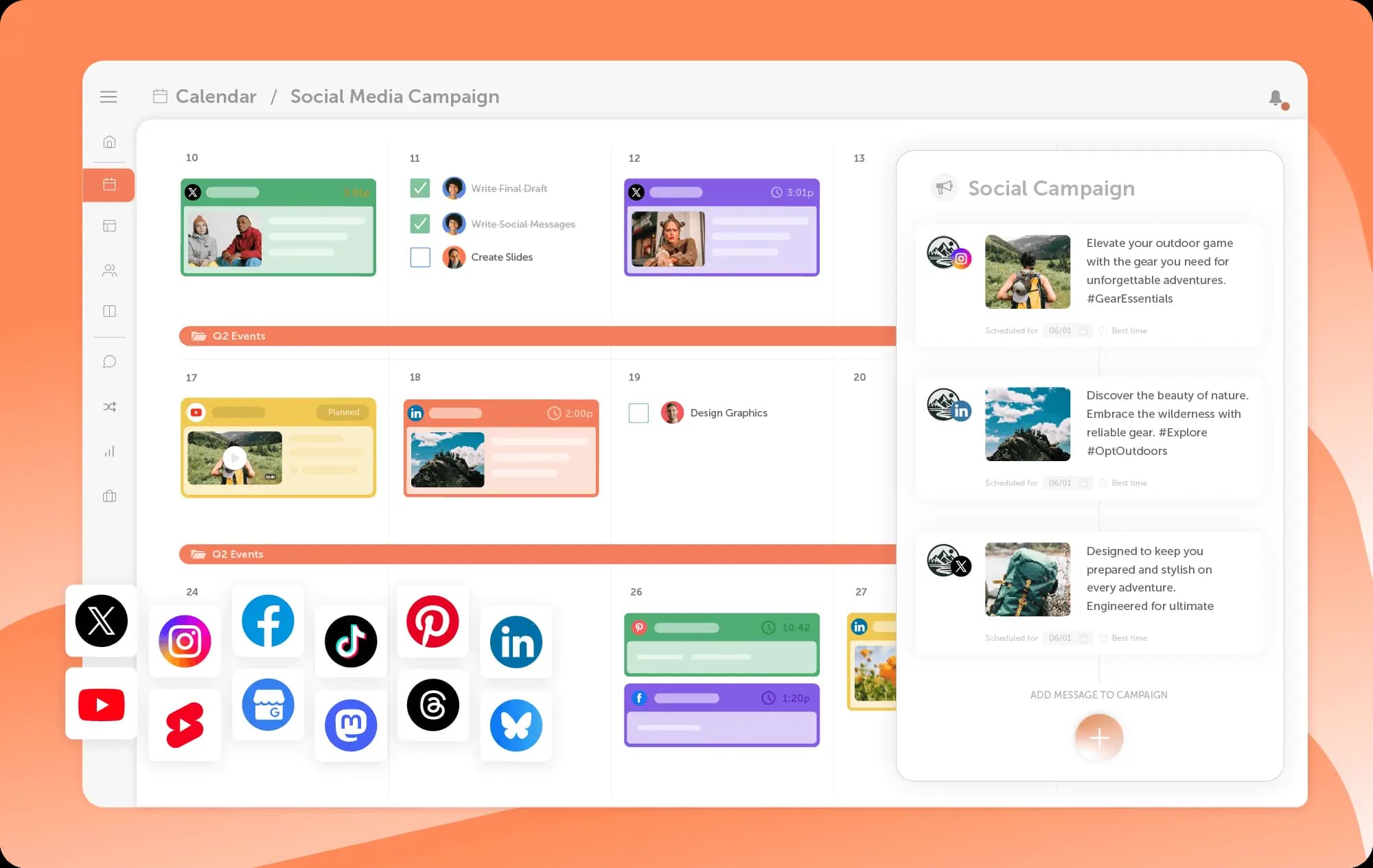
An all-in-one marketing calendar designed to help teams manage social media alongside all of their marketing and campaigns.
Best For
Marketing teams looking to bring cohesion to their social and marketing in one calendar
Key Features
- Premium content calendar + scheduling tools
- Unified inbox
- Analytics dashboards
- Publishing to every major network
- “ReQueue” identifies your best-performing evergreen posts and automatically reshuffles them into gaps in your schedule, automating scheduling
- Advanced AI assistant helps you optimize posts and create campaigns in seconds
- Drag & drop rescheduling
- Team collaboration tools
Pros
- Centralizes social media alongside other marketing activities
- Strong collaboration tools for teams
- Automates evergreen content scheduling
- Flexible calendar views support campaign planning
Cons
- Advanced features may be more than solo creators need
- Designed primarily for marketing workflows vs standalone scheduling
Pricing
Plans start at $29/month.
Social Platforms Supported
LinkedIn, Facebook, Instagram, TikTok, YouTube, Threads, Pinterest, X (Twitter), Google Business Profile, Mastodon, Bluesky
Customers Say
“Finally replaced three separate tools with one marketing calendar.”
Verdict
Naturally, we’re biased toward CoSchedule, but that’s only because we built the tool we always wanted. Having worked in agencies ourselves, we know how quickly tech stacks can become overwhelming. CoSchedule stands out by letting you plan and publish social media right alongside the rest of your marketing strategy in one unified calendar.
Hootsuite
What It Is
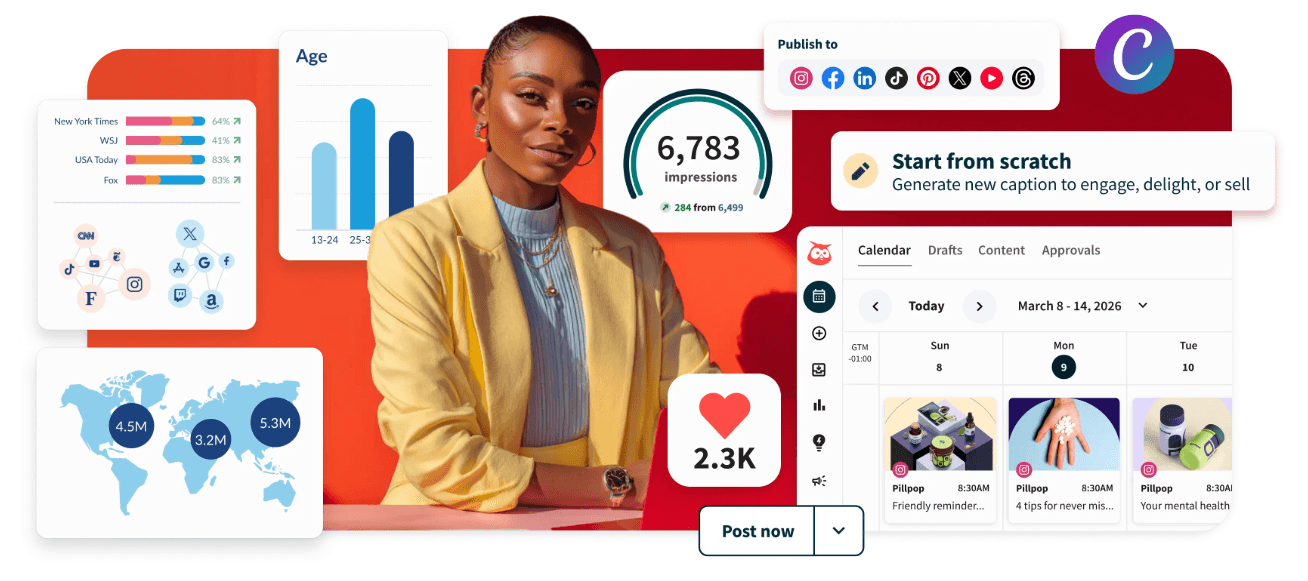
One of the longest-standing social media management platforms, offering enterprise-grade analytics, listening, and publishing tools.
Best For
Large enterprises needing advanced reporting and integrations
Key Features
- Multi-platform publishing
- Social listening dashboards
- Team workflows and permissions
- AI caption generation
- Advanced analytics reporting
Pros
- Extensive integrations
- Deep analytics capabilities
- Scalable for large organizations
Cons
- Higher starting cost
- Can feel complex for smaller teams
Pricing
Plans start around $199/month.
Social Platforms Supported
LinkedIn, Facebook, Instagram, TikTok, Pinterest, YouTube, X (Twitter)
Customers Say
“Extremely powerful but requires onboarding time.”
Verdict
Hootsuite remains one of the most recognizable names in social media management, especially among enterprise organizations. Its depth of analytics, integrations, and workflow controls make it a strong choice for companies managing large volumes of content across many teams. However, the platform’s complexity and higher pricing can make it more than smaller teams need. If your organization requires extensive reporting and governance capabilities, Hootsuite is still a dependable option.
Buffer
What It Is
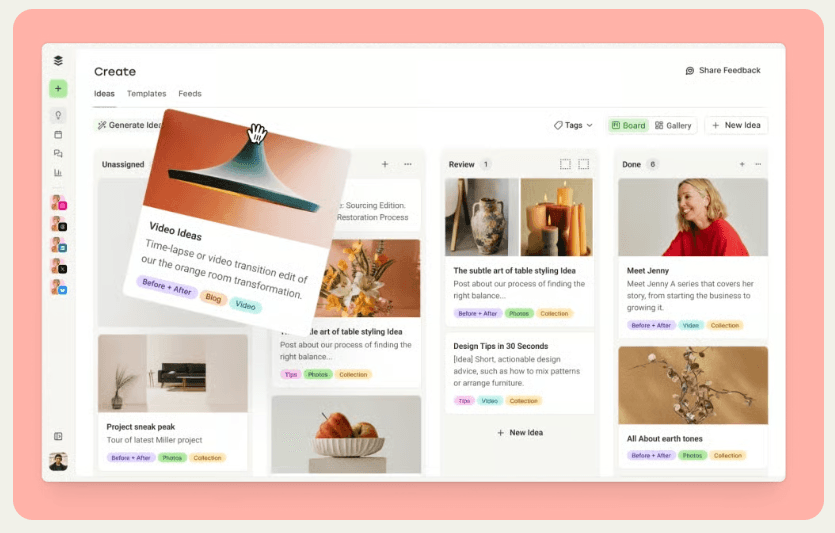
A streamlined publishing tool focused on simplicity and ease of use.
Best For
Solo creators and small businesses just getting started
Key Features
- Post scheduling calendar
- AI caption assistant
- Landing page builder
- Basic analytics
- Engagement tools
Pros
- Extremely intuitive interface
- Affordable entry pricing
- Fast setup
Cons
- Limited collaboration features
- Analytics less robust than enterprise tools
Pricing
Paid plans start around $6/month per channel.
Social Platforms Supported
LinkedIn, Facebook, Instagram, TikTok, Pinterest, YouTube
Customers Say
“Perfect balance between simplicity and capability.”
Verdict
Buffer continues to stand out for its simplicity and ease of use. The platform removes much of the friction involved in scheduling content, making it a great option for solo marketers, creators, and small businesses who want a straightforward workflow. While it may not include as many advanced collaboration or analytics features as some competitors, its clean interface and accessible pricing make it a reliable entry point into social media management.
Sprout Social
What It Is
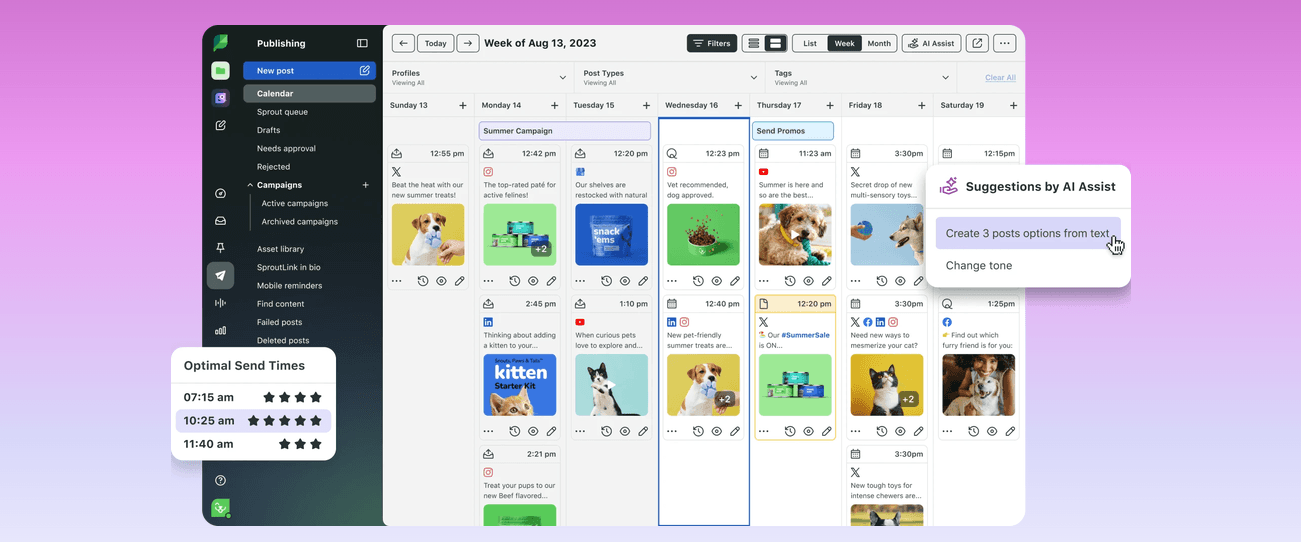
An enterprise-level social media management platform with powerful analytics and listening tools.
Best For
Companies who prioritize public sentiment about their brand
Key Features
- Social listening dashboards
- Advanced analytics reporting
- Approval workflows
- CRM integrations
- Competitor tracking
Pros
- Industry-leading listening tools
- Highly detailed reporting
- Strong workflow customization
Cons
- Premium pricing
- Can be complex to implement
Pricing
Plans typically start around $199/month.
Social Platforms Supported
LinkedIn, Facebook, Instagram, TikTok, Pinterest, YouTube, X (Twitter)
Customers Say
“Great insights into audience sentiment.”
Verdict
Sprout Social excels at helping brands better understand their audience through advanced analytics and social listening tools. Its reporting capabilities provide meaningful insights into engagement trends, customer sentiment, and campaign performance. The platform is particularly useful for companies where brand perception and customer relationships play a central role in marketing strategy. While pricing may be higher than other tools on this list, the depth of insights can justify the investment for data-driven teams.
Metricool
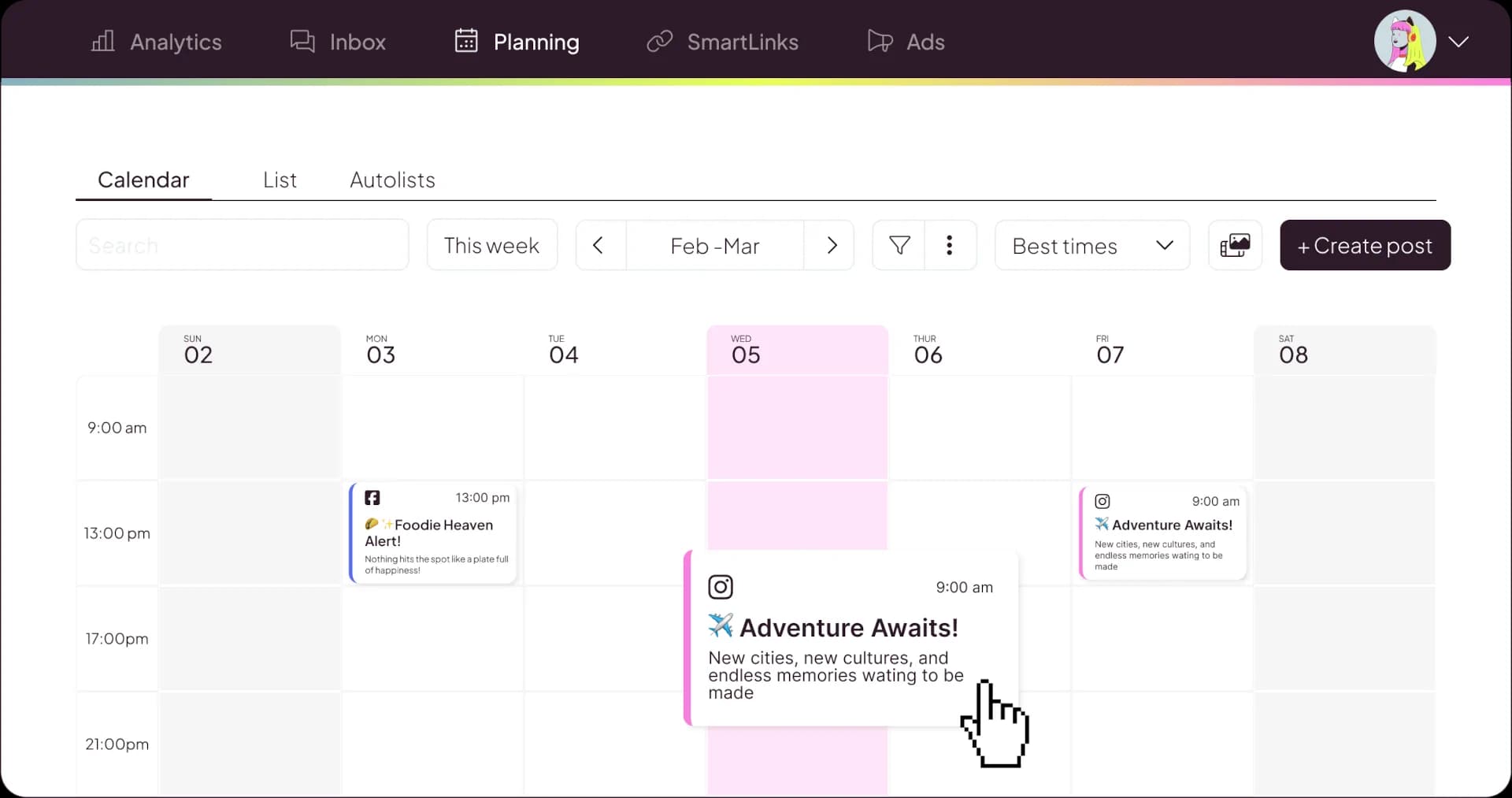
What It Is
A budget-friendly social media management platform offering scheduling and analytics tools.
Best For
Social media marketers who are budget-conscious
Key Features
- Social scheduling calendar
- Analytics dashboards
- Competitor tracking
- Ad performance tracking
- Link tracking tools
Pros
- Affordable pricing tiers
- Strong analytics for cost
- Includes ad tracking
Cons
- Interface less polished than premium tools
- Collaboration features more limited
Pricing
Paid plans start around $18/month.
Social Platforms Supported
LinkedIn, Facebook, Instagram, TikTok, Pinterest, YouTube
Customers Say
“Strong analytics for the price.”
Verdict
Metricool provides an impressive range of features at a relatively accessible price point, making it a practical choice for freelancers, small teams, and growing businesses. Its analytics capabilities are particularly strong for the cost, offering useful insights into both organic and paid performance. While the interface may not feel as polished as some premium tools, Metricool offers strong overall value for marketers looking to balance functionality with affordability.
Later
What It Is
A visually-focused scheduling platform originally built for Instagram planning.
Best For
Brands posting high volumes of visual content
Key Features
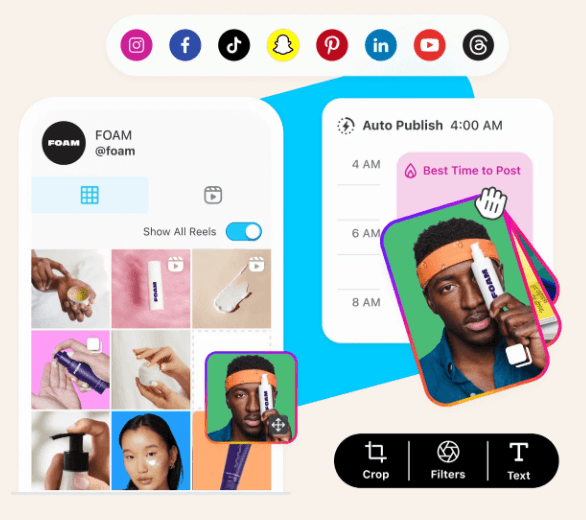
- Visual content calendar
- Link in bio tools
- Media library
- Best-time-to-post recommendations
- Influencer collaboration tools
Pros
- Strong visual planning workflow
- Great for Instagram and TikTok strategies
- Easy media organization
Cons
- Limited non-visual campaign planning tools
- Collaboration features less robust than enterprise tools
Pricing
Plans start around $25/month.
Social Platforms Supported
Instagram, TikTok, Pinterest, Facebook, LinkedIn
Customers Say
“Perfect for planning Instagram campaigns visually.”
Verdict
Later is especially effective for brands that rely heavily on visual content to drive engagement. Its visual planner makes it easy to preview how posts will appear across feeds, which can be particularly helpful for maintaining a cohesive brand aesthetic. The platform’s focus on Instagram and TikTok workflows makes it a strong fit for influencer marketing strategies and visually-driven campaigns. For teams prioritizing visual storytelling, Later provides a streamlined and intuitive planning experience.
Social Media Management Tools Comparison
| Tool | Starting Price | Best For | Standout Feature |
|---|---|---|---|
| CoSchedule | Starter: $29/month | Marketing teams | Content calendar |
| Hootsuite | Standard: $199/month | Enterprises | Analytics depth |
| Buffer | Essential: $6/month | Individuals | Ease of use |
| Sprout Social | Standard: $199/month | Social listening | Audience insights |
| Metricool | Starter: $18/month | Budget-conscious teams | Affordable analytics |
| Later | Starter: $25/month | Visual brands | Visual planner |
TL;DR
Choosing the right social media management tool depends on your team size, budget, and priorities. CoSchedule stands out for marketing teams that want to manage social media alongside broader campaigns in one unified calendar. Hootsuite and Sprout Social are strong options for large enterprises that need advanced analytics, social listening, and structured team workflows.
Buffer is a popular choice for solo creators and small businesses who want simple, easy scheduling without a steep learning curve. For teams focused on value, Metricool offers solid analytics at an affordable price point.
Later is a strong fit for visually-driven brands, especially those prioritizing Instagram and TikTok. If you need a straightforward scheduler, Buffer is a great place to start, while Sprout Social excels in analytics and listening.
Final Recommendation
Each tool on this list serves a different type of marketer.
If you’re just getting started and want something simple, Buffer is a solid entry point. If your team relies heavily on audience insights, Sprout Social’s listening capabilities are difficult to beat. Larger organizations may prefer Hootsuite for its enterprise integrations.
However, for marketing teams that want one place to plan, schedule, collaborate, and execute campaigns across channels, CoSchedule provides the most balanced and scalable solution. Instead of juggling multiple tools, everything lives in one calendar, making it easier to stay aligned, consistent, and strategic.
Frequently Asked Questions
How do I choose the right social media tool?
Start by identifying your priorities. If collaboration is important, look for approval workflows and shared calendars. If analytics matter most, prioritize reporting features.
How can I grow my followers?
Consistency and content quality matter most. Posting regularly and analyzing performance helps identify what resonates with your audience.
What type of content gets the most engagement?
Short-form video, educational posts, and relatable content tend to perform well across most platforms.
What’s the best app for scheduling posts?
The best app depends on your needs. Tools like CoSchedule, Buffer, and Hootsuite all provide strong scheduling capability, so we recommend determining which features are most important to your goals.
How can I track my analytics across platforms?
Most social media management tools provide unified dashboards to monitor engagement, reach, and growth metrics. CoSchedule’s AI assistant provides additional insight into your metrics so you know what to focus on and what to prioritize next.
Are there AI tools that can help me write captions?
Many modern tools include AI assistants that help generate captions, post ideas, and campaign concepts.
Should I focus on reels, stories, or posts?
Short-form video continues to grow in importance, but a balanced mix of formats usually performs best.
How do I post more consistently?
Using a content calendar helps you batch content and schedule posts in advance.
How do I get more comments and interactions?
Ask questions, encourage discussion, and respond quickly to audience comments.
What channels should my brand be on?
Focus on platforms where your audience is most active rather than trying to be everywhere at once. It is rarely a good strategy to be active on every social platform.