
Choosing the right marketing platform can make a big difference in how efficiently your team plans campaigns, manages projects, and publishes content.
CoSchedule and ClickUp both help teams organize work, assign tasks, and collaborate. The difference is that ClickUp is built as a general work management platform, while CoSchedule is designed specifically for marketers.
If your team needs project management combined with marketing calendars, social media publishing, and campaign planning, CoSchedule offers a more focused experience with less setup.
This guide compares CoSchedule vs. ClickUp across pricing, features, integrations, customer support, and overall value to help you determine which platform is the best fit.
CoSchedule Vs. ClickUp At A Glance
CoSchedule vs ClickUp Comparison
| Feature | CoSchedule | ClickUp |
|---|---|---|
| Best For | Marketing teams, agencies, and content creators | General business project management |
| Primary Focus | Marketing organization, planning, and publishing | Work management for all departments |
| Marketing Calendar | ✔ Purpose built marketing calendar | Calendar view available with customization |
| Social Media Publishing | ✔ Built in publishing and scheduling | Requires third party tools |
| Project Management | ✔ Marketing focused task management | ✔ Advanced and highly customizable |
| Team Collaboration | ✔ Approvals, campaign collaboration, and shared calendars | ✔ Comments, tasks, docs, and workflows |
| Content Planning | ✔ Built specifically for marketing campaigns | Requires custom workflows |
| AI Features | ✔ AI tools built for marketers | ✔ General productivity AI |
| Integrations | Marketing focused integrations | Large integration library |
| Ease Of Use | Easy to learn with minimal setup | Powerful but more complex |
| Best Value | Growing marketing teams and agencies | Organizations needing company wide project management |
Quick Take
CoSchedule and ClickUp both provide strong project management capabilities, but they serve different audiences. ClickUp is ideal for organizations that need a highly customizable work management platform across multiple departments. CoSchedule is the better choice for marketing teams that want to organize campaigns, publish content, collaborate efficiently, and gain complete visibility into their marketing calendar without the complexity of building custom workflows.
CoSchedule Vs. ClickUp Plans And Pricing
Pricing matters, especially for growing marketing teams and agencies that need to scale without dramatically increasing software costs.
Both platforms offer multiple plans, but they take different approaches.
ClickUp focuses on providing extensive customization for every type of business.
CoSchedule focuses on delivering marketing specific functionality immediately, without requiring teams to spend weeks building custom workflows.
CoSchedule Pricing
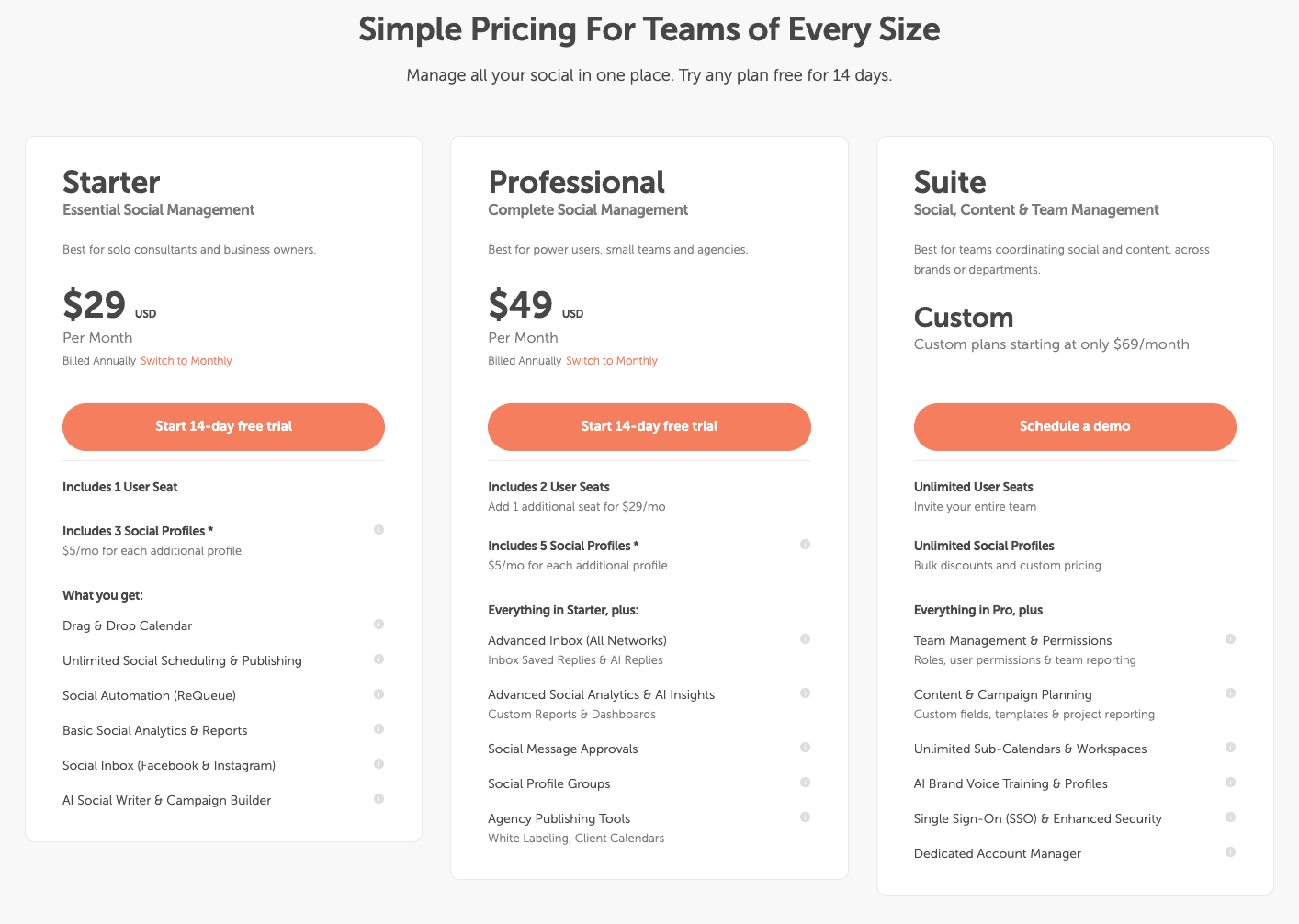
CoSchedule offers plans designed around the needs of marketing teams rather than generic project management.
Options include:
- Free Calendar: Free forever
- Starter Plan: $29/month
- Professional Plan: $49/month
- Suite: Custom pricing starting at $69/month
As your team grows, additional marketing functionality becomes available, including advanced calendars, approvals, reporting, campaign management, social publishing, AI tools, and collaboration features.
One major advantage is that many marketing capabilities come built into the platform instead of requiring third party software.
That means fewer subscriptions, less context switching, and better visibility across every campaign.
ClickUp Pricing
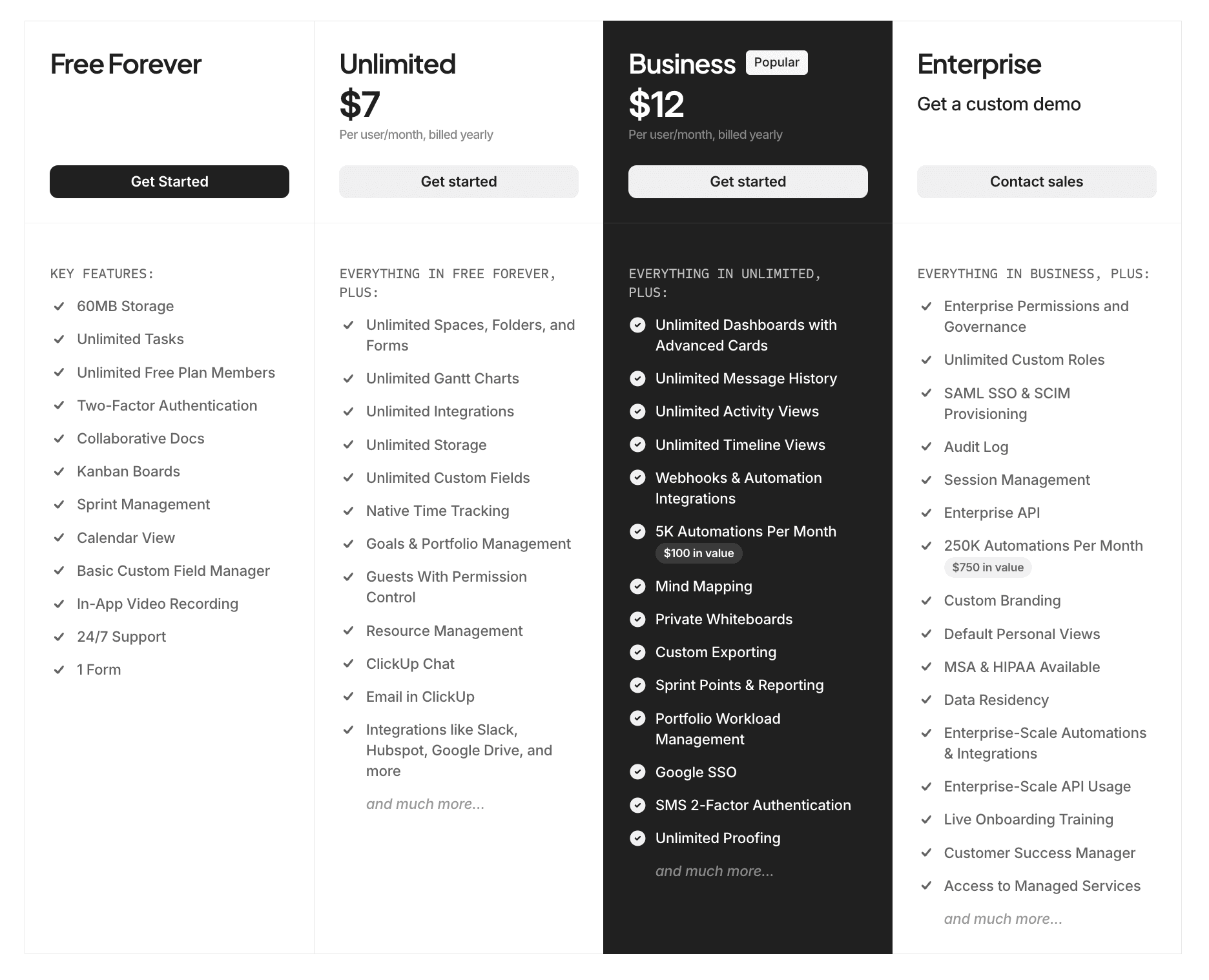
ClickUp offers:
- Free Plan: Free forever
- Unlimited: $7 per user/month
- Business: $12 per user/month
- Enterprise: Requires a custom demo
Each tier unlocks additional storage, automation, dashboards, permissions, reporting, and administrative controls.
Because ClickUp serves virtually every department, many marketing features require customization or additional integrations before they fit a marketing workflow.
For companies looking for an all purpose work management solution, this flexibility can be valuable.
For marketing teams, however, it often means additional setup before the platform feels optimized.
Free Trials
Both platforms make it easy to evaluate before committing.
CoSchedule offers a free plan and also free trials to paid plans. This allows users to explore marketing calendars, scheduling tools, collaboration features, and campaign planning workflows designed specifically for marketers.
ClickUp also offers free access, allowing teams to explore its extensive project management capabilities before upgrading.
If your primary goal is marketing organization rather than general project management, CoSchedule typically requires much less configuration before your team becomes productive.
CoSchedule Vs. ClickUp Feature Review
On paper, both platforms include project management, task organization, collaboration, and scheduling.
The biggest difference is how those features are designed.
ClickUp provides building blocks that can be customized for nearly any department.
CoSchedule provides workflows already designed around how marketers actually plan and execute campaigns.
Let’s compare the areas that matter most.
Marketing Calendar
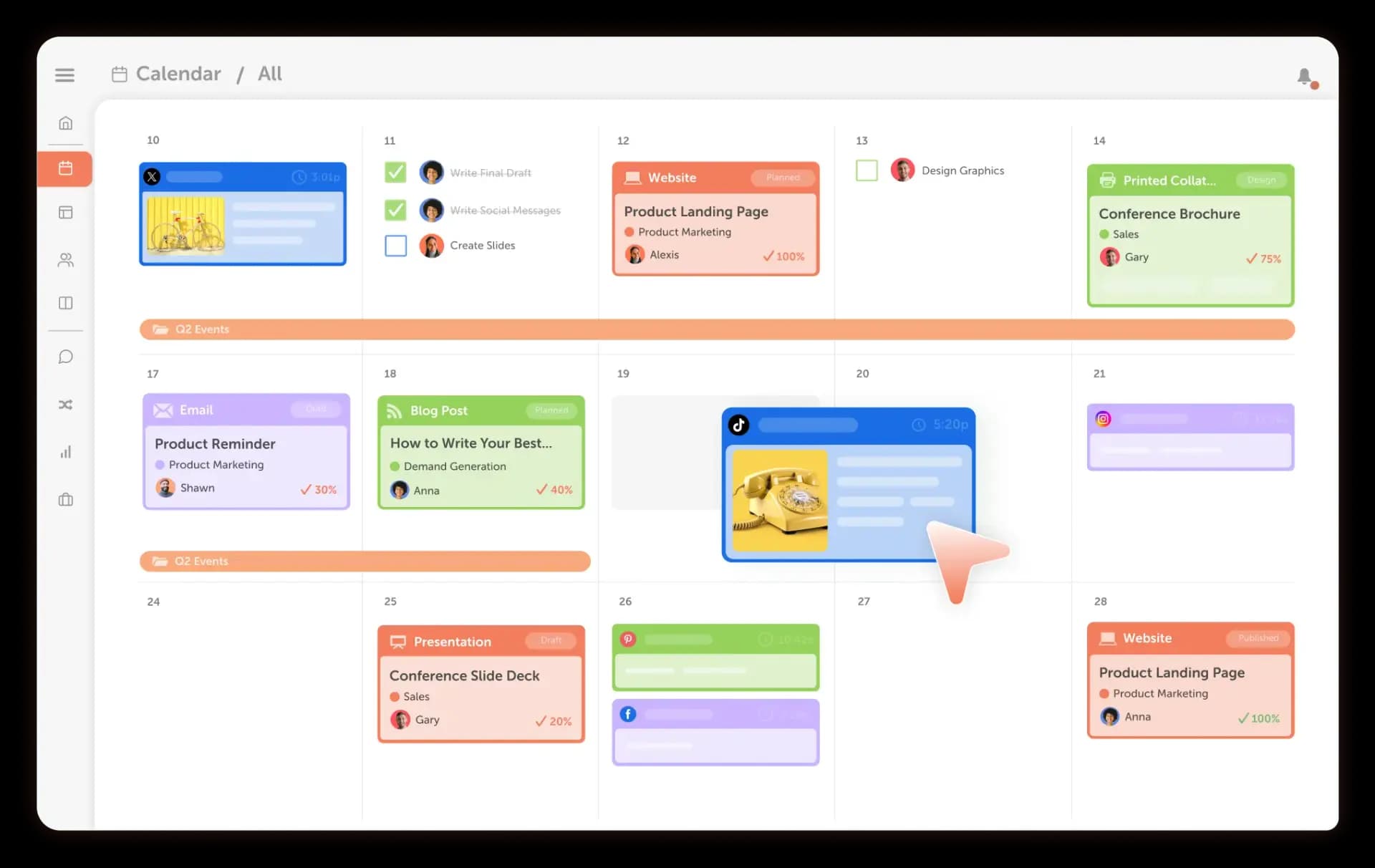
For marketers, the calendar isn’t just another project view. It’s the command center for every campaign.
CoSchedule’s Marketing Calendar gives your entire team visibility into everything that’s happening across your marketing efforts. From one place, you can plan campaigns, schedule social media posts, organize blog content, coordinate email marketing, manage product launches, and monitor deadlines.
Because every project lives on the same calendar, it’s easy to identify scheduling conflicts, balance workloads, and keep campaigns moving forward.
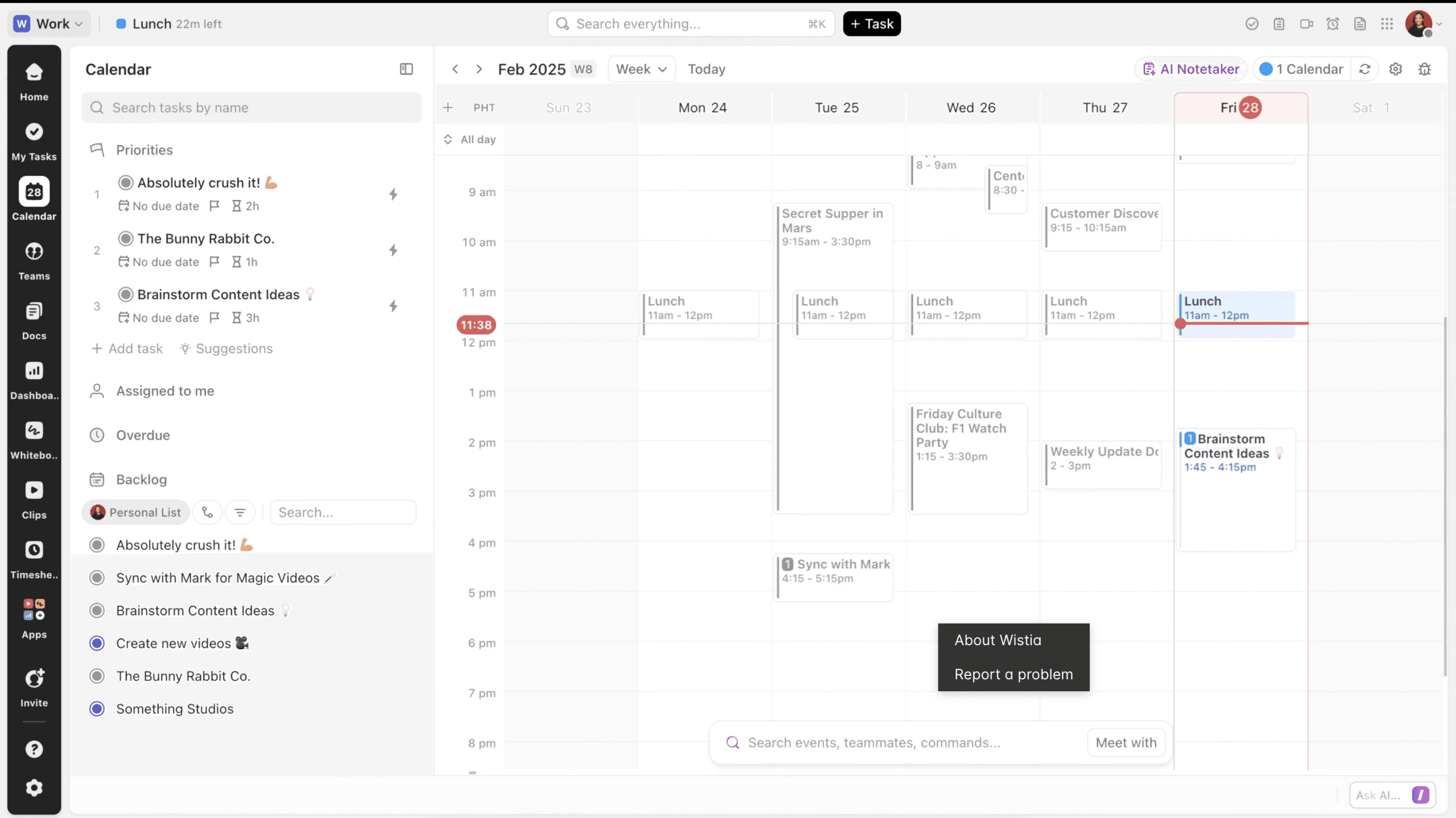
ClickUp offers Calendar View as one of several project views. While it’s useful for tracking tasks and deadlines, creating a true marketing calendar often requires custom fields, templates, dashboards, and additional setup.
If your team manages dozens of campaigns throughout the year, CoSchedule makes it much easier to see the big picture.
Winner: CoSchedule
Project Management
Project management is one area where both platforms perform well.
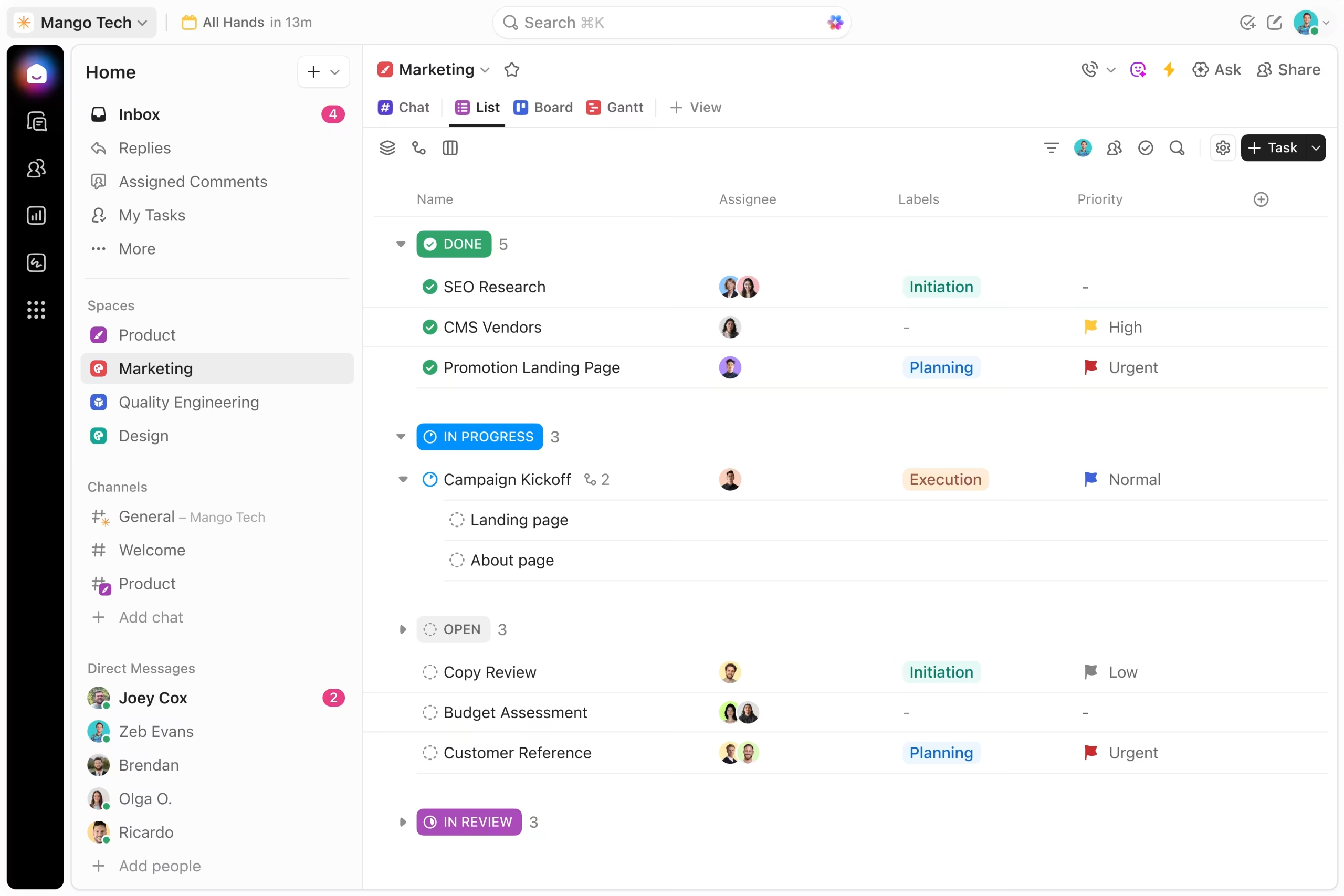
ClickUp is known for its flexibility. Teams can customize nearly every aspect of their workspace, including statuses, automations, dashboards, task relationships, whiteboards, documentation, goals, and reporting.
This makes ClickUp an excellent choice for organizations with highly specialized workflows.
CoSchedule takes a more focused approach.
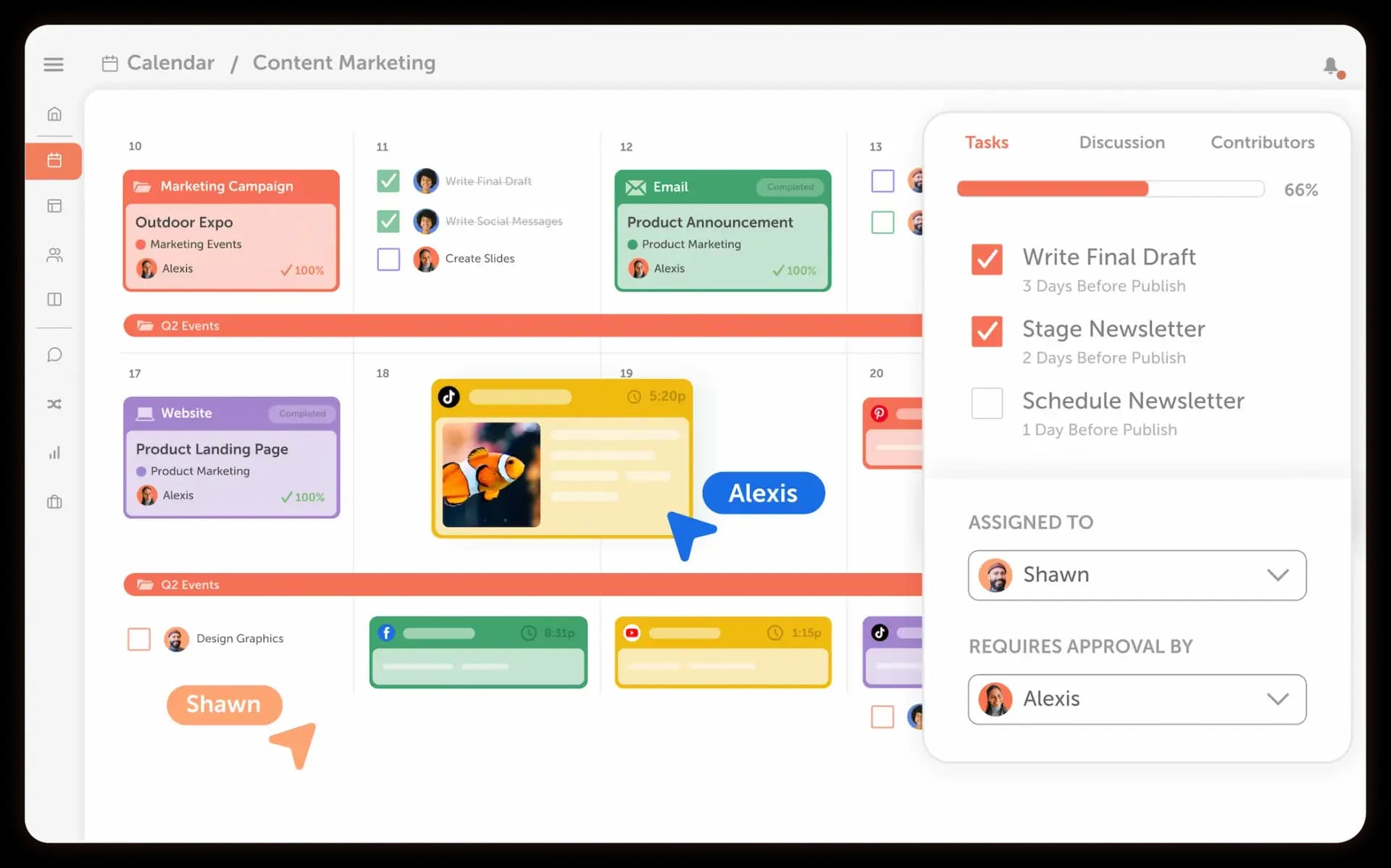
Instead of asking marketers to build their own system, CoSchedule includes project management tools designed specifically for marketing campaigns. Teams can assign tasks, organize projects, attach assets, monitor deadlines, and keep every deliverable connected to the larger marketing calendar.
The result is a platform that feels much easier to adopt while still giving marketing teams the structure they need.
Winner: ClickUp
Team Collaboration
Successful marketing campaigns depend on clear communication.
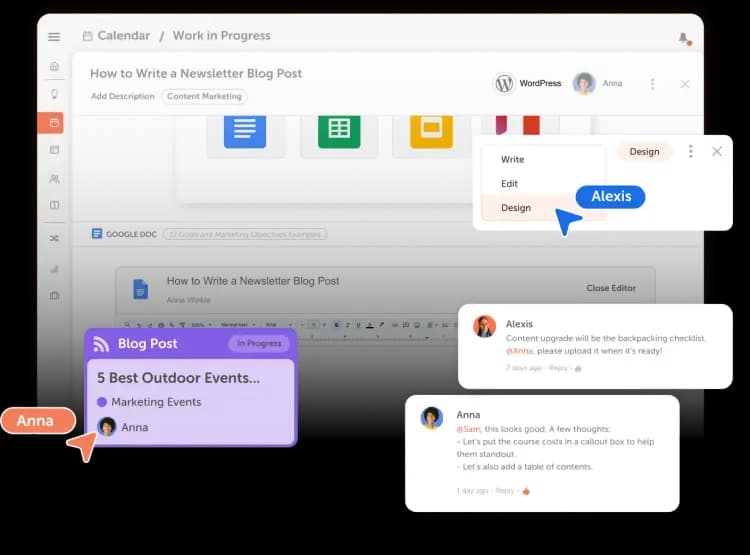
CoSchedule includes collaboration features built around marketing workflows, making it easy for designers, writers, social media managers, and stakeholders to work together.
Teams can:
- Assign tasks
- Leave comments
- Share campaign updates
- Request approvals
- Track project progress
- Keep conversations connected to the work itself
Because collaboration happens inside the marketing calendar, everyone knows what is launching and when.
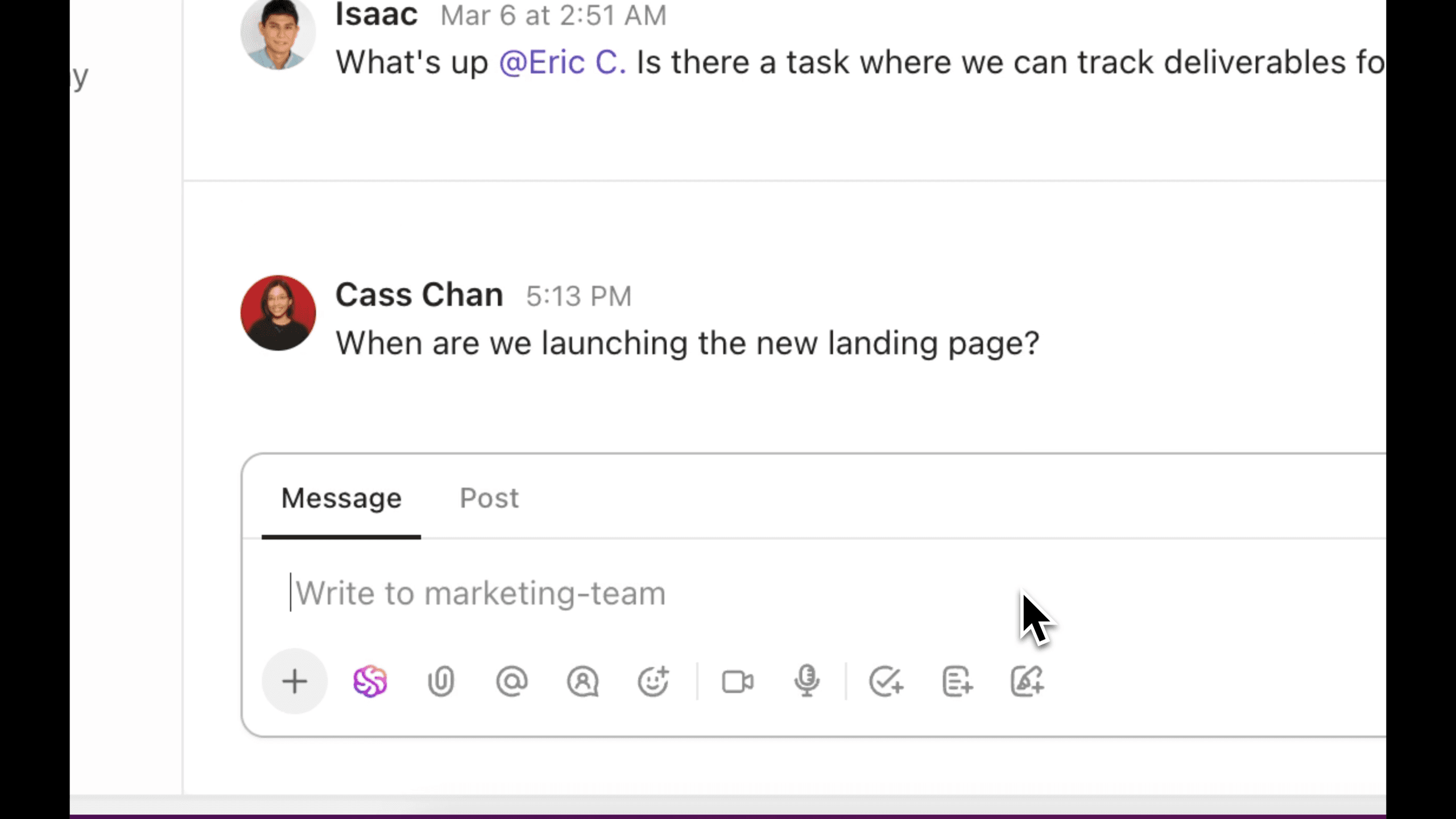
ClickUp also offers excellent collaboration features, including comments, mentions, shared documents, chat, and collaborative editing. However, these tools are designed for every department rather than specifically for marketing teams.
If your organization collaborates across many different functions, ClickUp offers more flexibility. If your focus is marketing execution, CoSchedule keeps collaboration simpler and more organized.
Winner: CoSchedule
Social Media Publishing
This is one of the biggest differences between the two platforms.
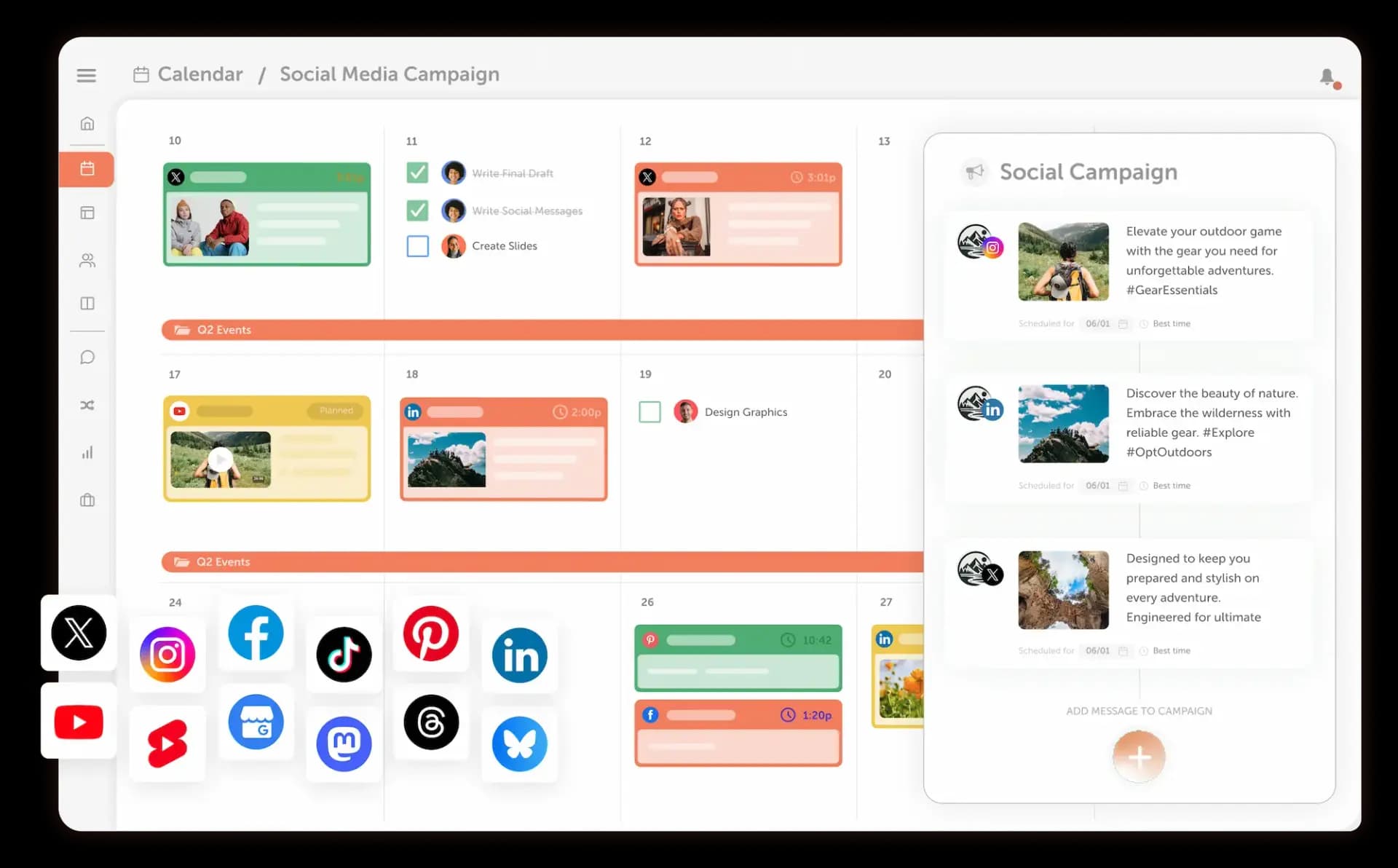
CoSchedule allows teams to create, schedule, publish, and manage social media content without leaving the platform.
Teams can:
- Schedule posts across multiple social networks
- Build complete social campaigns
- Automate evergreen content with ReQueue
- Collaborate before publishing
- Maintain a consistent posting schedule
- Analyze performance after content goes live
ClickUp doesn’t include native social media publishing.
Instead, teams typically connect separate social media management software or manually publish content through each social platform.
For marketers, this creates more tools to manage and more opportunities for work to fall through the cracks.
Winner: CoSchedule
Content Planning And Campaign Organization
Marketing teams rarely work on one project at a time. Between blog posts, email campaigns, social media, product launches, webinars, and events, it’s easy for work to become scattered across multiple tools.
CoSchedule is built to solve this challenge.
Every marketing initiative can be organized into campaigns, giving your team one place to manage tasks, assets, deadlines, and publishing schedules. Instead of viewing projects individually, marketers gain a complete picture of how every piece of work fits into the larger strategy.
ClickUp can also organize campaigns through Spaces, Folders, Lists, and custom workflows. While this offers tremendous flexibility, it often requires additional planning and ongoing maintenance to create a marketing specific system.
For teams that want an organized marketing workspace without spending time building one from scratch, CoSchedule provides a much more streamlined experience.
Winner: CoSchedule
Approvals And Workflow Management
Keeping projects moving often depends on getting the right people to review and approve work before it goes live.
CoSchedule includes approval workflows that help marketing teams review content, assign responsibility, and move projects through each stage of production. Stakeholders can quickly see what needs feedback, what’s ready to publish, and what still requires revisions.
These workflows help eliminate long email chains and reduce confusion around ownership.
ClickUp also supports approval processes through task statuses, automations, and custom workflows. Because the platform is highly configurable, organizations can build approval systems that fit almost any process.
However, many marketing teams may find themselves spending more time configuring workflows than actually using them.
Winner: CoSchedule
Analytics And Reporting
Understanding what’s working is essential for improving future campaigns.
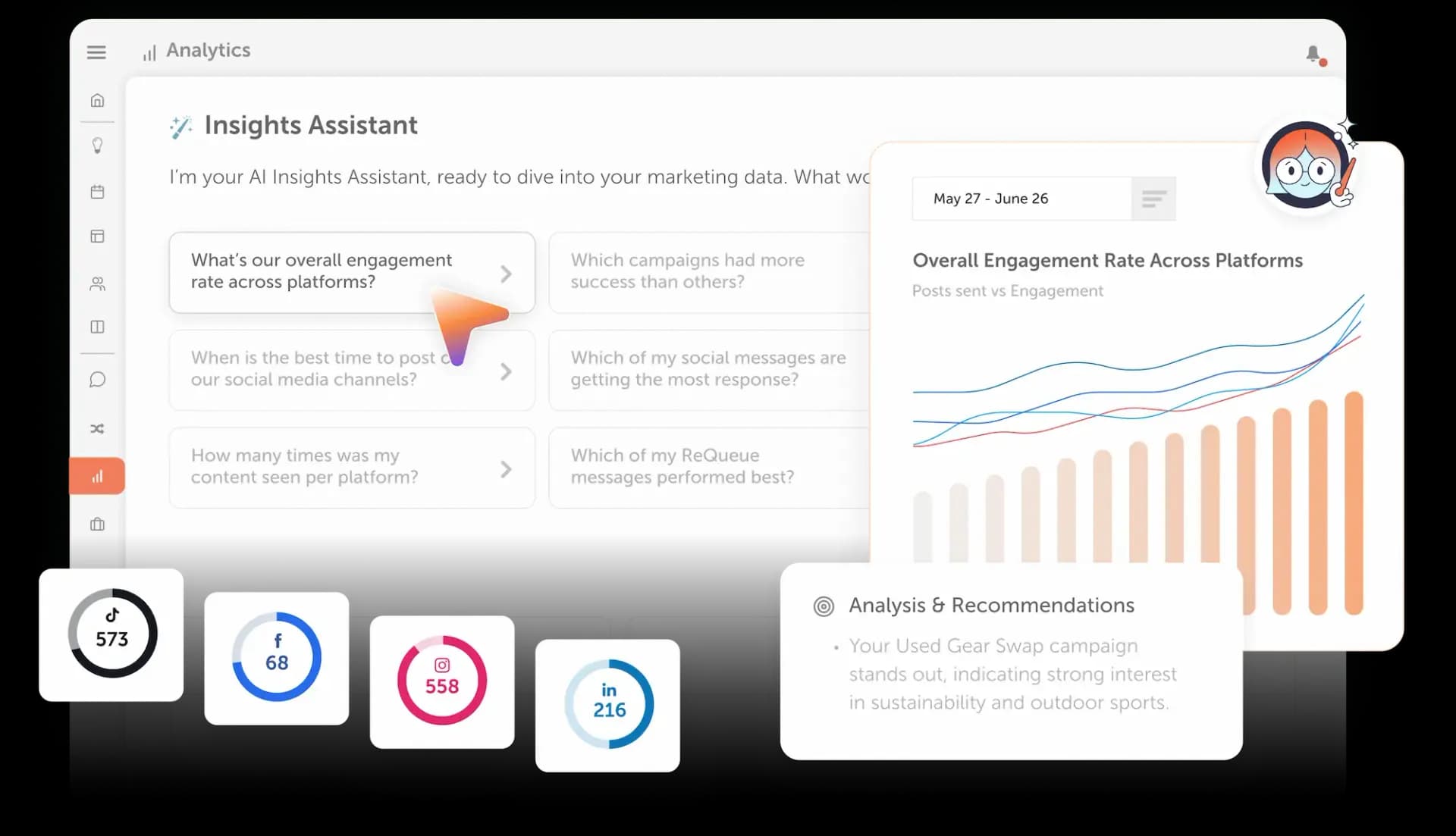
CoSchedule includes marketing focused analytics that help teams measure social media performance and track the success of their publishing efforts. Reports make it easier to identify top performing content, evaluate engagement, and make informed planning decisions.
Because reporting is connected directly to your marketing calendar, it’s easier to understand how publishing activity impacts overall campaign performance.
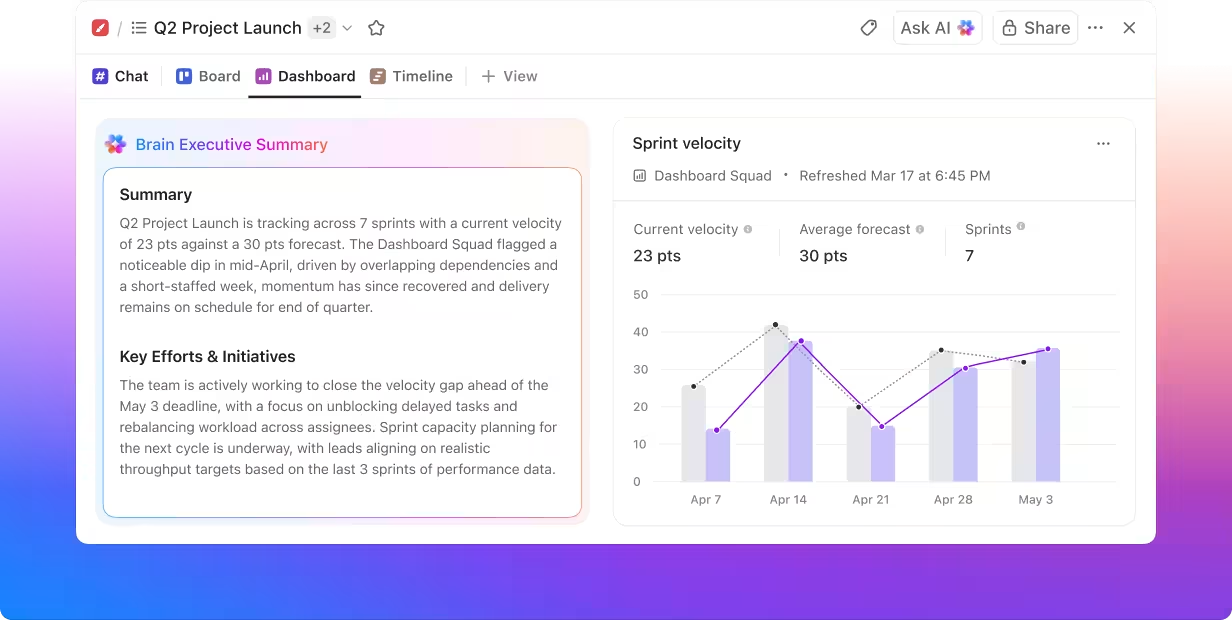
ClickUp offers dashboards and reporting focused primarily on productivity, project completion, workload, and operational performance. These insights are valuable for managing projects, but they don’t replace dedicated marketing analytics.
Marketing teams looking for campaign performance data will typically need additional reporting tools alongside ClickUp.
Winner: CoSchedule
AI Features
Artificial intelligence has become a valuable tool for helping teams work faster, but the usefulness of AI often depends on how well it’s integrated into daily workflows.
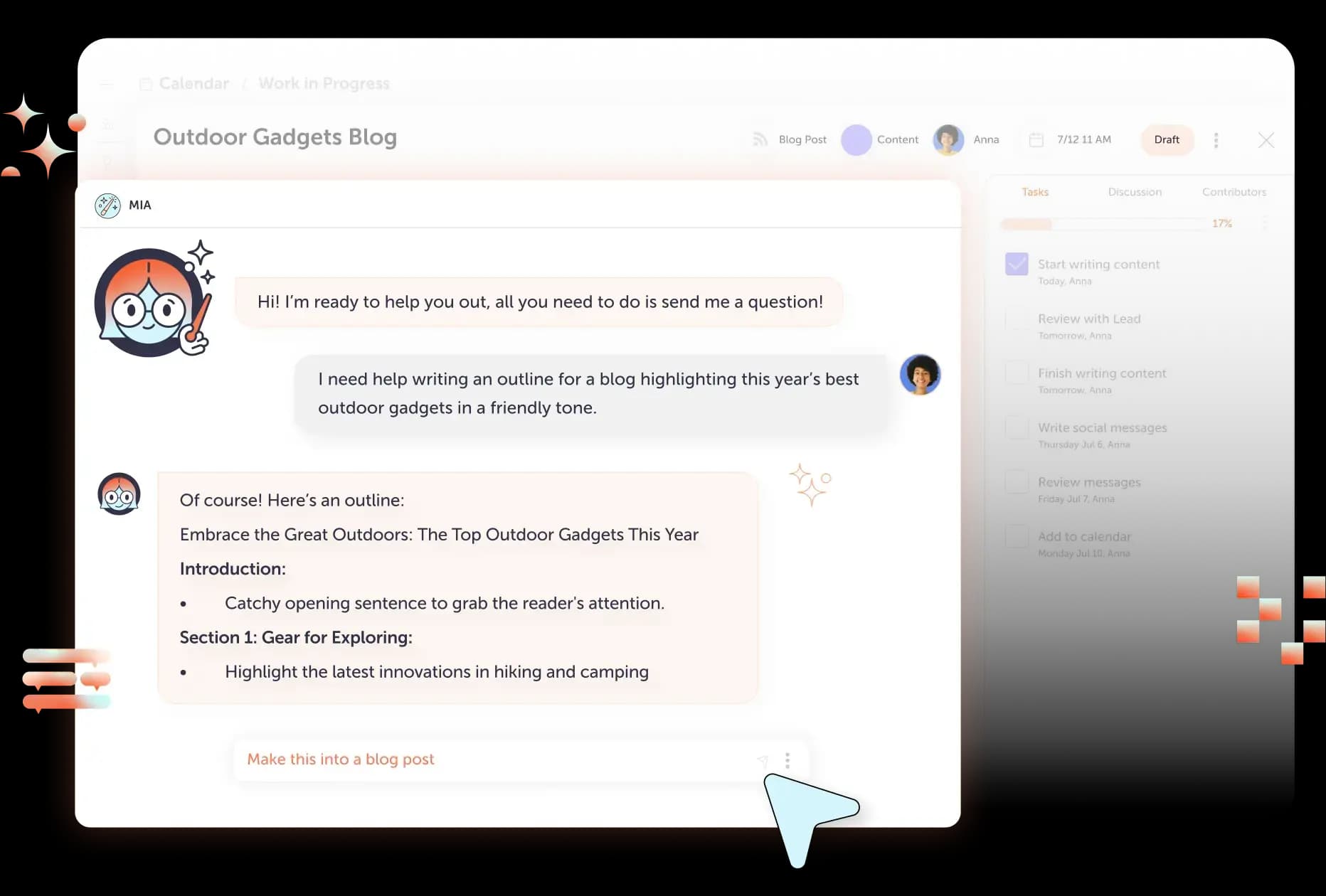
CoSchedule includes AI tools designed specifically for marketers. Teams can generate content ideas, write social media posts, improve headlines, create first drafts, and speed up campaign planning without switching between multiple applications.
Because these tools are built around marketing workflows, they’re especially helpful for content creators and social media managers.
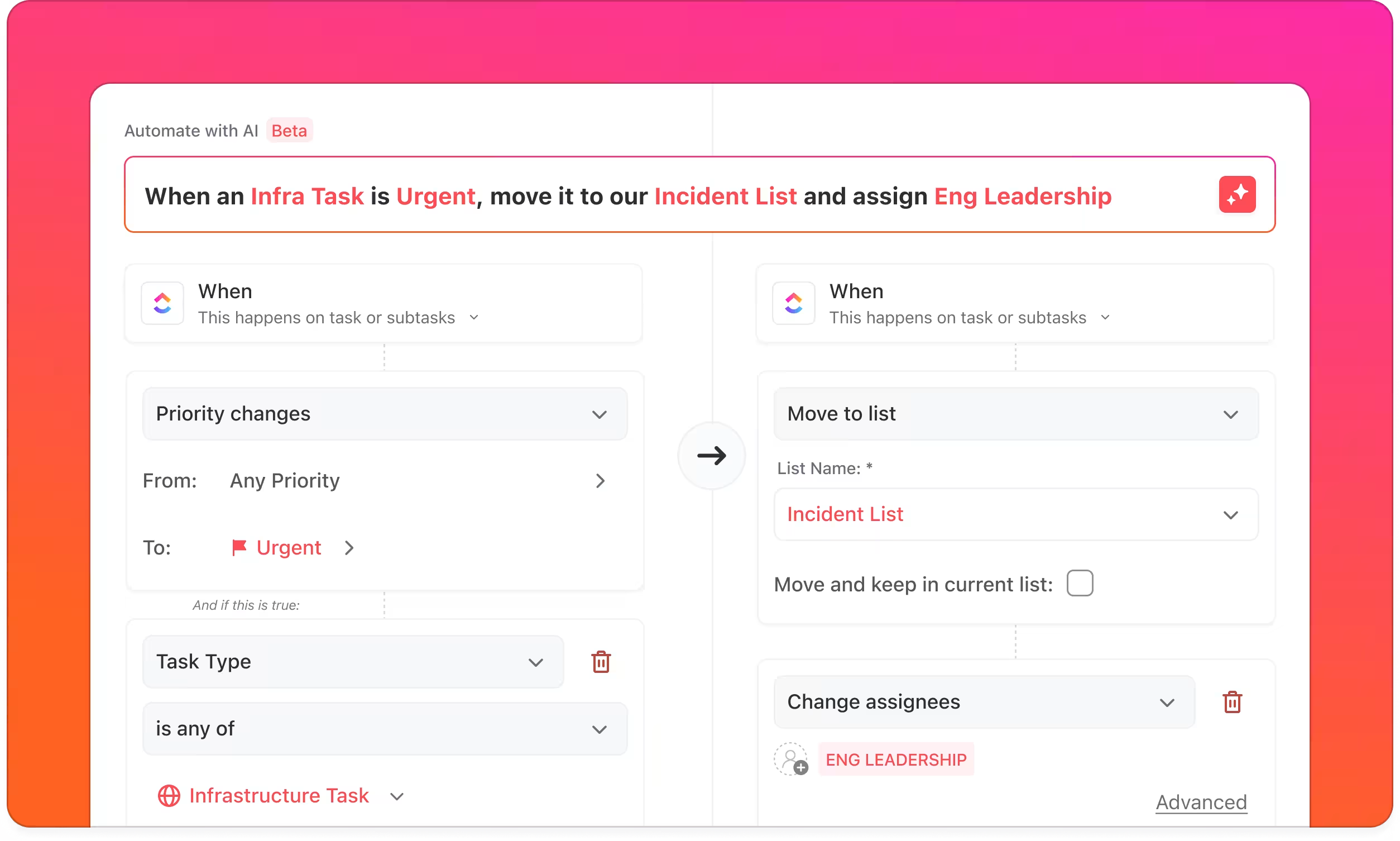
ClickUp also offers AI capabilities that assist with writing, summarizing information, generating documentation, and improving productivity across many different business functions.
Organizations looking for company wide AI assistance may appreciate ClickUp’s flexibility, while marketing teams may find CoSchedule’s AI more relevant to their daily work.
Winner: Tie
Social Inbox
Managing conversations across multiple social media platforms can quickly become overwhelming.

CoSchedule’s Social Inbox brings comments, mentions, and direct messages together in one place, allowing marketing teams to respond faster and stay organized.
Additional features like assigned replies, internal discussions, saved replies, AI assisted responses, and conversation tagging help teams collaborate efficiently while maintaining a consistent customer experience.
ClickUp doesn’t include a native social inbox.
Teams that actively manage customer engagement on social media typically need a separate platform to monitor conversations and respond to followers.
For brands that prioritize social media engagement, having these tools built directly into the same platform used for planning and publishing creates a much smoother workflow.
Winner: CoSchedule
Feature By Feature Comparison
CoSchedule vs ClickUp Feature Comparison
| Feature | CoSchedule | ClickUp |
|---|---|---|
| Marketing Calendar | ✔ Purpose built for marketing campaigns | Calendar view with customization |
| Project Management | ✔ Marketing focused | ✔ Highly customizable |
| Task Management | ✔ Included | ✔ Included |
| Team Collaboration | ✔ Marketing workflows | ✔ Company wide collaboration |
| Campaign Organization | ✔ Built in | Custom setup required |
| Social Media Publishing | ✔ Native publishing | Third party tools required |
| Social Inbox | ✔ Included | Not available |
| Content Approvals | ✔ Included | Custom workflows |
| Analytics | ✔ Marketing reporting | Productivity reporting |
| AI Features | ✔ Marketing focused AI | ✔ General productivity AI |
| Integrations | ✔ Marketing focused | ✔ Extensive library |
| Ease Of Use | Excellent | Moderate |
| Best For | Marketing teams and agencies | Businesses managing multiple departments |
CoSchedule Vs. ClickUp Integrations
Integrations help software fit into your existing workflow, and both CoSchedule and ClickUp connect with many of the tools marketing teams use every day.
CoSchedule integrates with popular marketing platforms including WordPress, Google Analytics, Google Drive, Bitly, Jira, Trello, Asana, Wrike, and other tools that support content creation, reporting, and project management.
These integrations are designed to enhance marketing workflows without adding unnecessary complexity.
ClickUp offers an extensive integration library that connects with hundreds of business applications across sales, engineering, customer support, finance, marketing, and operations.
For organizations managing many different departments, ClickUp’s broader integration ecosystem can be an advantage.
Marketing teams, however, will likely find that CoSchedule already includes many of the capabilities they would otherwise need to connect through additional software.
Winner: ClickUp
CoSchedule Vs. ClickUp Customer Service
No matter how intuitive a platform is, there will be times when you need help. Whether you’re onboarding a new team, troubleshooting an issue, or learning how to use advanced features, responsive customer support can make a big difference.
Both CoSchedule and ClickUp offer customer support and educational resources, but their approaches differ.
CoSchedule provides support tailored to marketers, with onboarding resources, product documentation, webinars, and a knowledgeable support team that understands marketing workflows. Because the platform is purpose built for marketers, support conversations often focus on helping teams improve campaign planning, publishing, and collaboration rather than configuring complex workflows.
ClickUp also offers an extensive Help Center, training resources, webinars, and customer support. Its larger customer base and highly customizable platform mean support often focuses on helping users build and optimize their unique workflows.
Both companies invest heavily in customer education, but marketing teams may find CoSchedule’s specialized support more applicable to their day to day work.
Winner: CoSchedule
CoSchedule Vs. ClickUp Publishing Consistency
One of the biggest challenges marketing teams face isn’t creating content. It’s publishing content consistently.
Without a centralized system, campaigns can become delayed, social posts get missed, approvals take longer than expected, and deadlines slip through the cracks.
This is where CoSchedule stands apart.
Every project, campaign, blog post, email, and social media post is connected through a single Marketing Calendar. Teams can easily see what’s scheduled, identify gaps in their publishing schedule, and adjust priorities before problems occur.
Features like task management, approval workflows, ReQueue, social media scheduling, and campaign organization all work together to help teams maintain a consistent publishing cadence.
ClickUp certainly helps teams manage projects and deadlines, but publishing consistency often depends on additional software for scheduling content and managing social media. Marketing leaders may also need to create custom dashboards to gain the same level of visibility that CoSchedule provides by default.
For teams focused on delivering content consistently across multiple channels, CoSchedule offers a more complete solution.
Winner: CoSchedule
CoSchedule Vs. ClickUp The Verdict
Both CoSchedule and ClickUp are excellent platforms, but they solve different problems.
ClickUp excels as a highly customizable work management platform that can support nearly every department within an organization. Businesses looking for one tool to manage engineering, operations, sales, human resources, and marketing may appreciate its flexibility.
CoSchedule takes a different approach by focusing entirely on marketers. Instead of asking teams to build custom workflows, it provides purpose built tools for planning campaigns, managing projects, scheduling social media, collaborating with teammates, and keeping every marketing initiative organized from one calendar.
For marketing teams that value simplicity, visibility, and efficiency, CoSchedule delivers more of the functionality they need without the complexity of configuring a general purpose project management platform.
CoSchedule Is Best For
- Marketing teams that want one centralized marketing calendar
- Social media managers publishing across multiple platforms
- Content marketers managing blogs, email campaigns, and social media
- Agencies coordinating work across multiple clients
- Teams looking for built in publishing, approvals, and campaign management
- Organizations that want an easy to learn platform with room to grow
ClickUp Is Best For
- Organizations managing multiple departments from one platform
- Teams that need extensive workflow customization
- Businesses with complex operational processes
- Companies that prioritize advanced project management over marketing specific features
- Users who want to build highly customized workspaces
Frequently Asked Questions
Is CoSchedule Good For Social?
Yes. CoSchedule includes built in social media publishing, scheduling, campaign planning, analytics, and a Social Inbox that allows teams to manage comments and messages from one place. For marketing teams looking to streamline their social media workflow, CoSchedule provides significantly more native functionality than general project management platforms.
Is ClickUp Worth The Price?
For businesses looking for a highly customizable work management platform, ClickUp offers excellent value. Its flexibility makes it suitable for organizations managing projects across multiple departments. However, marketing teams may find themselves purchasing additional software for social publishing, marketing calendars, and campaign management.
Is There A Good Alternative To ClickUp?
Yes. If your primary focus is marketing rather than company wide project management, CoSchedule is one of the strongest alternatives to ClickUp. It combines project management, marketing calendars, social media scheduling, campaign planning, approvals, and collaboration into a single platform built specifically for marketers.
Can CoSchedule Replace ClickUp?
For many marketing teams, yes.
If your team primarily uses ClickUp to manage marketing projects, content calendars, and campaign schedules, CoSchedule can often replace it while adding built-in social publishing, marketing calendar visibility, campaign organization, and marketing specific workflows.
Organizations that rely on ClickUp for engineering, product development, or highly customized operational workflows may still prefer ClickUp for those departments while using CoSchedule for marketing.
Which Platform Is Easier To Learn?
Most marketing teams will find CoSchedule easier to learn because its features are designed specifically around common marketing workflows. ClickUp offers more customization, but that flexibility often comes with a steeper learning curve and additional setup before teams become fully productive.
Final Thoughts
Choosing between CoSchedule and ClickUp ultimately comes down to what your team needs most.
If you’re looking for a highly customizable work management platform that can support every department in your organization, ClickUp is an excellent choice.
If your goal is to organize marketing campaigns, collaborate more effectively, maintain a consistent publishing schedule, and gain complete visibility into your marketing calendar, CoSchedule offers a more focused solution.
By combining project management, campaign planning, social media publishing, approvals, analytics, and collaboration into one easy to use platform, CoSchedule helps marketing teams spend less time managing software and more time executing successful campaigns.
If you’re ready to simplify your marketing workflow, try CoSchedule and see how much easier campaign planning can be.