Managing social media manually can quickly become overwhelming. That’s why marketers, agencies, businesses, and creators rely on social media scheduling tools to stay organized and consistent.
Scheduling social media posts allows you to plan content ahead of time, automate publishing, and manage every platform from one centralized calendar. Instead of stopping your day to manually post on Instagram, Facebook, LinkedIn, or X, you can schedule everything in advance and let your content publish automatically.
In this guide, you’ll learn how to schedule social media posts step by step using CoSchedule. We’ll also cover best practices, common mistakes to avoid, and how social media scheduling can help you save time while improving consistency across your marketing strategy.
How Do Marketers Schedule Social Media Posts?
Scheduling social media posts means creating content now and setting it to publish automatically at a future date and time.
Rather than logging into each social network every day to publish manually, a scheduling tool handles the publishing for you. This helps marketers maintain a consistent posting schedule without needing to be online around the clock.
Most modern social media scheduling tools support platforms like:
- X
- TikTok
Scheduling tools also make it easier to coordinate campaigns, collaborate with teams, and visualize upcoming content in a marketing calendar.
Benefits Of Scheduling Social Media Posts
Save Time
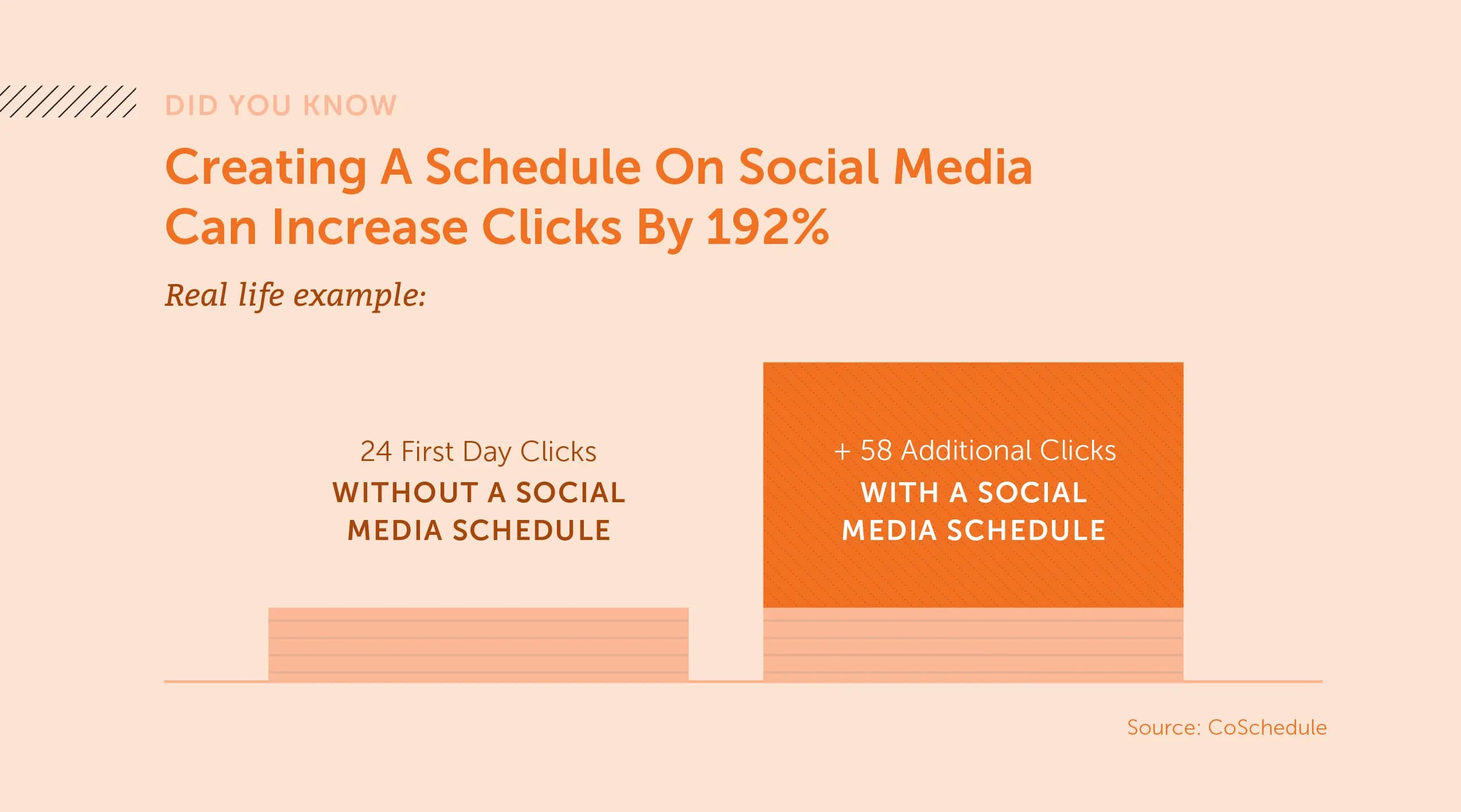
Scheduling content in batches is far more efficient than creating and publishing posts individually every day. Teams can prepare weeks or months of content in advance.
Stay Consistent
Consistency is one of the biggest factors in social media growth. Scheduling helps you maintain a reliable posting cadence even during busy periods.
Plan Campaigns Ahead Of Time
Product launches, seasonal campaigns, promotions, and events are easier to manage when your social content is mapped out in advance.
Improve Team Collaboration
Scheduling tools give marketing teams visibility into upcoming content, approval workflows, and publishing responsibilities.
Optimize Posting Times
Many scheduling tools help marketers publish at times when audiences are most active, improving visibility and engagement.
What You Need Before Scheduling Social Media Posts
Before you start scheduling content, it helps to have a few things in place.
Choose A Social Media Scheduling Tool
Native scheduling tools on individual platforms can work for basic publishing, but they often become limiting as your content strategy grows.
A centralized social media scheduling tool like CoSchedule makes it easier to:
- Schedule across multiple platforms
- Collaborate with teams
- Organize campaigns
- Manage approvals
- Visualize content in a calendar
- Reuse and automate evergreen content
Instead of jumping between platforms, you can manage everything from one place.
Connect Your Social Media Accounts
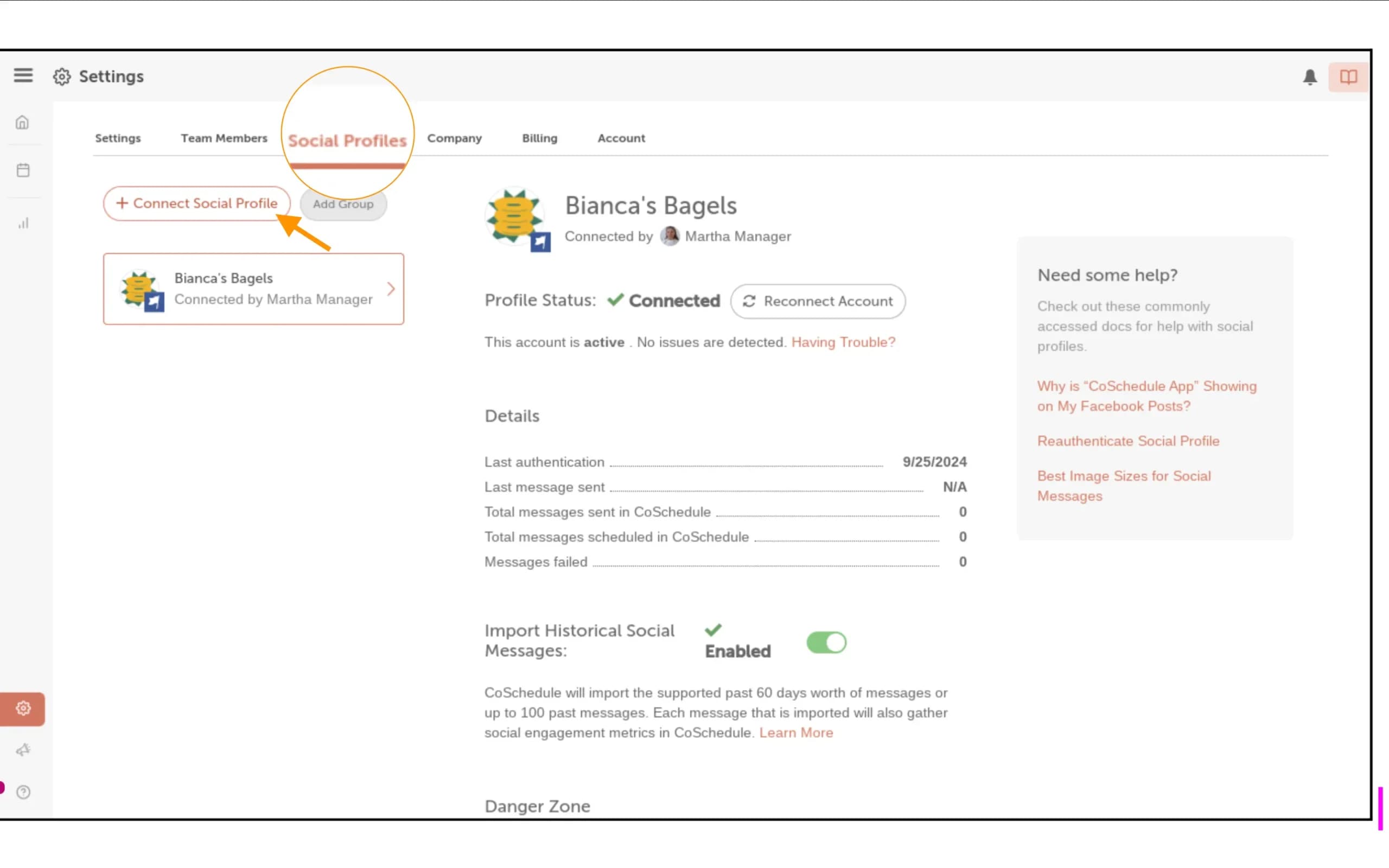
Before publishing, connect the accounts you want to manage, including:
- X
- YouTube
- TikTok
- Google My Business
- Threads
- YouTube Shorts
- Blue Sky
- Mastodon
Once connected, you can publish to multiple networks simultaneously while still customizing posts for each platform.
Create A Social Media Content Plan
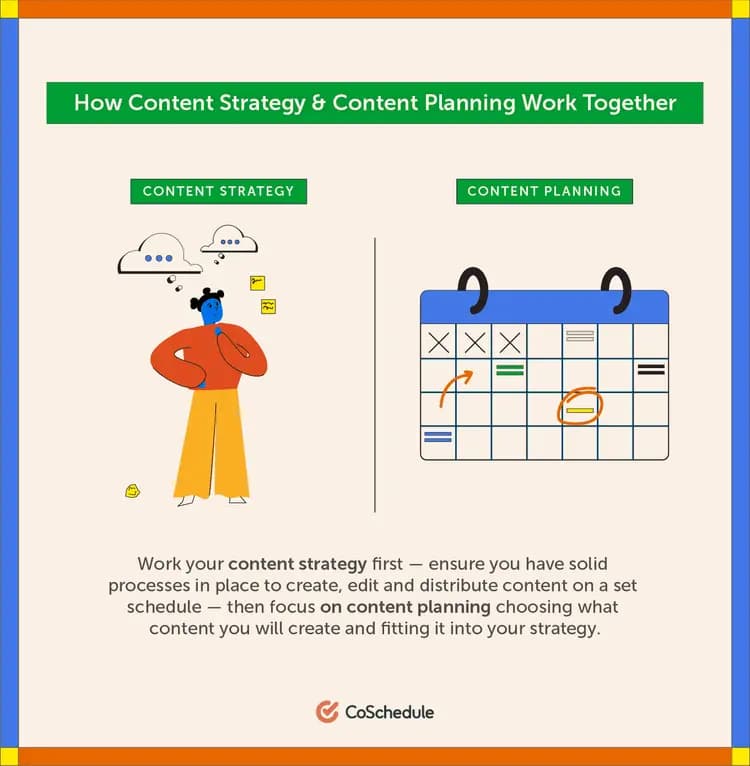
The best social media strategies are planned in advance.
Before scheduling posts, define:
- Your campaign goals
- Content themes or pillars
- Posting frequency
- Audience targeting
- Visual assets
- Approval workflows
Planning ahead helps maintain consistency while preventing rushed or reactive posting.
How To Schedule Social Media Posts With CoSchedule
Scheduling social media posts with CoSchedule is designed to be simple and efficient. Here’s how the process works.
Step 1: Create A New Social Message
Start by opening your CoSchedule calendar and selecting the option to create a new social message.
From there, you can begin building your post directly within the platform.
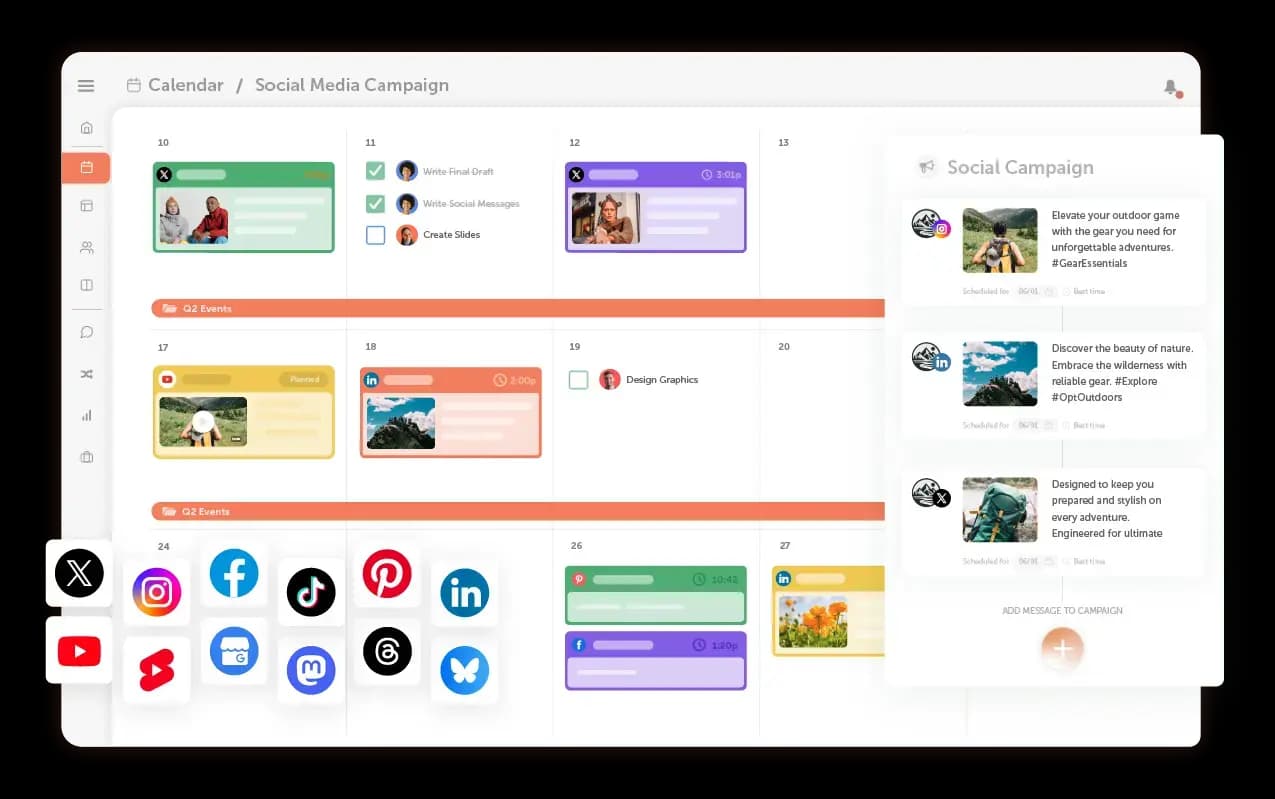
Using a centralized calendar gives you a clear view of upcoming campaigns, scheduled posts, and publishing gaps.
Step 2: Choose Your Social Platforms
Select the platforms where you want your content to publish.
You can publish to:
- X
- TikTok
CoSchedule allows you to post to multiple networks simultaneously while tailoring content for each platform’s audience and formatting requirements.
Step 3: Write Your Social Media Caption
Next, write your social copy.
This may include:
- Captions
- Hashtags
- Mentions
- Emojis
- Links
- Calls to action
CoSchedule also helps streamline content creation with AI-powered social assistance, making it easier to generate and refine captions faster.
Rather than rewriting every post from scratch, marketers can quickly adapt messaging for different platforms.
Step 4: Upload Images Or Videos
Add your visuals directly to the post.
Depending on the platform, this could include:
- Images
- Carousels
- Videos
- Reels
- Graphics
- Product visuals
Visual content is one of the biggest drivers of engagement, so optimizing media for each platform is important.
Step 5: Choose Your Publish Date And Time
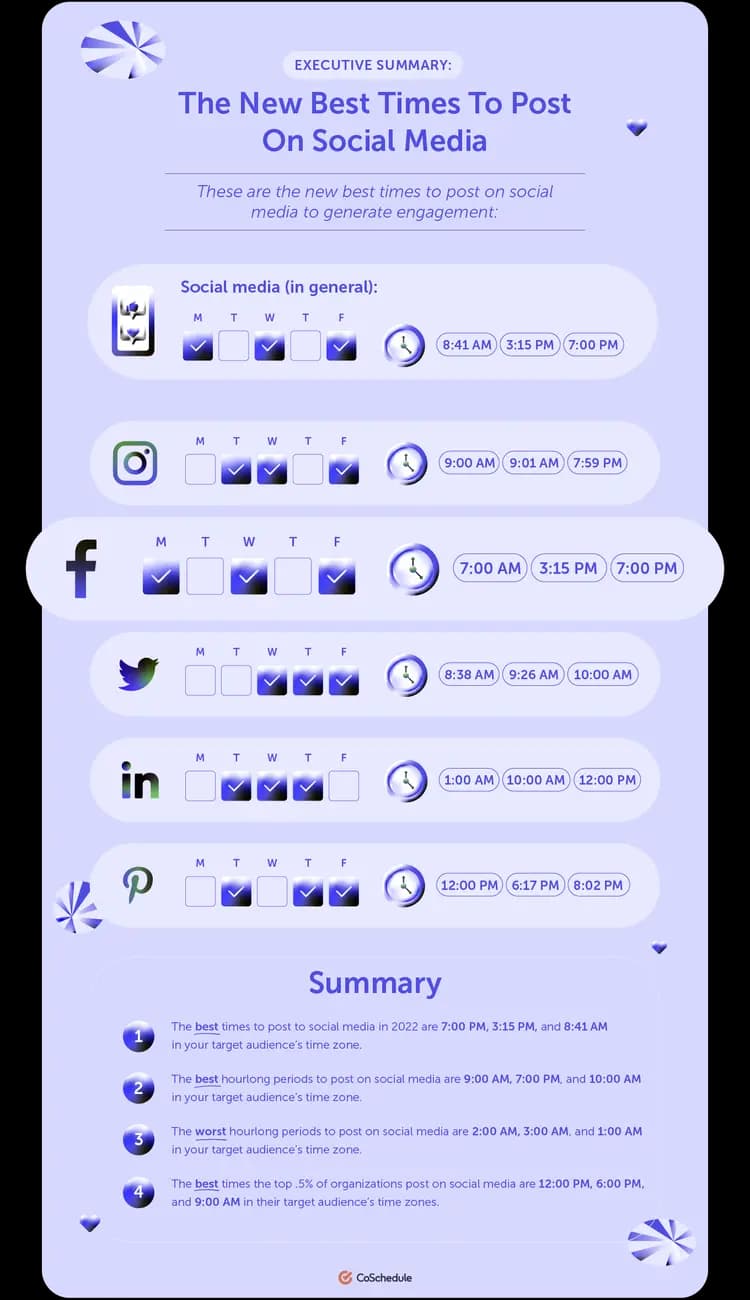
Once your content is ready, select when you want it to publish.
You can:
- Schedule posts days, weeks, or months ahead
- Coordinate campaigns across platforms
- Maintain a consistent posting cadence
- Publish during peak engagement hours
Planning content ahead of time helps eliminate last-minute publishing stress.
Step 6: Review And Approve Content
If multiple people are involved in your marketing process, review and approval workflows become essential.
CoSchedule allows teams to:
- Review scheduled posts
- Request edits
- Approve content before publishing
- Maintain visibility across campaigns
This reduces publishing errors and keeps marketing aligned across departments.
Step 7: Schedule And Publish
Once everything is finalized, schedule the post.
CoSchedule automatically publishes your content at the selected date and time, allowing your team to focus on strategy, engagement, and campaign performance instead of manual publishing tasks.
Best Practices For Scheduling Social Media Posts
Scheduling content is only part of an effective social media strategy. These best practices can help improve results over time.
Create Content In Batches
Batch content creation allows teams to work more efficiently and maintain consistency across campaigns.
Instead of creating posts one day at a time, dedicate time to planning and scheduling larger groups of content together.
Use A Social Media Calendar
A visual marketing calendar helps teams understand:
- What content is publishing
- Which campaigns are running
- Where posting gaps exist
- How content aligns across channels
This creates better organization and reduces duplicate or conflicting messaging.
Customize Posts For Each Platform
Audiences behave differently across social networks.
Rather than copying the same message everywhere, tailor captions, hashtags, and visuals to fit each platform’s audience and format.
Schedule Posts At Optimal Times
Posting at the right time can significantly impact visibility and engagement.
Review analytics regularly to identify when your audience is most active.
Review Performance Regularly
Scheduling content should never become completely hands-off.
Monitor metrics like:
- Reach
- Engagement
- Clicks
- Shares
- Conversions
Use performance data to improve future scheduling decisions and content strategy.
Common Social Media Scheduling Mistakes To Avoid
Even strong social media strategies can run into problems if scheduling is handled poorly.
Posting The Same Content Everywhere
Each platform has different audience behaviors and expectations. Reusing identical posts across every network can reduce engagement.
Scheduling Too Far Ahead
Planning ahead is valuable, but scheduling too far into the future can make content feel outdated or disconnected from current trends.
Ignoring Engagement After Publishing
Scheduling helps automate publishing, but social media still requires active engagement.
Respond to comments, messages, and interactions after posts go live.
Forgetting To Optimize Captions And Visuals
Every platform has different formatting requirements and audience preferences. Optimize captions and visuals accordingly.
Not Reviewing Scheduled Content Before Publishing
Always review scheduled content before it goes live, especially during fast-moving news cycles or changing campaigns.
How CoSchedule Makes Social Media Scheduling Easier
Social media management becomes much more manageable when everything is centralized in one platform.
Centralized Marketing Calendar
CoSchedule gives teams a complete view of all scheduled marketing content in one place.
Instead of juggling spreadsheets, notes, and multiple scheduling tools, marketers can organize campaigns visually inside a shared calendar.
Multi-Platform Publishing
Manage and publish content across multiple social platforms without switching tools or logging into separate accounts.
AI-Powered Social Assistance
AI tools help marketers generate captions, adapt messaging for different platforms, and speed up content creation workflows.
Team Collaboration Features
Marketing teams can collaborate more effectively with:
- Approvals
- Shared visibility
- Workflow management
- Task assignments
- Campaign coordination
Automation And Time Savings
Features like reusable workflows, bulk scheduling, and evergreen content automation help marketers save time while maintaining consistent publishing schedules.
Final Thoughts
Scheduling social media posts helps marketers stay organized, save time, and maintain consistency across every platform.
Instead of manually posting content every day, scheduling tools allow teams to plan campaigns ahead of time, automate publishing, and manage everything from one centralized calendar.
With CoSchedule, marketers can simplify the entire process by creating, scheduling, organizing, and publishing social media content from one platform.
Whether you’re managing one brand or multiple campaigns across several channels, scheduling social media posts can help create a more efficient and scalable marketing workflow.
FAQ
What is the best way to schedule social media posts?
The best way to schedule social media posts is by using a centralized social media scheduling tool like CoSchedule. This allows you to plan, create, and publish content across multiple platforms from one calendar.
Can you schedule social media posts for free?
Some platforms offer limited native scheduling tools for free. However, dedicated social media scheduling platforms typically provide more advanced features like collaboration, automation, analytics, and cross-platform publishing.
How far ahead should you schedule social posts?
Most marketers schedule content anywhere from one week to one month in advance. Campaign-based or seasonal content may be planned even further ahead.
What social media platforms support scheduling?
Most major platforms support scheduling, including Instagram, Facebook, LinkedIn, X, Pinterest, and TikTok.
Is it better to schedule posts or post manually?
Scheduling posts is generally more efficient and consistent than manual posting. However, real-time posting and engagement still play an important role in social media strategy.
How does CoSchedule help automate social media posting?
CoSchedule allows marketers to create posts ahead of time, organize campaigns in a calendar, automate publishing, and collaborate with teams from one platform.
Can teams collaborate on scheduled posts in CoSchedule?
Yes. CoSchedule includes collaboration and approval workflows that help teams review, edit, and approve content before publishing.
Does CoSchedule support Instagram and Facebook scheduling?
Yes. CoSchedule supports scheduling and publishing for Instagram, Facebook, and multiple other major social media platforms.