
Consistent YouTube publishing takes more than a list of video ideas.
Each video has to move through planning, production, review, publishing, and promotion. Without a shared calendar, that work can quickly spread across spreadsheets, project tools, messages, and social schedulers.
A YouTube Content Calendar Template gives you one place to plan each video, track what still needs to happen, and keep your posting schedule aligned with the wider campaign calendar.
What Is A YouTube Content Calendar?
YouTube Content Calendar
A YouTube content calendar helps you plan what to publish, when each video will go live, who owns the work, and how the video will be promoted.
For a simple channel, that may mean tracking ideas and publish dates. For a marketing team, it usually needs to show more: production status, review steps, campaign timing, and distribution.
Take a product demo, for example. Before it goes live, you may need a script, edit, thumbnail, YouTube description, Shorts, social post, email mention, and blog embed tied to the same launch.
A YouTube content calendar keeps that work visible, so your team can see what is in progress, what is blocked, and what is publishing next.
Why You Need A YouTube Content Calendar
Maintain Consistent Publishing
A clear posting schedule helps you publish at a pace your team can actually support. A weekly video sounds simple until you account for the brief, script, recording, edit, thumbnail, description, review, and promotion.
Seeing that work up front helps you choose a cadence your team can maintain.
Read More: Best Times To Post On YouTube
Improve Team Collaboration
YouTube content usually moves through several people before it goes live. A shared calendar makes those handoffs visible, letting your team see who owns the next step without relying on extra status meetings.
Plan Around Campaigns
YouTube works better when it’s part of the campaign from the start. If your team is launching a new feature in May, your YouTube campaign planning may include a teaser Short before launch, a product explainer on launch day, a tutorial the following week, and a customer use case later in the month.
The calendar turns those assets into one connected marketing plan.
Catch Delays Earlier
A video may have a publish date, but still be waiting on final edits or stakeholder feedback. A content calendar makes those blockers visible while there is still time to act.
What To Include In A YouTube Content Calendar
You need enough detail to understand each video’s purpose, owner, production status, and next step. Include these fields in your YouTube content calendar.
Video Title Or Topic
Start with a working title or clear topic that tells your team what the video is meant to do.
For example, “How To Build A Monthly Content Calendar” gives you more direction than “calendar video.” You can also note the video type, such as a tutorial, product demo, webinar clip, customer story, or YouTube Short, so your team understands the production effort involved.
Tie each topic to a content pillar, campaign, keyword, or audience need. This way, your calendar won’t become a list of disconnected ideas.
Publish Date And Time
The publish date anchors the rest of the workflow.
Once you know when a video needs to go live, you can work backward and set the right deadlines for scripting, filming, editing, approval, and promotion. For example, if a video publishes on May 28, the script may need to be ready by May 10, filming may need to happen by May 14, and final approval may be due by May 25.
Add the publish time, time zone, campaign, and key promotion dates, too.
Video Status
Status helps you see where each video stands.
Keep your stages simple enough for your team to update consistently. For most teams, that might mean idea, scripting, filming, editing, review, scheduled, and published.
Larger teams may need extra stages for thumbnail creation, metadata, promotion, or performance review.
Assigned Team Members
Every video needs one clear owner responsible for keeping the work moving. Your calendar should also show who owns key handoffs, such as scripting, editing, SEO metadata, social promotion, and final approval.
Promotion Plan
Add promotion work to your calendar early, especially when a video supports a launch, webinar, or larger campaign. A product tutorial, for example, might become a YouTube Short, a launch-day LinkedIn post, a help article embed, or a sales follow-up resource.
Planning those assets early helps each video support more than one channel or campaign moment.
Keywords And SEO Metadata
Include search details before upload day. Track the primary keyword, supporting phrases, video title, description, thumbnail idea, playlist, CTA, and related blog post.
For a video targeting “YouTube content calendar,” you might also include secondary phrases like “YouTube planning template” or “video content calendar template.”
This gives your team a clear search angle before the title, script, description, and thumbnail are finalized.
Free YouTube Content Calendar Template
Now that you know what to include, use our YouTube Content Calendar Template to organize your monthly YouTube calendar.
Get Your Free YouTube Calendar Template Here
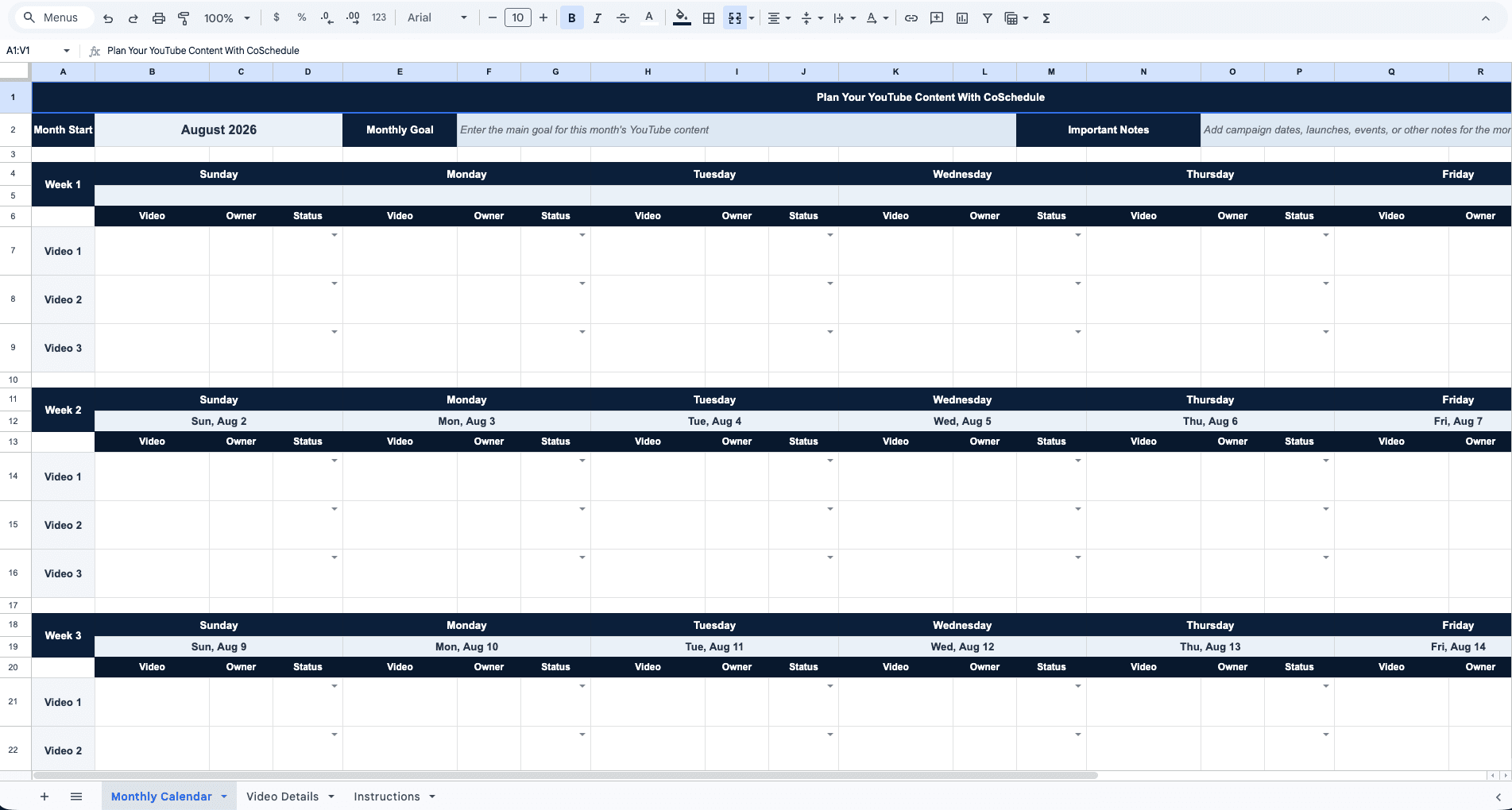
You’ll get a simple monthly view of what is publishing, who owns each video, and how each piece will be promoted.
For a more complete workflow, add columns for:
- Campaign — Connects the video to a larger marketing push
- Target Keyword — Keeps YouTube SEO visible during planning
- Script Deadline — Helps writers plan before filming
- Filming Date — Keeps production time clear
- Edit Deadline — Gives the editor a real target
- Reviewer — Shows who approves the video
- Thumbnail Status — Prevents last‑minute creative gaps
- Scheduled Date — Confirms the video has been scheduled
- Repurposed Assets — Tracks Shorts, clips, and social posts
- Performance Notes — Helps improve next month’s plan
A spreadsheet is enough when you only need a simple monthly view. Once your team is managing multiple videos, Shorts, campaigns, and approval paths, it becomes harder to keep the work updated manually. That’s where a shared marketing calendar becomes more useful.
How To Plan YouTube Content Effectively
A template gives you structure. Strong planning gives your calendar direction.
Use these steps to build a better YouTube content plan for your team.
Start With Content Pillars
Content pillars are the main themes your YouTube channel will cover. For a brand channel, those pillars might include educational videos, product tutorials, customer stories, industry commentary, and how-to content.
Here’s CoSchedule’s YouTube channel:
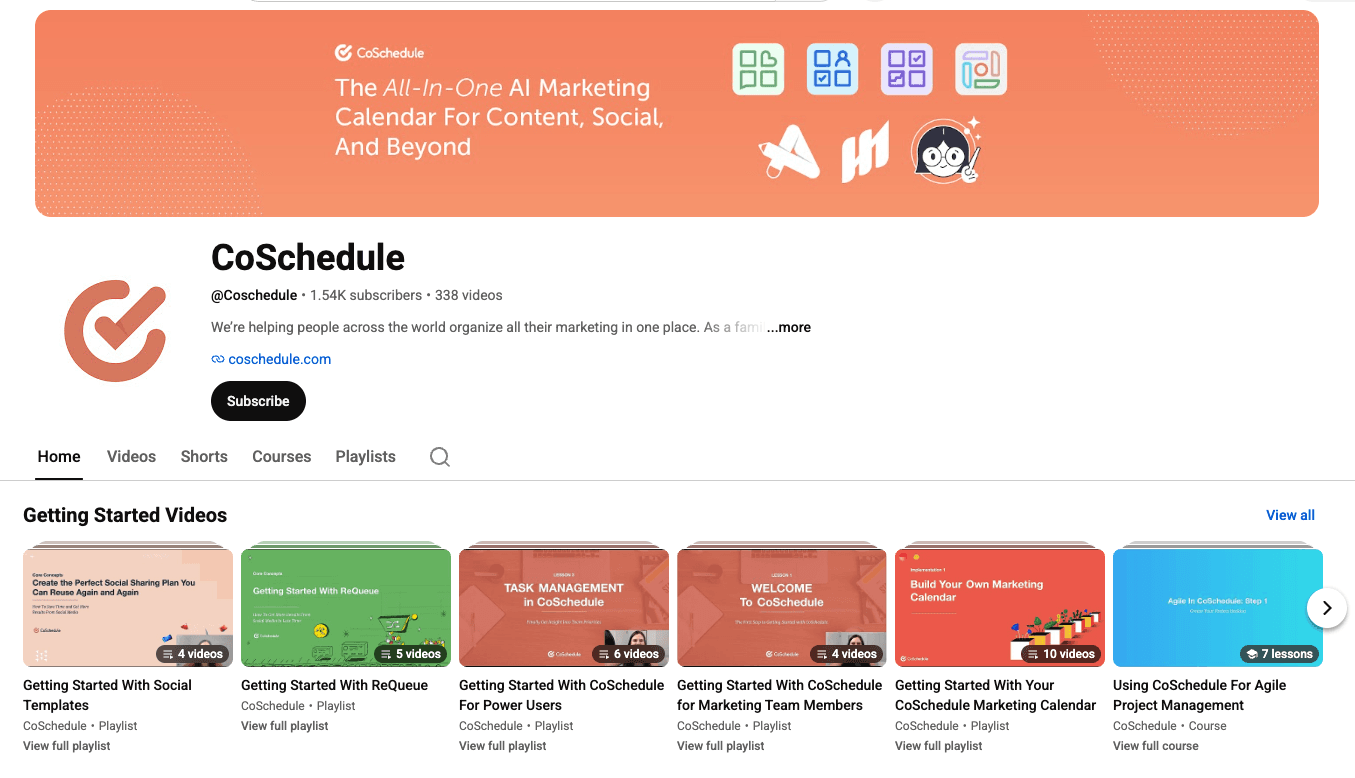
Once your pillars are clear, YouTube planning becomes easier. You can plan around themes your audience already understands and topics your team can support consistently.
Choose A Cadence You Can Maintain
The right YouTube cadence is the one your team can support without rushing the work behind each video.
For some teams, that may mean one long-form video a week. For others, two stronger videos a month may be more realistic, with Shorts planned around the best clips or campaign moments.
Batch Similar Content
Batching helps you produce related videos more efficiently. Your team might record several product tutorials in one session, cut multiple Shorts from one long-form video, or pull customer clips from one interview.
Add batching notes to your calendar, so filming, editing, reviews, and promotion can be planned around related assets.
Repurpose Existing Content
Look at the content your team already has. Blog posts, webinars, customer stories, product pages, reports, and long-form videos can all become YouTube assets with the right angle.
But you need to plan repurposing early. Add repurposed assets directly to your YouTube content calendar. For example:
| Main Asset | Repurposed Assets |
|---|---|
| Long-form YouTube tutorial | Shorts, LinkedIn posts, blog embed |
| Webinar recording | Clips, recap video, email campaign |
| Customer interview | Case study video, quote clips, sales asset |
| Product demo | Launch video, Shorts, help article embed |
Mix Evergreen And Timely Videos
A useful YouTube calendar includes content that can keep working over time and content tied to current priorities.
Evergreen videos might answer common customer questions or explain product use cases. Whereas, timely videos might support a launch, event, seasonal campaign, or industry conversation.
Review Performance Monthly
Before planning the next month’s videos, review how recent videos performed. Look at retention, click-through rate, engagement, subscriber growth, and CTA clicks.
Then look for the pattern behind the numbers. Which topics keep viewers watching? Which thumbnails earn clicks? Which videos bring in subscribers or support campaigns?
Use those answers to shape the next monthly YouTube calendar.
How To Schedule YouTube Content With CoSchedule
Once your calendar starts tracking production, review, publishing, and promotion, a static template can become hard to maintain. CoSchedule helps you turn that plan into a working marketing calendar.
Plan Your YouTube Workflow In One Calendar
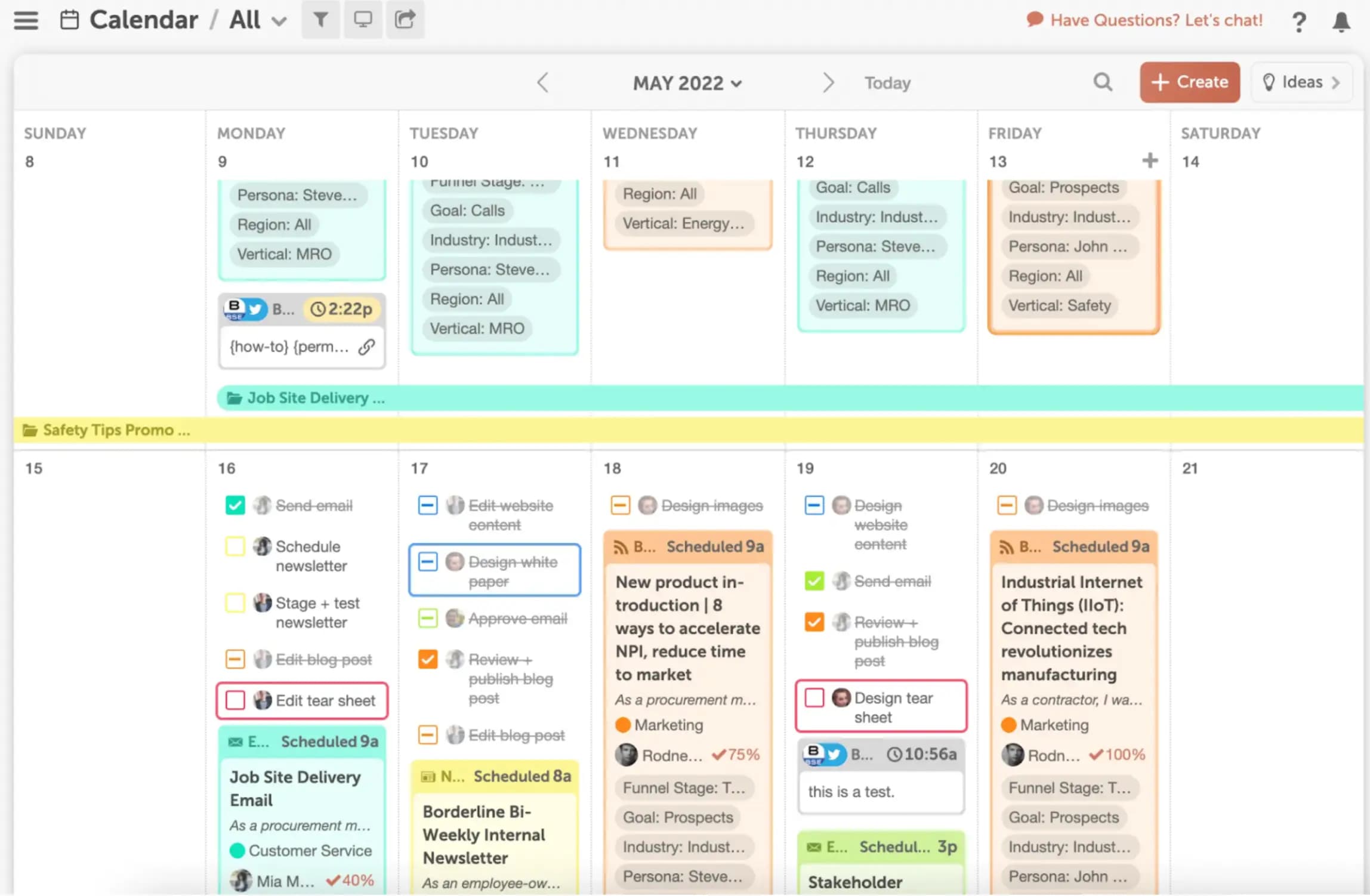
Use CoSchedule Marketing Calendar to map YouTube content alongside your other marketing projects.
If a product demo supports a launch, you can see the video next to the launch email, social posts, Shorts, and supporting blog content.
This makes the video easier to plan as part of the campaign, not as a separate upload.
Build Repeatable Workflows With Task Templates
YouTube production follows many of the same steps each time.
CoSchedule Task Templates let you save those steps once and reuse them for future videos.
For example, you can create a template for the main production steps, from brief and script to editing, scheduling, promotion, and review.
Once the template is set up, each new YouTube project follows the same process.
Schedule And Publish YouTube Videos And Shorts
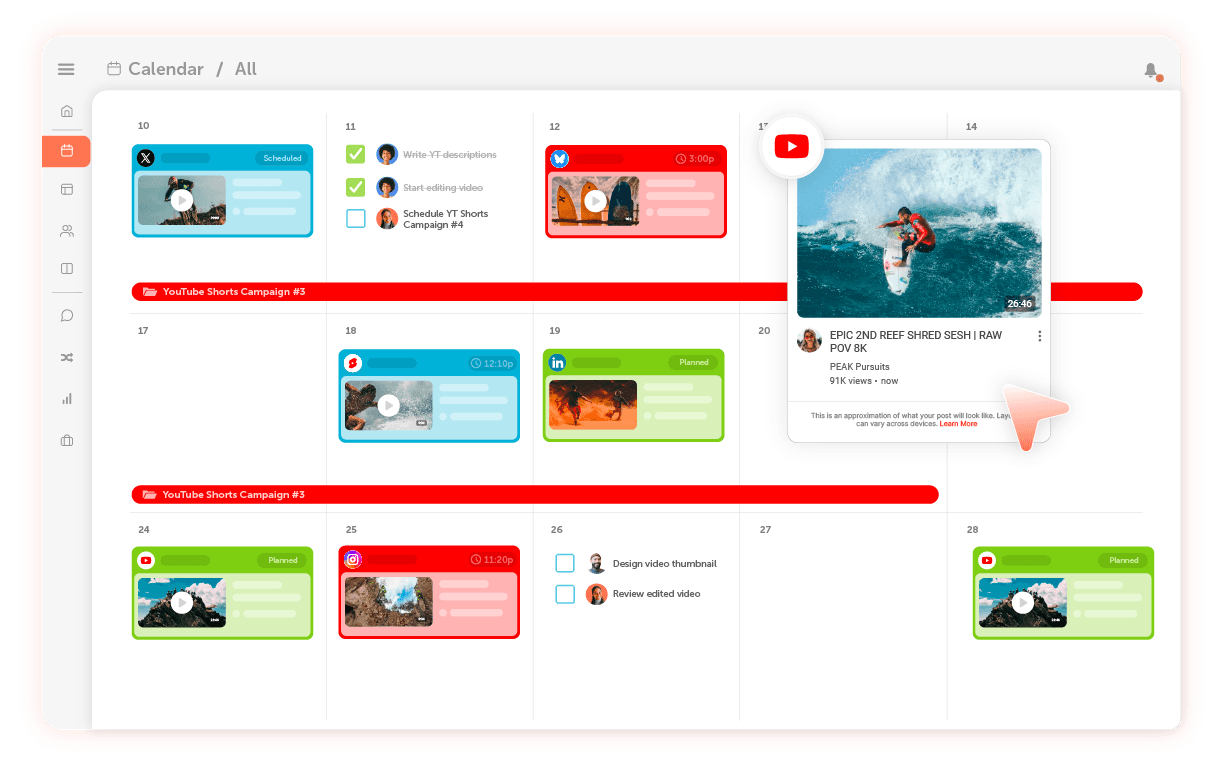
CoSchedule’s YouTube Scheduler lets you schedule and publish YouTube videos and YouTube Shorts from the CoSchedule Calendar.
Create the YouTube message, add the video details, set the publishing options, and choose the go-live time. Your YouTube publishing schedule then sits inside the same calendar you use for the rest of your marketing work.
Promote Videos Across Channels
Use CoSchedule to schedule the social posts that support each YouTube video.
A tutorial might need a teaser before publish day, a launch-day social post, and a follow-up newsletter mention later in the week.
Planning those assets early gives each video a clearer distribution plan.
Manage Deadlines & Approvals
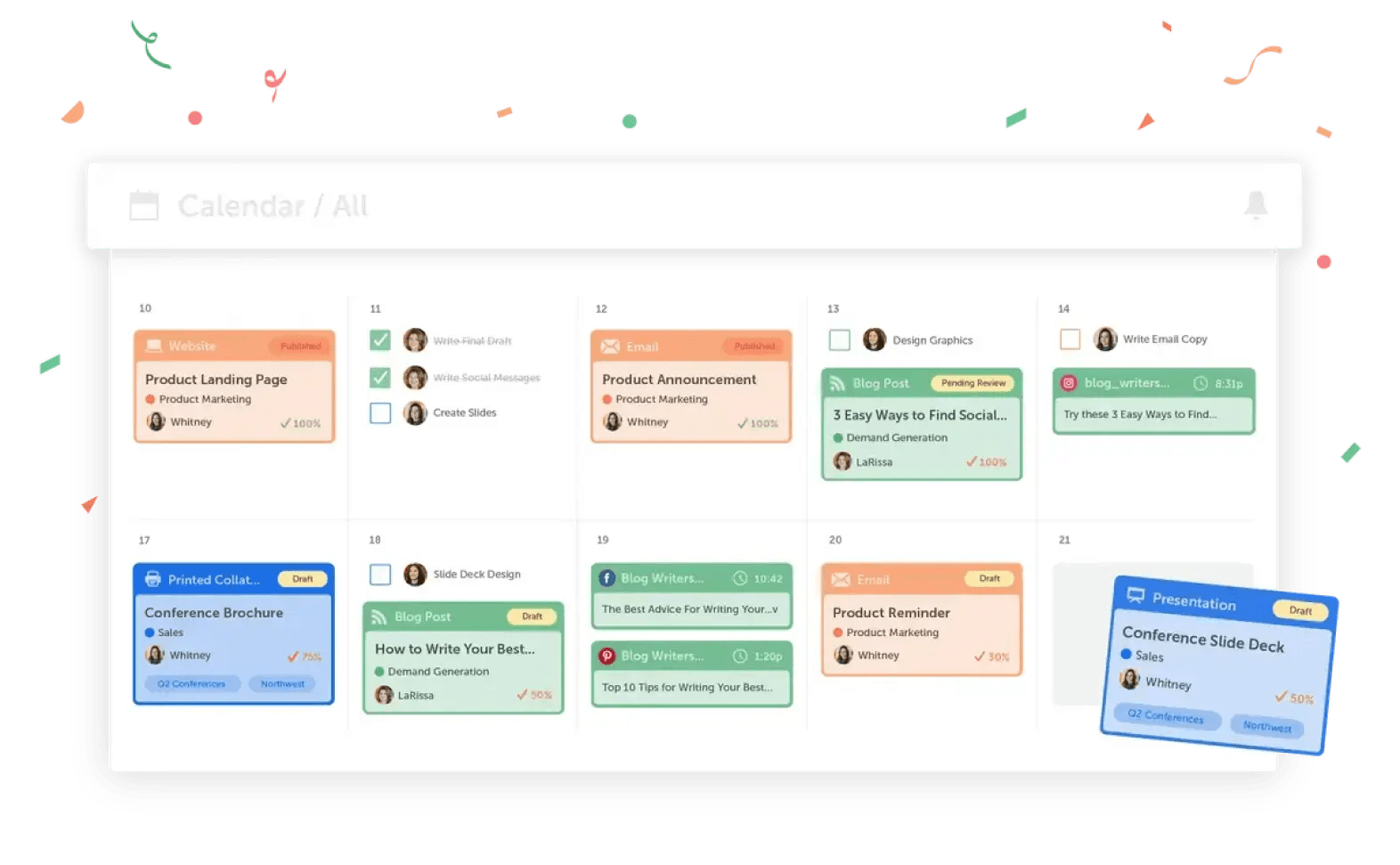
YouTube projects often slow down at review points.
CoSchedule keeps review steps attached to the project, making it easier to catch missing feedback before it pushes the video off schedule.
Align Your Marketing Team
More than a YouTube scheduler, CoSchedule helps you manage YouTube content as part of your larger marketing calendar, with the project work and promotion tied together. Use it to keep YouTube planning, production, publishing, and promotion connected in one marketing calendar.
FAQs On YouTube Content Calendar Template
What Is A YouTube Content Calendar?
A YouTube content calendar is a planning tool for organizing upcoming videos, production steps, publish dates, owners, and promotion plans.
What Should A YouTube Content Calendar Template Include?
A YouTube content calendar template should include the video title, publish date, format, owner, status, target keyword, CTA, and promotion plan. For more complex workflows, add script deadlines, filming dates, review notes, thumbnail status, and performance notes.
The template should give your team enough visibility to plan the work without turning the calendar into a cluttered project file.
Is There A Free YouTube Content Calendar Template?
Yes. Use CoSchedule’s free YouTube content calendar template above to plan your monthly schedule, track video progress, and organize promotion.
Include link to our downloadable template above.
How Do You Schedule YouTube Videos?
To schedule a YouTube video, upload the video, add the title, description, thumbnail, and publishing details. Then choose the date and time you want it to go live.
You can also use CoSchedule to schedule and publish YouTube videos and Shorts from the CoSchedule Calendar while keeping the surrounding campaign work visible.
Can Marketing Teams Manage YouTube Workflows In CoSchedule?
Yes. Marketing teams can use CoSchedule to plan YouTube content, assign production work, manage reviews, schedule videos, and coordinate promotion from one marketing calendar.
What Is The Best Tool For Planning YouTube Content?
The best tool depends on your workflow’s size.
If you only need to track ideas and publish dates, a spreadsheet may be enough. If several people are involved in production, review, scheduling, and promotion, CoSchedule is a better fit because it keeps the workflow connected.
How Far In Advance Should YouTube Videos Be Planned?
Plan YouTube videos at least one month ahead when possible. That gives your team time to shape the idea, produce the video, review the final asset, schedule the upload, and prepare promotion before the publish date. Learn more about building an effective YouTube content strategy.
