For many nonprofits, social media is one of the most important ways to connect with supporters, but managing it consistently can be challenging when marketing teams are small and resources are limited.
A successful nonprofit social media strategy requires more than creating posts whenever there is time. Teams need a clear plan, a consistent publishing schedule, and the right tools to organize campaigns across every channel.
This is where social media scheduling tools can help.
The right platform allows nonprofit organizations to plan campaigns ahead of time, collaborate with team members, automate publishing, and spend less time managing individual posts.
In this guide, we will compare the best social media scheduling tools for nonprofits in 2026, including CoSchedule, Publer, Hootsuite, Agorapulse, Loomly, Metricool, and SocialBee.
You’ll learn which platforms are best for different nonprofit needs and what features to look for when choosing software to support your nonprofit social media management strategy.
Key Takeaways
- The best social media scheduling tools help nonprofit teams save time by planning and publishing content in advance.
- A shared social media calendar helps teams coordinate campaigns, fundraising efforts, and community outreach.
- Automation makes it easier for small nonprofit teams to maintain a consistent publishing schedule.
- AI-powered tools can help nonprofits create content faster while maintaining an authentic brand voice.
- CoSchedule combines social media scheduling, marketing calendars, collaboration tools, and AI-powered content creation in one platform built for nonprofit marketing teams.
What To Look For In Social Media Scheduling Software
Choosing the right social media scheduling tool depends on your nonprofit’s goals, team size, and marketing workflow.
Some organizations need a simple scheduler that helps publish posts automatically. Others need a complete marketing platform that helps manage fundraising campaigns, collaborate with volunteers, and keep every marketing activity organized.
The best social media tools for nonprofits should make it easier to plan campaigns, maintain consistency, and connect your marketing efforts back to your mission.
Here are the most important features to consider.
Shared Marketing Calendars
A social media calendar for nonprofits provides a centralized place to plan upcoming content and campaigns.
Instead of tracking posts across spreadsheets, emails, and disconnected tools, teams can see everything happening in one place.
A shared calendar helps nonprofits:
- Plan fundraising campaigns
- Coordinate social posts with email newsletters
- Align marketing efforts across departments
- Avoid duplicate work
- Give leadership visibility into upcoming campaigns
For nonprofits managing multiple initiatives throughout the year, a visual calendar makes it easier to understand what content is planned and where gaps exist.
Easy Social Scheduling
Publishing consistently is one of the biggest challenges for nonprofit teams. Social media scheduling tools allow organizations to create content in advance and automatically publish it at the right time.
Look for platforms that offer:
- Scheduling across multiple networks
- Bulk scheduling options
- Content previews
- Campaign planning
- The ability to reuse evergreen content
Instead of manually posting every day, your team can spend time creating better content and engaging with your community.
Team Collaboration
Many nonprofits have multiple people contributing to marketing, including staff members, volunteers, leadership teams, and outside partners.
The right platform should make collaboration simple.
Important collaboration features include:
- Approval workflows
- Assignments
- Comments
- User permissions
- Shared visibility
These tools help ensure every post matches your organization’s messaging before it reaches your audience.
AI Writing Assistance
Creating enough content to stay active on social media can be difficult for small teams.
AI-powered writing tools can help nonprofit marketers generate ideas, draft captions, and repurpose existing content more efficiently.
Useful AI features include:
- Caption generation
- Campaign ideas
- Hashtag suggestions
- Content repurposing
- Editing assistance
AI should support your team’s creativity, not replace your organization’s unique voice and mission.
Analytics And Reporting
Nonprofits need to understand which campaigns are creating engagement and driving results.
Strong analytics features help teams measure:
- Post engagement
- Audience growth
- Campaign performance
- Social media trends
- Content effectiveness
Reporting tools also make it easier to share results with leadership, board members, and stakeholders.
Best Social Media Scheduling Tools For Nonprofits In 2026
Every nonprofit has different marketing needs. Some organizations need a simple way to schedule posts across a few social networks. Others need a complete platform to manage campaigns, collaborate with teams, and track results.
The best social media scheduling tool depends on your organization’s size, goals, budget, and workflow.
Below are the top social media scheduling tools for nonprofits in 2026 and what makes each platform unique.
1. CoSchedule
Overview
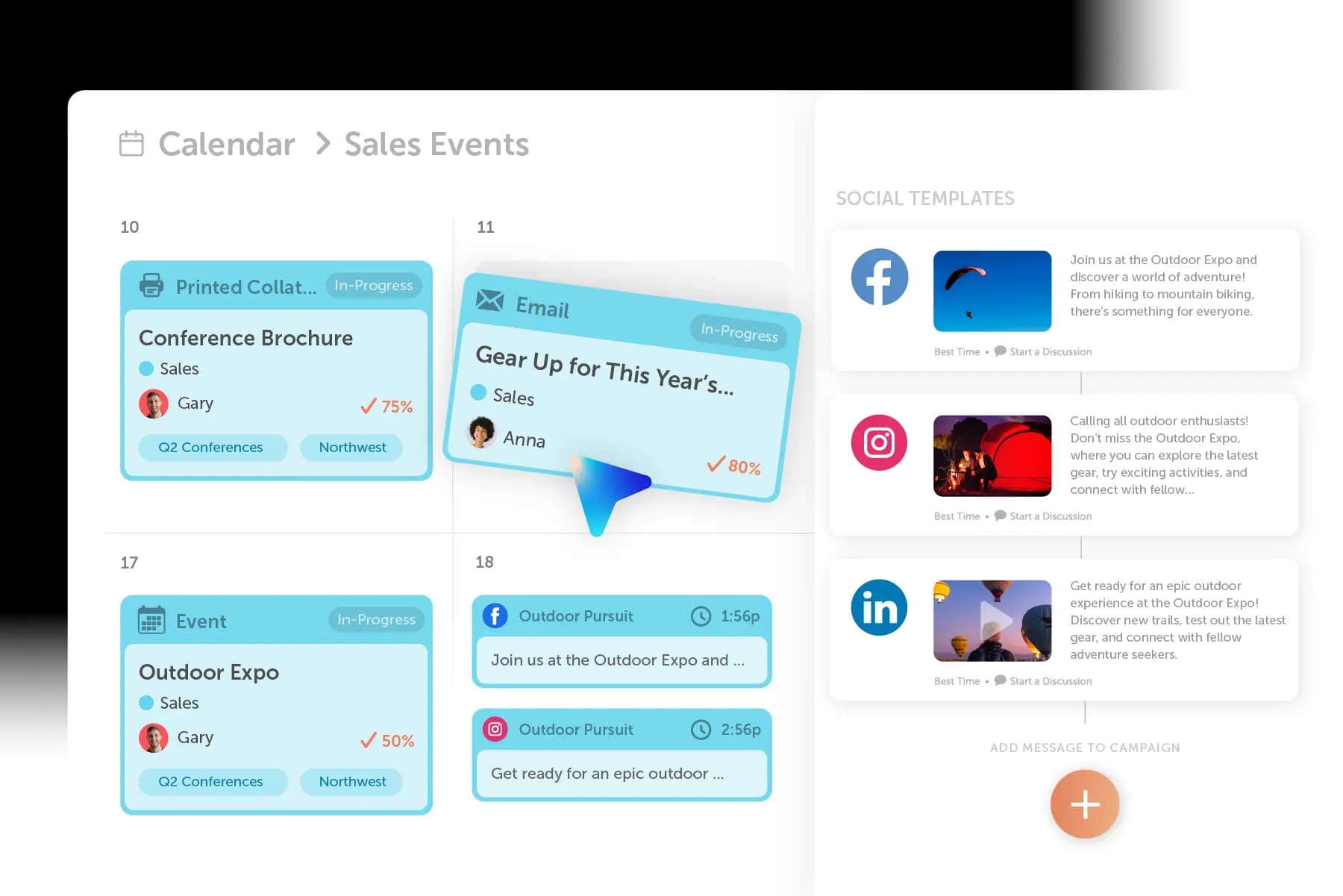
CoSchedule is an all-in-one marketing calendar and social media management platform designed to help nonprofit marketing teams plan campaigns, collaborate with team members, and publish content consistently.
Unlike standalone social media schedulers, CoSchedule brings your entire marketing workflow into one centralized calendar. Nonprofits can organize social media posts, fundraising campaigns, email marketing, events, and other marketing projects in one place.
For nonprofit teams with limited time and resources, CoSchedule helps eliminate scattered workflows by combining planning, scheduling, collaboration, and AI-powered content creation into one platform.
Whether your organization is promoting Giving Tuesday, launching a donation campaign, recruiting volunteers, or sharing community updates, CoSchedule helps your team stay organized from planning through publishing.
Strengths
CoSchedule helps nonprofit organizations manage social media and marketing campaigns with features including:
- Unified Marketing Calendar
- Social Media Calendar
- AI Assistant and Smart Editor
- Multi-platform publishing
- Team collaboration and approval workflows
- ReQueue for automatically resurfacing evergreen content
- Marketing campaign organization
- Analytics and reporting
The Unified Marketing Calendar gives nonprofit teams a complete view of their marketing efforts, helping everyone understand what campaigns are running, what content is scheduled, and what projects need attention.
The AI-powered tools inside CoSchedule also help teams create content faster by generating ideas, improving messaging, and helping turn existing campaign information into ready-to-publish content.
Best Use Case
CoSchedule is best for nonprofit organizations that need more than a basic social media scheduler.
It is a strong choice for teams managing multiple marketing responsibilities, including:
- Fundraising campaigns
- Awareness initiatives
- Volunteer recruitment
- Email marketing
- Events
- Social media content
By keeping everything in one marketing calendar, nonprofit teams can spend less time organizing their workflow and more time focusing on their mission.
Pricing
- Free Plan: $0 forever
- Social Calendar: $19 per user/month
- Agency Calendar: $59 per user/month
CoSchedule also offers a 30% nonprofit discount on all plans, helping nonprofit organizations access powerful marketing tools at a lower cost.
2. Publer
Overview
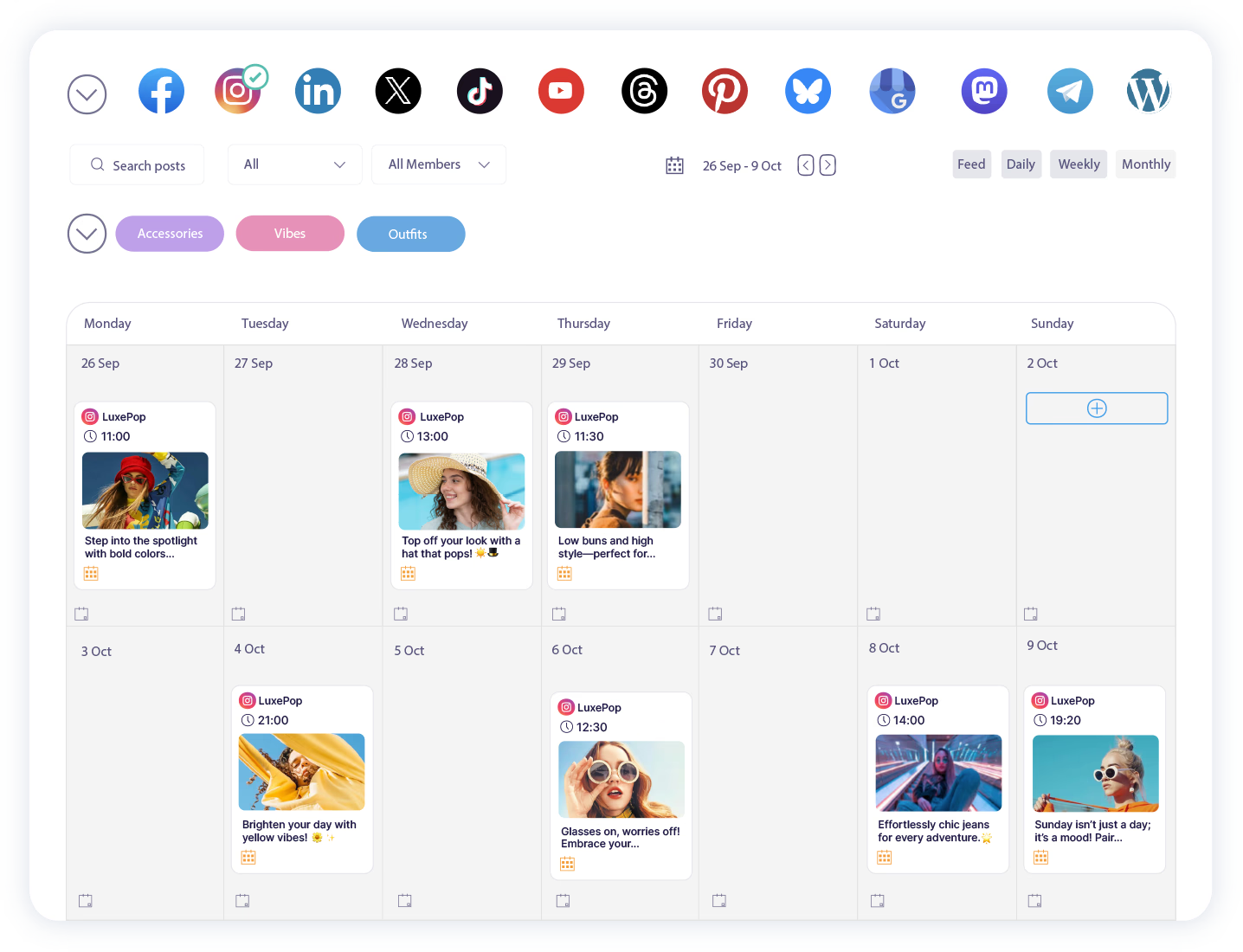
Publer is a social media scheduling platform designed to help small teams automate publishing across multiple social networks. Its simple interface and affordable pricing make it a popular option for organizations that need reliable scheduling without a large investment.
For nonprofits with limited marketing budgets, Publer provides essential publishing tools while keeping the platform easy to learn and manage.
Strengths
Publer offers features that help nonprofit teams create and schedule content efficiently, including:
- Bulk scheduling
- Link shortening
- AI caption assistance
- Media libraries
- Workspaces for small teams
- Content recycling
The platform’s bulk scheduling features can be especially helpful for nonprofits planning campaigns around fundraising events, awareness months, or recurring initiatives.
Best Use Case
Publer is best for smaller nonprofit organizations that primarily need dependable social media scheduling and basic collaboration features.
It works well for teams that:
- Manage a limited number of social channels
- Need affordable automation
- Want to schedule content ahead of time
- Do not need advanced marketing management features
Pricing
- Free Plan: $0 forever
- Professional Plan: $4 per social, per user/month
- Business Plan: $8 per social, per user/month
3. Hootsuite
Overview
Hootsuite is one of the most established social media management platforms available. It provides scheduling, monitoring, analytics, and engagement tools for organizations managing multiple social media channels.
For larger nonprofit organizations with active communities across several platforms, Hootsuite provides tools to monitor conversations, respond to supporters, and measure social media performance.
Strengths
Hootsuite includes features such as:
- Multi-platform scheduling
- Social inbox
- Analytics dashboards
- Team permissions
- Social listening
- Content recommendations
Its monitoring capabilities make it useful for nonprofits that need to track mentions, respond to questions, and maintain conversations with supporters.
Best Use Case
Hootsuite is best for larger nonprofit organizations with dedicated social media teams.
It is a good fit for nonprofits that:
- Manage multiple social channels
- Need advanced monitoring
- Require detailed reporting
- Have larger teams collaborating on social media
Pricing
- Standard Plan: $99 per user/month
- Professional Plan: $199 per user/month
- Advanced Plan: $399 per user/month
Users can save up to 60% on Hootsuite for approved nonprofit organizations.
4. Agorapulse
Overview
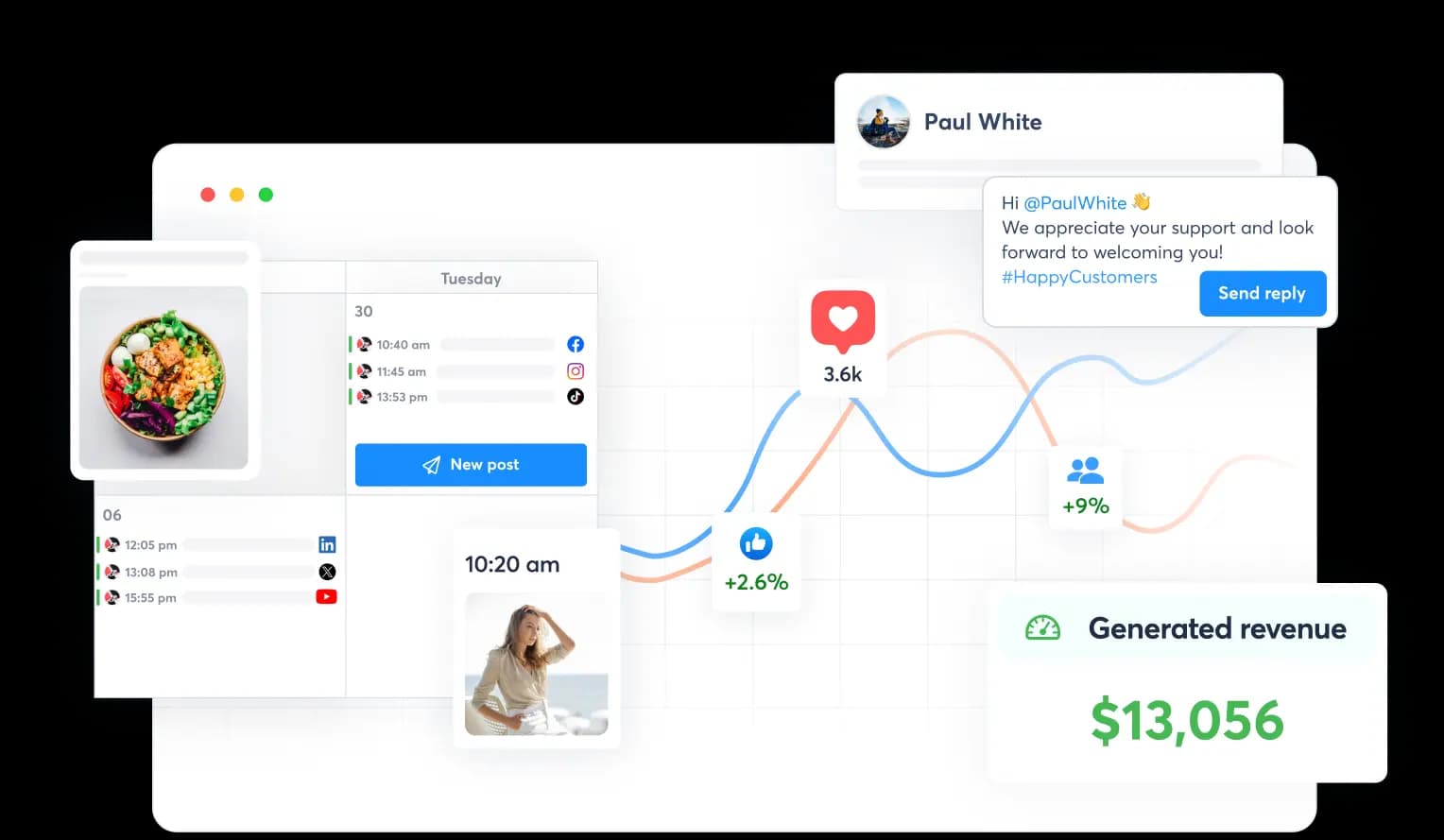
Agorapulse is a social media management platform that combines publishing, engagement, reporting, and collaboration tools into one platform.
For nonprofits, social media is often about more than publishing updates. It is about building relationships with donors, volunteers, supporters, and community members. Agorapulse helps teams manage those conversations through a centralized inbox where messages, comments, and mentions can be tracked and responded to.
Strengths
Agorapulse provides nonprofit teams with features including:
- Unified social inbox
- Social media scheduling
- Team assignments
- Approval workflows
- Reporting dashboards
- Social listening
The unified inbox is one of Agorapulse’s biggest strengths. Instead of checking each social network individually, teams can manage conversations from one location.
This can help nonprofits respond faster to:
- Donor questions
- Volunteer inquiries
- Event feedback
- Community conversations
- Supporter messages
Best Use Case
Agorapulse is best for nonprofit organizations that prioritize community engagement and relationship building.
It is a strong option for teams that:
- Receive frequent social media messages
- Need organized inbox management
- Have multiple people responding to supporters
- Want detailed engagement reporting
Pricing
- Standard Plan: $79 per user/month
- Professional Plan: $119 per user/month
- Advanced Plan: $149 per user/month
5. Loomly
Overview
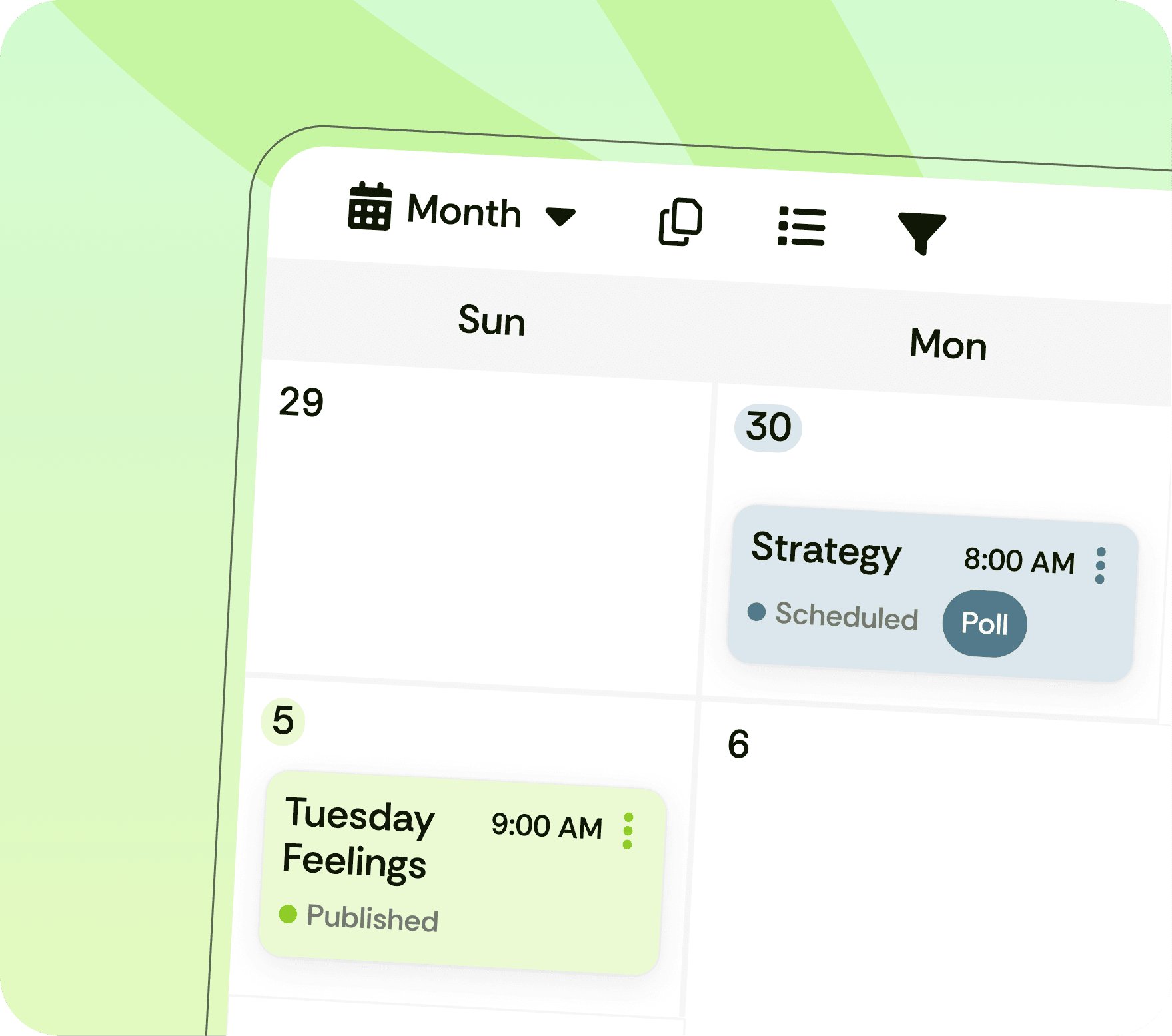
Loomly is a social media management platform focused on content planning, collaboration, and approval workflows.
Many nonprofits have multiple stakeholders involved in marketing decisions. A social media post may need review from leadership, program directors, fundraising teams, or other departments before being published.
Loomly helps simplify this process by giving teams a structured way to create, review, and approve content.
Strengths
Loomly includes features such as:
- Social media calendar
- Approval workflows
- Content ideas
- Team collaboration
- Publishing tools
- Post previews
The platform’s approval system helps nonprofits maintain brand consistency while allowing multiple team members to contribute to content creation.
Best Use Case
Loomly is best for nonprofits that need a clear review process before publishing social media content.
It works well for organizations that:
- Have multiple content contributors
- Require leadership approval
- Manage structured campaigns
- Want a simple collaboration workflow
Pricing
- Starter Plan: $49 per user/month
- Beyond Plan: $249 per user/month
6. Metricool
Overview
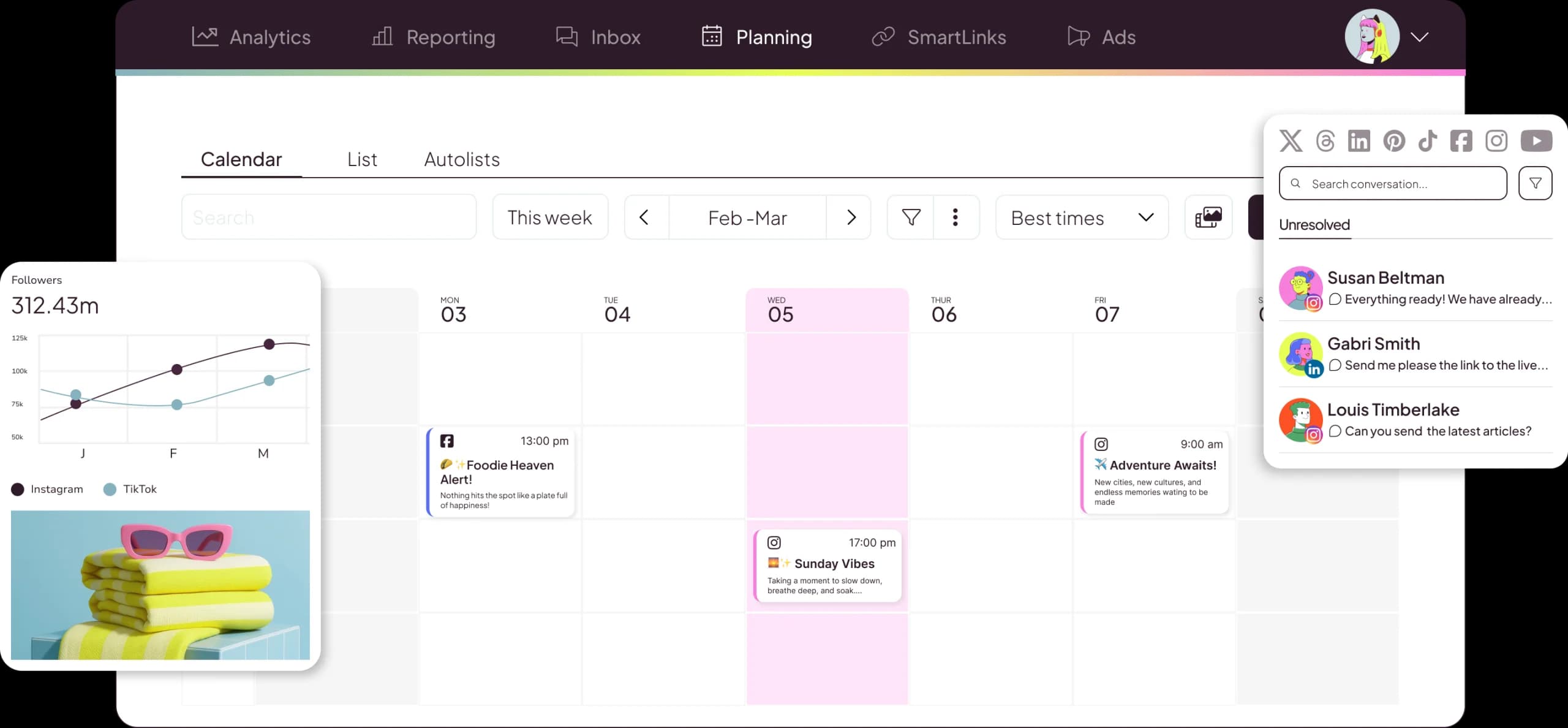
Metricool is a social media management platform that combines scheduling, analytics, advertising insights, and performance reporting into one dashboard.
For nonprofits that want to understand what content performs best without investing in expensive enterprise software, Metricool provides an affordable way to track social media results.
Strengths
Metricool offers features including:
- Social media scheduling
- Analytics dashboards
- Competitor tracking
- Advertising reports
- Link management
- Performance tracking
Its reporting capabilities make it easier for nonprofit teams to measure the impact of their social media efforts and communicate results to leadership or stakeholders.
Best Use Case
Metricool is best for nonprofits that want stronger analytics and reporting while keeping costs manageable.
It is a good fit for organizations that:
- Need better visibility into social performance
- Report marketing results to leadership
- Track campaign effectiveness
- Operate with limited budgets
Pricing
- Free Plan: $0 forever
- Starter Plan: $20 per user/month
- Advanced Plan: $53 per user/month
7. SocialBee
Overview
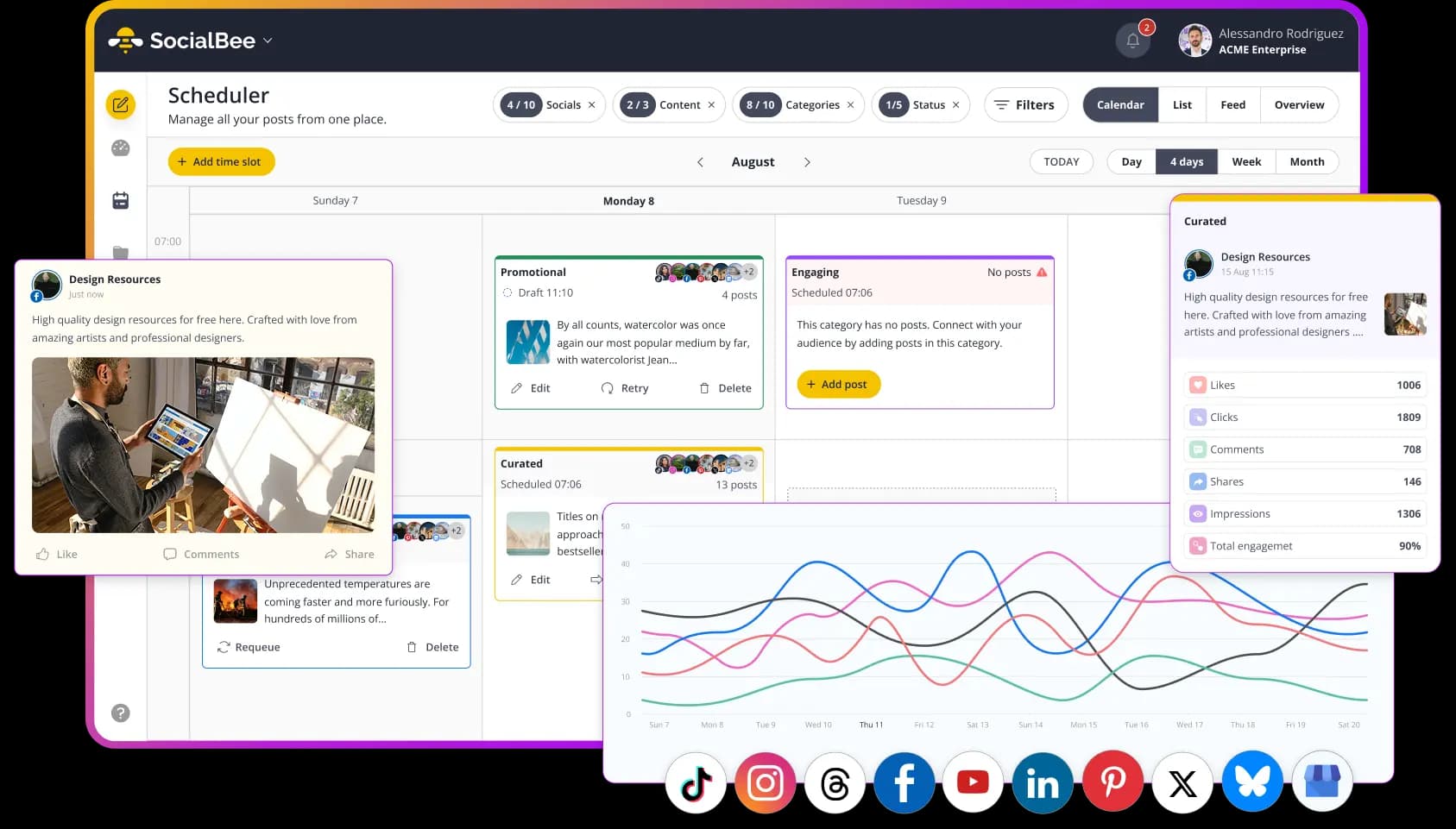
SocialBee is a social media scheduling platform designed around content organization and automated publishing.
The platform helps nonprofits organize posts into categories and automatically recycle evergreen content, making it easier to maintain an active social media presence throughout the year.
This can be especially valuable for nonprofits that regularly share:
- Educational resources
- Volunteer opportunities
- Impact stories
- Donation campaigns
- Awareness content
Strengths
SocialBee provides features including:
- Evergreen content recycling
- Content categories
- AI caption generation
- Social media scheduling
- Team collaboration
- Content approval workflows
The ability to organize content by category makes it easier for nonprofit teams to maintain a balanced posting strategy.
For example, a nonprofit could create categories for fundraising updates, community stories, volunteer opportunities, and educational content.
Best Use Case
SocialBee is best for nonprofit organizations that rely on recurring campaigns and evergreen content.
It works well for teams that:
- Regularly share educational content
- Promote ongoing initiatives
- Need help maintaining consistency
- Want to reuse successful content
Pricing
- Bootstrap Plan: $24 per user/month
- Accelerate Plan: $40 per user/month
- Pro Plan: $82 per user/month
Social Media Scheduling Tools For Nonprofits Comparison
| Tool | Best For | Starting Price | AI | Collaboration | Analytics |
|---|---|---|---|---|---|
| CoSchedule | All-in-one nonprofit marketing management | Free | ✓ | ✓ | ✓ |
| Publer | Affordable scheduling | Free | ✓ | Limited | ✓ |
| Hootsuite | Large organizations | Paid | ✓ | ✓ | ✓ |
| Agorapulse | Community engagement | Free | ✓ | ✓ | ✓ |
| Loomly | Approval workflows | Paid | Limited | ✓ | Limited |
| Metricool | Analytics and reporting | Free | Limited | Limited | ✓ |
| SocialBee | Evergreen content | Paid | ✓ | ✓ | Limited |
Why CoSchedule Is The Best Choice For Nonprofit Marketing Teams
Most social media scheduling tools solve one problem. They help you publish posts automatically.
CoSchedule helps nonprofit organizations solve a much bigger challenge: keeping every marketing initiative organized while making it easier for small teams to create, collaborate, and stay consistent.
When you are managing fundraising campaigns, awareness initiatives, volunteer recruitment, email marketing, and social media at the same time, a standalone scheduler often is not enough. Nonprofit teams need a system that keeps everything connected.
Here is where CoSchedule stands out.
Everything Lives In One Marketing Calendar
Nonprofits rarely run just one campaign at a time.
Your team may be planning:
- A fundraising campaign
- An upcoming community event
- A volunteer recruitment drive
- A grant application deadline
- An email newsletter
- Social media content for multiple platforms
With CoSchedule’s Unified Marketing Calendar, every campaign and piece of content lives in one place.
Instead of switching between spreadsheets, email threads, project management tools, and social schedulers, your team can see the full marketing picture from a single calendar.
This makes it easier to:
- Coordinate campaign timing
- Avoid scheduling conflicts
- Identify content gaps
- Keep leadership informed about upcoming initiatives
For nonprofit organizations with limited staff, having one source of truth can save hours of administrative work every month.
Built For Small Teams
Many nonprofits do not have dedicated specialists for every marketing function. One person may be responsible for social media, email marketing, website updates, event promotion, and reporting.
CoSchedule is designed for exactly that kind of environment.
Because planning, scheduling, collaboration, and AI tools are integrated into one platform, teams can accomplish more without adding additional software or hiring more staff.
Instead of managing five different tools, nonprofit marketers can handle their workflow from one dashboard.
Publish More Consistently
Consistency is one of the most important parts of a successful nonprofit social media strategy.
Supporters are more likely to engage with organizations that communicate regularly, share meaningful stories, and stay active throughout the year.
CoSchedule makes consistent publishing easier by allowing teams to:
- Schedule content weeks or months in advance
- Plan campaigns around key fundraising dates
- Maintain activity during busy event seasons
- Reuse evergreen content with ReQueue
For example, your team could prepare an entire Giving Tuesday campaign ahead of time and schedule every post across multiple platforms before the campaign even begins.
That means less last minute scrambling and more time engaging with donors while the campaign is live.
Collaborate Without Endless Email Threads
Nonprofit marketing often involves multiple stakeholders.
A fundraising manager may need to review donation messaging. A program director may need to approve impact stories. Leadership may want visibility into major campaigns before they are published.
CoSchedule simplifies this process through built-in collaboration tools.
Teams can:
- Assign projects
- Leave comments
- Request approvals
- Track progress
- See who is responsible for each task
Instead of searching through email chains or messaging apps, everyone works from the same calendar and the same content.
Create Content Faster With AI
One of the biggest challenges nonprofit marketers face is simply creating enough content.
CoSchedule’s AI Assistant and Smart Editor help teams generate:
- Social media captions
- Fundraising campaign messaging
- Volunteer recruitment posts
- Event promotions
- Donor appreciation content
- Awareness campaign ideas
AI does not replace your organization’s voice. It helps your team move from a blank page to a strong first draft much faster.
For small nonprofits, that time savings can make the difference between posting consistently and falling behind.
Save Time So Your Team Can Focus On Your Mission
At the end of the day, nonprofit organizations are not trying to become social media experts.
They are trying to serve communities, raise funds, support programs, and create meaningful impact.
The best social media scheduling tool is the one that removes administrative work, reduces confusion, and gives your team more time to focus on the mission that matters.
CoSchedule helps nonprofit organizations do exactly that by combining:
- Marketing planning
- Social media scheduling
- Team collaboration
- AI-powered content creation
- Campaign organization
- Performance tracking
All in one platform.
If your nonprofit is looking for a solution that goes beyond scheduling and helps your entire marketing team work more efficiently, CoSchedule is one of the strongest options available in 2026.
Start organizing your nonprofit marketing with CoSchedule today.
Final Thoughts
A successful nonprofit social media strategy requires more than simply publishing posts. It requires planning, consistency, collaboration, and the right tools to help your team stay organized.
The best social media scheduling tools allow nonprofit organizations to create content in advance, coordinate campaigns, measure performance, and maintain meaningful connections with supporters.
Whether your team needs a simple scheduling platform or a complete marketing management solution, the right tool can help you spend less time managing social media and more time advancing your mission.
CoSchedule stands out by combining social media scheduling, marketing calendars, collaboration tools, and AI-powered content creation into one platform. For nonprofit teams looking to simplify their workflow and create a more organized marketing process, CoSchedule provides the tools needed to plan smarter and publish more consistently.
Frequently Asked Questions
What is the best social media scheduling tool for nonprofits?
The best tool depends on your organization’s goals, team size, and budget. CoSchedule is a strong option for nonprofits that need social media scheduling, marketing planning, collaboration, and AI tools in one platform.
Why do nonprofits need social media scheduling software?
Social media scheduling software helps nonprofit teams save time, plan content ahead of time, and maintain consistent communication with donors, volunteers, and supporters.
How often should nonprofits post on social media?
Nonprofits should focus on maintaining a consistent posting schedule that fits their resources and audience. Quality and consistency are often more important than posting as frequently as possible.
Can nonprofit organizations use AI for social media content?
Yes. AI tools can help nonprofits generate ideas, write captions, repurpose content, and speed up the creative process while allowing teams to maintain their unique voice.
What is the difference between a social media scheduler and a social media management platform?
A social media scheduler focuses on publishing posts, while a social media management platform includes additional tools like calendars, collaboration, analytics, and campaign planning.
How can small nonprofit marketing teams stay consistent on social media?
Small teams can stay consistent by using a content calendar, scheduling posts in advance, repurposing existing content, and using tools that simplify their workflow.
What features should nonprofits look for in social media software?
Nonprofits should prioritize features like scheduling, shared calendars, collaboration tools, analytics, AI assistance, and multi-platform publishing.
What is the best way to create a nonprofit social media strategy?
A strong nonprofit social media strategy starts with clear goals, defined audiences, planned content themes, and a consistent publishing schedule supported by the right tools.